

Build an AI Chatbot for Your Chiropractic Clinic (Step-by-Step)
 by Gerek Allen ~ Last Updated: December 5th, 2025 ~ 5 Min Read
by Gerek Allen
~ Last Updated: December 5th, 2025 ~
~ 5 Min Read ~
You feel it, don't you? The constant pull in a dozen different directions. A patient needs you in the adjustment room, the phone is ringing, and a potential new patient just asked a question on your website at 10 PM. You cannot be everywhere at once, and it feels like opportunities are slipping through your fingers every day.
An AI chatbot for chiropractors might sound like science fiction, but it is the extra set of hands you have been wishing for. This is not about replacing your amazing front desk staff. It is about giving them superpowers.
Imagine a world where your website can answer questions, handle appointment scheduling, and guide new patients into your care, 24/7. This is what a well-built AI chatbot for chiropractors can do. I am going to show you exactly how to build one.
Why Your Chiropractic Clinic Needs a Digital Assistant
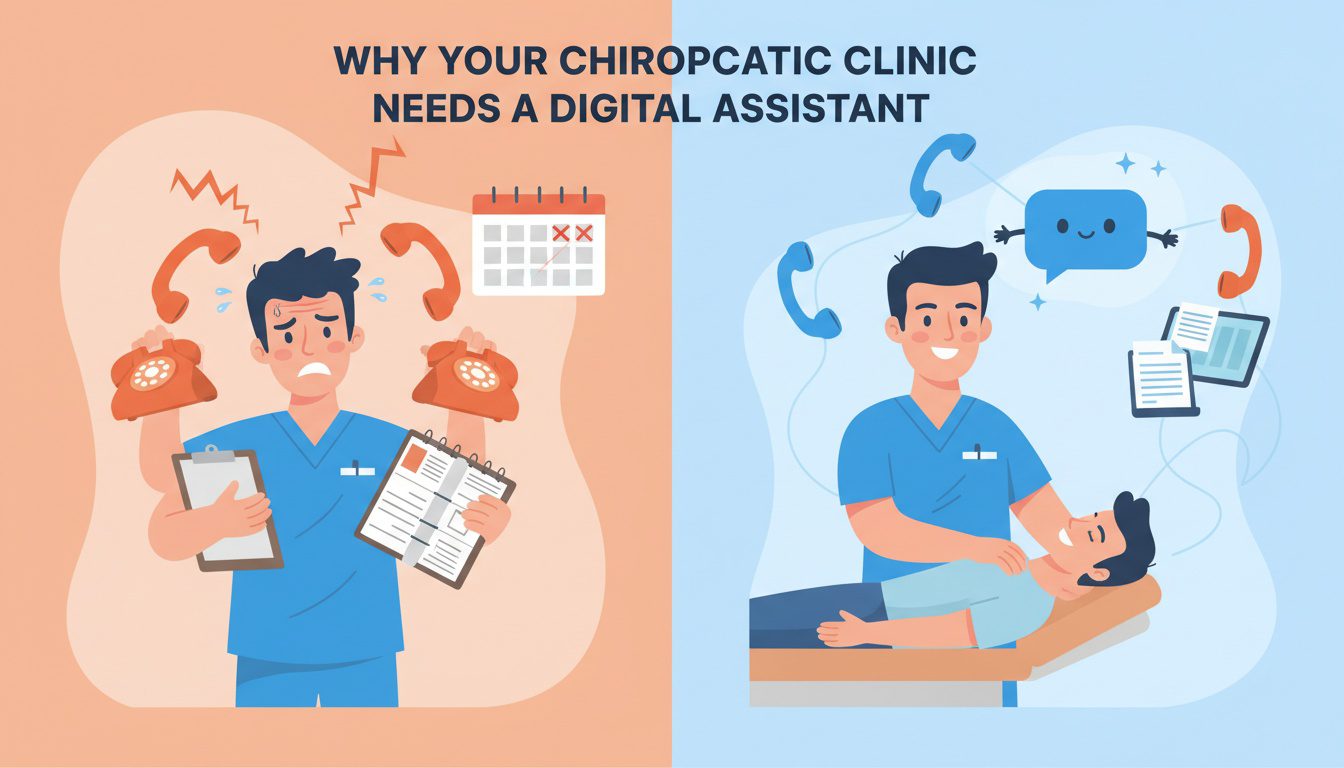
Let's be real for a second. Every missed call is a potential new patient who just booked with the clinic down the street. Every minute your staff spends answering the same five questions about insurance or business hours is a minute they are not spending on high-value tasks. This is an administrative drain, and it is a silent killer of clinic growth.
You work hard to provide excellent patient care, but the experience starts long before they get on your table. It begins with that first interaction on your chiropractor website. Convenience and timely communication are incredibly important to today's healthcare consumers.
An AI chatbot works for you around the clock, functioning as a tireless virtual receptionist. It is a significant upgrade over a traditional answering service because it provides instant, interactive responses instead of just taking a message. This constant availability means you are meeting potential patients exactly where and when they need you, which can dramatically improve patient satisfaction from the very first click.
What Exactly is an AI Chatbot? (And What It Isn't)
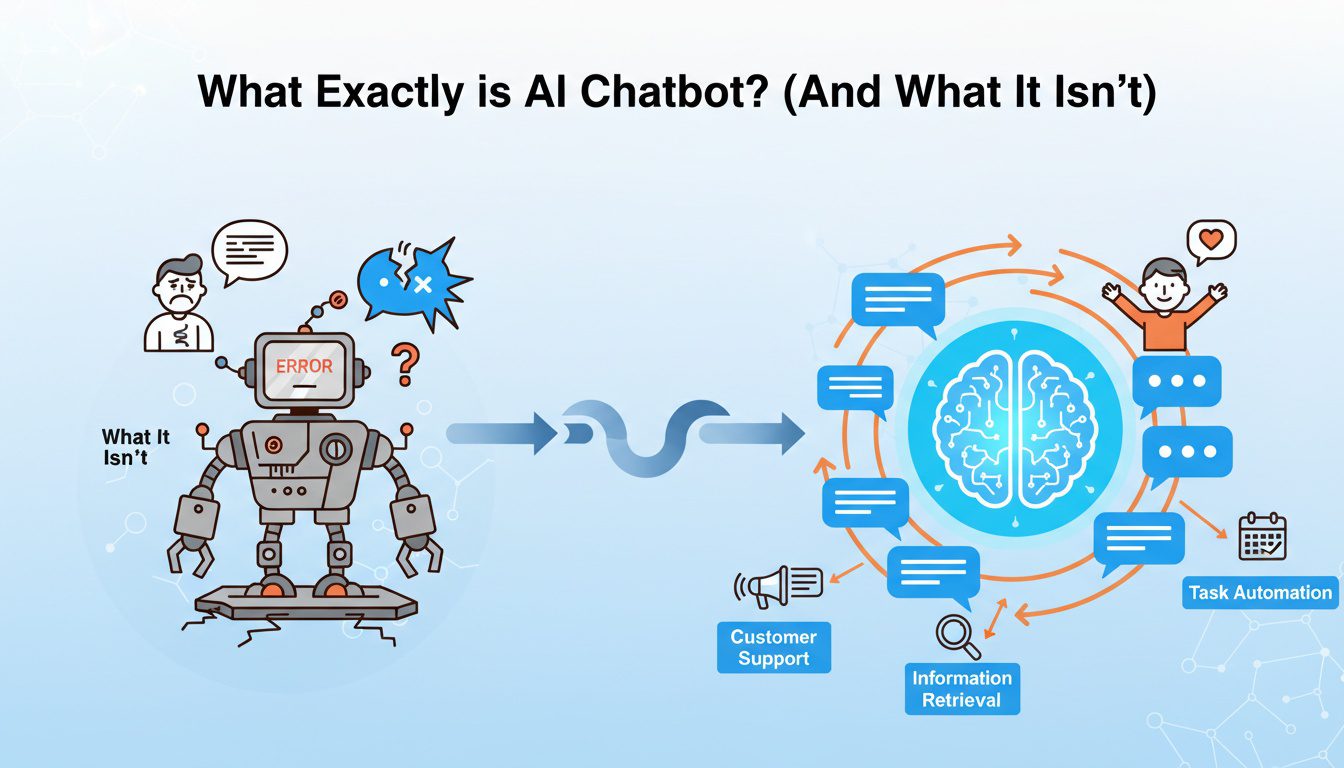
Forget the clunky, frustrating bots of the past that just looped you in circles, saying, "I do not understand."
Modern AI chatbots are powered by advanced artificial intelligence, including natural language processing. This technology allows them to understand the intent behind a person's words, not just specific keywords.
Think of it less like a robot and more like a highly trained digital assistant. It can have a real conversation, ask clarifying questions, and guide users to the information they need. It is not just a fancy FAQ page; it is an interactive tool that enhances your chiropractic practice.
For your chiropractic office, this means the chatbot can book appointments directly into your calendar, answer detailed questions about services, and even handle the initial patient intake process. It frees up your human team to focus on the personal connections that build lasting relationships and improve patient engagement. The goal is to streamline patient communication, not replace it.

NEED MORE CLIENTS?
Free conversion-focused analysis uncovers the 3 biggest problems killing your bookings — we'll walk you through your results personally
Building Your AI Chatbot for Chiropractors Step-by-Step
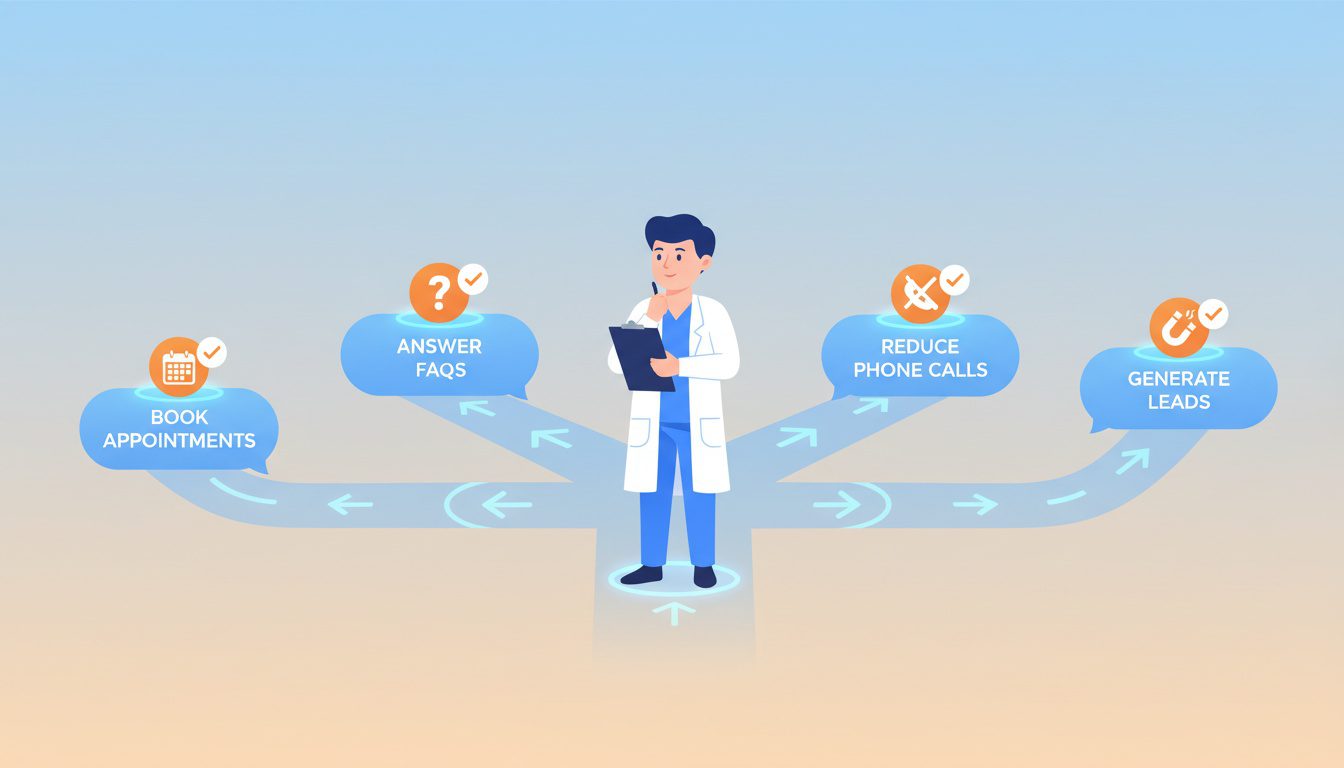
Building a chatbot sounds technical, but it is easier than you think. You do not need to be a programmer or a tech genius. You just need to understand your patients and your clinic's workflow. Let's walk through it together.
Step 1: Define Your Goals
Before you do anything else, you need to know what you want this bot to accomplish. A tool without a goal is just a toy. What is the biggest bottleneck in your chiropractic practice right now?
Start by picking one or two main jobs for your chatbot. The chatbot helps most when it is focused on solving specific problems. Here are some common goals for chiropractors AI:
- Book more new patient consultations.
- Reduce the number of repetitive phone calls about office hours or directions.
- Answer common questions automatically.
- Handle lead generation by capturing contact information after hours.
- Improve patient follow-ups with automated reminders or check-ins.
- Streamline patient intake by collecting basic information before the first visit.
Your goal will shape every other decision you make. A bot designed for appointment scheduling will need a very different conversation flow than one built for answering frequently asked questions. Focusing on a primary objective ensures you create a useful tool from day one.
Step 2: Choose the Right Platform
You are not building this from scratch. You will use a platform that gives you all the tools you need. There are many options out there, but you should look for a few key things.
First and foremost is HIPAA compliance. As a healthcare provider, protecting patient data is non-negotiable, and your privacy policy must reflect this. Make sure any chatbot builder you consider adheres to HIPAA regulations and will sign a Business Associate Agreement (BAA).
Next, look for easy integrations. Can the chatbot platform connect to your existing scheduling software? This connection is what allows the bot to handle appointment scheduling directly into your calendar, which is a massive way to save time.
Finally, consider the ease of use. You will want a platform with a visual, drag-and-drop builder that requires no coding. This lets you design conversations and update information yourself.
Look for platforms that provide case studies from other chiropractic offices to see what is possible.
| HIPAA Compliance | This is a legal requirement to protect patient health history and other sensitive data. |
| Calendar Integration | Automates appointment scheduling, reducing staff workload and eliminating human error. |
| No-Code Builder | Allows you and your staff to manage the chatbot without hiring a developer. |
| Customization | Lets you match the chatbot's branding and tone to your chiropractor website. |
| Analytics & Reporting | Provides insights into patient interactions and common questions, helping you improve services. |
Do your research before you start building. Many platforms offer free trials. Some may be a free AI tool to start, while others might state no credit card required for the trial period, so you can test it risk-free.
Step 3: Give Your Chatbot a Brain (Training the AI)
This is where your expertise comes in. The generative AI is smart, but it knows nothing about your specific clinic or clinical practice. You need to give it a brain by feeding it the right information.
Think of all the frequently asked questions you and your staff answer over and over. This is the foundation of your chatbot's knowledge. You can usually upload this information as a knowledge base or by creating question-and-answer pairs.
Start with the basics of your chiropractic practice:
- Your clinic's address, business hours, and phone number.
- A list of services you offer and conditions you treat.
- Details on which insurance plans you accept.
- What a new patient should expect on their first visit.
- Information about your team of chiropractors.
Once you cover the basics, you can move to more complex topics. You can provide simple, patient-friendly explanations for different conditions or details about a typical treatment plan.
The more information you provide, the better your chatbot becomes at handling routine inquiries and delivering personalized care.
Step 4: Craft the Conversation (Making it Sound Human)
A chatbot's personality matters. You do not want it to sound cold and robotic. The way it communicates should reflect your clinic's brand and the warm, welcoming environment you have created for your patients.
Decide on a persona for your chatbot. Is it upbeat and energetic, or is it calm and reassuring? Write down a few adjectives that describe your brand voice and use them as a guide when scripting the bot's responses for your website visitors.
Use conversational language and conditional logic to guide the conversation naturally. Instead of "How may I assist you?" try something like "Hi there. I can help you book an appointment or answer questions. What's on your mind?" These simple changes make a huge difference in patient interactions and can significantly enhance patient care perception from the start.
Also, plan out your conversation flows. For a new patient, the bot might ask a few qualifying questions before offering to book an appointment. For an existing patient, it might offer options to reschedule or ask a question, showing that the chatbot developed for your clinic understands different patient needs.
Step 5: Connect It to Your Tools
A standalone chatbot is helpful, but an integrated chatbot is a game-changer for streamlining patient processes. Connecting your chatbot to other software systems automates your workflows and saves an incredible amount of time. The most important connection for any of the chiropractic offices is the calendar.
By integrating with your scheduling software, the chatbot can see your real-time availability and book appointments directly into open slots. This eliminates the back-and-forth emails and phone calls. This feature alone makes it one of the most effective tools for chiropractors AI has produced.
You can also connect it to your email marketing software or CRM. If someone provides their email to the chatbot, it can be automatically added to your newsletter list for lead generation. The chatbot sends timely information to your systems, helping you nurture leads and stay top-of-mind with potential patients, and even connect with them on social media.
Step 6: Test, Launch, and Learn
Before your chatbot goes live on your website, you need to test it thoroughly. Have your staff, your family, and your friends interact with it. Tell them to try and break it by asking weird questions or going off-script.
This kind of testing helps you find weak spots and confusing parts of the conversation before a real patient does. It helps you refine the flow and ensure it represents your clinic professionally. Remember, with a good chatbot builder, you can make these changes yourself.
Once you feel confident, it is time to launch. This is usually as simple as adding a small piece of code to your website to make the chat widget appear.
But the work is not over; a great chatbot is always learning and improving. Most platforms let you review conversations, so check them regularly to see what questions people are asking that your bot cannot answer, allowing you to continuously improve patient outcomes by providing better information.
Common Mistakes to Avoid
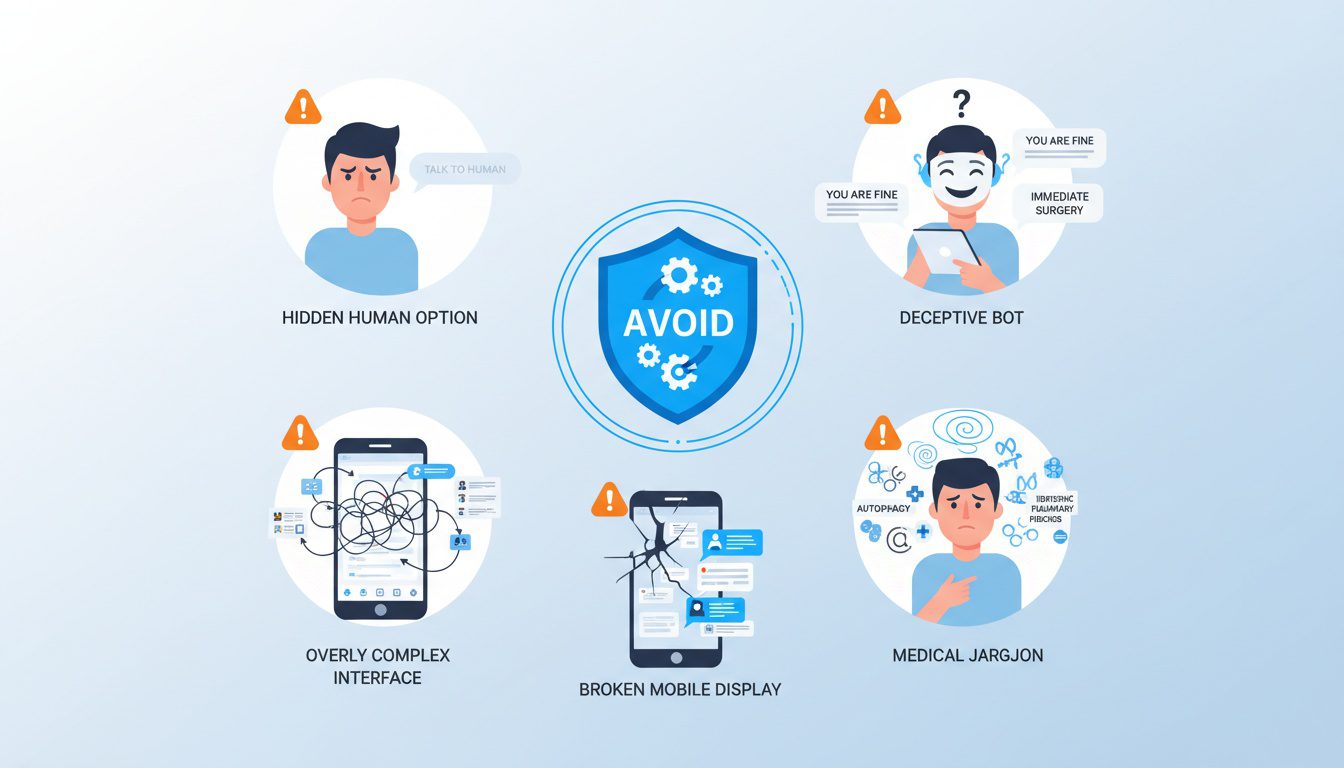
As you build your chatbot, it is easy to fall into a few common traps. Keep these pitfalls in mind to create a better experience for your users and patients effectively.
- Hiding the Human Option: Sometimes, a person just needs to talk to a person. Always give users a clear and easy way to get in touch with your front desk.
- Not Being Transparent: Do not try to trick people into thinking they are talking to a human. Be upfront that they are interacting with an AI assistant. People are generally fine with it as long as they know.
- Making it Too Complicated: Do not try to make your bot do everything on day one. Start with one main goal, get it right, and then add more functionality over time.
- Using Too Much Jargon: Write your bot's responses in plain, simple language. Your patients do not use clinical terms, and neither should your bot when answering common questions.
- Ignoring Mobile Users: The majority of your website visitors will be on a phone. Ensure the chatbot works perfectly on mobile devices for seamless patient interactions.
Avoiding these simple mistakes will put you way ahead of the curve. It ensures your chatbot is a truly helpful tool and enhances your chiropractic clinic's reputation for being modern and patient-focused.
Frequently Asked Questions About Ai Chatbot for Chiropractors
What can AI chatbots actually do for chiropractic practices, and what are their limitations?
AI chatbots excel at: Answering common questions 24/7 (hours, services, insurance acceptance, pricing, parking), Qualifying leads by asking initial questions about patient needs and pain points, Booking appointments through integration with scheduling systems, Collecting patient information for new patient intake, Providing directions and office information, Handling simple inquiries freeing staff for complex issues, and Following up with appointment reminders and post-visit check-ins. Chatbots struggle with: complex medical questions requiring professional judgment, empathetic conversations about serious conditions, understanding nuanced patient concerns, handling frustrated or emotional patients, and anything requiring HIPAA-compliant medical advice. Best practice: chatbots handle routine administrative tasks while seamlessly transferring to human staff when conversations require personal attention or clinical expertise.
Are chiropractic chatbots HIPAA-compliant, and what should I look for?
Not all chatbots are HIPAA-compliant—this is critical to verify before implementation. Look for: Business Associate Agreement (BAA) from the chatbot provider acknowledging HIPAA responsibilities, End-to-end encryption for all patient communications and data, Secure data storage with access controls and audit logs, No unauthorized data sharing with third parties for training AI models, Clear data retention policies allowing you to delete patient information, and U.S.-based servers complying with federal regulations. Popular HIPAA-compliant healthcare chatbot platforms include HealthTap, Gyant, Infermedica, and specialized healthcare communication platforms. Generic chatbots like standard ChatGPT plugins or basic website chatbots are NOT HIPAA-compliant. Even for non-clinical conversations, if chatbots collect names and health concerns, HIPAA applies. Never implement chatbots without proper compliance verification.
How much does it cost to implement a chatbot for a chiropractic practice?
Chatbot costs range widely based on sophistication: Basic rule-based chatbots (scripted responses, simple decision trees)—$50-200/month through platforms like Tidio, Drift, or Intercom. Mid-tier AI chatbots (natural language processing, appointment booking integration)—$200-500/month through healthcare-specific platforms. Advanced HIPAA-compliant solutions (sophisticated AI, EMR integration, multi-channel support)—$500-1,500/month from specialized healthcare vendors. Custom-built chatbots—$5,000-20,000+ one-time development plus monthly hosting/maintenance. Most small-to-medium chiropractic practices do well with mid-tier solutions ($200-500/month). Calculate ROI: if chatbots handle 50 inquiries monthly that would take staff 10 hours to answer, that's $150-300 in labor savings plus potential new patients from after-hours inquiries. Start with affordable platforms offering free trials to test effectiveness before committing to expensive solutions.
How do I train my chatbot to answer questions accurately about my specific chiropractic practice?
Effective chatbot training involves: Compile common questions from your front desk staff—track the 30-50 most frequent inquiries patients ask. Create detailed answer templates with your specific information (exact pricing, insurance plans you accept, your unique services, office policies). Include your practice personality in responses—friendly, professional tone matching your brand. Build decision trees for complex questions requiring follow-up: "Do you accept insurance?" leads to "Which insurance do you have?" then provides specific guidance. Add qualifying questions that help route conversations: "Is this for a new injury or ongoing wellness care?" Test extensively before launch—have staff and patients interact with the chatbot, identifying gaps and errors. Review conversation logs weekly at first, then monthly, identifying questions the bot couldn't answer and adding them to training. Update regularly when office hours change, new services launch, or policies update. Most modern chatbot platforms use intuitive interfaces for training without requiring coding knowledge.
Conclusion
Your time is your most valuable asset. Running a successful chiropractic clinic means spending more of that time adjusting patients and less time bogged down in administrative tasks. Building a great AI chatbot for chiropractors is a practical, powerful step toward reclaiming that time.
It improves your patient experience, captures leads you would have missed, and gives your staff the support they need to focus on what they do best. An AI chatbot, possibly even one with voice capabilities, is no longer a tool for the future. It is a tool for growth right now that will enhance chiropractic practice operations and help you deliver the best possible care.
Free Website Conversion Analysis — Get a personal walkthrough showing the 3 biggest problems costing you clients (plus instant case study).

Gerek Allen
Co-Owner iTech Valet
Entrepreneur, patriot, CrossFit junkie, IPA enthusiast, loves to travel to tropical destinations, and knows way too many movie quotes.


About iTech Valet
iTech Valet specializes in web design and content marketing for online entrepreneurs who want to share their expertise.
Services Include:
- Web Design
- Graphic Design
- Sales Copy
- Funnel Building
- Authority Sites
- Membership Sites
- Course Creation
- Email Systems
- Content Marketing
- Competitive Analysis
- Tech Integrations
- Strategic Planning
NEED MORE CLIENTS?
Free conversion-focused analysis uncovers the 3 biggest problems killing your bookings — we'll walk you through your results personally

621 Enterprises, Inc. | Copyright 2022 | All rights reserved