


What Are Chiropractic Analytics Dashboards? (2026 Guide)
 by Gerek Allen ~ Last Updated: Dec 11, 2025 ~ 10 Min Read
by Gerek Allen
~ Last Updated: Dec 11, 2025 ~
~ 10 Min Read ~
A chiropractic analytics dashboard is software that pulls all your practice's important numbers into one visual display. Patient retention, revenue per visit, no-show rates, outstanding claims—everything you need to understand how your practice is actually performing shows up in charts, graphs, and real-time reports.
Here's the thing.
Most chiropractors are straight up flying blind when it comes to their business metrics. And I get it—you're busy adjusting patients, managing staff, and trying to squeeze marketing in between appointments. Who's got time to dig through spreadsheets?
That's exactly why these dashboards exist. They do the heavy lifting so you can glance at a screen and know instantly whether your practice is healthy or quietly bleeding money.
The U.S. chiropractic industry hit $13.13 billion in 2022 and is projected to reach $18.40 billion by 2030. That's a ton of opportunity. But the practices capturing that growth? They're not guessing—they're tracking their numbers religiously.
Think of it like the dashboard in your car. You don't need to understand engine mechanics to know when the check engine light comes on, right? Same concept here. Your practice dashboard alerts you when something needs attention before it becomes a full-blown crisis.
In this guide, we'll break down exactly what these dashboards track, which KPIs actually matter (and which ones are just noise), and how to choose the right software for your practice.
Sound fair? Let's dig in.
What Does a Chiropractic Analytics Dashboard Actually Track?

Instead of logging into five different systems to piece together how your practice performed last month, you get everything at a glance. Pretty damn convenient.
The best dashboards track three core categories: patient behavior, financial health, and operational efficiency.
Let me break each one down.
Patient Retention Metrics
Alright, quick reality check: patient retention is the lifeblood of your practice.
A high retention rate means patients trust you, follow their care plans, and refer their friends. A low rate? That's a red flag that something's broken in your patient experience.
Here's what your dashboard should track:
- Retention Rate (percentage) - Number of patients who return for follow-up care divided by total patients. Most practices hover between 40-60%, but high performers push above 70%. Big difference.
- Patient Visit Average (PVA) - How many visits the average patient completes before they disappear. Evidence-informed chiropractors aim for 10+ visits per patient.
- Drop-off Points - Where in the care plan patients stop showing up. If 25% leave after visit three, that's actionable intel you can actually do something about.
- Reactivation Opportunities - Patients who haven't been seen in 30, 60, or 90+ days. These folks are low-hanging fruit for outreach campaigns.
The dashboard visualizes these trends over time. You'll see whether retention is improving, holding steady, or tanking—and you can connect those changes to specific actions you've taken.
Make sense?
Revenue and Financial KPIs
Here's the uncomfortable truth: you can be the best adjuster in town and still go broke if your numbers don't add up.
Money metrics tell you whether your clinical success is actually translating into business success. Kinda important.
Here's what to watch:
- Revenue Per Visit (RPV) - Total collections divided by total patient visits. This tells you how much each appointment is actually worth to your bottom line.
- New Patient Case Average - The total revenue you can expect from each new patient over their entire care plan. Strong practices target $1,000+. If you're way below that, we need to talk.
- Outstanding Claims - Money owed by insurance companies that's just... sitting there. High outstanding claims signal revenue cycle problems that need fixing yesterday.
- Collections Rate - What percentage of billed services you actually collect. If you're billing $100 and collecting $60, you've got a serious leak.
- Overhead Ratio - Monthly expenses divided by monthly revenue. This shows how efficiently you're running the operation.
Your dashboard should present these as trend lines, not just static numbers. A single month's revenue doesn't tell you much. But six months of declining collections? That's a pattern you need to address before it gets worse.
Scheduling and No-Show Data
Empty appointment slots cost money. Every. Single. One.
Every no-show represents lost revenue and wasted capacity. Your dashboard tracks scheduling efficiency so you can minimize these gaps (and stop leaving money on the table).
The scheduling numbers that actually matter:
- No-Show Rate - Percentage of scheduled appointments where patients just don't show. A 28% no-show rate isn't just annoying—it's a systemic issue killing your revenue. (Seriously.)
- Cancellation Rate - How often patients cancel, and how much notice they give. Last-minute cancellations are almost as bad as no-shows.
- Rebooking Rate - Whether patients schedule their next appointment before leaving. High rebooking means better adherence to care plans and more predictable revenue.
- Appointment Utilization - How full is your schedule? Are you leaving slots unfilled that could be generating revenue?
Here's the kicker: the dashboard helps you spot patterns. Maybe no-shows spike on Mondays. Maybe certain appointment types have higher cancellation rates. That's intel you can use to adjust your systems and plug the leaks.
Why Do Chiropractors Need an Analytics Dashboard?

Let's be real. You didn't go to chiropractic school to become a data analyst.
But here's the deal: running a practice without tracking metrics is like treating patients without reassessing their progress. You wouldn't adjust someone for six months without checking if they're improving. Why would you run your business any differently?
Analytics dashboards aren't about becoming a numbers nerd. They're about making smarter decisions faster.
Spotting Problems Before They Kill Revenue
Most practice owners don't realize they have a problem until it's already costing them serious money.
Picture this: Your front desk seems busy. Patients are coming in. Everything feels fine.
But your dashboard shows patient retention dropped 15% over the last quarter.
Without that data, you might not notice until revenue tanks three months from now. By then? You're scrambling.
The average cost of losing a single patient is nearly $243. And that's not just the revenue from their visits—it's the referrals they would've sent, the lifetime value they represented. It adds up fast.
Dashboards give you early warning signals:
- Sudden spike in no-shows - Maybe your reminder system broke, or a staff member changed how they confirm appointments without telling anyone.
- Declining revenue per visit - Could indicate coding issues, insurance problems, or pricing that hasn't kept pace with your costs.
- Drop in new patient volume - Your marketing might be underperforming, or maybe your online reviews took a hit.
You can fix problems you can see. Dashboards make the invisible visible. That's the whole point.
Making Data-Driven Decisions
Gut instinct is great for clinical decisions. It's pretty terrible for business decisions.
Should you hire another CA? Invest in new equipment? Expand your hours? These choices have real financial consequences. An analytics dashboard gives you the data to make them confidently instead of just hoping for the best.
For example, your dashboard might show:
- Tuesday afternoons are consistently overbooked - Time to add capacity or extend hours on that day.
- Insurance patients have lower retention than cash patients - Maybe your care plan presentation needs work for that population specifically.
- Reactivation campaigns generate 3x ROI - Double down on patient recall instead of constantly chasing new patients.
Practices that monitor metrics consistently can adapt to challenges and refine their approach with confidence.
The alternative? Hoping things work out.
And hope isn't a strategy. (I wish it was.)
Tracking Marketing ROI
If you're spending money on marketing, you need to know what's actually working.
Your dashboard should show you which channels generate the most valuable patients—not just the most leads. There's a huge difference.
A Facebook campaign might bring in 20 inquiries. Sounds great, right? But if only two convert to full care plans, that's very different from a Google Ads campaign that brings 10 inquiries with 8 conversions.
The numbers that matter for marketing:
- Cost Per New Patient - Total marketing spend divided by new patients acquired. Simple math, huge implications.
- Lead Source Performance - Which channels (Google, Facebook, referrals, etc.) generate patients who actually stick around?
- Conversion Rate - What percentage of inquiries become scheduled appointments?
Your chiropractic marketing analytics should tie directly to your practice dashboard so you can see the full picture—from ad spend all the way to patient lifetime value.
Otherwise you're just guessing which marketing dollars are working. And that gets expensive fast.

NEED MORE CLIENTS?
Free conversion-focused analysis uncovers the 3 biggest problems killing your bookings — we'll walk you through your results personally

What KPIs Should Chiropractors Track?
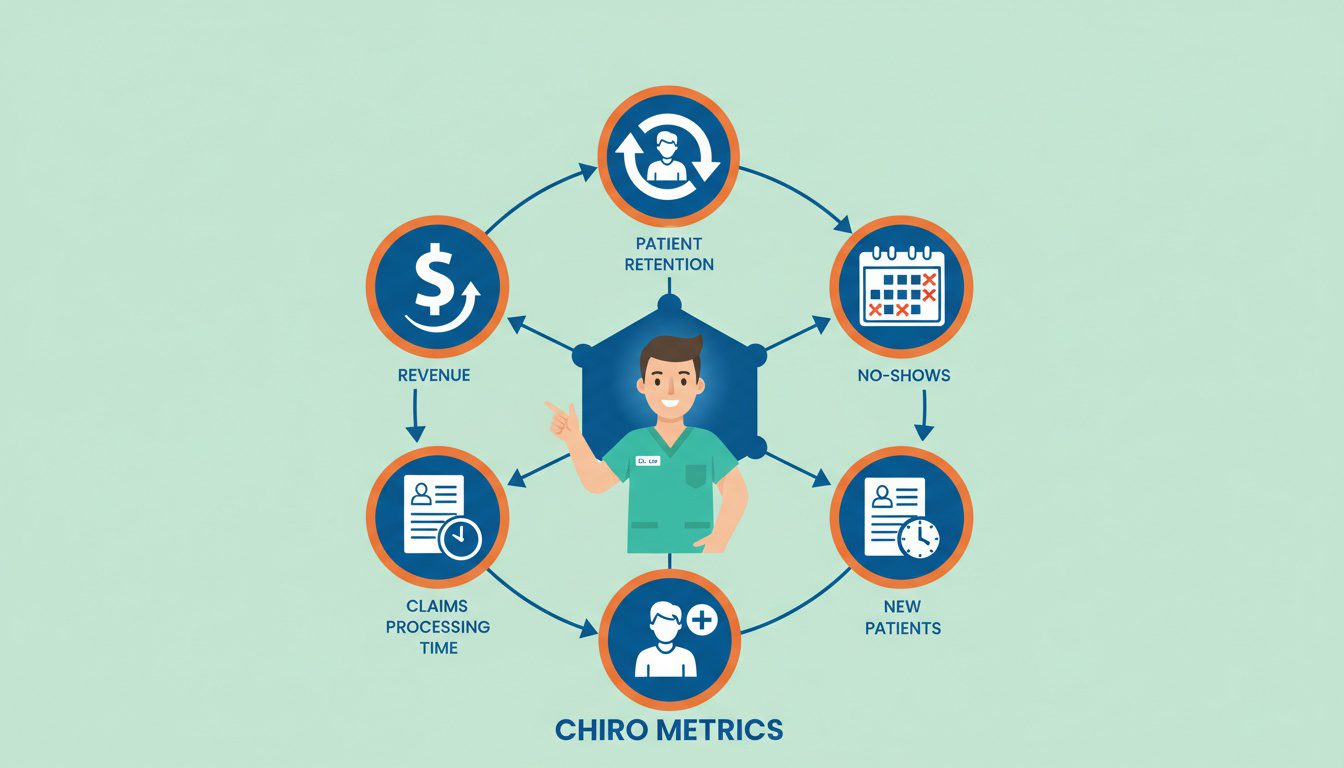
Not all metrics deserve your attention. Some numbers are just noise. Others are critical indicators of practice health.
Here's the thing: you need to focus on the KPIs that actually drive growth and profitability. Everything else is a distraction.
Let me walk you through what matters most.
Patient Retention Rate
This is the single most important metric for long-term practice success. Not kidding.
Calculation: (Number of returning patients ÷ Total patients) × 100
Why it matters so much: High retention equals stable revenue. You're not constantly scrambling for new patients just to replace the ones walking out the back door.
Most chiropractic practices retain only 40-60% of patients, with many dropping off before completing 10 visits. That's a lot of incomplete care plans. A lot of lost revenue. A lot of missed referrals.
If your retention is low, the fix usually involves:
- Clearer care plan communication - Patients need to understand why ongoing care matters. Don't assume they get it.
- Better follow-up systems - Automated reminders and recall campaigns keep you top of mind when life gets busy.
- Improved patient education - When patients truly understand the value, they stick around. Period.
Your patient retention strategies should be informed by what your dashboard reveals about where and why patients drop off. Otherwise you're just throwing spaghetti at the wall.
Revenue Per Visit
This tells you how efficiently you're monetizing each patient interaction.
Calculation: Total collections ÷ Total patient visits
Here's a benchmark to keep in mind: aim for $200-$300 per hour of patient care. If you're seeing 4 patients per hour at $50 each, you're leaving serious money on the table.
Low revenue per visit usually points to:
- Underpriced services - When's the last time you raised rates? (Be honest.)
- Missed upsell opportunities - Wellness packages, supplements, rehab services. Are you even offering these?
- Coding issues - You might be under-billing for the services you're actually providing.
Track this metric monthly. If it's declining, dig into the reasons before your margins evaporate.
No-Show and Cancellation Rates
Empty slots are silent profit killers. They don't announce themselves—they just drain your revenue quietly.
Calculation: (Missed appointments ÷ Total scheduled appointments) × 100
Industry average no-show rates hover around 15-20%, but some practices see 28% or higher. That's more than one in four appointments wasted. (Wild, right?)
Reducing no-shows requires systematic solutions:
- Automated reminders - Text and email reminders 24-48 hours before appointments. Your appointment reminder system can dramatically cut no-shows without any extra effort from your staff.
- Confirmation requirements - Ask patients to confirm, and follow up if they don't respond.
- Cancellation policies - Reasonable fees for repeated no-shows. Just make sure you communicate these clearly upfront.
- Easy rescheduling - If patients can quickly move appointments instead of just ghosting, you keep the visit on the books.
Your dashboard should track no-show patterns by day, time, and patient type. That way you can target your interventions where they'll actually make a difference.
Outstanding Claims and Accounts Receivable
Money billed but not collected is money you might never see. It's basically Monopoly money until it hits your bank account.
What to watch:
- Days in A/R - How long claims sit unpaid. Anything over 60 days is concerning. Over 90? That's a fire.
- Aging buckets - What percentage of your receivables are 30, 60, 90+ days old?
- Denial rates - How often do claims get rejected? And more importantly—why?
High outstanding claims usually point to:
- Coding errors - Claims submitted incorrectly get denied or delayed. Super common, super fixable.
- Slow follow-up - Nobody's actually chasing unpaid claims. They're just sitting there aging out.
- Problem payers - Some insurance companies are just worse than others. Know which ones and plan accordingly.
Your dashboard should flag claims that are aging out so your billing team can prioritize collections before that money disappears forever.
New Patient Acquisition Cost
Every new patient has a price tag. You need to know what you're paying.
Calculation: Total marketing spend ÷ Number of new patients acquired
If you're spending $5,000/month on marketing and getting 25 new patients, your acquisition cost is $200 per patient. Whether that's good or bad depends entirely on your new patient case average.
Here's the math that matters:
| Marketing Spend | $5,000/month | $5,000/month |
| New Patients | 25 | 25 |
| Acquisition Cost | $200 | $200 |
| New Patient Case Average | $1,200 | $400 |
| ROI per New Patient | $1,000 profit | $200 profit |
Same acquisition cost. Wildly different outcomes.
See where I'm going with this? Your dashboard needs to connect marketing spend to patient lifetime value so you understand true ROI—not just lead volume.
If your lead generation strategies are working well, your acquisition cost should decrease over time as word-of-mouth and organic traffic grow.
What Are the Best Chiropractic Analytics Dashboard Tools?

The market has exploded with options. Some are built into your EHR, others are standalone business intelligence tools.
Let me walk you through the major players so you know what you're looking at.
ChiroTouch Analytics
ChiroTouch offers both real-time dashboards and traditional static reports built directly into their EHR platform.
What you get:
- End-of-day (EOD) reports - Track payments, charges, and appointments daily. Super helpful for keeping your finger on the pulse.
- Customizable visual dashboards - Display data as graphs, charts, and tables. You pick what you want to see.
- Real-time monitoring - Check progress throughout the day and adjust on the fly.
- Cloud-based access - View your numbers from anywhere. Phone, tablet, whatever.
Best for: Practices already using ChiroTouch who want integrated analytics without adding another tool to the stack.
The strength here is seamless integration. Your clinical data and business metrics live in one system. The weakness? You're kinda locked into their ecosystem.
Genesis Practice Health Monitor
Genesis Chiropractic Software includes embedded analytics designed specifically by chiropractors for chiropractors. (They actually get the business.)
What you get:
- KPI tracking with visual charts - See multiple metrics on one screen without clicking through a dozen menus.
- Billing vs. collection comparison - Instantly spot if you're getting paid what you're owed. If those lines aren't parallel, you've got a problem.
- Customizable parameters - Compare current month to last quarter, last year, or custom timeframes.
- Mobile access - Check your practice health from your iPhone between patients.
Best for: Practices wanting comprehensive practice management with built-in business intelligence all in one place.
Genesis has earned top rankings for ease of use. If you want everything in one platform—EHR, billing, scheduling, and analytics—this is a pretty strong contender.
BlueIQ Dashboard
BlueIQ is a dedicated business intelligence tool that connects to your existing EHR to provide advanced analytics.
What you get:
- Cross-platform integration - Works with multiple EHR systems. You're not locked in.
- Pre-built chiropractic KPIs - Industry-specific metrics so you know what to track right out of the box.
- Marketing attribution - See which channels deliver the highest quality patients, not just the most leads.
- Team engagement tools - Get your staff involved in hitting practice goals. Accountability built in.
Best for: Practices that want advanced analytics beyond what their EHR provides.
BlueIQ excels at showing cause and effect. You can actually measure the impact of changes you make—not just hope they worked. The tradeoff is adding another tool to your tech stack.
TrackStat
TrackStat focuses on activity-based analytics, helping you prioritize tasks based on data.
What you get:
- EHR integration - Works alongside your existing system. No rip-and-replace required.
- Automated follow-ups - Turn data insights into automated patient outreach. This is huge.
- Task prioritization - Know where to focus your time for maximum impact.
- HIPAA-compliant - Encryption and audit logs protect patient data. (Obviously important.)
Best for: Practices struggling with patient follow-up and retention who want automation baked in.
Here's what makes TrackStat different: it doesn't just show you data—it helps you act on it. If your team is drowning in manual follow-up tasks, this platform streamlines the whole process.
Quick Comparison: Analytics Dashboard Features
| Built into EHR | Yes | Yes | No (integrates) | No (integrates) |
| Real-time dashboards | Yes | Yes | Yes | Yes |
| Custom KPIs | Limited | Yes | Yes | Yes |
| Marketing attribution | Basic | Basic | Advanced | Moderate |
| Automated actions | No | Limited | No | Yes |
| Mobile access | Yes | Yes | Yes | Yes |
| Pricing model | Bundled | Bundled | Subscription | Subscription |
Your choice depends on your current tech stack and biggest pain points.
If you're already using a major EHR, start with its built-in analytics. If those feel limiting, add a dedicated BI tool.
Need help choosing the right CRM and practice management tools? The key is matching features to your specific workflow challenges—not just buying the shiniest option.
How Do I Set Up an Analytics Dashboard for My Practice?

Getting your dashboard up and running doesn't have to be complicated. Most modern tools guide you through setup.
Here's what to expect.
Connecting Your EHR
Your analytics dashboard needs data to analyze. That data lives in your EHR.
If you're using built-in analytics (ChiroTouch, Genesis):
Setup is usually automatic. The analytics module pulls directly from your patient records, scheduling, and billing data. You just enable the feature and configure what you want to see. Pretty straightforward.
If you're using a separate tool (BlueIQ, TrackStat):
You'll need to establish an integration:
- API connection - Most modern platforms connect via secure API. Your vendor should walk you through authorization. Takes maybe 15-20 minutes.
- Data sync frequency - Real-time is ideal, but daily syncs work for most practices.
- Historical data import - Good dashboards can pull in past data so you have baseline metrics from day one. Super helpful.
A few things to check before you commit:
- Verify compatibility - Not all tools work with all EHRs. Check before purchasing. (Seriously.)
- Data security - Ensure the integration is HIPAA-compliant with proper encryption.
- Support availability - You'll want help if something breaks at 4pm on a Friday.
If your current EHR doesn't integrate well with analytics tools, that might be a sign to evaluate your tech stack.
Choosing Which Metrics to Display
More data isn't better. You need the right data, displayed clearly.
This is where most practices screw it up. They track everything and understand nothing.
Start with the essentials:
- Daily view - Appointments today, collections today, no-shows today. Keep it stupid simple.
- Weekly trends - New patients this week, retention rate, revenue per visit.
- Monthly overview - Comprehensive KPIs compared to previous months and your goals.
Now... this part matters.
Dashboard design principles:
- Lead with action items - What needs attention right now? Put that front and center.
- Limit to 5-7 key metrics - More than that creates overwhelm and analysis paralysis. You'll end up checking nothing.
- Use visual indicators - Green/yellow/red status icons make problems obvious instantly. No interpretation required.
- Group related metrics - Patient metrics together, financial metrics together. Logical organization.
Most dashboards let you create multiple views. Consider setting up:
- Owner dashboard - High-level practice health for you.
- Front desk dashboard - Scheduling, no-shows, confirmations.
- Billing dashboard - Claims, collections, aging receivables.
Match the dashboard to the role. Your CA doesn't need to see profit margins; they need to see today's schedule and confirmation status.
Setting Up Automated Reports
Real-time dashboards are great, but you also need regular reports delivered to your inbox.
Otherwise you have to remember to check. And let's be honest—you won't.
Essential automated reports:
- Daily EOD summary - What happened today? Sent every evening.
- Weekly KPI snapshot - How did the week perform vs. targets? Sent Friday afternoon.
- Monthly financial report - Comprehensive revenue, collections, and profitability analysis.
- Alert notifications - Immediate alerts when metrics hit concerning thresholds.
Speaking of thresholds... configure alerts for situations that need immediate attention:
- No-show rate exceeds 20%
- Collections drop below your target for three consecutive days
- Outstanding claims over 60 days exceed a certain amount
- New patient volume drops 30% week-over-week
These alerts ensure you catch problems early, even if you're not actively checking the dashboard. The dashboard finds you when something's wrong.
Your GA4 setup should also feed into your overall analytics picture, connecting website behavior to practice outcomes.
Common Analytics Dashboard Mistakes (And How to Avoid Them)

Even with the best tools, you can still get analytics wrong. Here are the pitfalls that trip up most practices.
Tracking Too Many Metrics
More data doesn't equal better decisions. It usually equals more confusion.
The problem: You set up your dashboard to track 25 different KPIs because they all seem important. Now you're drowning in numbers and can't figure out what actually needs attention.
Sound familiar?
The fix: Ruthlessly prioritize. Pick 5-7 metrics that directly tie to your goals. Track others passively, but don't put them on your daily dashboard.
Ask yourself: "If this metric changed dramatically, would I actually do something differently?"
If the answer is no, you don't need to see it every day.
Looking at Data Without Taking Action
Analytics are useless if they don't drive behavior change.
The problem: You check your dashboard religiously. You notice retention is declining. You feel concerned about it. Then you go back to adjusting patients and... nothing changes.
The data just sits there. Staring at you.
The fix: Build action protocols for specific data triggers.
| Retention drops 10%+ | Schedule team meeting to identify cause |
| No-shows exceed 25% | Audit reminder system, call problem patients |
| Revenue per visit declining | Review pricing and service mix |
| Outstanding claims spiking | Billing team deep-dive on denied claims |
Data should make you move, not just make you aware.
Ignoring the Story Behind the Numbers
Numbers without context are dangerous.
The problem: Your dashboard shows new patient volume dropped 40% last month. Panic mode engaged.
But wait—you were closed for two weeks on vacation.
The fix: Always contextualize metrics. Compare similar periods. Note anomalies. Before reacting to data, ask: "Is there an obvious explanation for this?"
Good dashboards let you add notes to time periods. Use that feature. Your future self will thank you.
Frequently Asked Questions
What is a chiropractic analytics dashboard?
A chiropractic analytics dashboard is software that consolidates your practice's key performance indicators into visual charts and real-time reports. It pulls data from your EHR, billing system, and scheduling software to give you a unified view of practice health.
Instead of running separate reports and trying to piece together how your practice is performing, everything shows up in one place. Patient retention, revenue trends, no-show rates, financial metrics—all of it.
Most dashboards update in real-time or near real-time, so you're always looking at current data rather than month-old reports that are basically ancient history.
What KPIs should chiropractors track?
Focus on metrics that directly impact revenue and patient outcomes. The essentials include patient retention rate, revenue per visit, no-show and cancellation rates, outstanding claims, and new patient acquisition cost.
Beyond these core metrics, track lifetime patient value (LTV), referral rates, and overhead ratio. These give you a complete picture of both clinical and financial performance.
Don't try to track everything. Pick 5-7 KPIs that align with your current goals and focus on those. You can always adjust what you're measuring as priorities change.
What's the best analytics dashboard software for chiropractors?
It depends on your current tech stack and specific needs.
If you're using ChiroTouch or Genesis, their built-in analytics are solid starting points. For more advanced business intelligence, BlueIQ and TrackStat offer deeper insights.
ChiroTouch excels at integrated EOD reporting. Genesis offers comprehensive practice health monitoring. BlueIQ provides advanced marketing attribution. TrackStat combines analytics with automated follow-up actions.
The best choice is the one that integrates smoothly with your existing systems and focuses on the metrics you actually care about most.
How much does chiropractic analytics software cost?
Pricing varies widely. Built-in analytics from your EHR may be included in your existing subscription at no extra cost. Standalone business intelligence tools like BlueIQ typically run as separate monthly subscriptions, ranging from $100-$300+ per month depending on features and practice size.
Here's how to think about it: consider the ROI, not just the cost.
If a $200/month dashboard helps you identify and fix a retention problem that's costing you $2,000/month in lost patients, it pays for itself ten times over.
Many vendors offer free trials. Take advantage of these to test whether the tool actually delivers value before committing.
Can analytics dashboards integrate with my existing EHR?
Most modern analytics dashboards integrate with popular chiropractic EHR systems. However, compatibility varies, so verify integration before purchasing.
Common EHRs like ChiroTouch, Genesis, and zHealth either have built-in analytics or documented integrations with third-party tools. Smaller or older EHR systems may have limited integration options.
When evaluating integration, ask about: API availability, data sync frequency, historical data import, and ongoing support if the connection breaks.
What's a good patient retention rate for chiropractors?
Most chiropractic practices retain 40-60% of patients through their recommended care plans. High-performing practices push above 70%.
If you're below 40%, there's significant room for improvement. Common causes of low retention include unclear care plan communication, poor follow-up systems, and lack of patient education about the benefits of ongoing care.
Your dashboard should help you identify exactly where patients drop off so you can target interventions. If most patients leave after visit three, that's a different problem than patients disappearing after visit eight.
How often should I check my practice analytics?
Daily quick checks, weekly reviews, monthly deep dives.
Check your real-time dashboard briefly each day—appointments, collections, any red flags. This takes two minutes and keeps you aware of current performance.
Weekly, spend 15-30 minutes reviewing trends. Compare this week to last week. Look for patterns emerging.
Monthly, do a comprehensive review. Compare to previous months, analyze what's working, identify areas needing attention, and adjust your focus for the coming month.
Set up automated alerts so critical issues find you—you shouldn't have to hunt for problems.
Do I need a separate analytics tool if my EHR has reports?
Maybe. EHR reports typically show raw data, but they weren't designed for business intelligence.
If your EHR reports feel limited, hard to interpret, or don't show trends over time, a dedicated analytics dashboard can fill those gaps. Business intelligence tools excel at visualization, pattern recognition, and connecting disparate data points.
Start with your EHR's built-in reports. If they answer your questions and help you make decisions, you might not need anything else. If you're constantly frustrated by what they can't do, it's time to explore dedicated analytics platforms.
Final Thoughts
Running a chiropractic practice without analytics is like driving with your eyes closed. You might get lucky for a while, but eventually you're gonna crash into something you didn't see coming.
A good analytics dashboard changes how you make decisions. Instead of guessing whether your marketing is working, you know. Instead of hoping patients are sticking around, you see the retention numbers. Instead of discovering cash flow problems when you can't make payroll, you catch the warning signs months earlier.
The practices that thrive in 2026 and beyond will be the ones that treat their business metrics with the same attention they give their clinical outcomes.
Both matter. Both deserve tracking.
Start with the basics: patient retention, revenue per visit, no-shows, and collections. Get comfortable with those numbers. Then expand your tracking as you identify new questions that need answers.
Your practice generates data every single day. The only question is whether you're gonna use it.
Look, I get it—you're already stretched thin managing patients, staff, and the thousand other details that come with running a practice. Adding "data analyst" to your job description probably isn't on your bucket list.
If you're thinking "this all makes sense, but I don't have time to figure this out on top of everything else," you're not alone. Most successful chiropractors we work with felt the same way before they realized their website and online presence were quietly costing them 15-20 qualified patient leads every single month.
That's why we created our Free Website Conversion Analysis. It's not a sales pitch—it's a genuine walkthrough of the 3 biggest problems killing your bookings, delivered personally via Loom video within 24 hours.
We'll show you exactly:
- Why visitors leave without booking
- What's broken on mobile devices (where most searches happen)
- Missing trust signals costing you patients
- Where you rank vs. local competitors
- Simple fixes that drive more calls this month
You'll also get an instant case study while you wait, showing real examples of how other chiropractors fixed these exact problems.
Get your free analysis here — no credit card, no obligation, just actionable insights you can use whether you work with us or not.
Because every day without clear visibility into your practice performance is another day competitors are using data to outmaneuver you.

Gerek Allen
Co-Owner iTech Valet
Entrepreneur, patriot, CrossFit junkie, IPA enthusiast, loves to travel to tropical destinations, and knows way too many movie quotes.


About iTech Valet
iTech Valet specializes in web design and content marketing for online entrepreneurs who want to share their expertise.
Services Include:
- Web Design
- Graphic Design
- Sales Copy
- Funnel Building
- Authority Sites
- Membership Sites
- Course Creation
- Email Systems
- Content Marketing
- Competitive Analysis
- Tech Integrations
- Strategic Planning
NEED MORE CLIENTS?
Free conversion-focused analysis uncovers the 3 biggest problems killing your bookings — we'll walk you through your results personally

621 Enterprises, Inc. | Copyright 2022 | All rights reserved