


How Do I Run Facebook Ads for My Chiropractic Practice? (Setup + Strategy)
 by Gerek Allen ~ Last Updated: December 1st, 2025 ~ 12 Min Read
by Gerek Allen
~ Last Updated: December 1st, 2025 ~
~ 12 Min Read ~
Start by creating a Facebook Business Manager account, installing the Facebook Pixel on your website, and launching a conversion campaign targeting a 5-10 mile radius around your practice with a $20-40 daily budget.
Here's what most chiropractors get wrong: They boost random posts expecting results instead of building actual ad campaigns with proper targeting, conversion tracking, and strategic creative. Boosting posts might get likes and comments, but it rarely generates qualified patient leads.
Facebook Ads work fundamentally differently than Google Ads. Google captures existing demand (people actively searching for chiropractors). Facebook creates demand by reaching people before they realize they need help. This requires different psychology, different creative, and different optimization strategies.
When done correctly, Facebook Ads deliver qualified leads at $30-60 each—patients who book appointments at 20-30% conversion rates. The key is systematic setup, strategic targeting, compelling creative, and patient optimization over 30-60 days.
This guide walks through the complete process: account setup, campaign structure, audience targeting, ad creative that converts, landing page optimization, budget management, and ongoing optimization. By the end, you'll have a repeatable system for generating predictable patient flow from Facebook advertising.
If you're brand new to Facebook Ads, plan for 2-3 hours initial setup plus 30-60 minutes weekly for monitoring. If you're currently running ads that aren't converting, skip to the optimization section to identify what's broken.
Understanding Facebook Ads for Healthcare Practices

Facebook advertising isn't just "posting on social media with a budget"—it's a sophisticated targeting and conversion platform with its own rules and best practices.
Understanding how the system works before you spend money prevents the expensive mistakes most chiropractors make.
Facebook's advertising platform (now technically called Meta Ads Manager, covering both Facebook and Instagram) uses machine learning algorithms to show your ads to people most likely to take your desired action. The more data you feed the algorithm through conversions, the smarter it gets at finding similar high-quality prospects.
This means your first 30 days are learning phase—the algorithm is figuring out who responds to your ads. Performance improves significantly in months 2-3 as the system optimizes delivery.
Why Facebook Ads Work for Chiropractors
Facebook gives you access to 2.9 billion active users, according to Meta's Q4 2023 earnings report, with targeting precision that lets you reach ideal patients based on demographics, interests, behaviors, and location.
Here's why it's particularly effective for local healthcare practices:
- Hyperlocal targeting - Target specific zip codes or radius around your practice, ensuring every ad dollar reaches nearby prospects
- Demographic precision - Reach exact age ranges, genders, and income levels matching your ideal patient profile
- Interest-based targeting - Find people interested in fitness, wellness, natural health, specific sports, or health conditions
- Behavioral targeting - Reach people who recently moved to your area, changed jobs, or had major life events
- Lookalike audiences - Upload your patient list and Facebook finds thousands of similar prospects in your area
- Retargeting capabilities - Show ads to people who visited your website but didn't book, keeping you top-of-mind
The combination of massive reach and precise targeting means you can efficiently find and attract your ideal patients without wasting money on irrelevant audiences.
Facebook Ads vs Other Advertising Channels
Let's compare Facebook to other lead generation strategies chiropractors use:
Facebook Ads vs Google Ads:
- Facebook: Interruption marketing (creating demand) | Google: Search marketing (capturing existing demand)
- Facebook: $1-3 per click | Google: $3-8 per click
- Facebook: $30-60 cost per lead | Google: $40-80 cost per lead
- Facebook: Longer nurture cycle needed | Google: Higher immediate intent
- Facebook: Better for brand building | Google: Better for direct response
Both should be in your marketing mix—Google captures people actively searching now, Facebook builds awareness and captures people earlier in their decision journey. Pair paid ads with content marketing for long-term organic growth.
Facebook Ads vs Traditional Advertising:
- Direct mail: $500-2,000 per campaign, 1-2% response rate, no targeting precision
- Local newspaper: $300-1,500 per ad, declining readership, no tracking
- Radio spots: $200-1,000 per week, broad untargeted reach, no conversion tracking
- Facebook Ads: $600-1,200 monthly, precise targeting, complete tracking, measurable ROI
The advantage of digital advertising is attribution—you know exactly which ad generated which lead and ultimately which patients. Traditional advertising is flying blind by comparison.
Key Facebook Ads Metrics to Track
You can't optimize what you don't measure. Track these metrics weekly:
| Cost Per Click (CPC) | How much each click costs | $1-3 |
| Click-Through Rate (CTR) | % of people who see ad and click | 1-3% |
| Cost Per Lead (CPL) | Cost to capture contact information | $30-60 |
| Lead Form Completion Rate | % who start form and finish | 40-60% |
| Cost Per Acquisition (CPA) | Cost to get booked patient | $80-150 |
| Return on Ad Spend (ROAS) | Revenue generated per dollar spent | 3:1 to 10:1+ |
The metric that matters most: Cost per acquired patient relative to lifetime value.
If your average patient lifetime value is $2,500 and you're acquiring patients at $100 each, you're crushing it. If lifetime value is $1,200 and acquisition cost is $200, you're losing money on growth.
Track these numbers religiously and optimize campaigns around cost per acquired patient, not just cost per lead. Cheap leads that don't convert to patients are worthless.
Setting Up Your Facebook Ads Account
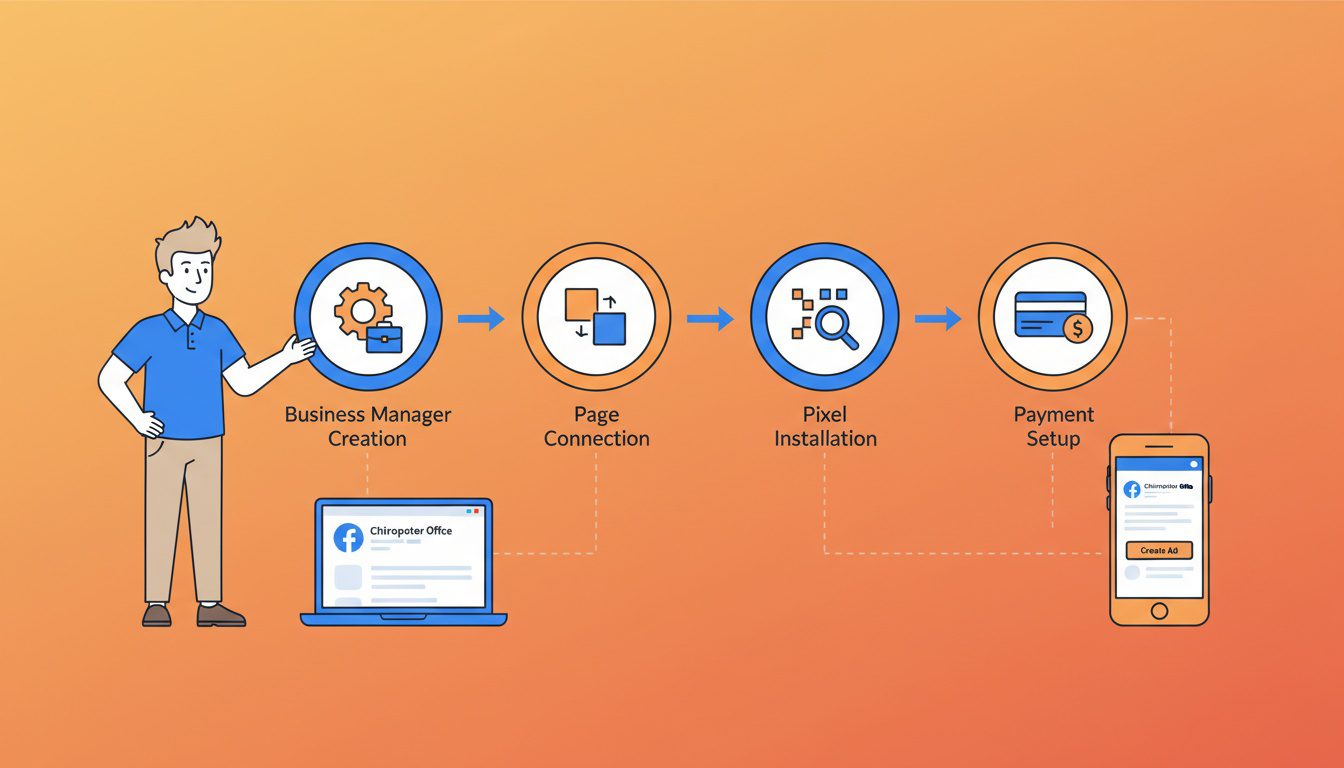
Proper account setup prevents 90% of the technical problems beginners face with Facebook Ads. Take time to do this right the first time.
The setup process involves multiple connected systems: Facebook Business Manager, your Facebook Page, Ad Account, and the Facebook Pixel for tracking. Each piece serves a specific purpose in the ecosystem.
Most chiropractors try to skip directly to creating ads and wonder why things don't work. The foundation matters.
Creating Facebook Business Manager
Business Manager is the central hub controlling your advertising assets—think of it as the control panel for your entire Facebook marketing operation.
Step-by-step setup:
- Go to business.facebook.com and click "Create Account"
- Use your personal Facebook account to create it
- You'll maintain access even if staff changes (don't create with employee accounts)
- Choose business name (your practice name)
- Enter your business details
- Add your Facebook Page
- Go to Business Settings > Accounts > Pages
- Click "Add" and either add existing page or create new one
- If you have an existing Facebook page, claim it through Business Manager
- Assign yourself page admin role
- Create Ad Account
- Go to Business Settings > Accounts > Ad Accounts
- Click "Add" > "Create a New Ad Account"
- Choose currency and time zone (can't change later)
- Assign yourself admin access
- Add payment method
- Go to Business Settings > Payments
- Add credit card or PayPal
- Set up automatic payments or manual payments based on preference
- Facebook charges when you hit billing threshold ($25, $50, etc.) or monthly
- Add team members (if applicable)
- Go to Business Settings > Users > People
- Add staff with appropriate permission levels
- Don't give admin access unless necessary
- Can revoke access anytime if staff leaves
This entire setup takes 15-20 minutes. Don't rush through it—incorrect configuration causes headaches later.
Installing Facebook Pixel for Conversion Tracking
The Facebook Pixel is code that tracks visitor actions on your website—without it, you can't measure conversions or optimize campaigns effectively.
The Pixel tells Facebook when someone books an appointment, fills out a contact form, or calls from your website. This data trains the algorithm to find more people likely to take those actions.
Installation process:
Step 1: Create your Pixel
- In Business Manager, go to Events Manager
- Click "Connect Data Sources" > "Web" > "Facebook Pixel"
- Name it (usually your practice name)
- Enter your website URL
Step 2: Install Pixel code on your website
Three installation options:
- Manually add code - Copy Pixel code and paste in website header (between <head> tags). Works for any website but requires technical knowledge.
- Use partner integration - If you use WordPress, Wix, Squarespace, or other major platforms, use their native Facebook Pixel integration. Usually a simple copy/paste of Pixel ID.
- Email instructions to developer - Send Pixel code to whoever manages your website and have them install it.
Step 3: Set up conversion events
- Define what actions you want to track (form submissions, phone clicks, appointment bookings)
- Use Event Setup Tool to tag buttons and forms
- Or have developer add event code to track specific actions
Step 4: Verify Pixel is working
- Install Facebook Pixel Helper Chrome extension
- Visit your website and check that Pixel is firing
- Test form submission to confirm conversion tracking works
If you're not technical, hiring someone to install this properly costs $50-150 and is absolutely worth it. Broken tracking means wasted ad spend.
Creating Your First Campaign Structure
Facebook Ads operate on three levels: Campaign, Ad Set, and Ad. Understanding this hierarchy prevents confusion.
Campaign Level (What):
- Choose your objective - what action you want people to take
- Set overall budget and schedule
- For chiropractors, use "Conversions" (if Pixel tracking bookings) or "Lead Generation" (for Facebook lead forms)
Ad Set Level (Who & Where):
- Define your audience - location, demographics, interests
- Choose placements - where ads show (Facebook feed, Instagram, etc.)
- Set ad set budget if not using campaign budget optimization
- Define optimization event (what action you're optimizing for)
Ad Level (How):
- Upload images or videos
- Write ad copy (headlines, descriptions, call-to-action)
- Choose destination (website URL or lead form)
- Preview how ad looks across different placements
Recommended structure for beginners:
- Campaign 1: Lead Generation - New Patient Acquisition
- Ad Set 1: Local Area - Ages 35-55 - Fitness/Wellness Interests
- Ad A: Video Testimonial
- Ad B: Before/After Transformation
- Ad Set 2: Local Area - Ages 45-65 - Health/Pain Management Interests
- Ad A: Educational Pain Relief Content
- Ad B: New Patient Special Offer
- Ad Set 1: Local Area - Ages 35-55 - Fitness/Wellness Interests
This structure tests different audiences with different creative to identify what works best.
NEED MORE CLIENTS?
Free conversion-focused analysis uncovers the 3 biggest problems killing your bookings — we'll walk you through your results personally
Building Your Target Audience
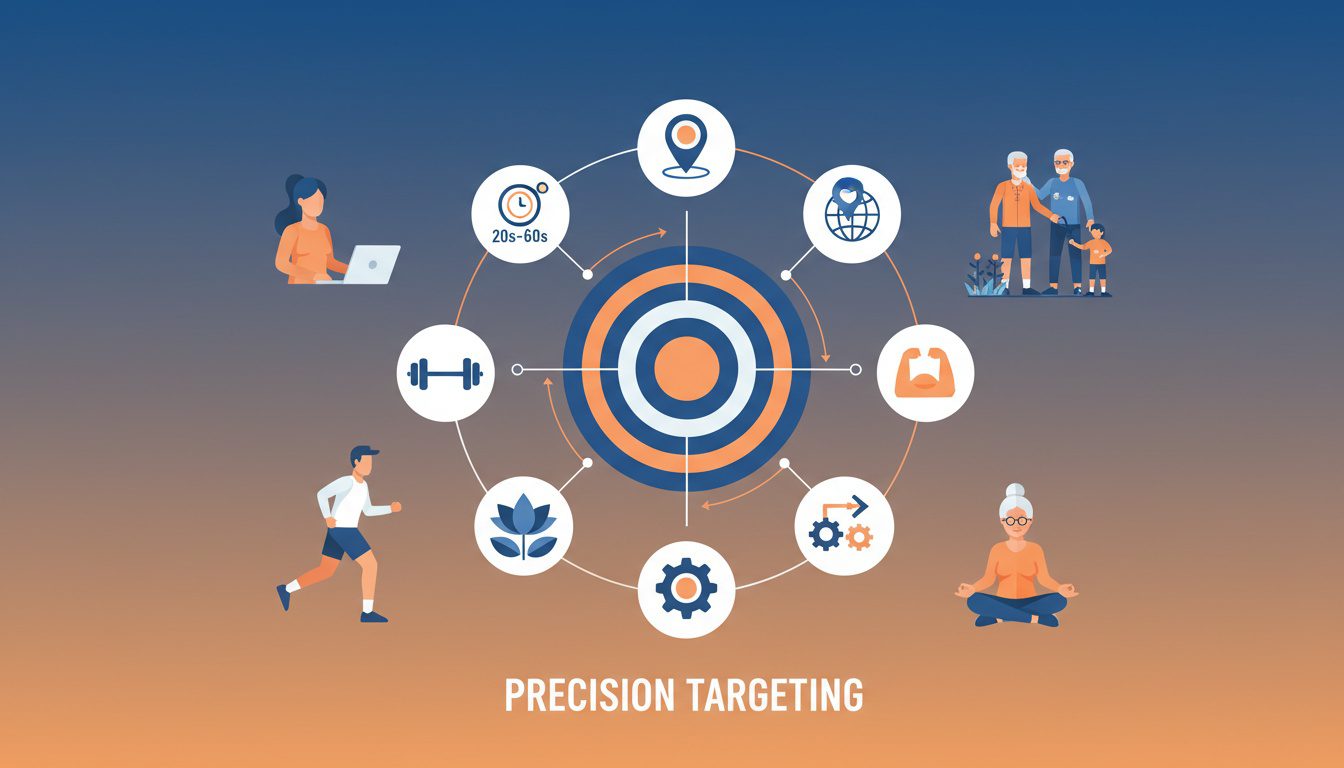
Targeting is where most chiropractors waste money—going too broad or too narrow both kill performance.
The goal is finding the sweet spot: large enough audience for Facebook's algorithm to optimize, specific enough to reach genuine prospects, and layered with interests indicating they'd value chiropractic care.
Facebook gives you almost unlimited targeting options. The key is testing systematically rather than guessing.
Geographic Targeting Strategy
Always start with location-based targeting—no point showing ads to people 50 miles away who'll never visit your practice.
Set your radius based on practice environment:
- Urban dense areas: 3-5 mile radius (people rarely travel far in cities)
- Suburban areas: 5-10 mile radius (standard commuting distance)
- Rural areas: 10-20 mile radius (patients drive farther for healthcare)
Use the "People living in this location" option, not "People recently in this location" (that's for tourism businesses).
Advanced geographic strategy:
- Create separate ad sets for different neighborhoods if you have specific demographic pockets
- Exclude areas you don't serve or areas with poor demographics
- Use zip code targeting instead of radius if your area has geographic barriers (water, highways)
Test starting with broader radius, then narrow based on where actual patients come from after 30-60 days of data.
Demographic Targeting That Converts
Demographics filter your audience to match your ideal patient profile.
Basic demographic targeting:
- Age range: Start 30-65 (adjust based on your specialty - sports chiropractic skews younger, wellness care skews older)
- Gender: Test "All" initially, then segment if data shows one converts significantly better
- Language: English (or primary languages in your area)
- Relationship status: Optional - couples with kids may value family chiropractic differently than singles
Advanced demographic targeting:
- Parents with children ages X-Y - Great for family-focused practices or pediatric chiropractic
- Income level - Target middle to upper-middle if you don't accept insurance and charge premium rates
- Education level - Higher education often correlates with wellness-focused healthcare decisions
- Job title - Target office workers for posture/desk pain campaigns, manual laborers for injury prevention
Don't over-layer demographics initially. Start broad, let Facebook find what works, then narrow based on data showing which demographics convert best.
Interest and Behavior Targeting
Interest targeting is Facebook's secret weapon—reach people based on what they care about, not just who they are.
High-converting interests for chiropractic ads:
Health & Wellness:
- Yoga
- Pilates
- Meditation
- Natural health
- Holistic medicine
- Organic living
- Wellness coaching
Fitness & Sports:
- Running
- CrossFit
- Weight training
- Marathon training
- Triathlon
- Golf
- Tennis
- Cycling
Pain & Condition Related:
- Back pain relief
- Sciatica
- Neck pain
- Headache relief
- Sports injury
- Physical therapy
Lifestyle Behaviors:
- Engaged shoppers (recently purchased health products)
- Fitness enthusiasts
- People interested in healthy eating
- Frequent gym visitors
Life events that trigger need:
- Recently moved (new to area, need new providers)
- New job (workplace injury risk, ergonomic issues)
- Recent home purchase (unpacking strain, moving injuries)
How to layer targeting effectively:
Here's a proven audience sizing framework:
| Too Narrow (under 50K) | Under 50,000 | Poor delivery, high costs | Avoid - expand radius or interests |
| Optimal Range | 50,000-200,000 | Best performance | Start here for most campaigns |
| Large Audience | 200,000-500,000 | Good if budget supports | Use with $50+ daily budgets |
| Too Broad (over 500K) | 500,000+ | Wasted spend on irrelevant people | Avoid - add interest layers |
Start with: Location (5-10 mi) + Age (30-65) + 3-5 related interests
Example audience layer:
- Location: 7-mile radius of practice
- Age: 35-60
- Interests: Yoga OR Running OR Fitness OR Natural Health
This creates an audience large enough (typically 50,000-200,000 people) for optimization while specific enough to reach quality prospects.
Custom Audiences and Lookalikes
Custom audiences let you target people who already know you. Lookalike audiences find thousands more just like them.
Custom audience sources:
- Website visitors - Upload Pixel data to retarget anyone who visited your site (critical for conversion optimization)
- Patient email list - Upload patient emails to create lookalike audiences (scrub for HIPAA compliance first)
- Facebook/Instagram engagers - Target people who engaged with your social media content or videos
- Lead form submitters - Target people who previously filled out Facebook lead forms
Lookalike audience strategy:
Once you have 50+ converted patients from ads:
- Upload patient email list as custom audience
- Create 1% lookalike audience based on that list
- Facebook finds people similar to your best patients
- These lookalikes often convert 2-3x better than cold interest targeting
Start with cold interest targeting while building data. Switch to lookalikes once you have 50+ conversions feeding the algorithm.
Exclusion audiences (critical for budget efficiency):
- Exclude current patients (upload email list as exclusion)
- Exclude website visitors from last 180 days if running new patient campaigns
- Exclude people who already submitted lead forms
No point paying to reach people who already know you unless running retention campaigns.
Creating High-Converting Ad Creative
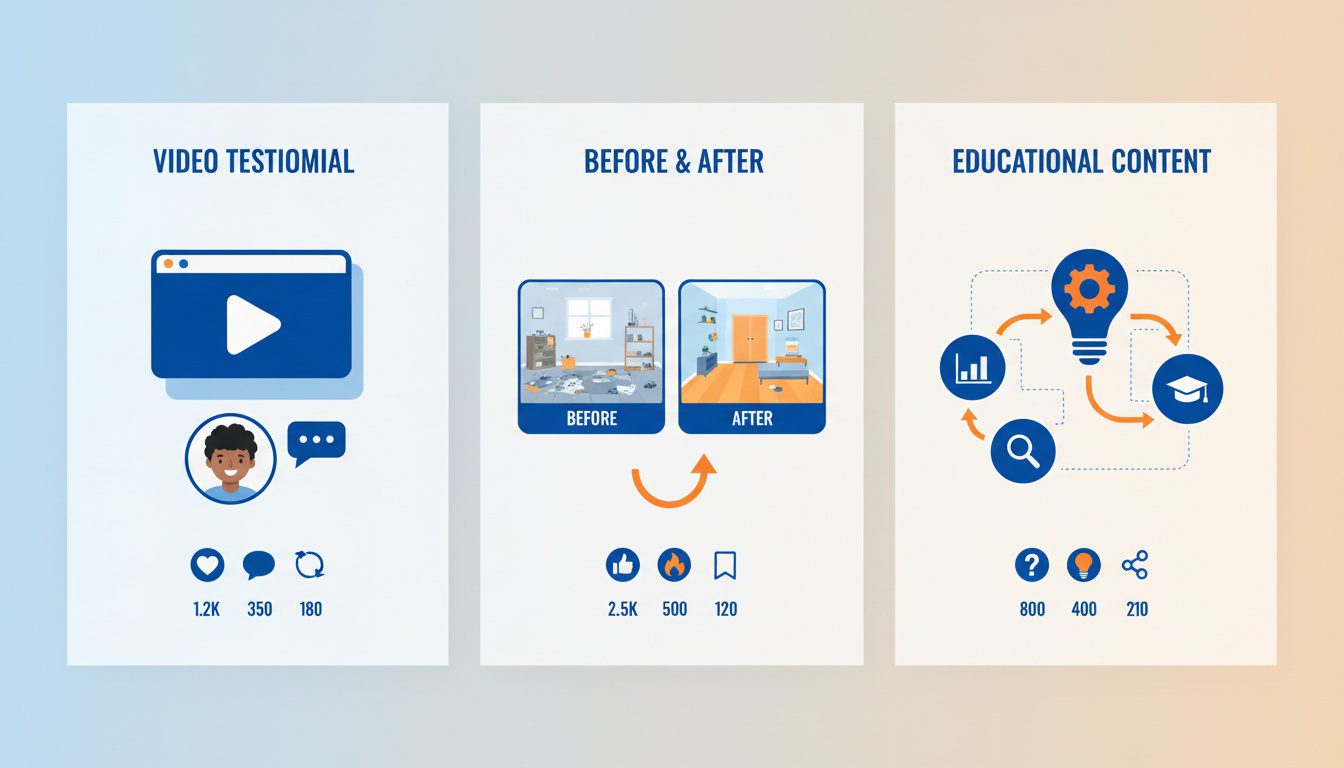
Creative is where most chiropractors fail—they create ads that look professional but don't generate leads.
The hard truth: Beautiful, polished ads often underperform raw, authentic content. People scroll past obvious advertising. They stop for real stories and authentic transformations.
Your ad creative needs to accomplish three things in under 3 seconds: stop the scroll, communicate value, and create desire to click.
Video Ads That Convert
Video testimonials from real patients are the highest-converting creative for chiropractic Facebook Ads. Nothing builds trust faster than seeing and hearing real people share transformation stories.
What makes video testimonials effective:
- Authenticity beats production quality - iPhone footage of real patients converts better than polished studio videos
- Specific transformations - "I couldn't pick up my daughter, now I'm pain-free" beats "great service"
- Emotional connection - Viewers relate to the struggle and want similar outcomes
- Social proof - If it worked for them, it can work for me
How to create effective testimonial videos:
- Film happy patients on their last visit (ask permission first)
- Ask 3 questions: "What was your problem? What were you worried about? How do you feel now?"
- Keep videos 30-60 seconds (attention spans are short)
- Add captions (80% watch with sound off)
- Hook in first 3 seconds ("I couldn't sleep for 6 months...")
Other high-performing video concepts:
- Technique demonstrations - Show what adjustments look like (reduces fear)
- Behind-the-scenes - Meet the team, tour the facility, show your approach
- Educational explainers - "What's causing your lower back pain?" with simple visual explanation
- Before/after transformations - Side-by-side mobility or posture comparisons (with permission)
Film 5-10 videos at once so you have content bank for testing. Rotate fresh creative monthly to avoid ad fatigue. Learn more about video marketing strategies for chiropractors.
Static Image Ads That Perform
When video isn't available, static images can still convert if designed strategically.
High-converting image ad formats:
- Patient transformation (before/after):
- Side-by-side photos showing postural improvement or mobility increase
- Include permission release and "results not typical" disclaimer
- Overlay text highlighting the transformation timeframe
- Works especially well for sports injuries and posture correction
- Offer-focused ads:
- Bold headline stating special offer ("New Patients: $49 Exam + Adjustment")
- Practice exterior or team photo for credibility
- Clear urgency ("Limited to First 20 Patients This Month")
- Bright CTA button standing out from image
- Problem-agitation ads:
- Image depicting the pain point (person holding lower back, grimacing)
- Text overlay: "Lower back pain keeping you from [activity]?"
- Creates identification and desire for solution
- Follow with solution in ad copy
- Educational infographics:
- Visual explanation of common conditions (herniated disc, sciatica, posture problems)
- Positions you as educator and authority
- Works well for top-of-funnel awareness
- Include "Learn more" CTA
Image specifications and best practices:
- Use 1080x1080 pixels (square format works across all placements)
- Keep text under 20% of image (though Facebook no longer penalizes text)
- Use high-contrast colors that stand out in feed
- Test multiple image variations against each other
- Avoid stock photos (real practice photos convert better)
Create 3-5 different image variations per campaign to test what resonates. Let data decide winners.
Writing Ad Copy That Generates Leads
Your ad copy has one job: get people to click. Everything else is secondary.
Proven ad copy structure:
- Hook (First sentence stops the scroll):
- Ask a question that identifies the pain: "Struggling with lower back pain that won't go away?"
- State a relatable problem: "You've tried everything for your sciatica and nothing works..."
- Make a bold claim: "86% of our patients experience significant relief in their first week"
- Agitate (Make them feel the problem):
- Describe the impact on their life (missing activities, affecting sleep, limiting mobility)
- Show understanding of their frustration
- Create urgency around solving the problem
- Solution (Position your practice as the answer):
- Brief credibility statement (20 years experience, specific technique, patient success rate)
- Unique approach or differentiator
- What makes you different from other chiropractors
- Offer (Give clear next step):
- Specific new patient special or value proposition
- Risk reversal if possible (satisfaction guarantee)
- Create urgency with deadline or scarcity
- Call-to-Action (Tell them exactly what to do):
- "Book Your $49 New Patient Exam"
- "Claim Your Free Consultation"
- "Schedule Your First Visit Today"
Example ad copy that converts:
"Dealing with chronic lower back pain that's affecting your daily life?
You've tried pain meds, stretching, even other chiropractors—but nothing provides lasting relief. The pain keeps coming back, limiting what you can do with your family and friends.
Here's the thing: Most chiropractors treat symptoms. We find and fix the underlying cause using advanced spinal analysis technology.
Over 1,200 patients have found lasting relief at [Practice Name]. Our approach works when others haven't because we don't just adjust—we correct.
New patients: Get comprehensive exam + adjustment + personalized care plan for just $49 (regular $250). Limited to first 15 patients this month.
Book your appointment now and finally get the relief you deserve."
Ad copy mistakes to avoid:
- Generic claims anyone could make ("quality care," "experienced team")
- Too much information (save details for landing page)
- No clear offer or next step
- Talking about yourself instead of patient benefits
- Missing urgency or reason to act now
Keep primary text under 125 characters for optimal mobile display. Longer copy is fine but front-load the important stuff.
Choosing the Right Call-to-Action
Facebook gives you multiple CTA button options—choosing the right one impacts click-through rate.
Best CTA buttons for chiropractic ads:
- "Book Now" - Use when sending to online scheduling (highest conversion)
- "Learn More" - Use for educational content or lead magnets (softer approach)
- "Sign Up" - Use for lead forms or newsletter signups
- "Call Now" - Use for phone-focused campaigns (track with call tracking number)
- "Get Offer" - Use when promoting specific new patient special
Test 2-3 different CTAs with same creative to see which generates more leads. "Book Now" typically wins for direct response campaigns.
Building Landing Pages That Convert
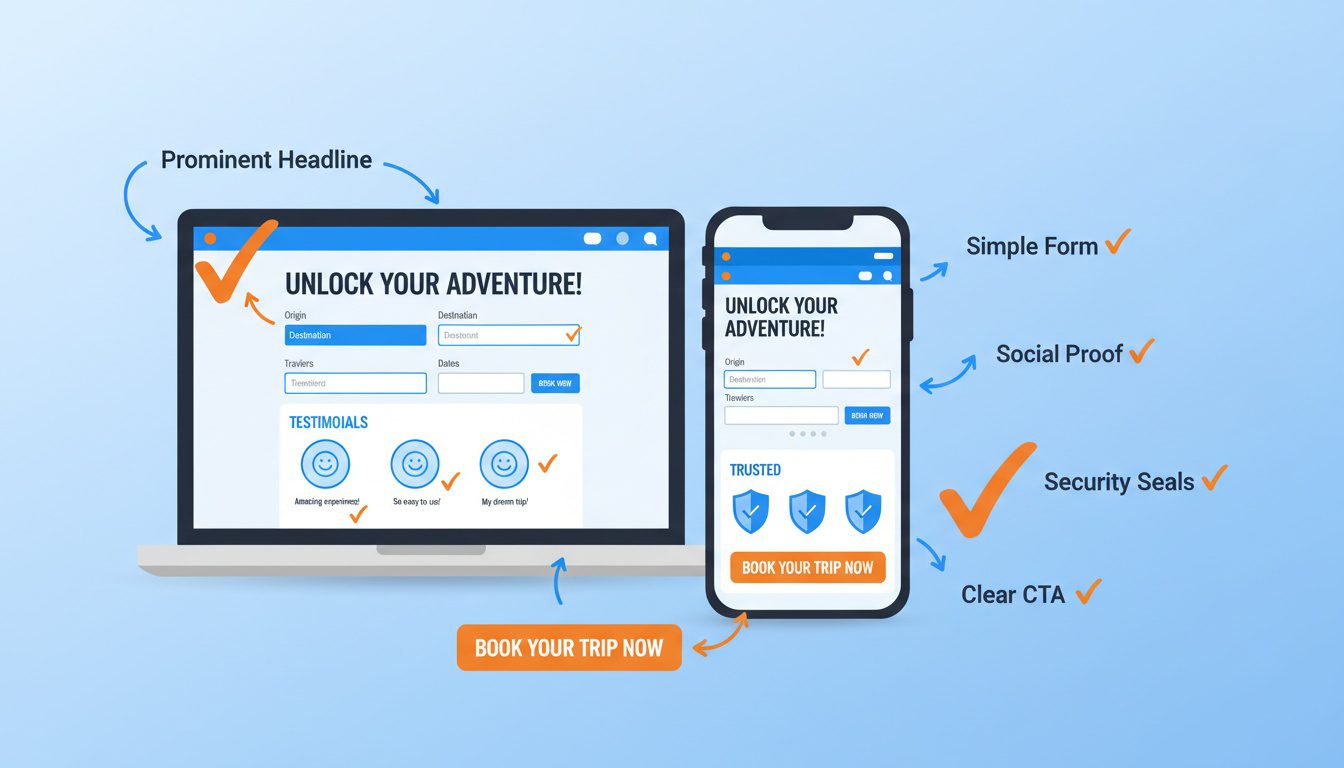
Driving traffic to your homepage is the #1 mistake chiropractors make with Facebook Ads. Homepages are designed for browsing, not converting.
Landing pages are single-purpose pages designed to convert one specific audience from one specific ad. Every element serves the singular goal: get them to book an appointment or submit their information.
According to Unbounce landing page benchmarks, healthcare landing pages average 5-10% conversion rate. With optimization, you can hit 15-25%.
That difference determines whether Facebook Ads are profitable or money pits.
Essential Landing Page Elements
Every high-converting landing page includes these non-negotiable elements:
- Headline matching ad promise:
- If ad said "$49 New Patient Exam," headline must reinforce that exact offer
- Message match prevents confusion and bounce
- Include benefit-driven subheadline
- Clear call-to-action above the fold:
- Booking form or prominent phone number visible without scrolling
- Make it stupidly obvious what they should do next
- Use contrasting color for CTA button
- Social proof and credibility:
- Patient testimonials with photos and full names
- Star ratings and review count
- Years in practice, credentials, association memberships
- Trust badges (HIPAA compliant, insurance accepted, etc.)
- Address objections and reduce friction:
- "Most insurance accepted"
- "No referral needed"
- "Same-day appointments available"
- "Gentle, modern techniques"
- "Satisfaction guaranteed"
- Visual credibility builders:
- Professional team photos
- Modern, clean facility images
- Professional headshots with credentials
- Before/after patient transformations (with permission)
- Mobile optimization:
- 60-70% of traffic is mobile—if page doesn't work on phones, you're dead
- Forms should be easy to fill on small screens
- Click-to-call phone numbers
- Fast loading speed (under 3 seconds)
- Minimal navigation and distractions:
- Remove main site navigation (don't give exit options)
- No external links or blog sidebars
- Single focused path to conversion
- Every element serves the conversion goal
Test your landing page on multiple devices before spending ad money driving traffic to it.
Lead Form vs Landing Page Strategy
Facebook gives you two conversion paths: native lead forms (keep people on Facebook) or landing pages (send to your website).
Each has advantages:
Facebook Lead Forms (Higher Volume, Lower Quality):
- Pros: Easier for users (pre-filled info), 2-3x higher submission rate, mobile-optimized automatically
- Cons: Lower quality leads (low friction = less intent), can't qualify leads with questions, delayed follow-up
Landing Pages (Lower Volume, Higher Quality):
- Pros: Higher intent (willing to leave platform), better lead quality, can include qualifying questions, own the data
- Cons: More friction (extra clicks), requires landing page development, pixel tracking required
Best practice: Use both strategically
- Lead forms for top-of-funnel awareness campaigns (build email list, offer free guides)
- Landing pages for bottom-funnel conversion campaigns (book appointments, claim offers)
Many successful practices run lead form campaigns to build audience, then retarget those leads with landing page campaigns for appointments. The two-step approach often delivers best overall ROI.
Landing Page Speed and Technical Optimization
Page speed directly impacts conversion rate—every second of load time costs you 7-10% of conversions, according to Google research on mobile page speed.
Technical essentials:
- Load in under 3 seconds - Test with Google PageSpeed Insights
- Compress images - Use WebP format, optimize file sizes under 200KB each
- Minimize code - Remove unnecessary scripts and plugins
- Use fast hosting - Cheap shared hosting kills conversion
- Implement caching - Speed up repeat visitors
- SSL certificate (HTTPS) - Required for trust and security
Mobile-specific optimization:
- Forms should have large, tappable input fields
- Phone numbers should be click-to-call links
- Buttons should be minimum 44x44 pixels
- Text should be readable without zooming (16px minimum)
- No horizontal scrolling or pinch-to-zoom required
Test your landing page on at least 3 different mobile devices before launching ads. If it's clunky on mobile, fix it first—don't waste ad spend sending traffic to a broken experience.
For comprehensive landing page strategies, check our guide on high-converting chiropractic landing pages.
Budget Management and Bidding Strategy
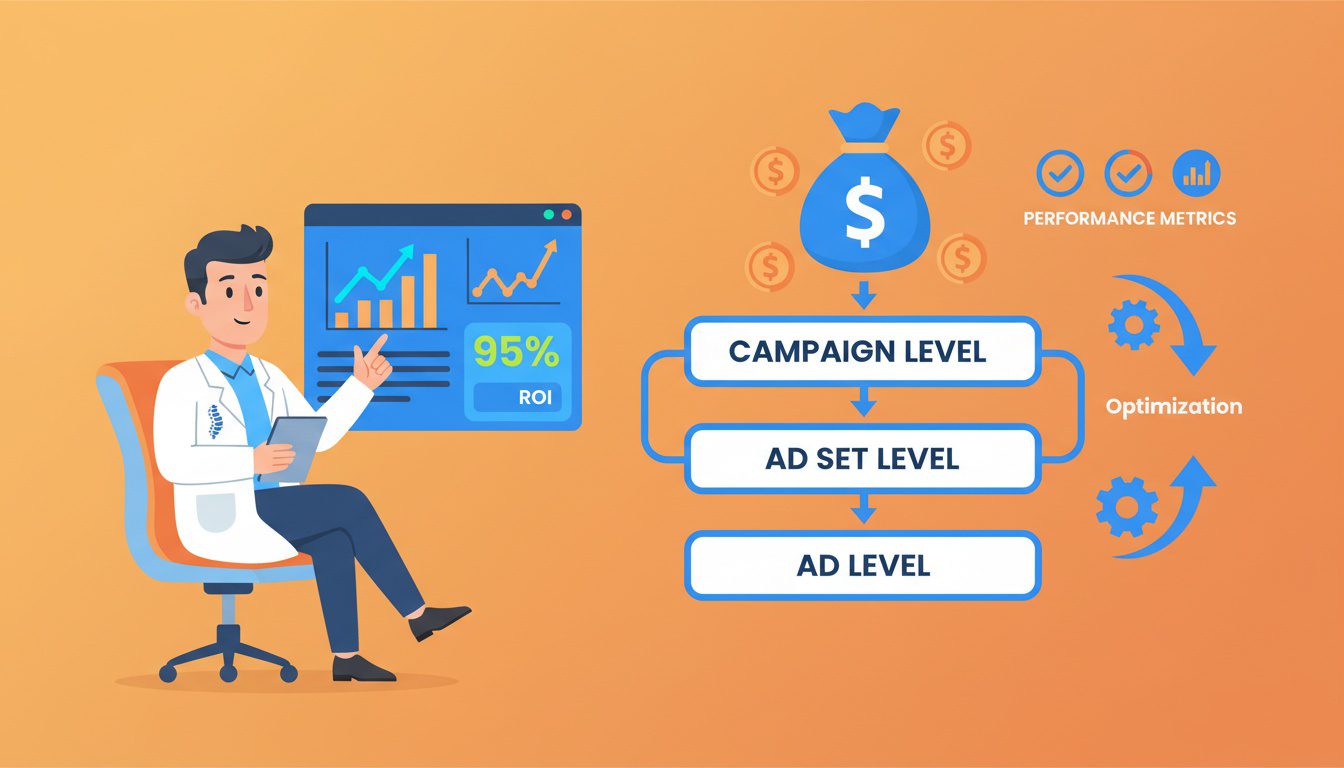
Budget management determines whether Facebook Ads are profitable or a money pit. You can have perfect targeting and creative but still fail with poor budget strategy.
The goal isn't spending less—it's spending efficiently on what works while eliminating what doesn't.
Starting Budget Recommendations
How much should you invest to test Facebook Ads effectively?
Minimum viable budget for testing: $600-900 monthly ($20-30 daily)
This gives Facebook's algorithm enough spend to optimize delivery and collect meaningful performance data. Anything under $20 daily doesn't provide enough volume for the algorithm to learn effectively.
Budget allocation by practice stage:
| New practice (0-50 patients) | $600-1,200 | $20-40 | Immediate lead generation, quick testing |
| Growing practice (50-150 patients) | $1,200-2,000 | $40-65 | Balance acquisition with optimization |
| Established practice (150+ patients) | $2,000-4,000+ | $65-135+ | Scale winners, maintain 30% testing budget |
How to scale budget safely:
- Start at $20-30 daily for first 30 days
- Identify winning ad sets (best cost per lead, best lead quality)
- Increase winning ad sets by 20% weekly
- Pause or reduce budget on underperformers
- Never increase budget more than 20% in single adjustment (confuses algorithm)
Don't judge performance in first 7-10 days—algorithm is learning. Give it time.
Campaign Budget Optimization vs Ad Set Budgets
Facebook offers two budget management approaches:
Campaign Budget Optimization (CBO) - Recommended for most chiropractors:
- Set budget at campaign level
- Facebook automatically distributes spend across ad sets
- Algorithm allocates more to best-performing audiences
- Simplifies management—one budget controls everything
- Best when testing multiple audiences
Ad Set Budgets:
- Set individual budgets for each ad set
- More control over spend distribution
- Useful when you want equal testing across audiences
- More complex to manage at scale
- Best for experienced advertisers wanting precise control
For beginners, use Campaign Budget Optimization. Let Facebook's algorithm figure out which audiences deserve more budget based on performance data.
Bidding Strategy for Maximum ROI
Bidding controls how much Facebook pays to show your ads. Choose wrong bidding strategy and you'll overpay for poor results.
Bidding options:
Lowest Cost (Recommended for beginners):
- Facebook automatically bids to get the most conversions for your budget
- Algorithm learns over time and improves efficiency
- No bid caps—Facebook spends full budget
- Best when starting and building conversion data
Cost Cap:
- Set maximum cost per conversion you're willing to pay
- Facebook optimizes to stay under that cap
- Risk: Delivery may be limited if cap is too low
- Use once you know your target cost per acquisition
Bid Cap:
- Set maximum bid for ad auction
- More control but requires understanding of ad auction dynamics
- Usually not necessary for local service businesses
- Only for advanced advertisers
Start with "Lowest Cost" bidding for first 30-60 days. Once you have conversion data showing actual cost per patient, switch to "Cost Cap" if needed to maintain profitability as you scale.
When to Increase, Decrease, or Pause Spend
Budget decisions should be data-driven, not emotional.
Increase budget when:
- Cost per lead is below target for 7+ consecutive days
- Lead quality is good (20%+ converting to appointments)
- You have capacity for more patients
- Ad frequency is under 3 (audience isn't seeing ads too often)
Decrease budget when:
- Cost per lead exceeds target by 50%+ for 7+ days
- Lead quality drops (under 10% converting)
- Ad frequency exceeds 5 (audience fatigue)
- Conversion tracking shows poor ROI
Pause campaigns when:
- Cost per lead is 2x+ your target with no improvement trend
- Lead quality is terrible (under 5% show rate)
- Technical issues (broken landing page, no Pixel firing)
- Practice is at capacity and can't handle more patients
Performance monitoring schedule:
- Daily (first 7 days): Check spend, impressions, clicks, leads
- Every 2-3 days (days 8-30): Review performance, make minor optimizations
- Weekly (after day 30): Deep dive on metrics, test new creative, adjust budgets
Set up automated rules in Ads Manager to pause ad sets that hit cost thresholds. Prevents runaway spending on underperformers.
Optimizing Campaign Performance
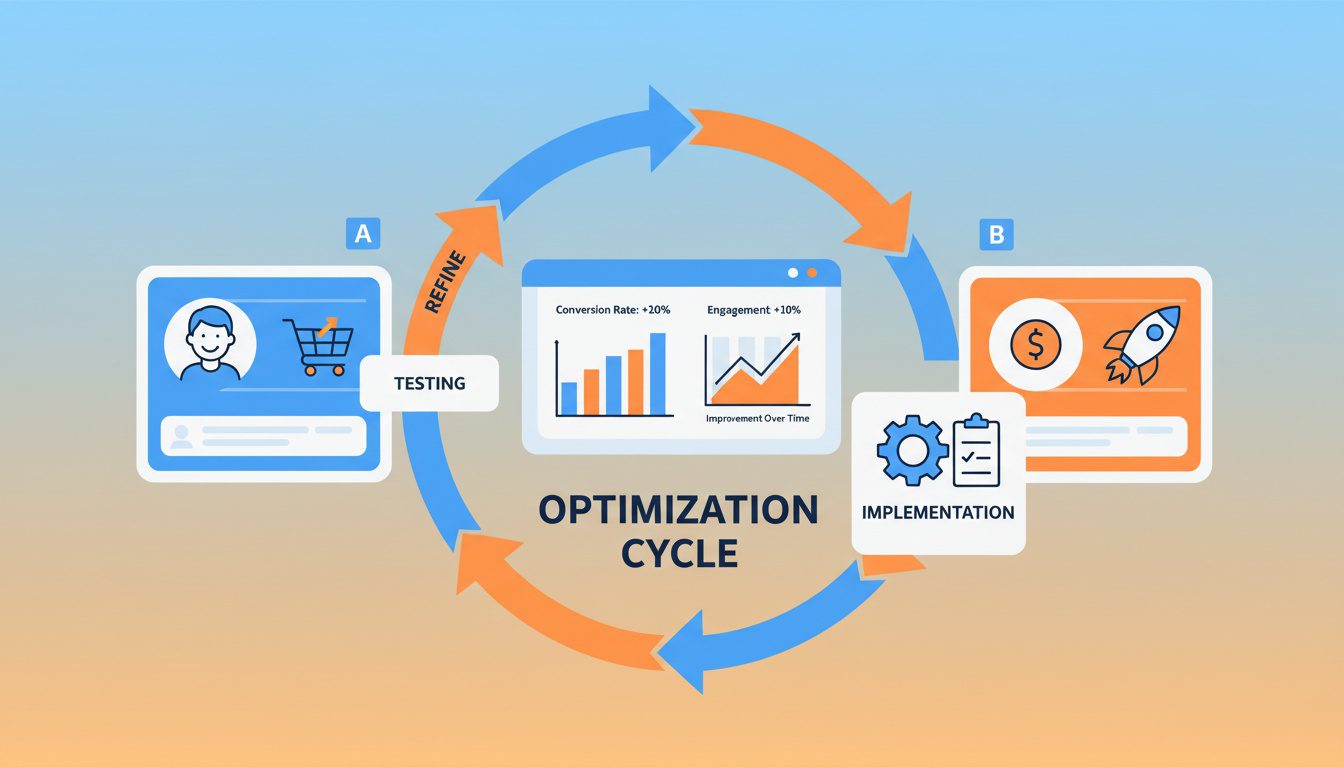
Most chiropractors launch Facebook Ads, see mediocre results after two weeks, and quit. The ones who succeed understand optimization is where the money is made.
Your initial campaigns will be 70-80% effective at best. Systematic optimization over 60-90 days improves performance by 2-3x while reducing costs by 30-50%.
Testing and optimization never stop—there's always room for improvement.
The Learning Phase and What It Means
Facebook's algorithm needs 50 conversions per ad set to exit "learning phase"—during this phase, performance fluctuates wildly as the system figures out optimal delivery.
What happens during learning phase:
- Cost per result varies significantly day-to-day
- Algorithm tests different audiences within your targeting
- Delivery may be inconsistent
- Performance metrics aren't reliable indicators yet
How long learning phase lasts:
- Small budgets ($20-30 daily): 7-14 days
- Medium budgets ($50-75 daily): 5-10 days
- Large budgets ($100+ daily): 3-7 days
Rules during learning phase:
- Don't make changes to targeting, creative, or budget for first 5-7 days
- Let algorithm collect data without interference
- Only pause if spending with zero results
- Performance improves significantly after exiting learning phase
Many chiropractors panic during learning phase and constantly change things—this resets the algorithm and keeps you stuck in poor performance. Patience pays off.
Split Testing Strategy
Split testing (A/B testing) is how you systematically improve performance by testing variations against each other.
What to test in order of impact:
- Audiences (Highest Impact):
- Test different age ranges
- Test different interest layers
- Test different radius sizes
- Test lookalike vs cold audiences
- One variable at a time
- Ad Creative:
- Test video vs static image
- Test different testimonial patients
- Test different hooks in first 3 seconds
- Test before/after vs educational content
- Ad Copy:
- Test different headlines
- Test benefit-focused vs problem-focused
- Test short copy vs long copy
- Test different offers or CTAs
- Landing Pages:
- Test form length (short vs detailed)
- Test different headlines
- Test different social proof placement
- Test one-column vs two-column layout
Split testing best practices:
- Test only one variable at a time (otherwise you don't know what caused the change)
- Run tests for minimum 7-14 days before declaring winner
- Need at least 100 conversions per variation for statistical significance
- Document what you test and results for future reference
- Winning variations become new control, keep testing against them
The practices with best ROI are constantly testing. They're not "set it and forget it"—they're "test and optimize forever."
Reducing Cost Per Lead Over Time
Your goal is continuously lowering acquisition cost while maintaining or improving lead quality.
Strategies that reduce cost per lead:
- Narrow to winning demographics:
- After 30 days, analyze which age/gender combinations convert best
- Create separate ad sets targeting those demographics
- Reduce spend on underperforming segments
- Implement retargeting campaigns:
- Create custom audiences of website visitors who didn't convert
- Show retargeting ads with stronger offers or urgency
- Retargeting converts 2-3x higher than cold traffic at lower cost
- Refresh creative monthly:
- Ad fatigue sets in after 30-45 days (same audience seeing same ads)
- Introduce new images, videos, or copy variations
- Maintain performance by keeping creative fresh
- Optimize landing page conversion rate:
- Small improvements in landing page (5% to 8% conversion) dramatically reduce cost per patient
- Test headlines, forms, CTAs, trust elements
- Even 1-2% improvement compounds over months
- Use lookalike audiences:
- Once you have 50+ converted patients, create lookalike audiences
- Lookalikes often deliver 30-50% lower cost per lead
- Scale to 2-5% lookalike audiences as you grow
Cost per lead improvement timeline:
- Month 1: Baseline performance ($50-80 CPL)
- Month 2: 20-30% improvement through audience refinement ($40-60 CPL)
- Month 3: 30-40% improvement through creative optimization ($35-50 CPL)
- Month 4+: 40-50% improvement through lookalikes and retargeting ($30-45 CPL)
Track cost per lead weekly and celebrate improvements. Small gains compound into massive cost savings over 6-12 months.
Frequently Asked Questions About Facebook Ads for Chiropractors
How much should I spend on Facebook ads for my chiropractic practice?
Start with $20-40 daily budget ($600-1,200 monthly) for initial testing. This gives Facebook's algorithm enough data to optimize while keeping risk manageable. Plan to test for 30-60 days before scaling.
Once you're consistently generating leads at $30-60 each with 20-30% conversion to patients, gradually increase budget by 20% weekly. Most successful practices scale to $1,500-3,000 monthly once profitability is proven. Don't judge performance in the first 7-10 days—the algorithm needs time to learn and optimize.
What type of Facebook ads work best for chiropractors?
Video testimonials from real patients convert best, followed by before-after transformation stories and educational content addressing specific pain points. Lead form ads (native Facebook forms) generate higher volume but sometimes lower quality leads.
Traffic ads to optimized landing pages produce better-qualified leads who've shown higher intent by clicking through. Start with testimonial videos and special offer ads, then expand to educational content once you have baseline performance data. Test multiple creative types—what works varies by market and audience.
How do I target the right people with my Facebook ads?
Target 5-10 mile radius around your practice (adjust for urban/rural), ages 30-65, and layer interests like fitness, wellness, yoga, running, or specific health conditions. Use detailed targeting expansion to let Facebook find similar audiences.
Create custom audiences from your patient list for lookalike targeting. Exclude current patients to avoid wasting budget. Start broad, then narrow based on which demographics convert best after 30 days of data collection. Don't over-layer targeting initially—let Facebook's algorithm optimize delivery to your best prospects.
Should I use Facebook lead forms or send people to my website?
Test both and let data decide. Lead forms generate 2-3x more leads but often lower quality since friction is minimal. Landing page conversions are fewer but typically higher intent and better show rates.
Use lead forms for awareness and volume, use landing page campaigns for qualified prospects ready to book. Many successful practices run both simultaneously—lead forms for top-of-funnel, landing pages for retargeting warm audiences. Track conversion rates and patient show rates for each method to determine what works best for your practice.
How long does it take to see results from Facebook ads?
Expect leads within 2-3 days of launch, but meaningful performance data takes 30-45 days. Week 1 is testing and learning as Facebook's algorithm optimizes delivery. Weeks 2-4 show clearer patterns in lead quality and cost.
Month 2 is when you have enough data to confidently scale or pivot strategy. Don't judge performance in first 7-10 days—algorithms need time and data to optimize delivery to your best audiences. Most practices see best performance months 2-4 after initial learning phase completes.
What should my Facebook ad say to attract chiropractic patients?
Lead with the specific problem your ideal patient experiences, not generic benefits. Use headlines like "Struggling with Lower Back Pain That Won't Go Away?" or "Chronic Headaches Disrupting Your Life?" Follow with brief credibility statement, patient result, and clear offer with urgency.
Include strong CTA like "Book Your $49 New Patient Exam Today" or "Claim Your Free Consultation." Show real patient transformations when possible—specificity and authenticity beat polish. Focus ad copy on their pain point, your unique solution, and clear next step.
Can I run Facebook ads if I've never done it before?
Yes—Facebook's interface is beginner-friendly with guided setup. Expect 2-3 hours for initial campaign creation plus 30-60 minutes weekly for monitoring and optimization. Follow step-by-step tutorials, start with simple campaigns, and scale complexity as you learn.
Many chiropractors successfully run their own ads. Alternatively, hire freelancer or agency if you prefer to focus on patient care—budget $500-1,500 monthly for professional management plus ad spend. Start simple, learn from data, and don't be afraid to test new approaches.
Conclusion
Running profitable Facebook Ads for your chiropractic practice isn't complicated—it's systematic.
Set up proper tracking through Business Manager and Facebook Pixel, create campaigns targeting local audiences with interests indicating they'd value chiropractic care, develop authentic creative featuring real patient stories, drive traffic to optimized landing pages, and continuously test and optimize based on performance data.
The practices winning with Facebook Ads aren't lucky—they follow the system, give it time to work, and optimize relentlessly based on what the data tells them.
Start with the fundamentals: $20-40 daily budget, 5-10 mile radius targeting, video testimonial creative, and simple landing page with clear booking path. Perfect those basics before expanding to advanced strategies.
Your first 30-60 days build the foundation. Months 2-4 are where performance compounds and costs decrease. By month 6, Facebook Ads should be a predictable, profitable patient acquisition channel requiring minimal management.
Look, I get it—this is a lot to implement on top of actually running your practice and treating patients.
If you're thinking "this all makes sense, but I don't have time to do it right," you're not alone. Most successful chiropractors we work with felt the same way before they realized their website and online presence were quietly costing them 15-20 qualified patient leads every single month.
That's why we created our Free Website Conversion Analysis. It's not a sales pitch—it's a genuine walkthrough of the 3 biggest problems killing your bookings, delivered personally via Loom video within 24 hours.
We'll show you exactly:
- Why visitors leave without booking
- What's broken on mobile devices (where most searches happen)
- Missing trust signals costing you patients
- Where you rank vs. local competitors
- Simple fixes that drive more calls this month
You'll also get an instant case study while you wait, showing real examples of how other chiropractors fixed these exact problems.
Get your free analysis here — no credit card, no obligation, just actionable insights you can use whether you work with us or not.
Because every day your Facebook Ads sit unoptimized is another day patients are choosing your competitors instead.

Gerek Allen
Co-Owner iTech Valet
Entrepreneur, patriot, CrossFit junkie, IPA enthusiast, loves to travel to tropical destinations, and knows way too many movie quotes.


About iTech Valet
iTech Valet specializes in web design and content marketing for online entrepreneurs who want to share their expertise.
Services Include:
- Web Design
- Graphic Design
- Sales Copy
- Funnel Building
- Authority Sites
- Membership Sites
- Course Creation
- Email Systems
- Content Marketing
- Competitive Analysis
- Tech Integrations
- Strategic Planning
NEED MORE CLIENTS?
Free conversion-focused analysis uncovers the 3 biggest problems killing your bookings — we'll walk you through your results personally

621 Enterprises, Inc. | Copyright 2022 | All rights reserved