


Chiropractic Google Posts Strategy: Drive Map Pack Clicks
 by Gerek Allen ~ Last Updated: November 28th, 2025 ~ 7 Min Read
by Gerek Allen
~ Last Updated: November 28th, 2025 ~
~ 7 Min Read ~
If you’ve ever searched “chiropractor near me” on Google, you’ve seen that little box that pops up with local clinics, star ratings, and directions. That’s the Google Map Pack, and it’s where new patients are making their decisions.
You don’t need to be a marketing expert to stand out there. You just need to use Google Posts the right way.
Think of Google Posts as short, eye-catching updates that appear directly on your Google Business Profile, like a mini social media feed that shows up before patients even visit your website. Whether you’re sharing a wellness tip, a limited-time offer, or a quick update about your services, these posts can help your clinic appear more active, trustworthy, and visible in local searches.
In this guide, we’ll break down how to create an easy, effective Google Posts strategy designed specifically for chiropractors. You’ll learn how to use it to drive more clicks from the Map Pack, boost your online visibility, and turn local searches into booked appointments, all without getting tangled in complicated marketing tools.
Why Your Chiropractic Practice Needs Google Posts
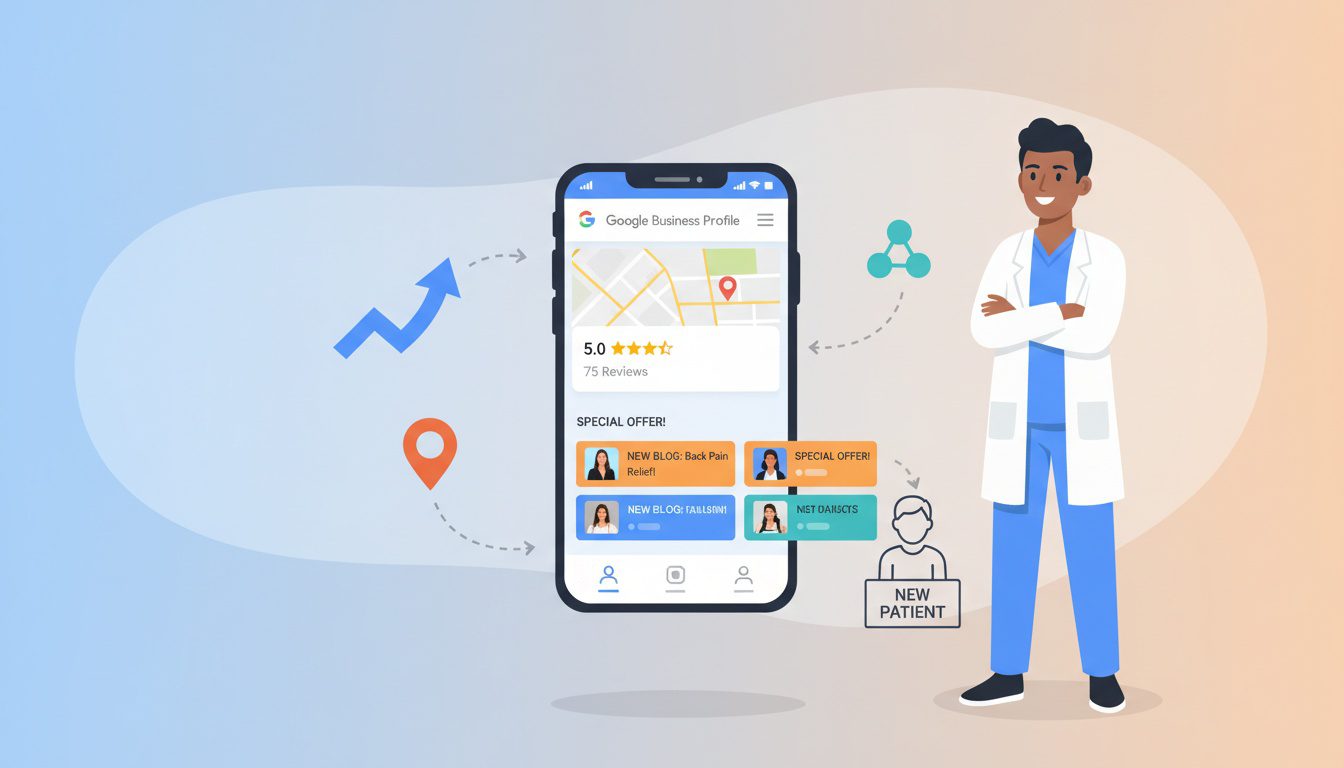
You might be thinking, "Great, another marketing task to add to my list."
But hear me out. This one is worth your time because the benefits are very real for a local practice like yours, and the impact goes far beyond just a pretty picture on your Google business profile.
Boost Your Local SEO Visibility
Google loves to see an active Google Business Profile. Regularly publishing Google Business Profile posts signals to the Google algorithm that your chiropractic office is open, active, and relevant to the local community. While the posts themselves aren't a direct ranking factor, consistent activity can help you rank higher in local search results.
Increased engagement on your profile, like when people click on your posts, tells Google that your map listing is helpful. This can lead to better placement in the local pack, which is prime real estate for any local business. More visibility means more potential patients see your name first when they are searching for care.
This is a fundamental part of a sound marketing strategy because Google sees an active profile as a sign of a healthy, operating business. This activity contributes positively to your overall local SEO and helps your practice stand out. Many practitioners don't realize just how much this simple action can influence their search rankings.
Directly Engage with Potential Patients
People looking for a chiropractor are often in a vulnerable state. They're dealing with pain and want to find someone they can trust. When potential patients search for a solution, Google Posts let you build that trust before they even visit your website.
By sharing helpful tips, patient stories, or introductions to your team, you humanize your practice. You're no longer just a name on a list; you're a caring provider who understands their needs. This initial connection makes all the difference for patients searching for care.
This is your chance to show the local community what makes your practice special. A patient appreciation day or a highlight on a staff member can create a powerful bond. This type of relevant content resonates with people in the area search for a local provider.
Promote Your Services and Offers
Do you have a new patient special? Are you now offering massage therapy or spinal decompression? Google Business Profile posts are the perfect place to announce it and drive traffic to your practice website.
You can create an "Offer" post with a specific start and end date to create a sense of urgency. This is a direct-response marketing tool built right into your GBP account. You can share promotions for special events or highlight a new service to fill your schedule.
It's a fantastic way to inform potential patients about what you offer. You can even promote upcoming events like a health workshop or a community outreach program. This makes your business profile a dynamic resource rather than a static listing.
Your Winning Chiropractic Google Posts Strategy: A Step-by-Step Guide
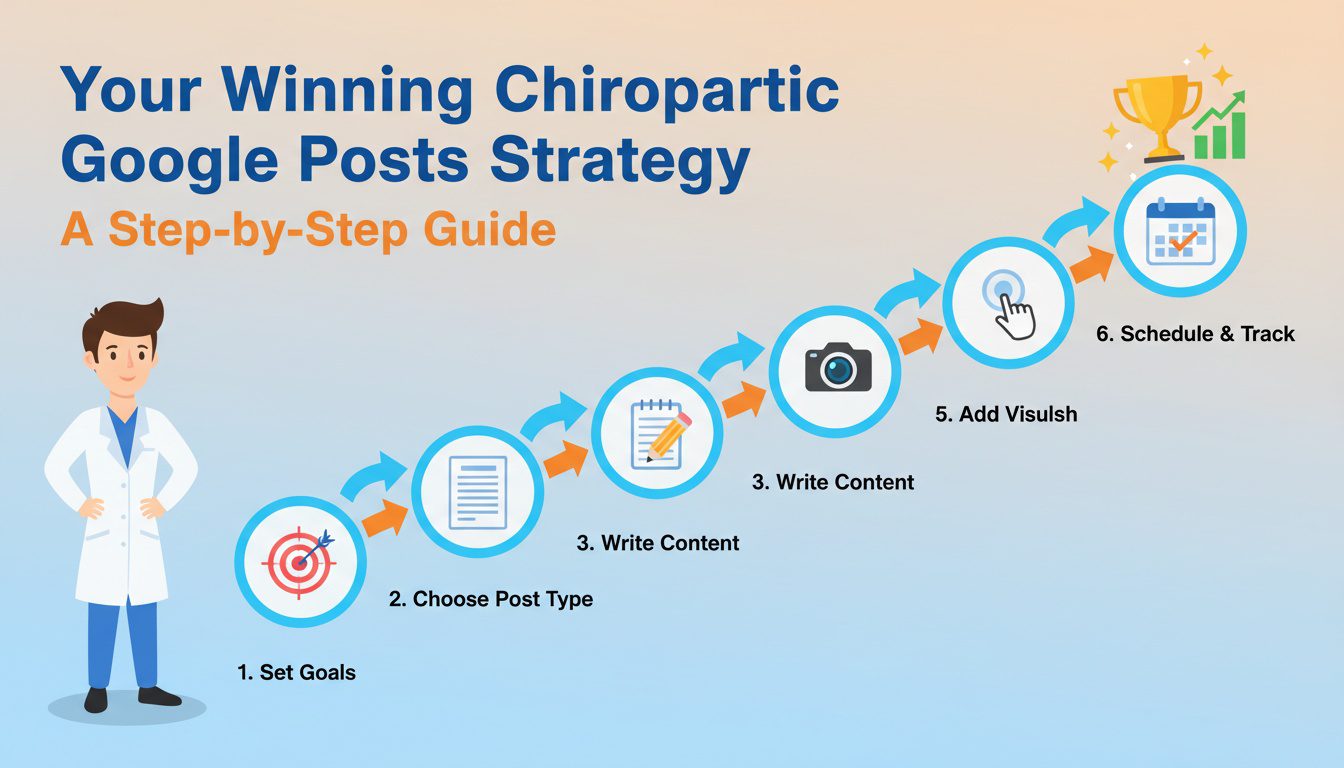
Alright, let's get into the nuts and bolts. A good marketing strategy isn't just about posting random things; it's about being intentional. Here's how you can create a simple yet effective plan for your business posting.
Step 1: Figure Out Your Goal for Each Post
Before you write a single word, ask yourself: "What do I want someone to do after seeing this post?"
The answer will guide everything else. Your goal could be to get them to:
- Book an appointment through your online scheduling tool.
- Call your office directly from their mobile phone.
- Visit a specific page on your website (like your blog or a service page).
- Learn about a specific condition you treat.
Don't try to accomplish everything with one post. Pick one clear goal and build the post around it. A post about your new patient special should lead directly to the booking page, not to a general blog article.
Step 2: Choose the Right Post Type
Google gives you a few different options for posts, and choosing the right one matters. Each has a slightly different format and purpose. The main types you'll use are What's New, Offer, and Event.
To post Google Business updates, you just need to log in to your profile and click "Add update." From there, you choose the post type that best fits your goal. Here's a quick breakdown to help you decide:
| What's New | General updates, health tips, blog posts, team news. | Photo/Video, Description, CTA Button. |
| Offer | Promotions, discounts, new patient specials. | Title, Start/End Dates, Coupon Code, Link, Photo/Video. |
| Event | Workshops, webinars, free screening days, community events. | Title, Start/End Dates & Times, Description, CTA Button. |
Choosing the right format helps users quickly understand your message.
Step 3: Write Compelling Copy (That People Actually Read)
People are scrolling quickly, so you have seconds to get their attention. Your copy needs to be clear, concise, and focused on the patient. This is a core part of effective content marketing.
Start with a hook that addresses their pain point.
For example, instead of "We Treat Back Pain," try "Tired of That Nagging Lower Back Pain?"
It's much more relatable and uses relevant keywords that potential patients search for.
Forget the complex medical jargon. Speak like you would to a patient in your chiropractic office. The goal is to be helpful and approachable, not to sound like a textbook.
Step 4: Use Eye-Catching Photos and Videos
A post with a picture is far more likely to get noticed than one with just text. But please, step away from the generic stock photos. People can spot them from a mile away and they do nothing to build trust or encourage people to click.
When you add a photo to your post, use real pictures of your office, your team, and your actual patients (always get their written permission first). A smiling photo of your front desk staff is much more welcoming than a sterile stock image of a spine. It's time to show the real faces behind your chiropractic clinic.
Don't be afraid to use short videos too. A 15-second clip of you demonstrating a simple stretch can be incredibly effective. It builds your authority as an expert and makes your profile more engaging.
Step 5: Nail the Call to Action (CTA)
Every post needs a clear call to action. This is the button at the bottom of your post that tells the reader what to do next. Google gives you several options:
- Book: Perfect for linking directly to your online scheduling tool.
- Call now: This button makes it incredibly easy for mobile users to call your office with one tap.
- Learn more: Use this to link to a blog post, a service page, or an article about a condition.
- Sign up: Great for webinars or email newsletters.
- Visit site: A more generic CTA to send people to your homepage.
Make sure your CTA button matches the goal you set in Step 1.
Don't use a "Learn more" button when you really want them to book an appointment.
If you want the phone to ring, "Call now" is the best choice for patients searching on the go.
Step 6: Post Consistently
This might be the most important step of all. An out-of-date GBP looks abandoned. You need to post Google updates consistently to show both Google and potential patients searching for care that your practice is active.
Most posts expire from the main carousel on your profile after seven days. I recommend posting at least once a week. This keeps your profile fresh and ensures there's always a recent post for people to see.
It doesn't have to be a masterpiece every time. A quick tip or a photo of the office is better than nothing. You can use a simple content calendar to plan your posts ahead of time so you never have to scramble for an idea.
Don't forget to schedule posts for a specific time when your audience is most likely to be online.

NEED MORE CLIENTS?
Free conversion-focused analysis uncovers the 3 biggest problems killing your bookings — we'll walk you through your results personally

Ideas for Your Chiropractic Google Posts

Feeling stuck on what to post? Don't worry, it happens. Here's a list of ideas that chiropractors can post about.
- Answer a Common Question: Create a short post answering a question you get all the time. For example, "Is chiropractic care safe during pregnancy?".
- Share a Patient Win: With permission, share a brief, anonymous story about a patient's success. Example: "One of our patients is finally back to golfing pain-free".
- Introduce a Team Member: Post a photo of your receptionist or a new chiropractor with a fun fact about them. This builds a personal connection.
- Post a Weekly Health Tip: Share a simple tip about posture, stretching, or nutrition. This establishes you as a wellness expert.
- Promote Your Latest Blog Post: If you blog, share a link to your latest article with a short, enticing description to drive traffic.
- Myth Busting: Address a common myth about chiropractic care, like "Once you start, you have to go forever".
- Behind-the-Scenes Look: Share a photo of your team setting up for the day or sanitizing equipment to show your commitment to a clean and safe environment.
- Holiday and Seasonal Posts: Wish your community a happy holiday, or post tips for avoiding pain during seasonal activities like gardening or shoveling snow.
- Announce New Business Hours: If your hours change for a holiday or season, post an update to keep everyone informed.
- Highlight Technology: Post about a new piece of equipment or technology you're using in the clinic to improve patient care.
How to Measure Your Success
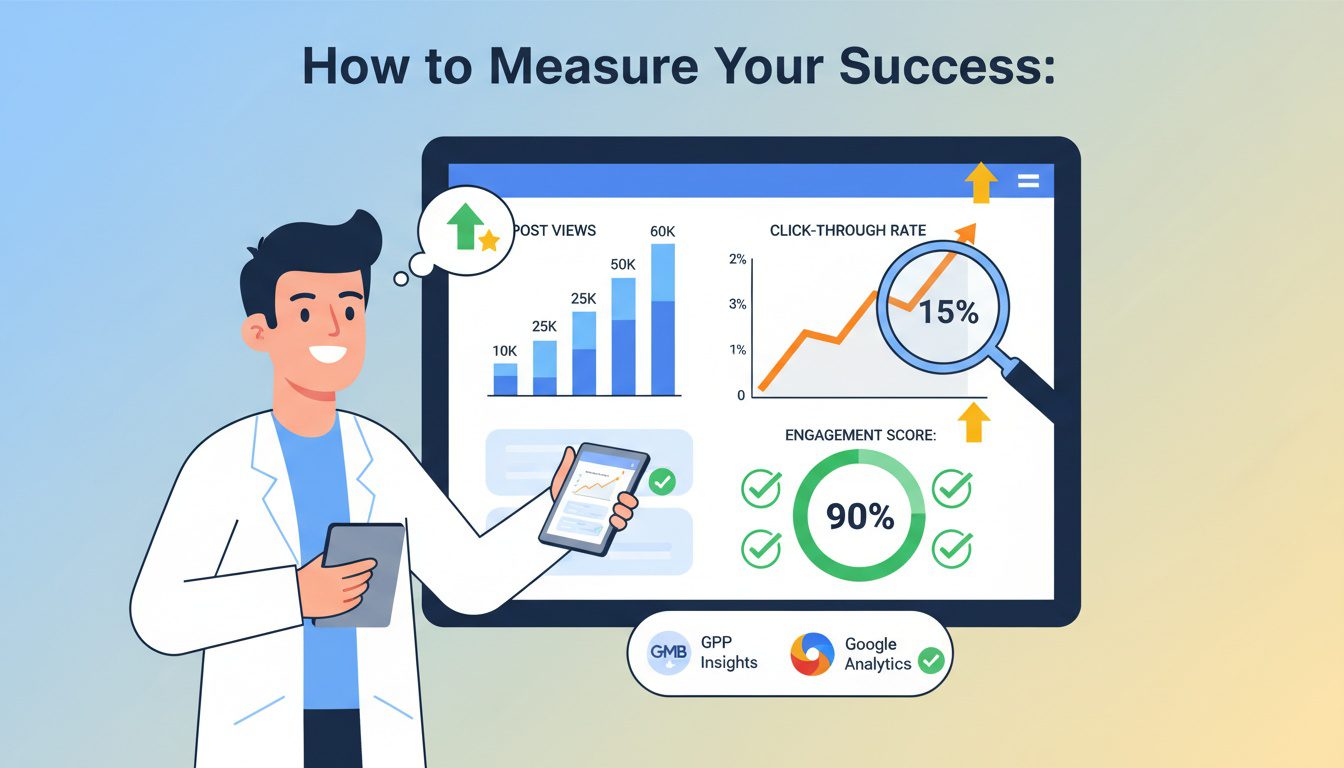
Your content strategy needs to be as localized as your office locations. Generic blog posts about the "Benefits of Chiropractic Care" are fine, but they do nothing to establish your chiropractic clinics as pillars of their respective communities. You need to create content that speaks directly to the people in each city and helps them find your services.
Think about what makes each community different. Does one city have a lot of office workers who suffer from neck and back pain? You could write a blog post titled "3 Stretches for Plano's Desk Warriors" and feature it on your Plano location page, including keywords naturally within the text.
Are you sponsoring local community events in Dallas? Write a post about it, including pictures and tips for participants. This kind of content shows you are invested in the local community. It helps build powerful local signals that Google loves to see, and it can attract potential patients actively looking for a community-focused healthcare provider.
Frequently Asked Questions About Chiropractic Google Posts Strategy
What are Google Posts, and how do they help chiropractors attract more patients?
Google Posts are short updates (photos, text, links) that appear directly in your Google Business Profile when people find you on Google Search or Maps. They're like mini social media posts visible to potential patients researching your practice—appearing prominently in your knowledge panel before they even visit your website. Posts help chiropractors by: showcasing current promotions or new patient specials, sharing educational content demonstrating expertise, announcing events or workshops you're hosting, highlighting patient success stories, promoting seasonal services, and keeping your profile active and engaging. Active profiles with regular posts signal to Google that you're an engaged, current business, potentially improving Map Pack rankings. Posts also provide additional touchpoints to convert searchers into patients through direct calls-to-action.
How often should chiropractors post on their Google Business Profile?
Post at minimum 2-4 times monthly to maintain an active presence, though weekly posting (4-5 times monthly) delivers better engagement and visibility. Google Posts expire after 7 days, so consistent posting ensures fresh content is always visible. Posting frequency matters more than you might think—profiles with regular posts appear more trustworthy and active to searchers. Create a simple posting schedule: Weekly educational tips (Monday: "Desk Stretches to Prevent Neck Pain"), Monthly promotions (first of month: "New Patient Special"), Event announcements (as needed), and Seasonal content (addressing winter stiffness, summer activity prep). Batch-create posts monthly and schedule them using Google Business Profile's scheduling feature to maintain consistency without daily effort.
What types of Google Posts generate the most engagement and appointment bookings?
High-performing post types include: Educational tips with visuals (exercises, posture corrections—people save and share these), New patient offers with clear CTAs ("Book Your $75 Consultation Today" with direct booking link), Patient testimonials (brief success stories with photos build trust), Before/after posture comparisons (visual proof of results), Seasonal health topics ("5 Ways to Prevent Snow-Shoveling Injuries"), Behind-the-scenes content (introduce staff, show your office, humanize your practice), and Local event participation (community involvement builds trust). Include high-quality images with every post—posts with images get 40%+ more engagement. Always include a call-to-action button (Book, Call, Learn More) directing readers to take next steps. Avoid purely promotional content; provide value first, then invite action.
What are the technical requirements and best practices for Google Posts?
Follow these specifications for optimal results: Character limits—titles max 58 characters, descriptions 100-300 characters (though Google displays about 100 before "read more"). Image requirements—minimum 400x300px, recommended 1200x900px, JPG or PNG format, under 5MB. Post types—choose from What's New (general updates), Event (with date/time), Offer (with dates and terms), or Product/Service. Best practices: front-load important information (visible before "read more"), use high-quality, relevant images (not stock photos when possible), include specific CTAs (not vague "contact us"), add relevant keywords naturally (but avoid stuffing), verify posts display correctly on mobile (where most people see them), track performance in Google Business Profile insights (views, clicks, calls), and always include a call-to-action button linking to booking, calling, or relevant website pages. Posts stay live for 7 days (Events/Offers until their end date), so schedule evergreen content to republish regularly.
Conclusion
Look, marketing your chiropractic practice can feel overwhelming. There are a million different marketing strategies you could be doing. But not all of them give you such a direct connection with local people actively looking for your help.
A consistent chiropractic Google Posts strategy is a simple, free, and incredibly powerful way to stand out, build trust, and ultimately, get more new patients on your schedule.
The key elements are clear goals, consistent action, and authentic content that speaks directly to the needs of someone in your area. This is how you help your Google Business Profile rank higher.
Don't let this powerful tool go to waste. Start small by aiming to add one post a week. Be consistent, and watch how this simple action can help you attract patients and grow your practice.
Free Website Conversion Analysis — Get a personal walkthrough showing the 3 biggest problems costing you clients (plus instant case study).

Gerek Allen
Co-Owner iTech Valet
Entrepreneur, patriot, CrossFit junkie, IPA enthusiast, loves to travel to tropical destinations, and knows way too many movie quotes.


About iTech Valet
iTech Valet specializes in web design and content marketing for online entrepreneurs who want to share their expertise.
Services Include:
- Web Design
- Graphic Design
- Sales Copy
- Funnel Building
- Authority Sites
- Membership Sites
- Course Creation
- Email Systems
- Content Marketing
- Competitive Analysis
- Tech Integrations
- Strategic Planning
NEED MORE CLIENTS?
Free conversion-focused analysis uncovers the 3 biggest problems killing your bookings — we'll walk you through your results personally

621 Enterprises, Inc. | Copyright 2022 | All rights reserved