


Chiropractic Image SEO: Faster Loads, Better Rankings
 by Gerek Allen ~ Last Updated: November 27th, 2025 ~ 6 Min Read
by Gerek Allen
~ Last Updated: November 27th, 2025 ~
~ 6 Min Read ~
Most chiropractic websites are packed with high-resolution images: professional headshots, modern office tours, treatment room photos, and before/after posture comparisons. These visuals build trust and showcase your practice, but when they're not properly optimized, they become digital anchors dragging down your site speed.
Every extra second of load time costs you patients: research shows 53% of mobile users abandon sites taking longer than 3 seconds, and Google actively penalizes slow websites in search rankings.
The irony is that the images meant to attract patients are actually driving them away. A single unoptimized photo can be 5-10MB when it should be under 200KB. Multiply that across dozens of images and you've got a website that frustrates visitors and signals poor quality to search engines.
Image optimization isn't just about compression. It's about strategic file sizing, modern formats, descriptive alt text, and lazy loading that make your site lightning-fast while improving accessibility and search visibility.
In this guide, we'll show you how to optimize every image on your chiropractic website for speed and SEO to improve load times, boost search rankings, and convert more visitors into patients.
Why Does Chiropractic Image SEO Matter?
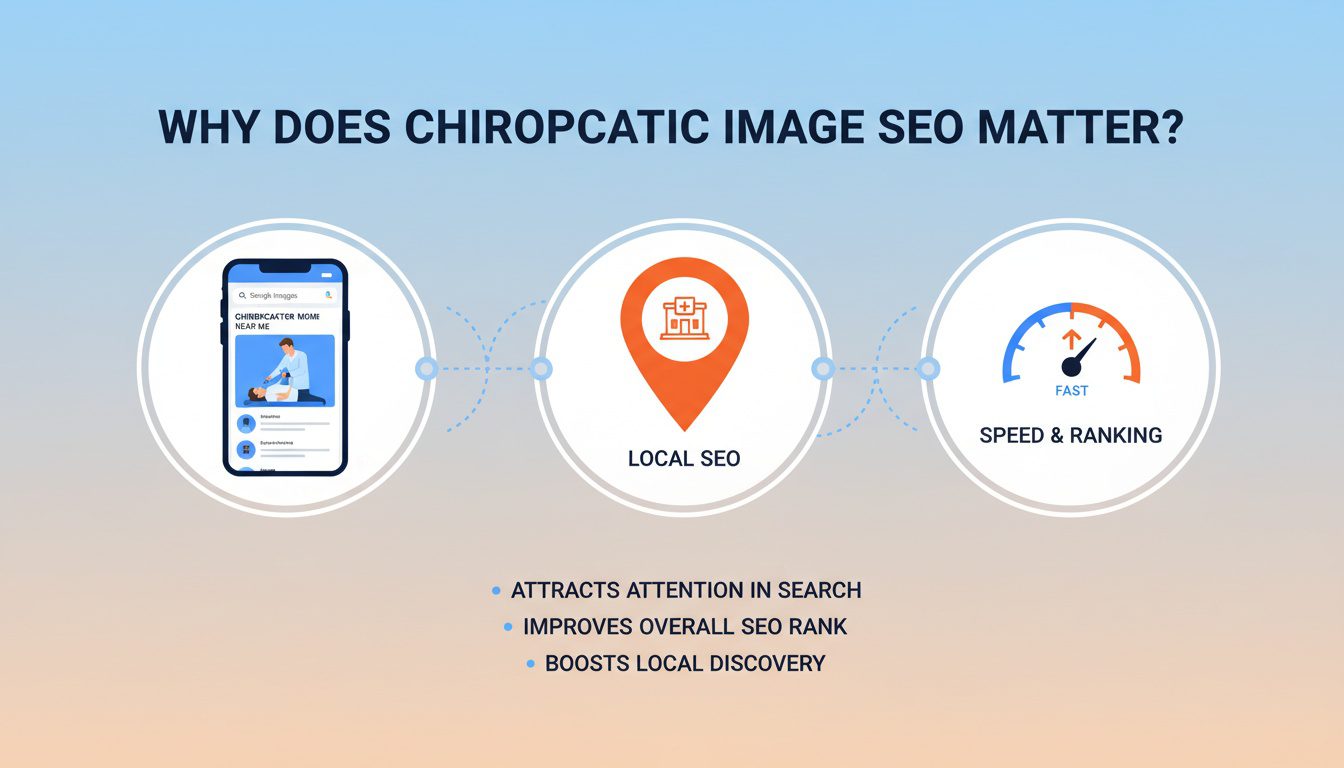
Pictures on your website are not just for decoration. They serve a real purpose in your digital chiropractic marketing strategy, attracting and converting new patients.
First, many people use Google Images for research. A person searching for solutions to neck pain or back pain might look for images related to "sciatica relief" or "spinal decompression". Your photo of a patient receiving that exact treatment can lead them straight to your chiropractic website, especially if your chiropractic image SEO is on point.
Second, images play a huge role in local SEO. Google wants to show local, relevant results to users, and your images are a strong signal of your location. Properly optimized images tell Google that your chiropractic practice is physically located where patients search, which is critical for showing up in the Google Map Pack.
Finally, user experience is a major ranking factor. Large, slow-loading images can frustrate visitors and cause them to leave your site before they even book an appointment. Good image optimization makes your site fast, keeping potential patients engaged and signaling quality to Google.
Core Components of Your Chiropractic Image SEO Strategy
Making your images work for your marketing strategy is not complex. Let's break down exactly what you need to do to improve your search rankings and attract more chiropractic patients.
Choosing the Right Images for Your Practice
Before you get into the technical details, you must start with the right pictures. Stock photos are easy to find, but they feel fake and impersonal. A generic photo of smiling actors does not build the same level of trust as an authentic image from your office.
Instead, use high-quality, authentic photos of your actual chiropractic practice. Show your welcoming reception area, your modern treatment rooms, and your smiling staff. Pictures of you working with patients (with their permission, of course) are incredibly powerful because they show you in action and help people visualize themselves receiving pain relief.
These real photos create an immediate connection and tell a story about your practice. They help potential patients feel more comfortable before they even call you. This content boosts trust and can be shared across social media platforms to extend your reach.
Naming Your Image Files Correctly
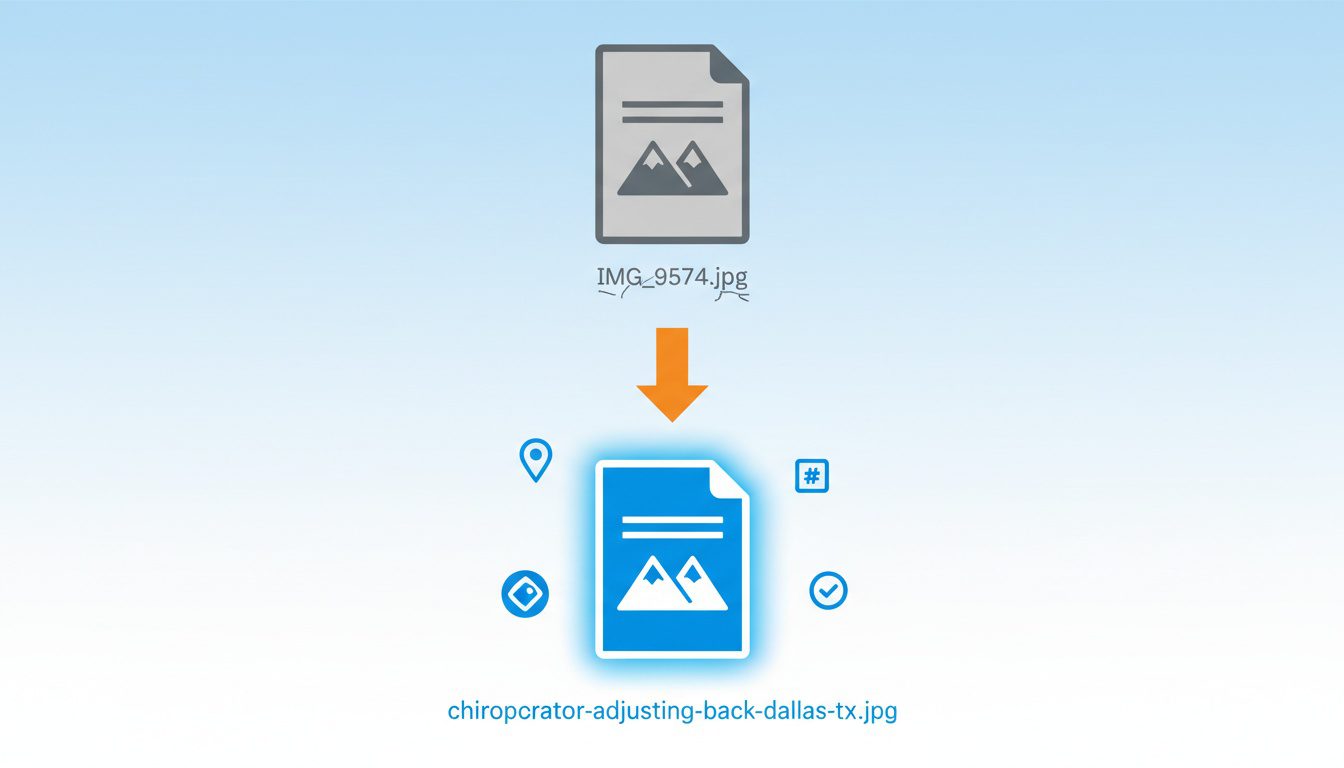
Take a look at your current image file names. Are they something generic like IMG_9574.jpg or DCIM_001.png? If so, you're giving Google zero useful information about the image's content.
This is one of the easiest wins in your entire SEO strategy. Before you upload any photo to your website, rename the file to describe what is in the picture. Use chiropractic keywords that a potential patient might use in a Google search.
A simple formula is: Main Subject - Treatment or Benefit - City - State.
For example, instead of IMG_9574.jpg, a better file name would be chiropractor-adjusting-back-dallas-tx.jpg. This instantly tells Google what the image is about, what service it relates to, and where your business address is located, improving your local SEO presence.
Writing Alt Text That Actually Works
Alternative text, or alt text, is a short description of an image added to the HTML code. Its main purpose is for screen readers to describe the image to visually impaired users, making your website more accessible. Google also uses alt text heavily to understand the context of an image.
Good alt text is descriptive, concise, and helpful; it should not be a dumping ground for a long list of SEO keywords. Think about how you would describe the photo to someone who could not see it. This approach helps both people and search engines understand the image.
Here's a comparison of bad versus good alt text for a picture of a chiropractor working on a patient's neck:
| Bad (Keyword Stuffing) | "chiropractor dallas chiro tx chiropractor best local chiropractor neck pain relief" |
| Good (Descriptive & Helpful) | "Dr. Jane Smith performing a cervical chiropractic adjustment on a patient in our Dallas office." |
Good alt text is descriptive and naturally includes relevant search terms. It serves its accessibility purpose perfectly while also giving Google valuable information. You can use a free tool like a keyword planner to find relevant chiropractic keywords to include naturally.
The Need for Speed: Compressing Your Images
We already mentioned that a slow chiro website can harm your rankings. Large, uncompressed images are the primary cause of slow loading times for most chiropractic practices. A beautiful photo that takes ten seconds to load is worse than no photo at all because it frustrates users.
Image compression reduces the file size of your pictures without a dramatic loss in visual quality. You want your images to be as small as possible in terms of kilobytes (KB). A good target for your practice's website is to keep most images under 100 KB.
There are image compression tools that can help with this process, and many are free to use. Services like TinyPNG are fantastic because you can just drag and drop your images, and the service will shrink them for you.
Taking this step for every image on your site can make a huge difference in your website's loading speed and user experience.
Next-Gen Formats: Should You Use WebP?
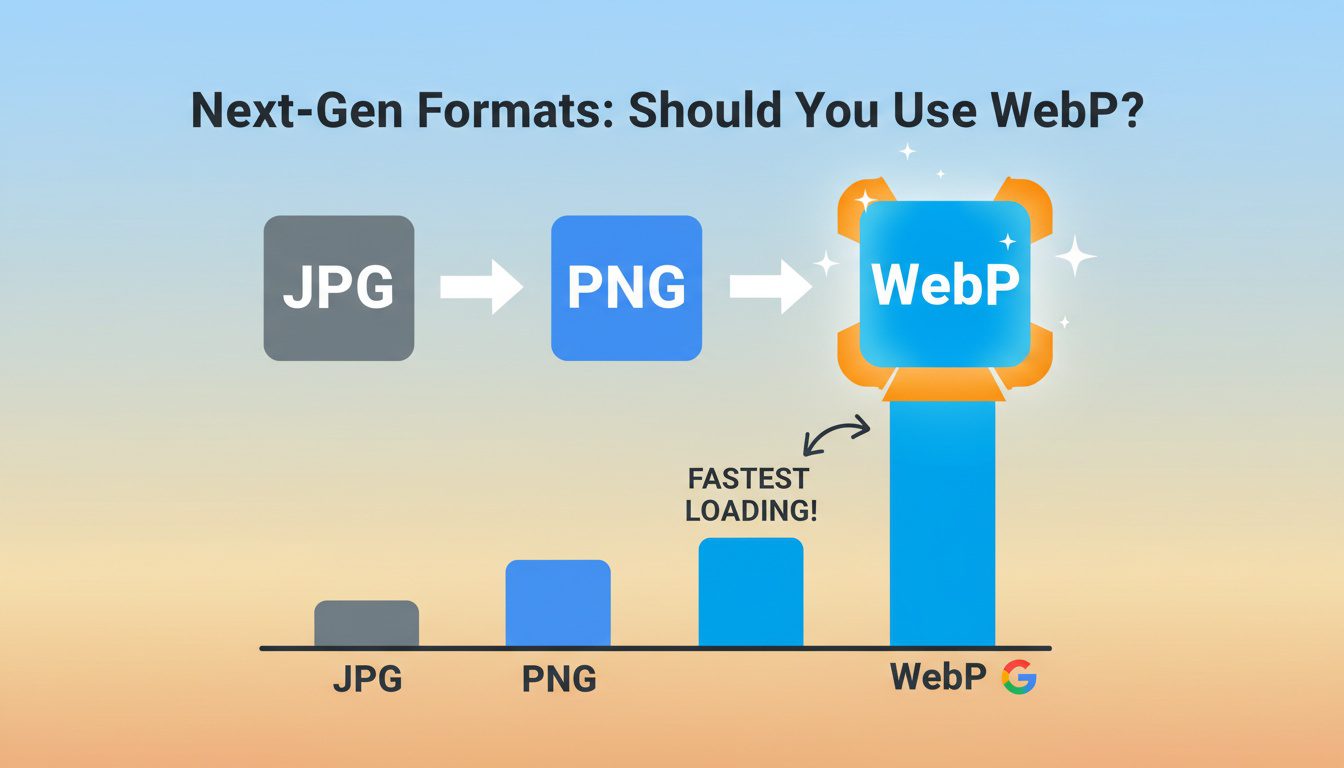
You have likely worked with JPEG and PNG files for years. However, a newer image format called WebP, developed by Google, is gaining popularity. WebP images offer excellent quality at a much smaller file size compared to older formats, making them great for chiropractic SEO.
Switching to the WebP format can make your site even faster, which is a positive signal for Google search rankings. Most modern website platforms and browsers now fully support this format. Many plugins and online tools can easily convert your existing images into WebP, giving your site a technical edge.
Using WebP is not an absolute requirement, but it shows you are focused on giving visitors the best possible experience. When potential chiropractic patients searching for care have a good experience, they are more likely to stay on your site. A practice's website doesn't need to be complicated, but it does need to be fast.
Don't Forget to Geo-Tag Your Images
This is a powerful tactic for your local SEO efforts. Geo-tagging embeds location data, such as latitude and longitude, directly into the image file itself. This provides another strong signal to Google about where your chiropractic practice is physically located.
When a person is searching for "chiropractic care near me," Google looks for clues to find the closest and most relevant options. An image of your office that is geo-tagged with your exact address is a very strong clue. Most modern smartphones automatically add this data, but you can also use online tools to add it to any photo.
This simple step helps connect your online presence to your physical location, which is crucial for a local business. It reinforces the information in your business listing on online directories and your Google Business Profile. This helps potential patients searching in your area find you on Google Maps.

NEED MORE CLIENTS?
Free conversion-focused analysis uncovers the 3 biggest problems killing your bookings — we'll walk you through your results personally

Putting It All Together: A Simple Checklist
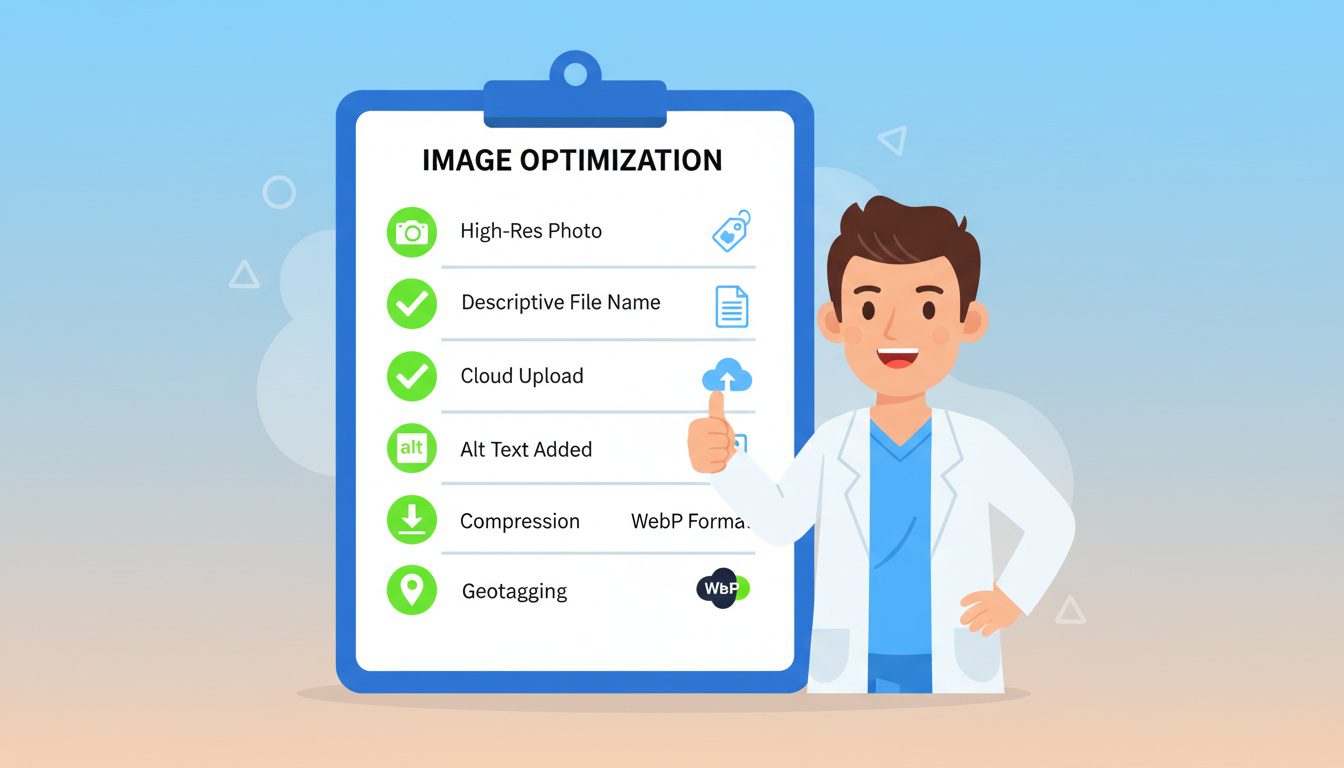
This might seem like a lot to remember for every blog post or page update. To simplify the process, here's a checklist you can follow every time you add a new image to your site.
- Choose a real, high-quality photo that represents your chiropractic services.
- Rename the file with a descriptive name that includes an seo keyword.
- Upload the image to your website or blog post.
- Write helpful and descriptive alt text that explains the image's content.
- Compress the image to keep the file size low, ideally under 100 KB.
- Consider converting it to a WebP format for even better performance.
- Add geo-tag data to the image to strengthen your local SEO presence.
Following these steps consistently will dramatically improve your chiropractic image SEO. While it takes a few extra minutes per image, the payoff in local traffic and new patients is well worth the effort.
Frequently Asked Questions About Chiropractic Image SEO
Why does image optimization matter for chiropractic websites, and how does it affect rankings?
Images directly impact three critical ranking factors: page speed (large unoptimized images slow load times, hurting rankings and user experience), user engagement (properly optimized images with relevant alt text help visually impaired users and provide context to search engines), and image search visibility (optimized images appear in Google Image Search, driving additional traffic). Studies show that 53% of mobile users abandon sites taking longer than 3 seconds to load, and images are typically the largest files causing delays. Fast-loading, properly tagged images improve Core Web Vitals scores that Google uses for rankings, reduce bounce rates, and can generate traffic from image searches when people look for "chiropractic adjustment techniques" or "proper desk posture."
What's the difference between image compression and image resizing, and do I need both?
Resizing changes the physical dimensions (pixels) of an image—you should resize images to match their display size on your website. Never upload a 3000x2000px photo if it displays at 800x600px; resize it before uploading. Compression reduces file size without changing dimensions by removing unnecessary data. You need both: first resize to appropriate display dimensions, then compress to reduce file size while maintaining visual quality. Tools like TinyPNG, ImageOptim, or Squoosh can compress images 50-80% without noticeable quality loss. For chiropractic websites, hero images should be under 200KB, content images under 100KB, and thumbnails under 50KB. Modern formats like WebP offer better compression than JPG/PNG—most website platforms now support automatic WebP conversion.
What should I include in image alt text for chiropractic websites?
Write descriptive, specific alt text that explains what's in the image while naturally including relevant keywords. Good examples: "Chiropractor performing spinal adjustment on patient lying on treatment table," "Proper ergonomic desk setup showing monitor at eye level," or "Dr. Smith examining patient's posture in examination room." Bad examples: "image1.jpg," "chiropractic chiropractic back pain chiropractor" (keyword stuffing), or leaving alt text blank. Alt text serves two purposes: helping visually impaired users understand images through screen readers, and providing context to search engines. Keep it under 125 characters, be accurate and specific, include location when relevant ("chiropractor in downtown Seattle office"), and never stuff keywords unnaturally. Every image should have unique, descriptive alt text.
What are the best image file formats for chiropractic websites?
Use WebP as your primary format when possible—it provides 25-35% smaller file sizes than JPG with similar quality and supports transparency like PNG. Most modern browsers and platforms support WebP. For compatibility, use: JPG/JPEG for photographs and images with many colors (office photos, treatment images, staff headshots), PNG for images requiring transparency (logos on colored backgrounds, diagrams with clear backgrounds), SVG for simple graphics, icons, and logos that need to scale perfectly at any size. Avoid GIF except for simple animations, and never use BMP or TIFF on websites (huge file sizes). Many website platforms automatically convert uploaded images to WebP while keeping originals as fallbacks. If manually optimizing, create WebP versions with JPG fallbacks for maximum compatibility and performance.
Conclusion
Optimizing the images on your chiropractic website is not just a technical task. It is a fundamental part of connecting with new patients in your community and an essential piece of your search engine optimization efforts. Every picture you use is an opportunity to build trust, demonstrate your expertise, and show Google that you are the best local choice for chiropractic care.
By following the steps outlined here, you can improve your online presence and rank higher in Google search. From choosing the right photos to implementing technical optimizations, a solid chiropractic image SEO strategy will help more people find your practice.
Free Website Conversion Analysis — Get a personal walkthrough showing the 3 biggest problems costing you clients (plus instant case study).

Gerek Allen
Co-Owner iTech Valet
Entrepreneur, patriot, CrossFit junkie, IPA enthusiast, loves to travel to tropical destinations, and knows way too many movie quotes.


About iTech Valet
iTech Valet specializes in web design and content marketing for online entrepreneurs who want to share their expertise.
Services Include:
- Web Design
- Graphic Design
- Sales Copy
- Funnel Building
- Authority Sites
- Membership Sites
- Course Creation
- Email Systems
- Content Marketing
- Competitive Analysis
- Tech Integrations
- Strategic Planning
NEED MORE CLIENTS?
Free conversion-focused analysis uncovers the 3 biggest problems killing your bookings — we'll walk you through your results personally

621 Enterprises, Inc. | Copyright 2022 | All rights reserved