


Chiropractic Schema Markup: Win Rich Results Fast
 by Gerek Allen ~ Last Updated: November 27th, 2025 ~ 6 Min Read
by Gerek Allen
~ Last Updated: November 27th, 2025 ~
~ 6 Min Read ~
You have probably spent a lot of time and money on your chiropractic website. You hired a great designer, wrote amazing copy, and maybe you even ran some ads. Still, you feel invisible on Google, especially when potential patients are looking for help in your neighborhood.
What if there were a language you could use to speak directly to Google? This language can explain exactly who you are, what you do, and why you are the best choice for them. This powerful tool is called chiropractic schema markup.
It sounds technical, but think of it as giving Google a super-detailed business card for your chiropractic practice. Using chiropractic schema markup helps Google not just read the words on your site, but actually understand what they mean. This understanding can get you noticed in a crowded online space and put you in front of the people who need you most.
What is Schema Markup?
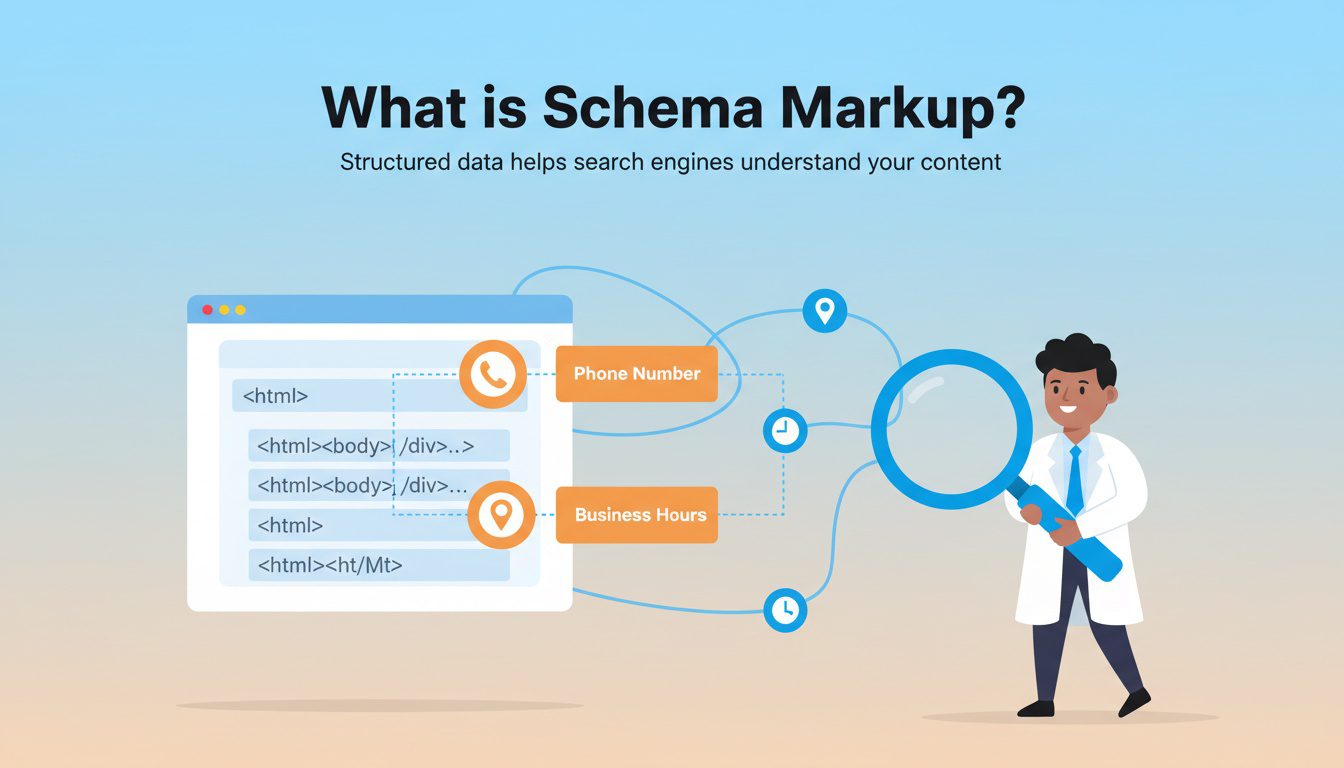
Schema markup is a type of code, a vocabulary, that you add to your website's HTML. Search engines like Google read this code to get clear, structured information about your practice. It's like adding labels to everything on your site so Google doesn't have to guess.
Instead of seeing a string of numbers and assuming it is a phone number, schema tells Google, "Hey, this is the clinic's main phone number."
Instead of just seeing an address, schema says, "This is the physical location of the chiropractic office."
You are connecting the dots, providing search engines with clear data and leaving nothing to chance.
This system was created by a collaboration of the big search engines themselves, including Google, Bing, and Yahoo. They created a shared vocabulary on a website you can check out called Schema.org.
Visit Schema.org to explore the full vocabulary of structured data types available for websites across all industries.
They did this because they wanted to provide better, more accurate answers, which is crucial for modern search optimization and especially for voice search queries.
Why Your Chiropractic Practice Needs Schema Markup
You might be thinking, "Okay, that's interesting, but why do I need to bother with it?"
The benefits are huge, especially for a business focused on local patients. It is one of the most direct ways to improve how you show up in local search results.
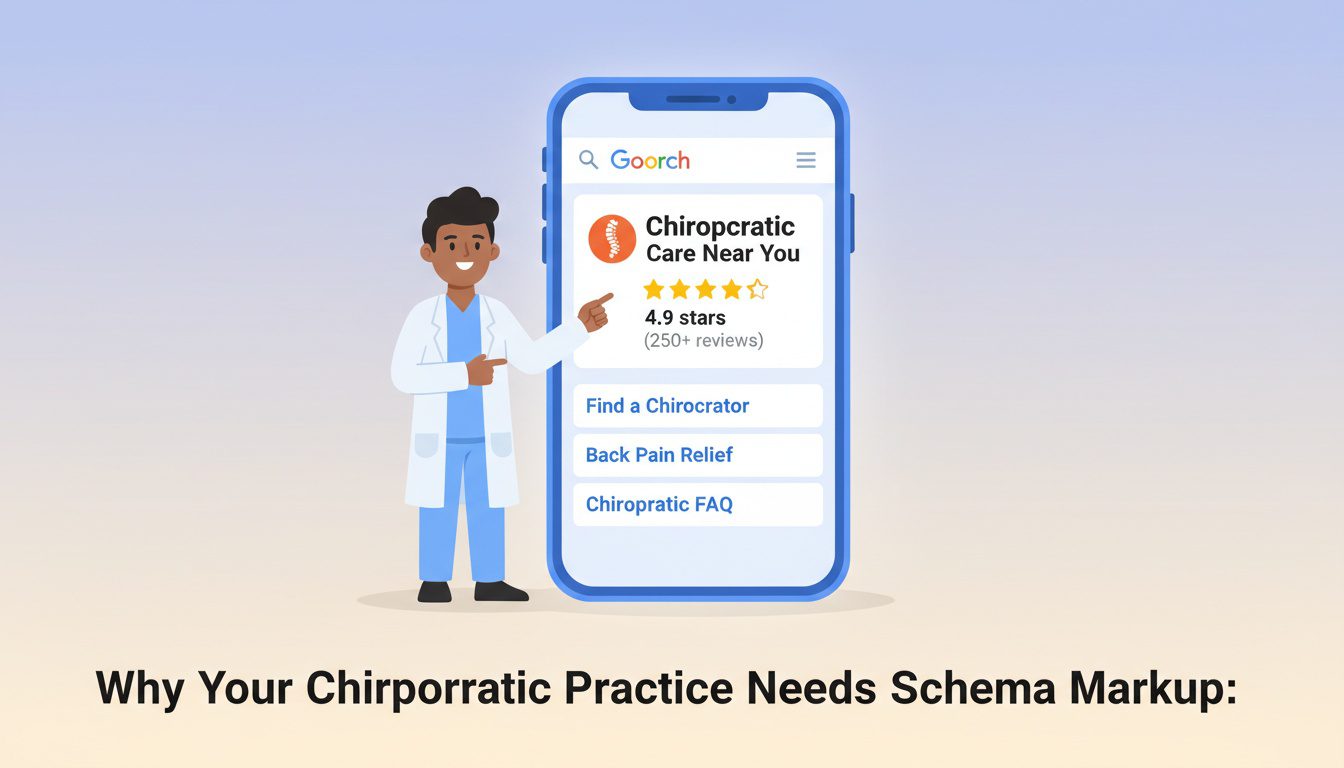
When you use schema correctly, Google might reward you with rich snippets. These are the eye-catching search results with extra information, like star ratings, FAQs, or your clinic's logo.
A result with a five-star rating underneath it is much more likely to get clicked than a plain blue link, which can dramatically improve your search ranking over time.
This matters a lot for local SEO. Schema helps Google confirm your exact location, your business hours, and the specific chiropractic services you offer. When someone nearby searches for a chiropractor, your well-structured data makes it easier for Google to identify you as a perfect match, boosting your online visibility.
Effectively implemented schema complements your Google Business Profile. While your business profile gives Google a snapshot, schema provides deep, page-specific context directly from your website. This synergy strengthens your overall online presence and helps you fully optimize your digital footprint for your service area.
The Most Important Types of Chiropractic Schema Markup
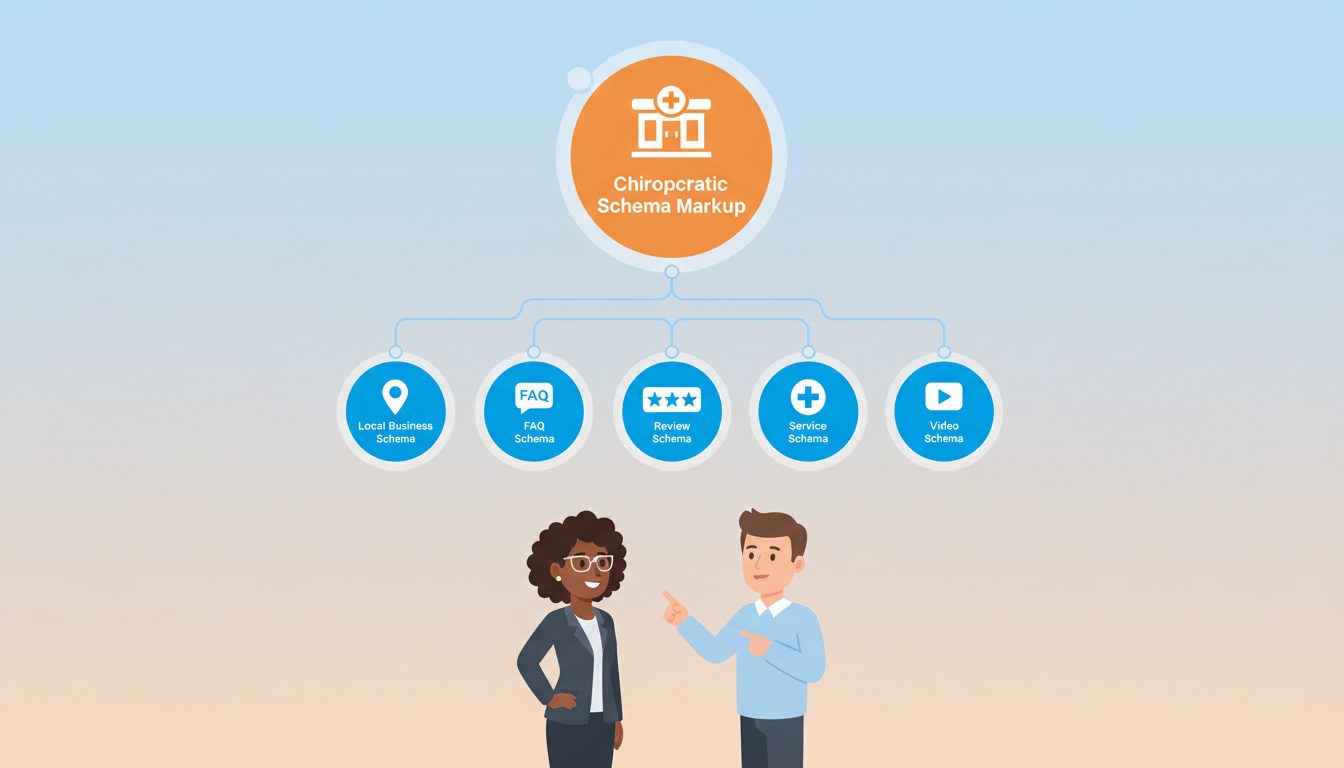
Not all schema is created equal. Some types are far more important for a local service business than others. Let's look at the ones that will give you the most bang for your buck and directly impact how potential patients find you.
Local Business and Chiropractor Schema: Your Digital Signage
This is the absolute foundation of your SEO efforts. If you only add one type of schema, make it this one. The LocalBusiness schema type tells Google that you are a physical business with a specific location.
You can and should get more specific. Schema.org has a more detailed type called Chiropractor. Using this is much better than the generic LocalBusiness because it immediately tells Google exactly what kind of practice you run.
Think of all the basic info on your front door or your business card. You need to highlight essential details here. You will want to specify things like:
- The official name of your clinic.
- Your exact address, including street, city, state, and ZIP code.
- Your main phone number for appointments.
- Your hours of operation for each day of the week.
- The types of payments you accept.
- Links to your active social media profiles.
This data helps you show up correctly in Google Maps and the local map pack in search results. It removes any guesswork about your chiropractic services and gives searchers the confidence to contact you.
FAQPage Schema: Answering Patient Questions Before They Ask
Do you get the same frequently asked questions from new patients? Questions like, "Do you take my insurance?" or "What should I expect on my first visit?"
You can turn these common questions into a powerful SEO tool with FAQPage schema, also known as FAQ schema.
This schema takes a list of questions and answers from a page on your site and can display them directly in the search results. They appear as a dropdown box under your website link. This takes up more space on the search results page, pushing competitors down and drawing more attention to your listing, which can improve user engagement.
Using this shows that you understand the content that your patients care about. It positions your practice as a helpful authority and builds patient trust before they even visit your website. It is also an amazing way to target location-specific keywords and long-tail phrases that people use in searches.
Review and AggregateRating Schema: Showing Off Your Happy Patients
Social proof is incredibly powerful. Seeing that other people have had a great experience with you can be the deciding factor for a new patient. The Review schema, often called review schema, lets you mark up individual online reviews.
AggregateRating, on the other hand, takes all your reviews, calculates an average star rating, and shows it right in the search results. Those bright yellow stars are almost impossible to ignore. They immediately build trust and can seriously boost how many people click on your website.
You must follow the rules here. You can't just pull ratings from Google or Yelp for your own site's markup. The reviews need to be published on your own website, making them first-party reviews.
For example, if you use a service that collects reviews and displays them on a testimonials page on your site, that's perfect for using this schema.
Service Schema: Detailing What You Do Best
You do more than just general chiropractic care. Maybe you offer spinal adjustments, massage therapy, or pediatric chiropractic care. The Service schema allows you to describe each of your specific chiropractic services in a way that helps search engines.
For each service you offer, you can define what it is, who it is for, and even the price range. This is incredibly helpful for connecting with patients who are searching for a specific treatment.
To maximize your digital marketing impact, you should create dedicated pages for each core service on your site and apply the appropriate schema to each page.
Imagine someone searching for "spinal adjustments in your city." If you have used Service schema to mark up that service page on your site, you have a much better chance of appearing for that search. You are telling Google you are not just relevant; you are exactly what that person is looking for.
VideoObject Schema: For Your Adjustment and Explainer Videos
Do you have visual content on your website? Perhaps you have patient testimonials, an office tour, or a video explaining a certain adjustment technique. If so, you should be using VideoObject schema.
This schema helps Google understand what your video is about. It can result in a video thumbnail appearing next to your site in the search results. Like star ratings, this visual element makes your listing stand out from other chiropractic practices and can increase clicks.
You will want to include the video's title, a brief description, the upload date, and a link to the thumbnail image. It is a simple addition that can make a big difference if video is part of your marketing strategy.
This is one more way to give searchers a reason to click on your result instead of a competitor's, which can improve user experience right from the search page.

NEED MORE CLIENTS?
Free conversion-focused analysis uncovers the 3 biggest problems killing your bookings — we'll walk you through your results personally

How to Add Chiropractic Schema to Your Website
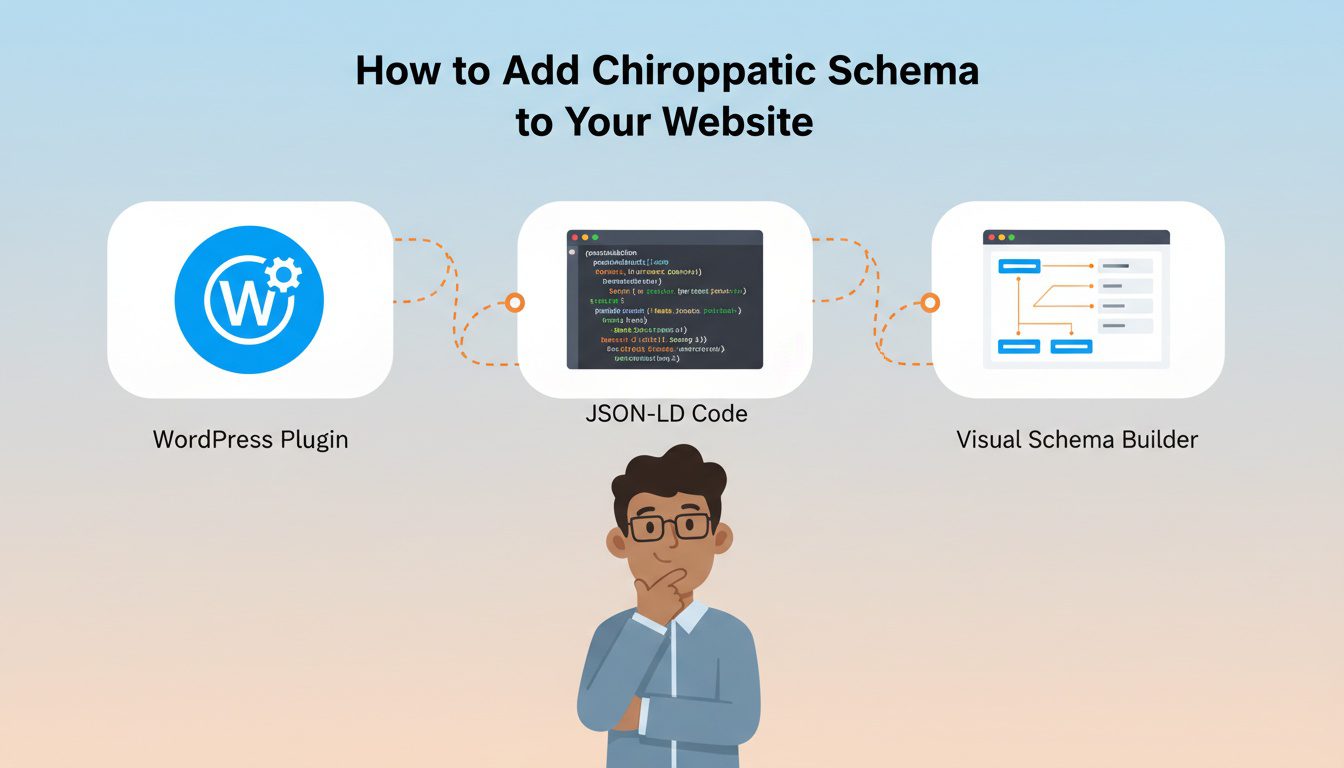
Seeing all these options might feel overwhelming, but adding schema to your site is not as hard as it sounds. You have a few different paths you can take. Some do not require you to be a coding wizard at all.
For most chiropractors with a WordPress website, using an SEO tool is the easiest way. Popular plugins like Yoast SEO or Rank Math have built-in features that handle a lot of this for you. They give you simple fields where you can enter your business information, and the plugin generates the correct LocalBusiness code automatically in your website's code.
Some even offer blocks for creating schema-valid FAQs without touching the website's HTML directly.
If you want more control, you can use a language called JSON-LD. This is what Google recommends. It is a scripting format that lets you bundle all your schema information together and place it in the head section of your webpage's code.
Here is a basic example of what LocalBusiness schema looks like for a chiropractor:
<script type="application/ld+json"> { "@context": "https://schema.org", "@type": "Chiropractor", "name": "Dr. Jane Smith's Wellness Center", "image": "https://www.yourwebsite.com/logo.jpg", "address": { "@type": "PostalAddress", "streetAddress": "123 Main Street", "addressLocality": "Anytown", "addressRegion": "CA", "postalCode": "12345", "addressCountry": "US" }, "telephone": "+1-555-555-1212", "url": "https://www.yourwebsite.com" } </script>
Finally, you can also use tools to help you create the code. Google has a free tool called the Structured Data Markup Helper. It lets you select your website and just click and highlight the information you want to mark up. Then, it generates the HTML code for you to add to your site.
| SEO Plugins (e.g., Yoast) | Easy | Low | Beginners and those wanting a quick, automated solution. |
| Schema Generators | Medium | Medium | Users who want to create specific schema without writing code from scratch. |
| Manual JSON-LD | Difficult | High | Advanced users or developers who need complete control over the markup. |
Don't Forget to Test Your Work

Once you have added the schema markup to your site, your job is not quite done. You need to make sure you did it correctly and that Google can actually read it. A small typo can make the whole block of code useless.
Thankfully, Google provides us with another fantastic free SEO tool for this. It is called the Rich Results Test. You can either paste your code directly into the tool or give it the URL of the page you want to check.
Access the free Google Rich Results Test to validate your schema implementation and identify any errors that need fixing.
The tool will analyze your page and tell you if it found any valid schema. It will also highlight any errors that you need to fix. Make it a habit to test every page where you add or change schema. This final step confirms that your efforts won't go to waste.
Frequently Asked Questions About Chiropractic Schema Markup
What is schema markup, and why should chiropractors care about it?
Schema markup is code added to your website that helps search engines understand your content better—it's like giving Google a detailed instruction manual about your practice. For chiropractors, schema tells search engines: you're a medical business, your specialty and services, your location and hours, patient reviews and ratings, accepted insurance, and pricing information. When implemented correctly, schema enables "rich results" in search—those enhanced listings showing star ratings, business hours, and other details directly in search results. Rich results attract significantly more clicks (up to 30% higher CTR) because they stand out visually and provide information searchers want before they even click. Schema is invisible to visitors but dramatically improves how search engines interpret and display your practice.
What types of schema markup are most important for chiropractic websites?
Priority schema types for chiropractors include: LocalBusiness Schema (defines your practice location, contact info, and hours), MedicalBusiness Schema (specifies you're a healthcare provider), Physician Schema (details about individual practitioners, credentials, specialties), Review/Rating Schema (displays star ratings in search results), Service Schema (describes specific services like adjustments, wellness care, sports injuries), FAQ Schema (can get your FAQs featured directly in search results), and Breadcrumb Schema (helps search engines understand your site structure). Start with LocalBusiness and Review schema as they provide the most immediate visual impact in search results, then expand to other types. Most schema can be added through plugins if you use WordPress, or manually if you have developer access.
Do I need to know coding to add schema markup to my chiropractic website?
Not necessarily—several user-friendly options exist depending on your website platform. WordPress users can install plugins like Rank Math, Yoast SEO Premium, or Schema Pro that add schema through simple forms without coding. Website builders like Wix, Squarespace, and Webflow often include built-in schema options in their business settings. Google's Structured Data Markup Helper (free tool) walks you through highlighting page elements and generates code for you. For custom websites or complex implementations, hiring a developer familiar with schema ensures proper setup. After adding schema, always validate it using Google's Rich Results Test tool to ensure it's error-free and eligible for rich results. While technical knowledge helps, most chiropractors can implement basic schema using available tools.
How long does it take to see results after implementing schema markup?
Schema implementation provides relatively fast SEO benefits compared to other optimization efforts. Google typically recognizes and validates new schema within 1-2 weeks of implementation and crawling. You may see enhanced search listings (rich results) appear within 2-4 weeks for pages with proper schema. However, ranking improvements from schema are gradual—improved click-through rates from rich results signal quality to Google, leading to ranking improvements over 2-3 months. Not all schema automatically generates rich results; Google decides which results get enhanced display based on relevance and quality. Use Google Search Console to monitor which pages appear with rich results and track performance improvements. The key is that schema provides compounding benefits—once implemented, it continues working indefinitely without ongoing effort.
Conclusion
Getting new patients to find you online can feel like an uphill battle. But you have powerful SEO strategies available that many of your competitors are probably not using yet. Adding chiropractic schema markup is one of the clearest and most direct ways to communicate with Google.
You can tell search engines who you are, where you are, what you do, and how much your existing patients love your care. This is not a magic trick; it is just about speaking Google's language so that search algorithms can better understand your content. This small change to your website can lead to a big improvement in your online presence.
By implementing the right chiropractic schema markup, you are helping search engines do their job better. When you do that, they are much more likely to recommend your practice to people in your community who are actively looking for help.
Free Website Conversion Analysis — Get a personal walkthrough showing the 3 biggest problems costing you clients (plus instant case study).

Gerek Allen
Co-Owner iTech Valet
Entrepreneur, patriot, CrossFit junkie, IPA enthusiast, loves to travel to tropical destinations, and knows way too many movie quotes.


About iTech Valet
iTech Valet specializes in web design and content marketing for online entrepreneurs who want to share their expertise.
Services Include:
- Web Design
- Graphic Design
- Sales Copy
- Funnel Building
- Authority Sites
- Membership Sites
- Course Creation
- Email Systems
- Content Marketing
- Competitive Analysis
- Tech Integrations
- Strategic Planning
NEED MORE CLIENTS?
Free conversion-focused analysis uncovers the 3 biggest problems killing your bookings — we'll walk you through your results personally

621 Enterprises, Inc. | Copyright 2022 | All rights reserved