


Chiropractic UTM Tracking: See Which Campaigns Win
 by Gerek Allen ~ Last Updated: December 4th, 2025 ~ 5 Min Read
by Gerek Allen
~ Last Updated: December 4th, 2025 ~
~ 5 Min Read ~
You spend money on your practice's marketing. You're running Facebook ads, sending out emails, and trying to keep your Google Business Profile active. But do you actually know which of those efforts are bringing new patients through your door?
Implementing a system for chiropractic UTM tracking gives you that clarity. Without it, you might feel like you're just throwing money at a wall and hoping some of it sticks. You see clicks and impressions, but you can't connect a specific ad or email to a new patient scheduling an appointment.
With a simple, free method for chiropractic UTM tracking, you can finally see exactly where your patients are coming from. This helps you understand which marketing messages are working best to grow your practice.
What are UTMs and Why Should Your Practice Care?
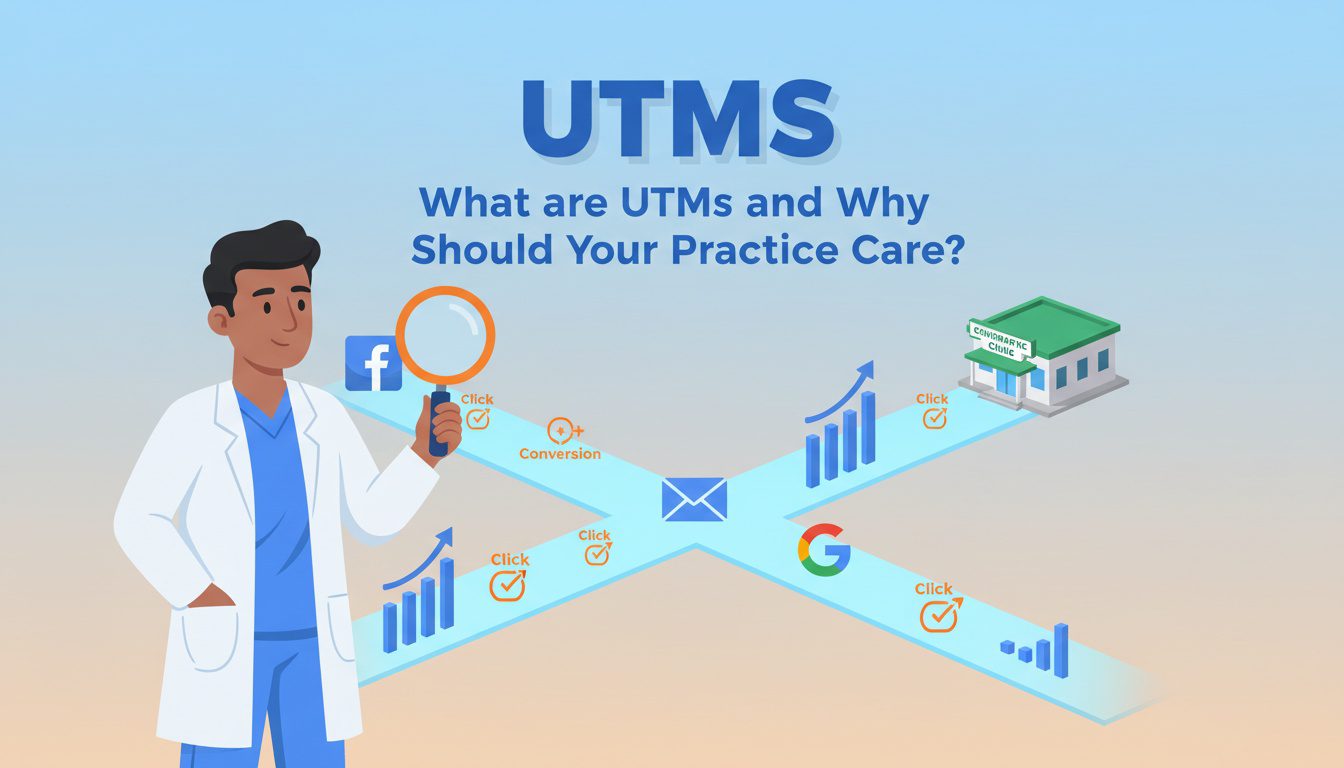
You can think of UTM codes as small digital notes you attach to your website links. These notes tell Google Analytics exactly where the person who clicked the link came from. It removes the guesswork from your digital marketing and clarifies your marketing performance.
Imagine you're handing out flyers in three different locations: a local gym, a coffee shop, and a health food store. To see which location works best, you might use different colored paper for each. When people bring the flyers in, you can count the colors and know the gym is your best spot for finding prospective patients.
UTM tracking does the same thing for your online marketing and overall online presence. It helps you see that your Facebook ad for sciatic pain relief drove 15 new patient bookings, while your email newsletter only led to two. This is the information you need to stop wasting money and start investing in what truly grows your chiropractic practice online.
The 5 UTM Parameters You Need to Know
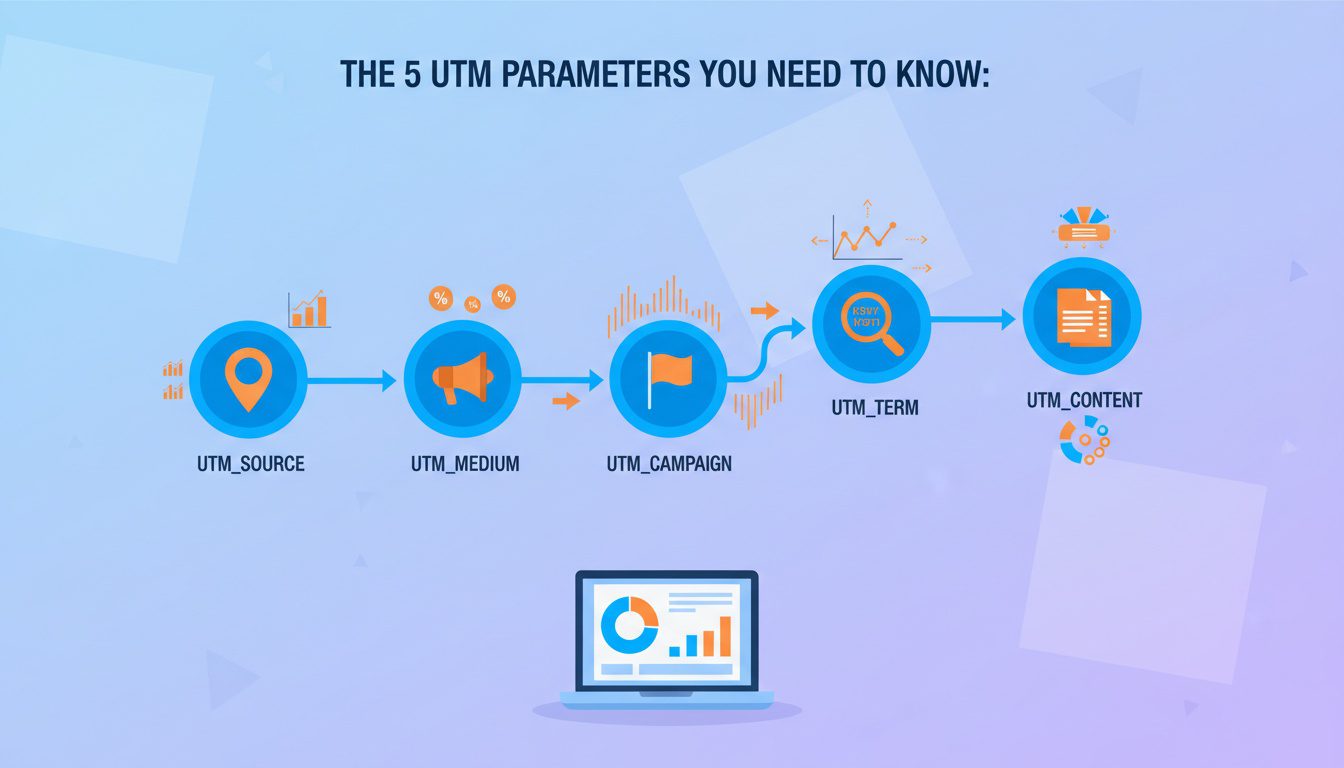
UTM stands for Urchin Tracking Module, named after the analytics software that laid the foundation for Google Analytics.
There are five main parameters you can add to your links. You don't always have to use all five, but knowing them helps you get specific with your tracking systems.
Here's a breakdown of each one with examples just for chiropractors:
- Source (utm_source): This tells you the specific place the visitor came from. Think of it as the website name or platform. Examples: google, facebook, bing, or your email newsletter name like may_newsletter.
- Medium (utm_medium): This explains the type of traffic or the marketing channel used. Examples: cpc (for paid ads), organic (for search engine traffic), email (for newsletters), or social (for your Facebook page posts).
- Campaign (utm_campaign): This is for the name of your specific marketing campaign. Be descriptive with your marketing goals. Examples: new_patient_special_2024, sciatica_webinar_promo, or summer_sports_injuries.
- Term (utm_term): This is mainly for paid search ads through platforms like Google Ads. It helps you track which specific keyword a person searched for before clicking your ad. Examples: chiropractor_near_me or low_back_pain_relief.
- Content (utm_content): This is useful if you have multiple ads or links pointing to the same page. It helps you see which piece of compelling content performed better. Examples: blue_ad_image vs. video_testimonial_ad or header_link vs. footer_link in an email.
These UTM parameters work together to paint a very clear picture of your marketing's performance. You can quickly see which marketing tactics work and which do not. This insight is invaluable for any business owner looking to improve marketing results.

NEED MORE CLIENTS?
Free conversion-focused analysis uncovers the 3 biggest problems killing your bookings — we'll walk you through your results personally
How to Build Your Chiropractic UTM Tracking Links

You don't need any special tracking tools to start creating these links. Google offers a free tool that makes it incredibly easy. It's called the Campaign URL Builder, and it will quickly become essential to your marketing strategies.
You just plug in your chiropractic website URL and fill out the fields for the campaign parameters you want to use. The tool then generates a new, trackable link for you to use in your ads or emails. This process simplifies how you track different media platforms.
Let's walk through an example. Say you're running a Facebook ad campaign for a $49 new patient special. Your booking page is https://www.yourpractice.com/new-patient-special.
Here's what you would enter into the builder:
- Website URL: https://www.yourpractice.com/new-patient-special
- Campaign Source: facebook
- Campaign Medium: cpc (because it's a paid ad)
- Campaign Name: 49_new_patient_q3
The tool will generate a link that looks something like this: https://www.yourpractice.com/new-patient-special?utm_source=facebook&utm_medium=cpc&utm_campaign=49_new_patient_q3 That long link is what you would use as the destination URL in your Facebook ad. Now, anyone who clicks it will be tagged inside your Google Analytics, giving you precise data.
Creating a Standard Naming System
This part is very important for accurate tracking metrics. To get clean, useful data, everyone on your entire team needs to use the same naming format. If one person uses "facebook" and another uses "Facebook," Google Analytics will see them as two separate sources.
Consistency is everything for your digital marketing performance. Set a few ground rules and stick to them to maintain consistency across all campaigns. It will save you a massive headache later when you are trying to analyze your results.
Here are some best practices for your naming system:
| Always use lowercase letters. | ||
| Use underscores for spaces. | new_patient_special | new patient special |
| Be descriptive but concise. | q3_headache_promo | Third Quarter Promotion for Headaches |
| Keep a shared spreadsheet. | (A central log for everyone to see) | (Everyone making up their own names) |
A simple spreadsheet shared with your team can help keep track of the campaign names you have used. This makes sure your data stays organized and easy to read. This is a fundamental part of good practice marketing in the digital age.
Where to Use UTM Tracking in Your Chiropractic Marketing
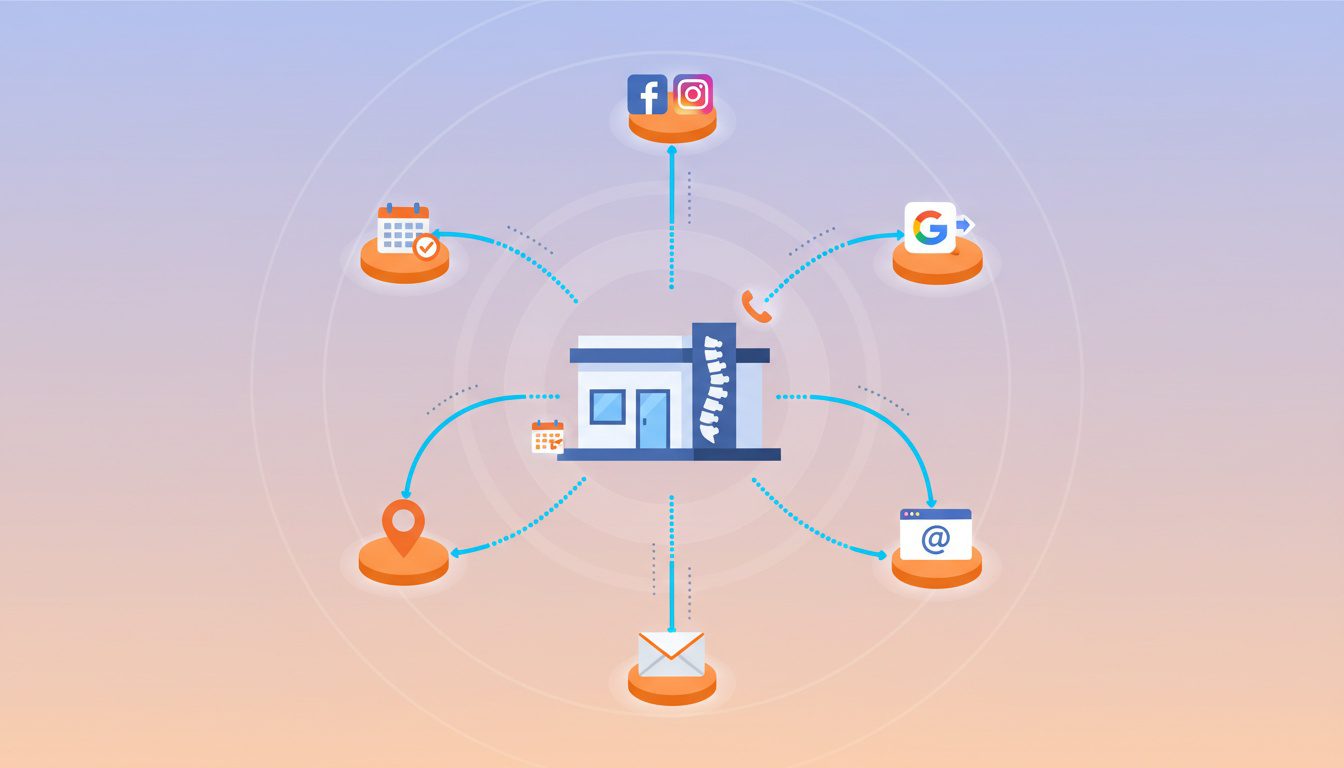
Now that you know how to build the links, where should you put them? The short answer is everywhere you can.
You want to tag any link pointing back to your website that you have control over to get a complete view of your marketing efforts.
Facebook & Instagram Ads
When you set up an ad in Meta's Ads Manager, there is a specific spot for your tracking link. At the ad level, you will see a section called "Destination" where you put your website URL. A bit lower, an option called "URL Parameters" allows for more advanced tracking settings.
For most users, pasting your full, pre-built UTM link into the main website URL field works just fine. This lets you track clicks from various social media promotions. Strong social media engagement starts with understanding what content drives action.
This includes tracking links from a short video ad, a post featuring patient testimonials, or testimonial videos. Different media marketing approaches require different tracking. This helps you refine your target audience and improve your social media marketing.
Google Ads has a feature called auto-tagging that automatically adds its own tracking codes. This feature works well for most situations and connects directly with Google Analytics. However, you might still want to use manual UTM tags for perfect consistency across all your marketing channels.
Manual tags are also useful if you're running campaigns that don't direct to your website, like call-only ads where tracking the phone number is critical. You can set this up in the campaign settings under "Campaign URL options." Proper tracking is essential for optimizing your Google Ads spend.
Email Marketing
All major email marketing platforms let you add UTM tags to your links. Most of them even have a built-in feature to automatically add them for you. This is a key part of any content strategy involving newsletters or promotions.
When setting up a new email, look for a setting like "Google Analytics link tracking." If you turn this on, the system will often auto-populate the source, medium, and campaign name for you. You can usually edit these to match your standard naming system for all marketing solutions.
Tagging every link, whether it leads to educational content about chiropractic care or a booking page, lets you see exactly what your subscribers are clicking on. This helps you create more compelling content for your email list. It also helps build trust by showing you understand what information your audience values.
Google Business Profile
This is a powerful local SEO tactic that many chiropractors miss. Your Google Business Profile (GBP) is a huge source of traffic and new patients. You should absolutely be tracking its performance to understand its impact on your chiropractic clinic.
You can create custom UTM links for the website link and the appointment link on your Google Business listing. This lets you see how many people found you through a Google Maps search and then clicked over to book an appointment. It's an amazing way to see the direct ROI from your local search efforts.
You can also use UTM links on any "Posts" you create within your business profile. If you're sharing a blog post, a special offer, or educational videos about a spinal adjustment, use a UTM-tagged link. This separates the traffic from general GBP clicks, giving you even more detailed information to analyze.
Seeing Your Data in Google Analytics

Going Further with Conversion Tracking
A conversion is a specific action a potential patient takes, such as filling out a contact form or clicking on your phone number. Tracking these actions is fundamental to understanding your marketing ROI.
This data allows you to make smart decisions. You can stop spending on ads that aren't working and double down on the ones that are bringing patients in the door. It completely changes how you approach your marketing budget and helps you focus on tactics that resonate with your audience.
For a chiropractic practice, you might even connect this data to your patient management software. This would let you follow the entire customer journey, from an initial click on a social media ad to a completed appointment. This level of detail shows the true value of your digital marketing performance and helps you build a predictable system for attracting potential patients.
Frequently Asked Questions About Chiropractic UTM Tracking
What are UTM parameters, and why should chiropractors use them?
UTM (Urchin Tracking Module) parameters are tags added to the end of URLs that tell analytics platforms exactly where your website traffic comes from. For example, instead of sharing "yourpractice.com," you'd share "yourpractice.com?utm_source=facebook&utm_medium=social&utm_campaign=spring2025." This allows you to track: which Facebook post drove traffic versus which Instagram story, whether your email newsletter or paid ads generate more bookings, which specific campaigns deliver the best ROI, and what messaging resonates most with your audience. Without UTM tracking, all traffic shows as generic referrals, leaving you guessing which $500 ad campaign worked and which flopped. UTM tracking transforms marketing from guesswork into data-driven decisions, showing exactly where to invest more and where to cut spending.
What are the five UTM parameters, and how should chiropractors use each one?
The five UTM parameters are: utm_source (where traffic originates)—use "facebook," "google," "newsletter," "yelp." utm_medium (marketing channel type)—use "social," "email," "cpc" (cost-per-click ads), "organic." utm_campaign (specific campaign or promotion)—use "spring-new-patient-special," "back-to-school-2025," "sports-injury-awareness." utm_term (keywords for paid search, optional)—use specific ad keywords like "chiropractor-near-me" or "back-pain-relief." utm_content (differentiates similar links, optional)—use "blue-button" vs "red-button" or "image-ad" vs "text-ad" when A/B testing. Best practice: always use source, medium, and campaign at minimum. Keep parameters lowercase, use hyphens instead of spaces, and stay consistent—"facebook" always, not sometimes "Facebook" or "fb."
How do I create UTM-tagged URLs without messing them up?
Use Google's free Campaign URL Builder tool (ga-dev-tools.google/campaign-url-builder) to generate properly formatted UTM URLs without manual errors. Process: enter your destination URL (your homepage, booking page, etc.), fill in source (facebook), medium (social), campaign (spring2025), optionally add term and content, then click generate. The tool creates a properly formatted URL you can copy and use. For batch creation, use spreadsheet templates that auto-generate URLs based on your inputs—many free templates exist online. Save all your UTM URLs in a tracking spreadsheet documenting: campaign name, full UTM URL, where you used it, dates active, and results. This prevents duplicate campaigns and helps you remember what "spring2025promo" meant six months later. Never manually type UTM parameters—small typos create tracking errors.
Where should chiropractors use UTM tracking links, and are there places to avoid them?
Always use UTM tags for: social media posts and ads (Facebook, Instagram, LinkedIn), email newsletters and campaigns, paid search ads (Google Ads, Bing Ads), display and banner ads, guest blog posts and contributed articles, podcast show notes and descriptions, YouTube video descriptions, print materials with QR codes (encode UTM-tagged URLs), and partnership/referral links given to other businesses. Never use UTM tags for: internal website links (creates tracking confusion showing your own site as referral source), organic search results (Google ignores them anyway), and links in your Google Business Profile (can interfere with attribution). UTM parameters work for any external link driving traffic to your website—basically anywhere you're sharing your URL outside your own site benefits from tracking to show which sources actually deliver results.
Conclusion
Chiropractic UTM tracking is a tool that shows you precisely which channels, campaigns, and ads are generating new patients for your practice. It might seem a little technical at first, but building and using these links is a straightforward process.
By taking the time to set up your chiropractic UTM tracking, you remove the guesswork from your marketing strategy. This helps you understand everything from the effectiveness of a text message campaign to your social media branding.
You can finally make decisions based on real data, not just gut feelings. This lets you spend your marketing budget wisely and focus on the activities that build a strong online presence.
Ultimately, better tracking helps you connect with more patients needing your chiropractic services and continue growing your practice.
Free Website Conversion Analysis — Get a personal walkthrough showing the 3 biggest problems costing you clients (plus instant case study).

Gerek Allen
Co-Owner iTech Valet
Entrepreneur, patriot, CrossFit junkie, IPA enthusiast, loves to travel to tropical destinations, and knows way too many movie quotes.


About iTech Valet
iTech Valet specializes in web design and content marketing for online entrepreneurs who want to share their expertise.
Services Include:
- Web Design
- Graphic Design
- Sales Copy
- Funnel Building
- Authority Sites
- Membership Sites
- Course Creation
- Email Systems
- Content Marketing
- Competitive Analysis
- Tech Integrations
- Strategic Planning
NEED MORE CLIENTS?
Free conversion-focused analysis uncovers the 3 biggest problems killing your bookings — we'll walk you through your results personally

621 Enterprises, Inc. | Copyright 2022 | All rights reserved