


What Makes a High-Converting Chiropractic Website in 2026? (Design Best Practices)
 by Gerek Allen ~ Last Updated: December 4th, 2025 ~ 12 Min Read
by Gerek Allen
~ Last Updated: December 4th, 2025 ~
~ 12 Min Read ~
A high-converting chiropractic website in 2026 needs mobile-first design, sub-3-second load times, prominent trust signals like patient testimonials and credentials, clear calls-to-action above the fold, streamlined booking, and real photos of your practice. Average healthcare sites convert 3-4% of visitors, but properly optimized chiropractic sites can hit 7-8% by nailing patient-centered design, simplified navigation, and strategic booking placement.
Your website isn't a digital business card anymore.
It's your 24/7 salesperson working while you sleep. It's the first impression most patients get of your practice. And honestly? It's often the deciding factor between a booked appointment and someone calling your competitor instead.
Here's the thing—over 63% of web traffic comes from mobile devices, and 53% of mobile users bail if your site takes longer than 3 seconds to load.
That means if your site's slow or looks terrible on phones, you're losing patients before they even see your services.
The good news? Most conversion problems aren't complicated. They come down to a handful of design decisions that either build trust fast or create friction that sends people away.
We're gonna walk through exactly what separates high-converting chiropractic websites from the ones collecting digital dust. No theory, no fluff—just proven elements that actually drive appointments.
Mobile-First Design Is Non-Negotiable Now

Let's keep it real for a second.
Your patients aren't sitting at desktops researching chiropractors. They're searching on their phones while stuck in traffic, lying in bed with back pain at 11 PM, or during lunch breaks at work.
According to Statcounter's latest data, mobile devices account for 63.15% of all website visits worldwide. That number keeps climbing.
If your website doesn't work great on phones, you're basically telling two-thirds of potential patients to book somewhere else.
Why Your Patients Are All on Mobile
Here's what matters: Google uses mobile-first indexing now.
That means your mobile site determines your search rankings. Your desktop version? Barely matters to Google anymore.
But rankings are only part of it. Research from Webflow shows mobile users are 67% more likely to convert on mobile-friendly sites. For chiropractic practices, that "conversion" is someone booking an appointment.
Your mobile site needs:
- Tap-friendly buttons (minimum 44x44 pixels) - Big enough people can actually hit them with their thumbs without zooming in and cursing
- Readable text without pinching (16px minimum font) - Because squinting at tiny text feels super unprofessional
- Single-column layouts - No complex multi-column designs forcing horizontal scrolling (people hate that)
- Simplified navigation (5-7 menu items max) - Everything else goes in a hamburger menu to keep it clean
- Fast load on 4G/5G networks - Test on actual mobile networks, not just your office WiFi that's blazing fast
The Difference Between Responsive and Mobile-First
Okay, so there's a difference worth understanding.
Responsive design means your site adjusts to different screen sizes. That's baseline stuff—you have to have it. 90% of websites have implemented responsive design, so being responsive just means you're not embarrassingly behind.
Mobile-first design means you design for mobile first, then add desktop features. It's a mindset shift, and it matters.
You start with what someone needs on a phone screen during a 30-second browsing session. Then you enhance for desktop. Not the other way around.
When you start with mobile, you're forced to prioritize ruthlessly. Only the most important info makes it above the fold. Your booking button becomes prominent by necessity. Navigation gets simplified because there's no room for complexity.
Result? A cleaner, more conversion-focused site across all devices.
Common Mobile Mistakes Killing Your Bookings
We see these problems constantly:
Forms requiring long paragraphs on mobile keyboards. (Use short fields and dropdowns instead.)
Menus with nested dropdowns impossible to navigate with thumbs. (Simplify your menu structure, seriously.)
Images sized for desktop that take forever to load on mobile data. (Compress everything to under 200KB per image.)
Pop-ups covering the entire mobile screen with tiny close buttons. (If you must use pop-ups, make them easy to dismiss on mobile.)
Contact info buried in the footer where nobody scrolls. (Put your phone number in the header on every single page.)
According to GoodFirms research, 73.1% of people say non-responsive design is the main reason they leave websites.
They don't wait around hoping it gets better. They hit the back button and find someone else.
Test your site on actual phones weekly. Not just the iPhone you happen to have—test on Android devices too, different screen sizes, different operating systems.
What works on your phone might be completely broken on someone else's.
For more on attracting patients through various channels, check out our guide on digital marketing for chiropractors. And if you're running paid ads, see our article on chiropractic Google Ads for mobile-optimized campaigns.
Speed Isn't Optional—It's Revenue

Your website speed isn't some technical detail IT people care about.
It's directly costing or making you money. Real money.
Studies from Portent show a 1-second delay in page load time reduces conversions by 7%. For a practice bringing in 50 new patients monthly, that one extra second means losing 3-4 patients every single month.
Over a year? That's 40+ patients you never see because your site loaded too slowly. Sound fair?
The Brutal 3-Second Rule
Here's the kicker: Google research shows 53% of mobile users abandon sites taking longer than 3 seconds to load.
Not 5 seconds. Not 10 seconds. Three seconds.
When someone searches "chiropractor near me" while dealing with back pain, they want information right now. Every extra second feels like forever when you're uncomfortable and just want relief.
Your competition isn't other chiropractors with slow sites. Your competition is every other website these people visit—Amazon, Google, Instagram—all loading instantly.
That's the standard you're being compared against.
What's Actually Slowing You Down
Alright, quick reality check. Here are the usual suspects:
- Unoptimized images (the #1 culprit) - Photos straight from cameras that are 5MB each when they should be 200KB, killing your load time
- Too many plugins - WordPress sites loaded with 30+ plugins all adding their own code bloat nobody needs
- Cheap hosting ($5/month shared servers) - That can't handle traffic when your Google Ads actually start working (false economy)
- Unminified code - CSS and JavaScript files that could be compressed but aren't
- No caching enabled - Your server rebuilds the entire page from scratch for every single visitor (super inefficient)
- External scripts loading slowly - Third-party widgets and tracking codes that block everything else
Most of these are fixable without being a developer. Tools like Google PageSpeed Insights will tell you exactly what's wrong and how to fix it.
No guessing required.
Speed Optimization Priority List
Here's what to tackle first, in order:
| 1 | Compress all images to under 200KB | High - biggest culprit for slow sites | Easy - use TinyPNG before uploading |
| 2 | Enable browser caching | High - repeat visitors load instantly | Medium - hosting setting or plugin |
| 3 | Upgrade your hosting | High - everything runs faster | Easy - just costs more monthly |
| 4 | Minimize HTTP requests | Medium - cleaner code loads quicker | Medium - technical but doable |
| 5 | Use a CDN (Content Delivery Network) | Medium - faster global load times | Easy - Cloudflare is free |
| 6 | Lazy load images | Low - helps long pages mostly | Easy - simple plugin addition |
Use tools like TinyPNG for image compression. Enable caching through your hosting control panel or a plugin.
You don't need perfection here. Getting from 6 seconds to 3 seconds is way more important than going from 2 seconds to 1 second.
Focus on the biggest wins first.
For comprehensive website improvements, see our guide on how to improve website conversion rate.

NEED MORE CLIENTS?
Free conversion-focused analysis uncovers the 3 biggest problems killing your bookings — we'll walk you through your results personally

Trust Signals Make or Break Conversions

Speed gets people to stay. Trust signals get them to pick up the phone.
BrightLocal's research shows 88% of consumers trust online reviews as much as personal recommendations.
That's not "kinda important"—that's "if you don't have reviews prominently displayed, you're losing to competitors who do."
Patient Testimonials That Actually Work
Generic testimonials don't cut it anymore.
"Dr. Smith is great!" tells me nothing. Could be fake. Doesn't address whether you can help with my specific problem.
Here's what actually works:
- Specific results mentioned - "Within three visits, my chronic migraines went from daily to once a week" (that's compelling)
- Condition detailed - "I came in with sciatica so bad I couldn't drive" helps people relate to their situation
- Patient name and photo included - Even first name only is way more credible than anonymous
- Timeline mentioned - "After two months of care" sets realistic expectations, no false promises
- Video format when possible - Seeing and hearing real people is 10x more powerful than text alone
Now... this part matters.
Display these testimonials strategically, not on some separate testimonials page nobody visits.
Put them:
- Next to your booking button on the homepage (where people decide)
- On service pages relevant to that specific condition (back pain testimonials on your back pain page)
- Near your contact form (final nudge before reaching out)
- In the middle of your "About" page (when they're learning about you)
Place social proof where people are making decisions.
Show Your Credentials Prominently
You worked hard for those certifications. Don't hide them.
According to research from Clutch, 75% of people judge a website's credibility based on its design, and part of that credibility is seeing proof you're qualified.
Put your license number, graduation year, specialized training, and professional associations right where people can see them.
- Years in practice - "Serving [City] since 2010" builds trust through longevity (people want experience)
- Specialized certifications - Sports injury specialist, prenatal care certified, pediatric training
- Association memberships - State board certifications, ACA membership, specialized technique certifications
- Awards and recognition - "Best Chiropractor [City] 2024" isn't bragging, it's proof of quality
- Before/after documentation - When HIPAA-compliant and patient-approved, case studies with actual results
Display these on your homepage, about page, and scattered throughout service pages.
Goal? Visitors thinking "this person is legit" within the first 10 seconds.
Embed Google Reviews on Your Site
Don't just have Google reviews—show them off.
Embed your actual Google review widget directly on your homepage. When visitors see 4.8 stars from 150+ real patients, that's instant credibility without them having to leave your site.
Most visitors will check Google reviews anyway. By displaying them on your site, you're:
- Saving them a step (reducing friction)
- Showing confidence in your reputation
- Providing social proof at the exact moment they're deciding
Respond to every review publicly, especially negative ones. Practices responding to reviews demonstrate they care about feedback and are more likely to retain patients.
A professional response to criticism often converts skeptical visitors into patients because it shows you take feedback seriously. (No defensive nonsense, just professional acknowledgment.)
Update your review display monthly. Fresh reviews matter more than old ones.
Learn more through our article on chiropractic reputation management. For strategies on getting more reviews, check out how to get more chiropractic patient reviews.
Clear CTAs and Frictionless Booking

You can have the prettiest website in the world.
But if people don't know what to do next, they leave. Simple as that.
Healthcare websites average 3-4% conversion rates according to VWO research, but focused service landing pages can hit 7-8% when properly optimized with clear calls-to-action.
What Makes CTAs Actually Work
Your call-to-action needs three things: visibility, clarity, and urgency.
Visibility means it's impossible to miss. Your phone number and booking button should be in the header on every single page, not buried in contact info at the bottom.
Clarity means people know exactly what happens when they click. "Book Your Free Consultation" is crystal clear. "Learn More" is vague and converts terribly.
Urgency means they have a reason to act now rather than "maybe later." (Which usually means never.)
Here's what actually converts:
- Action-oriented language - "Book Your Relief Session" beats generic "Contact Us" every time (test this yourself)
- Contrasting colors - Your CTA button should pop, not blend into your color scheme where eyes skip over it
- Prominent placement - Above the fold, in the header, at the end of every section (multiple chances)
- Multiple opportunities - Place CTAs throughout the page, not just once at the bottom and hope they scroll that far
- Benefit-focused wording - "Get Back to Golf Pain-Free" speaks to outcomes, not boring process
Test everything. Try "Book Appointment" vs. "Schedule Now" vs. "Start Your Care."
Small wording changes can make 20-30% differences in conversion rates. (I've seen it happen.)
Streamline Your Booking Process
Every field you add to a booking form decreases completion rates. That's just reality.
People want to book fast, not fill out a medical history survey before their first call. Get them scheduled, then collect detailed information later.
| Step 1 | Name, phone, preferred date/time | Medical history, insurance details, referral source |
| Step 2 | Show real-time availability slots | Require account creation, payment info |
| Step 3 | Confirm appointment, send confirmation | Long intake forms, unnecessary questions |
The best booking flows:
- Show real-time availability - Let them pick from actual open slots, not "we'll call you back"
- Minimize required fields - Name, phone, preferred date/time. That's it for now
- Offer multiple booking methods - Online form, phone number, text option, live chat (people have preferences)
- Confirm immediately - Auto-confirmation email/text with appointment details and directions
- Send reminders - Reduce no-shows with 24-hour reminder texts (saves so much hassle)
Research from Patient Logik shows Cleveland Clinic increased bookings 22% through website optimization focusing on streamlined user experience.
The difference? Making booking as frictionless as possible.
Don't require account creation. Don't make people call during business hours if they're browsing at 10 PM. Don't force them through five pages when one would work.
Remove friction, increase bookings. Pretty simple.
Make Your Phone Number Impossible to Miss
Your phone number needs to be clickable on mobile and visible on every page. Every. Single. Page.
Not just on your contact page. Not just in the footer. Everywhere, all the time, in the header where eyes naturally look first.
When someone's ready to call, they shouldn't have to scroll or hunt. One tap should start the call. (Use tel: links on mobile for this.)
Make it big enough to read easily—at least 18px font size, preferably larger. Use a contrasting color so it pops against your background.
Some practices worry about spam calls from displaying their number prominently. You know what's worse than spam? Losing legitimate patient calls because people couldn't figure out how to reach you.
For more conversion tactics, read our guide on chiropractic website conversion optimization.
Professional Visuals Build Instant Credibility
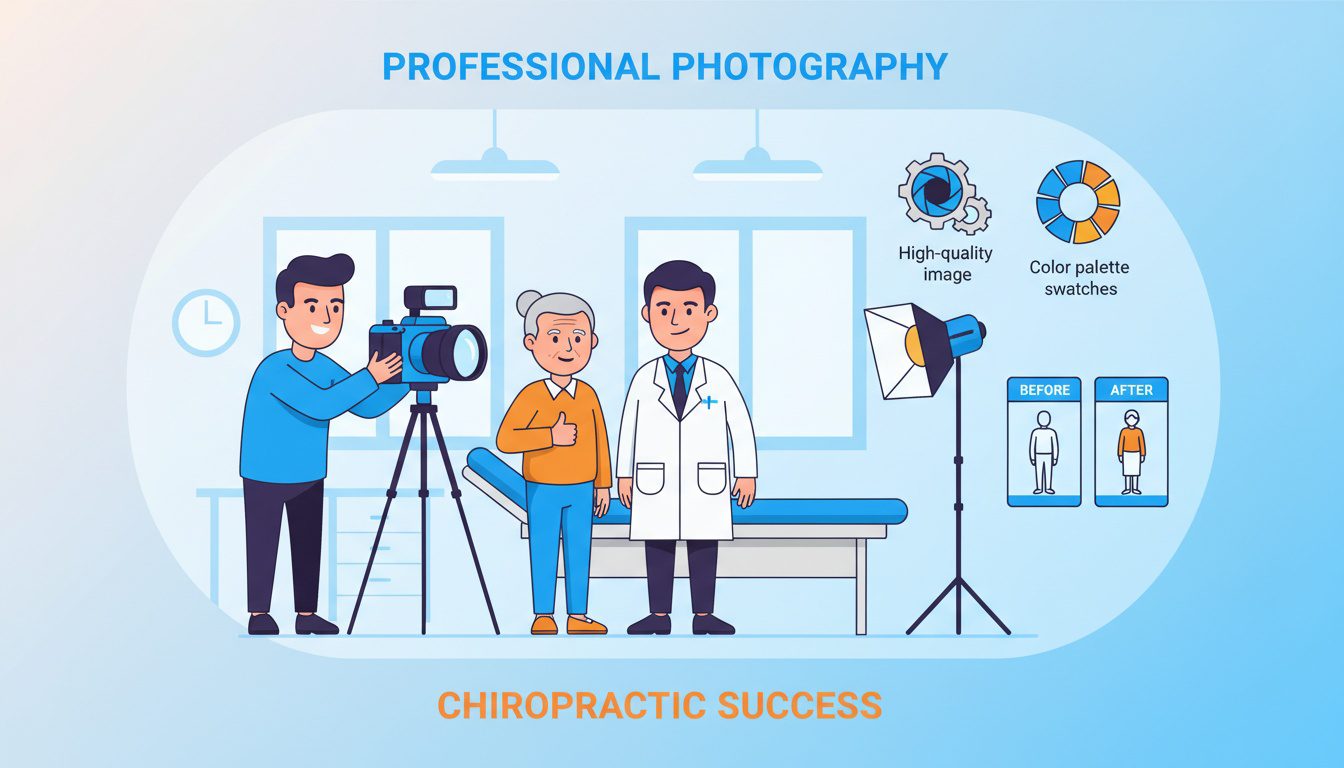
Stock photos scream "generic practice that doesn't care enough to show the real thing."
And patients can tell. They really can.
Professional images help build trust by showing your actual practice, team, and patients. When potential patients see real photos, they can envision themselves in your office.
Real Photos Beat Stock Images Every Time
Here's what stock photos tell visitors: "This practice couldn't be bothered to take real photos of their actual office and staff."
Might seem small, but authenticity matters. When someone sees stock images of people they know aren't your patients in a facility they know isn't yours, you've lost credibility.
Hire a professional photographer for one day. You'll get:
- Staff headshots - Friendly, approachable photos of everyone patients will interact with (builds familiarity)
- Treatment room photos - Show your clean, modern facility, not some staged stock image
- Equipment close-ups - Demonstrate you have current, well-maintained equipment (matters for trust)
- Patient photos (with permission) - Real patients receiving care builds trust instantly
- Building exterior - Help people recognize your location when they arrive for appointments
Use these photos everywhere—homepage hero sections, service pages, about pages, staff bios, Google Business Profile.
Make them work for you.
Color Psychology and Consistent Branding
Colors aren't just decoration. They communicate.
Research from Clutch shows 46% of users prefer blue in website design, which is why healthcare sites default to blue—it communicates trust, professionalism, and calm.
But that doesn't mean every chiropractic site needs to be blue. (Kinda boring if everyone does the same thing.)
| Blue | Trust, professionalism, calm | General chiropractic practices, traditional approach |
| Green | Health, wellness, growth | Holistic practices, wellness-centered care |
| Orange | Energy, warmth, action | Sports injury focus, athletic performance |
| Purple | Healing, spirituality | Wellness-centered practices, alternative approaches |
| Red | Urgency, energy | Sports medicine specialists (use sparingly otherwise) |
Choose 2-3 colors max and stick with them consistently.
Your logo colors, your button colors, your heading colors—all should work together cohesively. Consistency builds brand recognition.
When someone sees your colors in local ads, on your signage, and on your website, everything feels professional and intentional. (Instead of "did five different people design this?")
White Space Isn't Wasted Space
White space is breathing room that makes your content digestible.
Cramming text, images, buttons, and widgets into every pixel makes sites feel overwhelming. Clean, spacious layouts feel professional and easy to navigate.
According to GoodFirms research, 84.6% of designers think cluttered layouts are a major error.
Your visitors agree.
Create clear visual hierarchy:
- Most important - Your main headline and primary CTA (biggest, boldest)
- Secondary - Supporting information and benefits (medium emphasis)
- Tertiary - Details, testimonials, additional resources (smallest)
Use size, color, and positioning to guide eyes naturally through the page.
Big headline at top. Supporting content below. CTA prominently placed. Testimonials scattered strategically.
Don't be afraid of empty space around key elements. It makes them stand out instead of getting lost in clutter.
Explore more design strategies in our article on chiropractic web design.
Navigation and User Experience

Confusing navigation is the fastest way to lose visitors.
GoodFirms research shows 61.5% of people leave websites due to bad navigation.
They don't struggle through complicated menus trying to find what they need. They just leave and find a competitor with a simpler site. (Can you blame them?)
Keep Your Menu Stupid Simple
Your main navigation should have 5-7 items maximum. That's it.
- Home
- Services
- About Us
- New Patients
- Blog
- Contact
Anything else goes in a footer menu or dropdown submenu. Don't create nested dropdowns three levels deep. Don't force people to hover over multiple menus trying to find service pages.
Make it obvious where things are.
Use clear labels. "Services" makes sense. "What We Do" is cute but confusing. "Our Approach" could mean anything. Write menu labels for patients, not for you.
They search for "back pain treatment," not "Diversified Technique." Match their language, not your internal jargon.
Each Service Gets Its Own Page
One giant "Services" page listing everything doesn't work well. (Too much info, decision paralysis.)
Separate pages for:
- Back pain relief
- Neck pain treatment
- Headache and migraine care
- Sports injury recovery
- Auto accident rehabilitation
- Pregnancy chiropractic
- Pediatric care
- Wellness and maintenance
Focused service landing pages convert way better than generic multi-service pages because they speak directly to one problem and one solution.
Each page follows the same structure:
- Clear headline addressing the condition
- Explanation of symptoms/causes in normal language (not medical jargon)
- Your specific treatment approach
- What to expect (timeline, process, no surprises)
- Relevant testimonials from patients with that condition
- FAQ section answering common concerns
- Strong CTA to book
This structure answers every question someone has when researching that specific condition. Comprehensive but scannable.
Add Search if You Have 10+ Pages
If your site has more than 10 pages, you need search functionality. Period.
People searching your site are high-intent visitors. They know what they want—help them find it fast instead of making them click through menus.
Place your search box prominently, ideally in the header. Make it actually work well by ensuring it searches your entire site including blog posts.
Track what people search for. If "sciatica" gets searched 50 times monthly but you don't have a dedicated sciatica page, that's telling you to create one.
Listen to what your visitors are looking for.
For complete guidance on structuring your website, see our article on chiropractor website design.
Local SEO and Technical Optimization
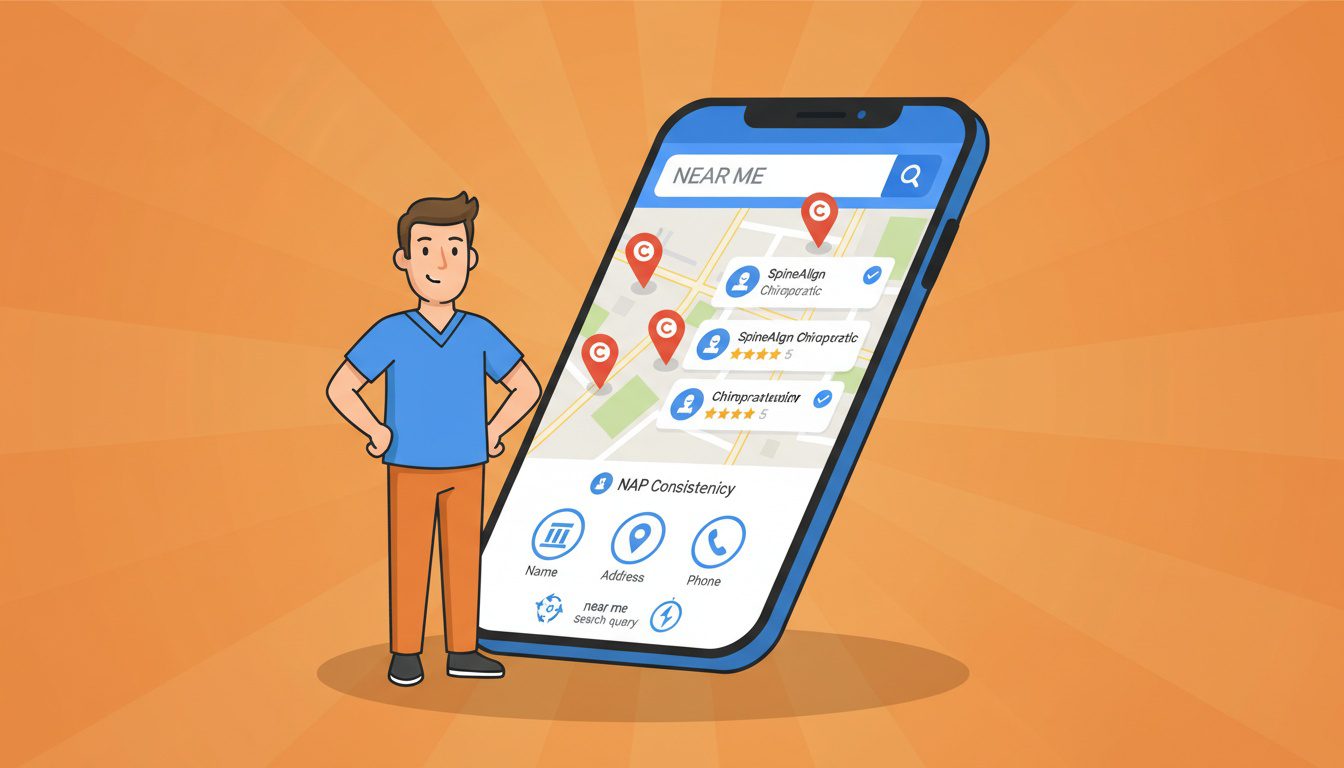
Most of your patients come from local searches. That's just reality.
VWO research shows 62% of top-ranking websites on Google are optimized for mobile, and local searches heavily favor mobile-optimized sites because most "chiropractor near me" searches happen on phones.
Google Business Profile Is Your Best Friend
Your Google Business Profile is often the first thing people see before they even visit your website.
Complete every single section:
- Accurate business name - Exactly as it appears everywhere else (consistency matters)
- Full address - Make sure it matches your website footer and other listings perfectly
- Phone number - Same number displayed on your website header (no variations)
- Business hours - Keep them current, including holidays (update monthly)
- Categories - Primary: Chiropractor, Secondary: Sports medicine, Pain management
- Description - 750 characters explaining what makes you different from everyone else
- Photos - Upload 20+ professional images of your practice, team, treatments
- Services - List all specific treatments you offer (helps with search visibility)
- Booking link - Direct link to your online booking page (make it easy)
Post updates weekly. Google Posts improve engagement and show Google your profile is active and current.
Respond to every review within 24 hours. Thank positive reviews, address negative ones professionally (no defensiveness, just professionalism).
According to ReviewTrackers research, 63.6% of consumers rely on Google reviews before visiting businesses, and businesses with recent reviews and active management rank higher in local pack results.
For complete optimization guidance, read our guide on optimizing your Google Business Profile.
NAP Consistency Is Actually Important
NAP = Name, Address, Phone. These three pieces of information must be identical everywhere online.
Your website, Google Business Profile, Yelp, Healthgrades, Facebook, directory listings—everywhere.
Even small inconsistencies confuse Google:
| "123 Main St" on one site, "123 Main Street" on another | "123 Main Street" everywhere consistently |
| "(555) 123-4567" and "555-123-4567" | "(555) 123-4567" in all locations |
| "Smith Chiropractic" vs. "Smith Chiropractic Clinic" | "Smith Chiropractic" consistently |
Pick one format and use it everywhere. Google uses NAP consistency as a ranking factor for local searches, so this actually matters for your visibility.
Audit all your online listings annually. Tools like Moz Local or BrightLocal can help find inconsistencies you didn't know existed.
Core Web Vitals Affect Your Rankings
Google's Core Web Vitals measure real user experience and directly affect rankings. No way around it.
The three metrics that matter:
- LCP (Largest Contentful Paint) - How fast your main content loads (should be under 2.5 seconds)
- FID (First Input Delay) - How quickly your site responds to interactions (under 100 milliseconds)
- CLS (Cumulative Layout Shift) - How much your page jumps around while loading (under 0.1)
Use Google Search Console to check your Core Web Vitals scores. It'll tell you which pages need improvement and why.
Fix LCP by optimizing images and reducing server response times. Fix FID by minimizing JavaScript execution. Fix CLS by reserving space for images and ads before they load so things don't jump around.
Schema Markup Helps Google Understand You
Schema markup is code that helps Google understand your content better. Think of it as giving Google context.
For chiropractors, add LocalBusiness schema including:
- Your practice name
- Address and phone
- Business hours
- Services offered
- Review ratings (when you have them)
- Accepted insurance
Add MedicalBusiness and Physician schemas if applicable. This helps you appear in rich results with ratings, hours, and booking links directly in search results.
Most website builders have plugins that add schema automatically. If you're on WordPress, Yoast SEO or RankMath can handle this without coding.
Schema won't directly boost rankings, but it makes your search listings more informative and clickable, improving click-through rates. (Which indirectly helps rankings.)
For deeper SEO strategies, explore our guide on SEO for chiropractors.
Content Strategy That Actually Converts
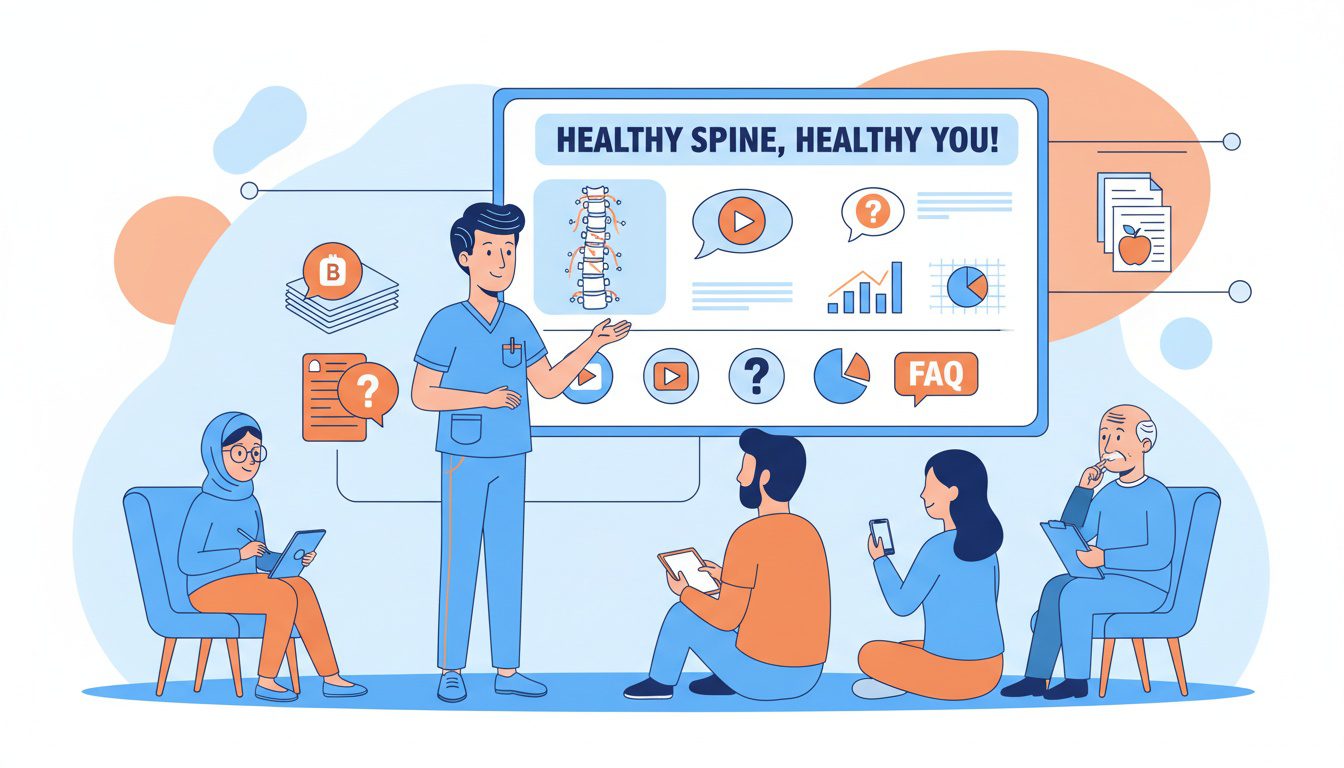
Your website content does way more than fill space.
It builds trust, answers questions, and demonstrates expertise. Patients research symptoms and treatment options online before booking appointments, so providing valuable content meets them exactly where they are.
Blog Content That Attracts Patients
A blog isn't just for SEO. (Though that's a nice benefit.) It's for demonstrating you understand patient concerns and can explain complex topics simply.
Write about:
- Condition explanations - "What Causes Sciatica and How Chiropractic Helps" (answer the why)
- Treatment approaches - "What to Expect During Your First Adjustment" (reduce anxiety)
- Prevention tips - "5 Daily Stretches to Prevent Lower Back Pain" (ongoing value)
- Myth-busting - "Does Chiropractic Adjustment Hurt? The Real Answer" (address concerns)
- Case studies - "How We Helped a Marathon Runner Recover from IT Band Syndrome" (proof)
Keep posts between 1,500-2,500 words for SEO value but make them scannable with short paragraphs, bullet points, and clear headers. (Nobody reads walls of text anymore.)
Post consistently—minimum monthly, ideally weekly. Search engines favor sites with fresh, regularly updated content showing you're active.
Link internally from blog posts to relevant service pages. A post about headaches should link to your headache treatment page with a clear CTA. (Drive them to conversion points.)
For complete blogging strategies, see our guide on blogging for chiropractors.
FAQ Sections Address Objections
Every service page needs an FAQ section addressing common concerns. Every single one.
For back pain treatment, answer:
- How long until I feel better?
- How many appointments will I need?
- Does adjustment hurt?
- What if my pain gets worse before it gets better?
- Do you take insurance?
- Can I get adjusted while pregnant?
These aren't just helpful—they're powerful for SEO. Voice search queries like "does chiropractic hurt" need direct answers, and FAQ schema markup helps you appear in featured snippets.
Answer questions honestly. If most patients need 6-12 visits, say so. Setting accurate expectations builds trust better than promising overnight miracles nobody believes anyway.
Video Content Outperforms Everything
Video testimonials beat text testimonials every single time.
Seeing a real person explain their experience creates emotional connection that text can't match. Even low-production videos shot on smartphones work if the content is authentic.
Create videos for:
- Patient testimonials explaining their results (the #1 priority)
- Office tours showing your facility (builds familiarity)
- Treatment demonstrations with patient permission (reduces anxiety)
- Doctor introductions explaining your philosophy (personal connection)
- FAQ answers addressing common concerns (repurpose content)
Keep videos short—60-90 seconds max. Attention spans online are brutal, and longer videos just don't get watched.
Host videos on YouTube and embed them on your site. This gives you SEO benefit on YouTube while also improving your website's engagement metrics. (Win-win.)
New Patient Resources Reduce No-Shows
Dedicate a page specifically for new patients answering everything they need to know before visiting. Everything.
Include:
- What to bring (insurance card, ID, list of current medications)
- What to expect during the first visit (step-by-step walkthrough)
- Typical appointment length (set expectations)
- Parking instructions (reduce stress)
- Office tour video (visual familiarity)
- New patient forms as downloadable PDFs (they can fill out ahead)
- Insurance and payment information (no surprises)
- Cancellation policy (clear boundaries)
When someone books their first appointment, send them to this page. It reduces anxiety, sets clear expectations, and reduces no-shows significantly.
For AI-powered content creation strategies, check out our article on AI blog writing for chiropractors.
Frequently Asked Questions
How fast should my chiropractic website load?
Your site needs to load in under 3 seconds, period.
Google research shows 53% of mobile users bounce if a page takes longer than 3 seconds. Every extra second costs you 7% of conversions.
Compress your images to under 200KB each, enable browser caching, and use decent hosting. Most chiropractors are losing 15-20 patients monthly just because their site loads too slowly on phones.
Tools like Google PageSpeed Insights will tell you exactly what's broken. No guessing required.
What trust signals should I include on my chiropractic website?
You need patient testimonials with actual results mentioned, not generic praise.
Display your certifications and licenses prominently. Show real photos of your team and facility, not stock images. Embed Google reviews on your homepage.
According to BrightLocal research, 88% of people trust online reviews as much as personal recommendations.
Include specific case studies, years in practice, video testimonials when possible, and professional association memberships. Put these trust signals where people are deciding whether to book, not hidden on separate pages nobody visits.
Should my chiropractic website prioritize mobile or desktop design?
Mobile first, no question.
Over 63% of web traffic comes from mobile devices according to Statcounter. Google uses mobile-first indexing, which means your mobile site determines your rankings.
GoodFirms data shows 73% of people leave websites due to poor mobile design. Mobile-optimized sites see 11% higher conversion rates.
Design for phones first, then enhance for desktop. Make buttons big enough to tap, keep text readable without zooming, simplify navigation to 5-7 menu items max, and test on actual phones weekly.
How can I improve conversions on my chiropractic website?
Put your phone number and booking button in the header on every single page.
Use action words in CTAs like "Book Your Relief Session" instead of "Contact Us." Show mini-reviews or stats near booking buttons. Simplify your booking form to 3 steps maximum.
Add live chat to catch people browsing at midnight. Make your CTA buttons contrast with your color scheme so they pop.
Create separate landing pages for back pain, sports injuries, and other specific conditions. VWO research shows healthcare landing pages can hit 7.4% conversion rates when properly optimized versus 3-4% for generic pages.
What content should every chiropractic homepage include?
Above the fold you need a clear headline answering why someone should choose you, your phone number clickable on mobile, and a prominent booking button.
Below that show real photos of your team and office, patient testimonials with specific outcomes, the main conditions you treat, what makes your approach different, trust badges like years in practice and certifications, your Google review rating, and a strong call-to-action.
Research from Google shows people form opinions about websites in 0.05 seconds, so your homepage needs to build trust instantly.
Make booking the easiest thing on your entire site.
How often should I update my chiropractic website?
Minimum monthly updates to stay relevant with Google.
Add blog content weekly if you can manage it. Quarterly service page refreshes to keep info current. Update testimonials and reviews as you get them since fresh reviews matter more.
Monthly technical checks for broken links, outdated info, and staff changes. Full annual audit of performance and conversion rates.
Check Google Analytics weekly to spot pages with high bounce rates. Websites with regularly updated content rank higher and convert better because they show active practice management.
Do I need separate landing pages for different chiropractic services?
Yeah, you really do.
One generic services page creates decision paralysis. Build focused pages for back pain, sports injuries, auto accidents, pregnancy care, and pediatric treatments.
Each page targets one problem, explains it in normal language, shows your treatment approach, includes relevant testimonials, and has clear booking options.
Patient Logik reports that focused service pages convert at 7.4% versus 3-4% for generic pages.
Plus separate pages let you target specific keywords people actually search like "chiropractor for sciatica." You can send paid ads directly to relevant pages instead of a confusing services menu.
What are the biggest mistakes chiropractors make with their websites?
Slow load times that kill 53% of mobile visitors.
Non-responsive design that frustrates the 63% of people on phones. Hidden contact info and booking buttons. Stock photos instead of real practice images.
Outdated designs that scream "we don't care about our online presence." Confusing navigation with 15 menu options. No clear homepage CTA. Testimonials buried on a separate page nobody visits.
Technical jargon instead of plain English. No online booking forcing phone-only scheduling. Poor local SEO preventing "near me" visibility.
The worst mistake? Having an outdated site that makes your cutting-edge care look ancient.
Conclusion
Building a high-converting chiropractic website in 2026 isn't about following every design trend that comes along.
It's about understanding what your potential patients need—fast mobile experience, clear trust signals, easy booking, and answers to their questions—and delivering those elements without friction.
Start with mobile optimization and speed. Those two factors alone will put you ahead of most competitors.
Add prominent trust signals and streamlined booking. Then layer in professional photography, clear content, and solid local SEO.
You don't need perfection. You need progress.
Pick one element from this guide and improve it this week. Next week, tackle another one. Within a few months, you'll have a website that actually works to grow your practice instead of just sitting there looking pretty.
The practices getting 20-30 new patients monthly from their websites aren't doing anything magical. They're just executing these fundamentals consistently and not overthinking it.
Sound fair?
Look, I get it—implementing all of this feels overwhelming when you're already running a full patient schedule.
If you're thinking "this all makes sense, but I don't have time to do it right," you're not alone. Most successful chiropractors we work with felt the same way before they realized their website and online presence were quietly costing them 15-20 qualified patient leads every single month.
That's why we created our Free Website Conversion Analysis. It's not a sales pitch—it's a genuine walkthrough of the 3 biggest problems killing your bookings, delivered personally via Loom video within 24 hours.
We'll show you exactly:
- Why visitors leave without booking
- What's broken on mobile devices (where most searches happen)
- Missing trust signals costing you patients
- Where you rank vs. local competitors
- Simple fixes that drive more calls this month
You'll also get an instant case study while you wait, showing real examples of how other chiropractors fixed these exact problems.
Get your free analysis here — no credit card, no obligation, just actionable insights you can use whether you work with us or not.
Because every day your website sits unoptimized is another day potential patients are booking with competitors who figured this out first.

Gerek Allen
Co-Owner iTech Valet
Entrepreneur, patriot, CrossFit junkie, IPA enthusiast, loves to travel to tropical destinations, and knows way too many movie quotes.


About iTech Valet
iTech Valet specializes in web design and content marketing for online entrepreneurs who want to share their expertise.
Services Include:
- Web Design
- Graphic Design
- Sales Copy
- Funnel Building
- Authority Sites
- Membership Sites
- Course Creation
- Email Systems
- Content Marketing
- Competitive Analysis
- Tech Integrations
- Strategic Planning
NEED MORE CLIENTS?
Free conversion-focused analysis uncovers the 3 biggest problems killing your bookings — we'll walk you through your results personally

621 Enterprises, Inc. | Copyright 2022 | All rights reserved