


How Do I Add Schema Markup to My Chiropractic Website?
 by Gerek Allen ~ Last Updated: December 12th, 2025 ~ 9 Min Read
by Gerek Allen
~ Last Updated: December 12th, 2025 ~
~ 9 Min Read ~
Alright, let's cut through the noise here.
Schema markup is code you add to your website that tells Google exactly what your practice is about. Your location. Your services. Your hours. Patient reviews. All in a language search engines actually understand.
Here's the kicker... most chiropractors skip this entirely because it sounds technical.
Big mistake.
Pages with rich results—those fancy search listings with star ratings and business hours—see up to 82% higher click-through rates than plain ol' blue links. That's according to case studies Google themselves published from brands like Nestlé.
And get this... only about 30% of websites even bother with schema markup.
So while your competitors are showing up as boring text links, you could be the one with the enhanced listing that actually grabs attention.
Now... this part matters.
You don't need to be a coder to pull this off. There are plugins. Free generators. Templates you can copy/paste.
We're gonna walk through the whole thing step-by-step. Which schema types you need. How to generate the code. Where to put it. How to test it. The works.
Sound fair? Let's get into it.
What Is Schema Markup and Why Should You Care?
Here's the thing...
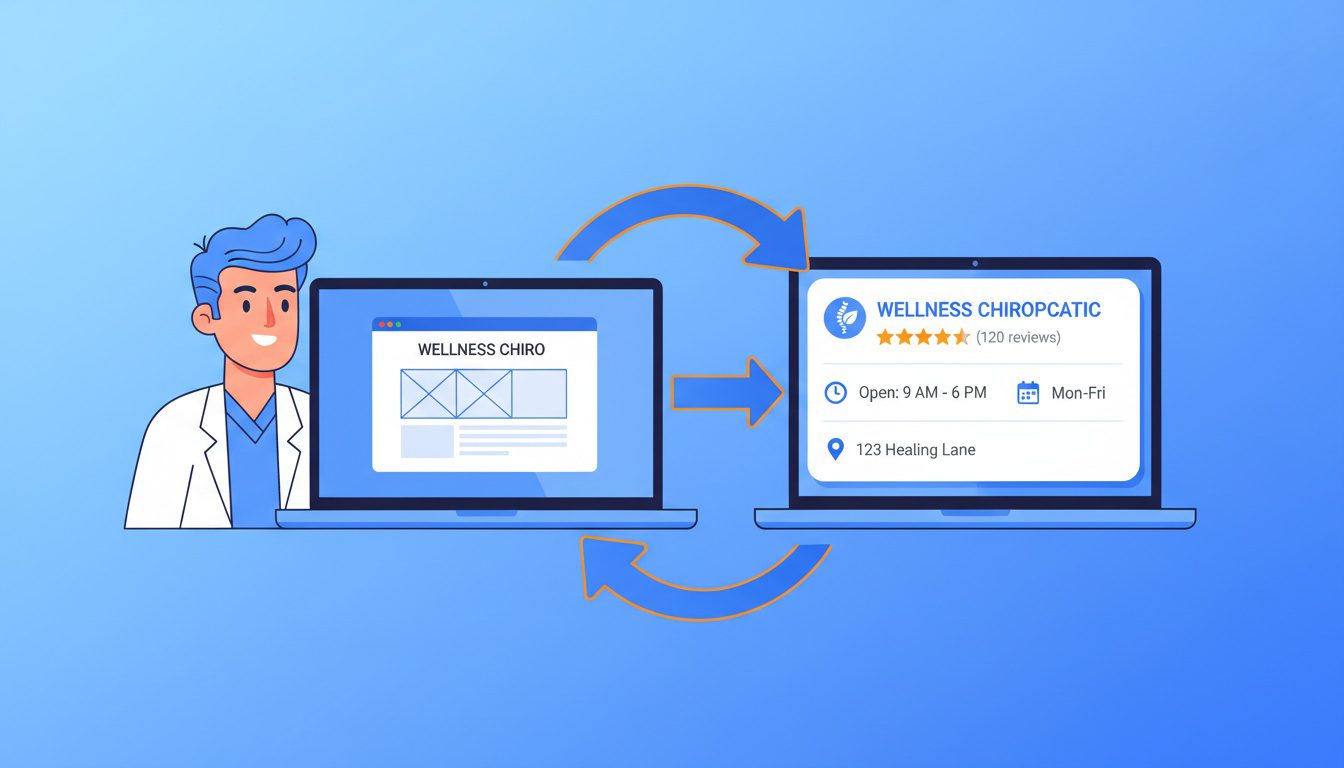
Your website might say "123 Main Street" somewhere on the page. But Google can't automatically figure out if that's YOUR address or just some random location you mentioned.
Schema markup fixes that.
It's basically a standardized vocabulary—created by Google, Microsoft, Yahoo, and Bing together—that explicitly labels your content. "Hey Google, THIS is my business address. THIS is my phone number. THESE are my hours."
Pretty simple concept, right?
Why This Actually Matters for Your Practice
When someone searches "chiropractor near me" or "back pain treatment" in your city, Google wants to show the most relevant results.
Schema gives Google confidence about who you are and what you do.
Think of it like handing them a cheat sheet about your practice instead of making them guess.
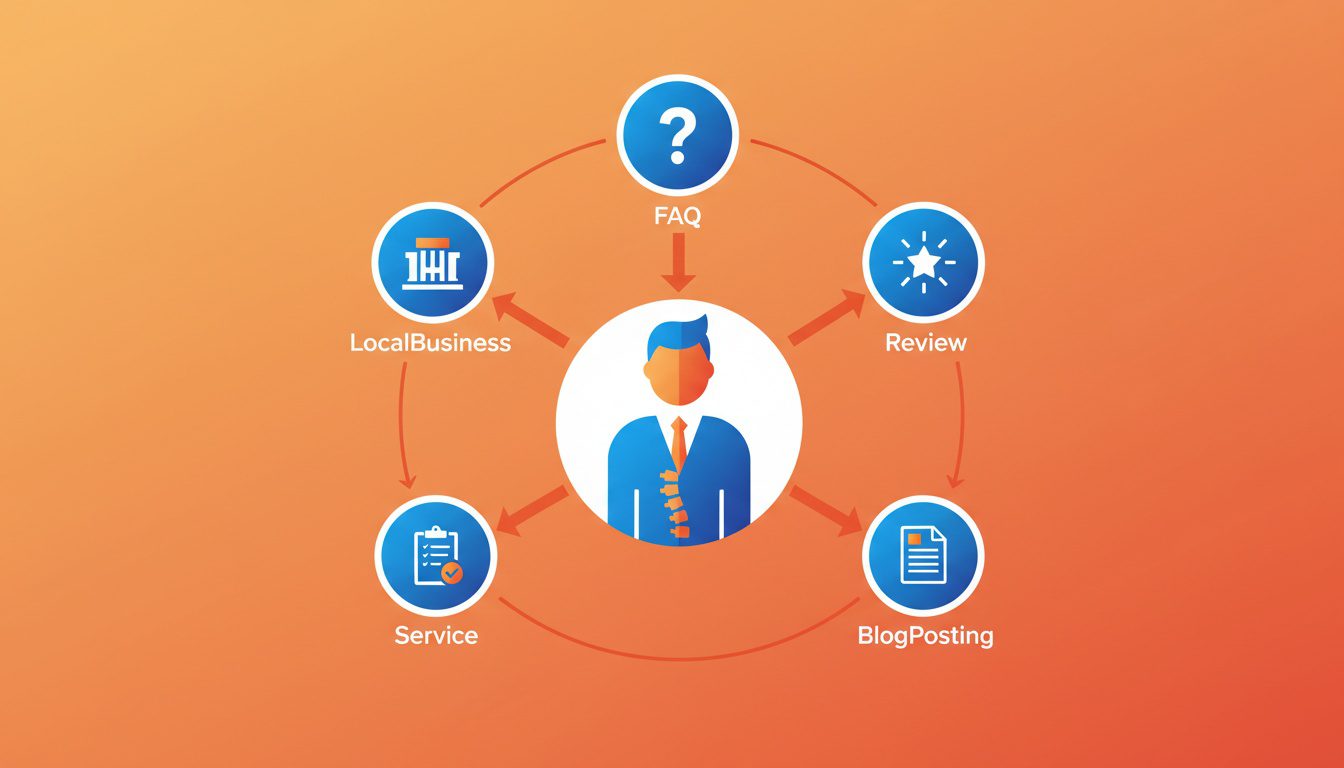
- LocalBusiness schema (your practice details) - Your name, address, phone, hours... the basics that show up in local results and the Map Pack
- Service schema (what you offer) - Spinal adjustments, decompression, sports rehab... whatever treatments you provide
- FAQPage schema (patient questions) - Your FAQs can potentially show up directly in search results as expandable answers
- Review schema (testimonials) - Star ratings that build instant credibility right in the search listing
Without schema? Google's guessing.
With it? You're handing them organized, verified info on a silver platter.
The Rich Results Advantage
Rich results are those enhanced listings with extra visual stuff—stars, hours, FAQs, images.
They stand out. They get clicked.
Here's what the data shows:
| Click-through rate increase | Up to 82% higher (Nestlé/Google) |
| Time on site | 1.5x longer (Rakuten study) |
| Website visits | 35% increase (Food Network) |
| User interaction rate | 3.6x higher on pages with rich features |
Source: Google Search Central
Now... I gotta be honest with you.
Schema markup won't directly boost your rankings. Google's said that flat out—it's not a ranking factor.
But here's the deal... the increased visibility and clicks from rich results absolutely help your overall local SEO performance.
More clicks. More engagement. More patients finding you instead of the other guy.
Which Schema Types Do You Actually Need?
Let's keep it real... you don't need every schema type under the sun.
Focus on the ones that actually move the needle for how patients find you.
Here's your priority list.
LocalBusiness Schema (This One's Non-Negotiable)
This goes on your homepage. Period.
LocalBusiness schema—or its healthcare-specific cousin MedicalBusiness—tells Google everything about your physical practice.
Required stuff:
- Business name (exactly how it appears on your Google Business Profile)
- Full address
- Phone number
- Business hours
Recommended stuff you shouldn't skip:
- Geographic coordinates (lat/long from Google Maps)
- Price range indicator
- Social media links
- Logo and image URLs
- Email address
- hasMap link to your GBP listing
Alright, quick reality check...
Consistency is everything here.
Your schema NAP (Name, Address, Phone) has to match exactly what's on your website, your Google Business Profile, and all your directory listings.
Even tiny differences—"Street" vs "St."—can mess things up.
Service Schema (For Your Treatment Pages)
Got dedicated pages for specific treatments? Spinal decompression? Sports chiropractic? Pediatric care?
Each one deserves Service schema.
This helps you show up for super specific searches like "spinal decompression therapy near me."
Include these properties:
- Service name
- Description
- Service type
- Area served
- Provider (your practice)
Works especially well when you combine it with localized landing pages targeting specific neighborhoods.
FAQPage Schema (For Your FAQ Sections)
If you've got FAQs on your site—and you should—FAQPage schema can make them eligible to appear directly in search results.
Little expandable answers right there in Google.
Here's the catch though...
Google restricted FAQ rich results in late 2023. They're mostly showing them for super authoritative government and health sites now.
But (and this is important)... implementing FAQPage schema still helps with voice search optimization and helps Google understand your content structure.
Worth doing either way.
FAQPage Schema (For Your FAQ Sections)
For your blog posts, BlogPosting schema helps Google understand the author, publish date, headline, and featured image.
Creates connections between your content and your practice.
Builds your site's overall "knowledge graph" in Google's eyes.
The Quick Decision Matrix
| Homepage | LocalBusiness/MedicalBusiness | Organization | Critical |
| Treatment pages | Service | LocalBusiness reference | High |
| Blog posts | BlogPosting | FAQPage (if has FAQ) | Medium |
| FAQ page | FAQPage | LocalBusiness reference | Medium |
| About page | Organization | Person (for provider bio) | Low |
| Contact page | ContactPage | LocalBusiness | Low |
NEED MORE CLIENTS?
Free conversion-focused analysis uncovers the 3 biggest problems killing your bookings — we'll walk you through your results personally

Step-by-Step: Adding Schema to Your Site
Okay, let's get practical.
Here's the exact process—whether you're on WordPress, a custom site, or something like DropFunnels.
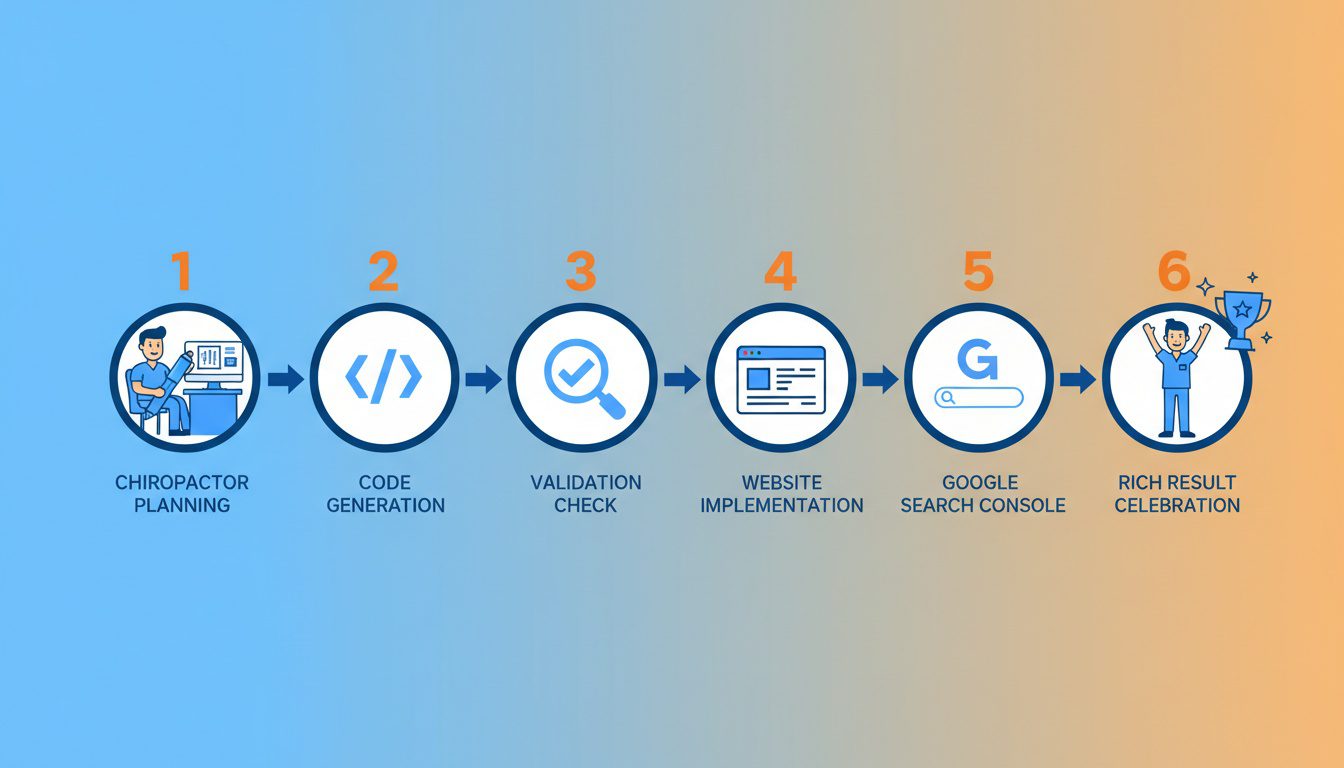
Step 1: Gather Your Business Info
Before you touch any code, get all your ducks in a row.
Collect this stuff:
- Practice name (exactly as it appears everywhere online)
- Full address
- Phone number with area code
- Business hours for each day
- Geographic coordinates (search your address in Google Maps, grab the lat/long from the URL)
- Google Business Profile CID (the unique ID in your GBP URL)
- Logo URL (direct link to your logo file)
- Social media URLs
- List of services you offer
Pro tip... throw this in a spreadsheet.
You'll reference it a bunch, and having it organized prevents dumb mistakes.
Step 2: Pick Your Implementation Method
You've got three options here.
Option A: WordPress Plugins (Easiest)
If you're on WordPress, plugins do the heavy lifting:
- Rank Math - Free version has solid schema support with visual editing
- Yoast SEO - Premium version offers Schema blocks
- Schema Pro - Dedicated schema plugin with advanced options
Configure your business details once. Plugin handles the code. Done.
Option B: Online Generators (Manual but Still Pretty Easy)
Free tools that spit out code you can copy/paste:
- Google's Structured Data Markup Helper - Visual interface for tagging page elements
- Technical SEO Schema Generator - Fill-in-the-blank forms
- JSON-LD.com - Templates for common schema types
You'll need to manually add the generated code to your site.
Option C: Manual Coding (Most Control)
Write the JSON-LD yourself using templates and schema.org documentation.
Maximum flexibility. Requires comfort with code.
Step 3: Generate Your LocalBusiness Schema
Here's a template for chiropractic practices. Swap the bracketed stuff with your info:
<script type="application/ld+json">
{
"@context": "https://schema.org",
"@type": "MedicalBusiness",
"name": "[Your Practice Name]",
"image": "[URL to your practice photo]",
"logo": "[URL to your logo]",
"@id": "[Your website URL]",
"url": "[Your website URL]",
"telephone": "[Your phone number]",
"email": "[Your email address]",
"priceRange": "$$",
"address": {
"@type": "PostalAddress",
"streetAddress": "[Your street address]",
"addressLocality": "[City]",
"addressRegion": "[State abbreviation]",
"postalCode": "[ZIP code]",
"addressCountry": "US"
},
"geo": {
"@type": "GeoCoordinates",
"latitude": [Your latitude],
"longitude": [Your longitude]
},
"openingHoursSpecification": [
{
"@type": "OpeningHoursSpecification",
"dayOfWeek": ["Monday", "Tuesday", "Wednesday", "Thursday", "Friday"],
"opens": "09:00",
"closes": "18:00"
}
],
"sameAs": [
"[Facebook URL]",
"[Instagram URL]",
"[LinkedIn URL]"
],
"hasMap": "https://www.google.com/maps?cid=[Your Google CID]"
}
</script>
Customize the hours, add Saturday if you're open, whatever applies to your practice.
Step 4: Validate Before You Publish
This part matters. Don't skip it.
Invalid schema can actually hurt you more than no schema at all.
Use these tools:
- Google Rich Results Test - Tests your code and shows which rich results you're eligible for... plus a preview of how they'll look
- Schema Markup Validator - Validates all schema.org types, including stuff Google doesn't currently use for rich results
What you're looking for:
- Zero errors (red stuff = must fix)
- Warnings are okay but worth addressing
- Preview shows your info correctly
Common errors that trip people up:
- Missing required properties (name, address for LocalBusiness)
- Broken image URLs
- Syntax errors (missing commas, brackets)
- Data mismatch (schema says different hours than your website shows)
Step 5: Add Schema to Your Site
Plugin users: Navigate to settings, enter your business info, save. You're done. The plugin handles placement.
Manual implementation:
- Copy your validated JSON-LD code
- Access your website's HTML (CMS, theme editor, or FTP)
- Paste the code in the <head> section before the closing </head> tag
- Save and publish
For different page types:
- Homepage → LocalBusiness schema
- Blog posts → BlogPosting schema (plugins usually automate this)
- Service pages → Service schema referencing your LocalBusiness
- FAQ page → FAQPage schema
Step 6: Request Indexing and Monitor
After you've added the schema:
- Go to Google Search Console
- Pop your updated page URL in the inspection tool
- Hit "Request Indexing"
- Check the "Enhancements" section for Rich Results reports
Now... be patient.
Google usually needs days to weeks to recrawl and display rich results. Keep checking back for any errors that show up after indexing.
Common Mistakes (And How to Avoid Them)

I see the same screw-ups over and over when auditing chiropractic sites.
Let's make sure you don't make 'em.
NAP Inconsistency
This is the big one.
Your schema says one thing. Your website says another. Your Google Business Profile says something else.
Here's what that looks like:
| Schema markup | "Smith Chiropractic Center" | Different name |
| Website header | "Smith Chiropractic" | Shortened |
| Google Business Profile | "Dr. John Smith Chiropractic Center" | Includes doc name |
| Yelp listing | "Smith Chiro Center" | Abbreviated |
This confuses the heck out of search engines.
And it can tank your local SEO rankings.
The fix: Pick ONE exact version of your name, address, and phone. Use it everywhere. Literally copy/paste to avoid typos. Then run a NAP consistency audit across all your listings.
Using Generic LocalBusiness
Schema.org has specific business types.
For healthcare, MedicalBusiness is way more specific than plain LocalBusiness.
Using more specific types helps Google understand exactly what kind of business you are.
Don't leave money on the table with generic markup.
Missing Required Properties
Technically, LocalBusiness only requires a name property.
But skipping the recommended stuff means missing opportunities.
Don't skip these:
- Address (kinda important for local results, right?)
- Phone number (people need to contact you)
- Opening hours (shows up in rich results)
- Geographic coordinates (helps with map placement)
- Image/logo (visual trust signals)
Outdated Information
Your schema says Monday-Friday 9-6.
But you added Saturday hours six months ago.
Now there's a mismatch between what Google shows and what patients actually experience.
Bad for patient experience. Bad for trust. Just... bad.
The fix: Set a quarterly reminder to audit your schema. Anytime you change hours, services, or contact info... update your schema the same day.
Not Validating Before Publishing
Syntax errors = search engines can't read your schema at all.
One missing comma makes the entire block useless.
Always validate with Google's Rich Results Test before adding to your live site. Test again after publishing to confirm it's working.
Marking Up Invisible Content
Google's guidelines are crystal clear here.
Your schema should reflect content that's actually visible on the page.
Don't add services that aren't mentioned on that page. Don't include review ratings that aren't displayed.
This can look deceptive. And penalties aren't fun.
Advanced Schema Strategies
Got the basics down? Good.
Here's how to level up.
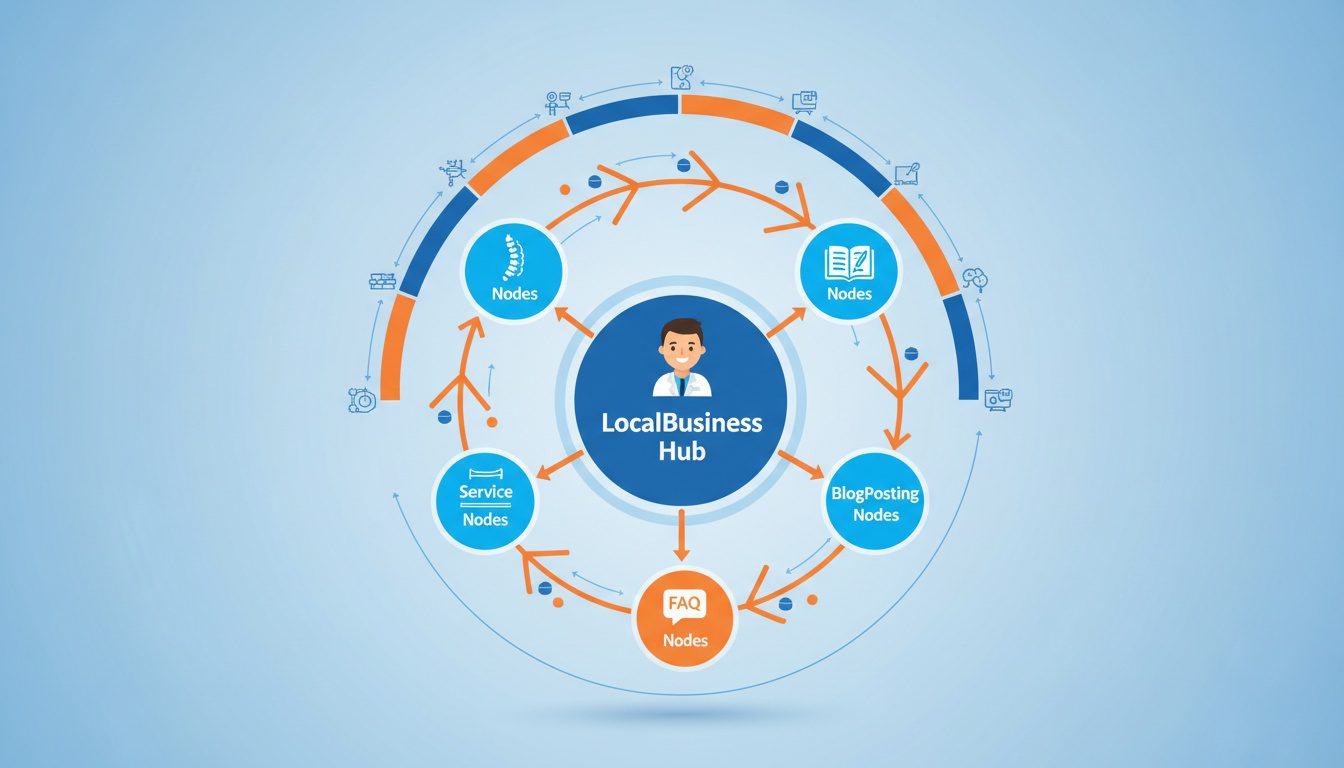
Connect Your Schema Types Together
Individual schema blocks are fine.
Connected schema that builds a complete picture of your practice? Way better.
How to link things up:
- Reference your LocalBusiness from Service schema using the "provider" property
- Link BlogPosting schema back to your organization with "publisher"
- Use consistent @id values across schema blocks to establish entity relationships
This helps Google build a "knowledge graph" of your practice.
They understand your blog posts come from your practice, which offers specific services, at a specific location.
Everything connected. Everything making sense.
Service Schema for Each Treatment
If you offer multiple treatments—adjustments, decompression, sports rehab, pediatric care—each one deserves its own Service schema on its dedicated page.
Why bother?
- Show up for more specific searches
- Showcase the breadth of what you offer
- Better match what patients are actually looking for
This gets even more powerful with localized landing pages targeting neighborhood-specific searches.
Multiple Locations? Here's What to Do
Running more than one practice location?
You'll need schema that reflects that.
Two approaches:
- Separate location pages - Each location gets its own page with its own LocalBusiness schema
- Department property - Use "department" on your main LocalBusiness to list additional locations
Google recommends the first approach when you've got dedicated landing pages for each location.
Also supports your multi-location SEO strategy.
Special Situations
| New practice (no reviews yet) | Skip review schema until you have legit reviews |
| Offer telehealth | Add "availableChannel" property for online appointments |
| Multiple practitioners | Person schema for each provider, linked to Organization |
| Seasonal hours | Multiple OpeningHoursSpecification blocks with validFrom/validThrough dates |
| Online booking | Add "potentialAction" with ScheduleAction |
Tracking Your Results
You've implemented schema. Awesome.
Now... is it actually working?
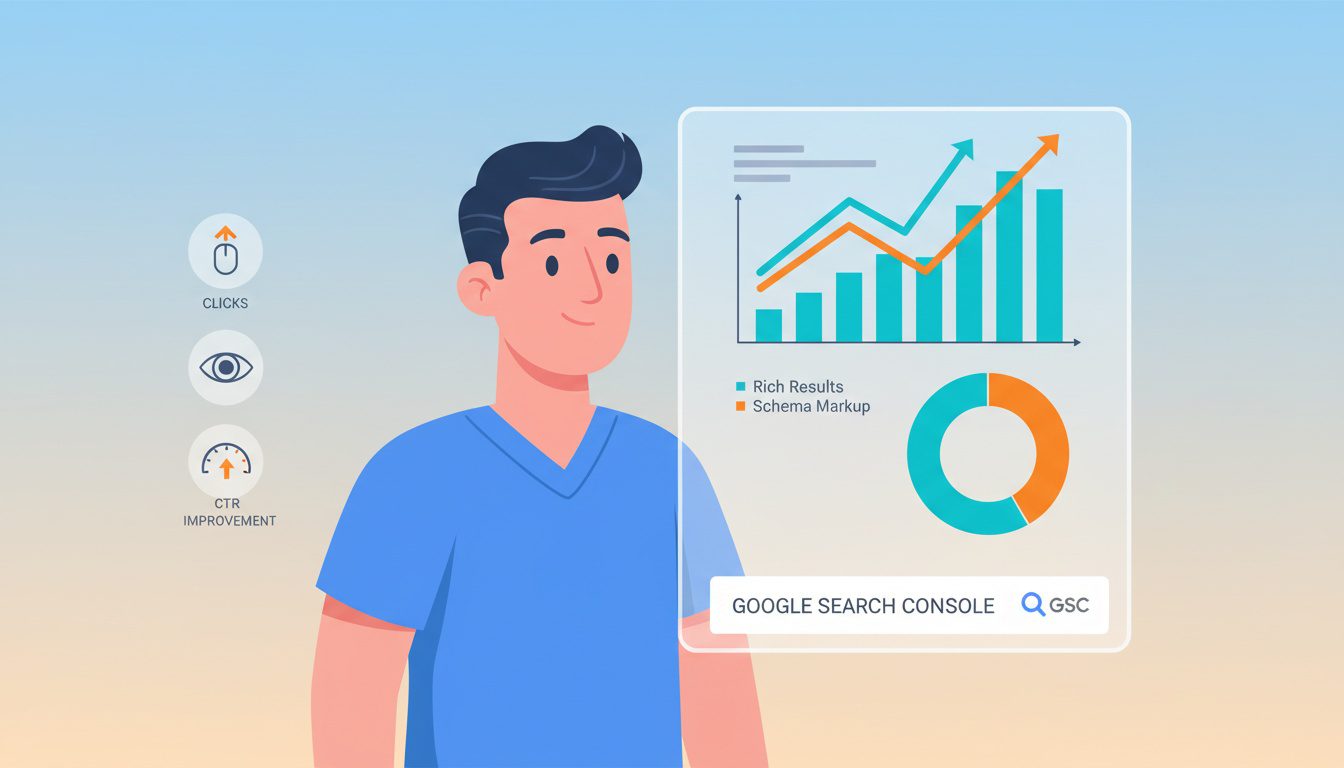
Google Search Console Rich Results Report
This is your main monitoring tool.
In Search Console:
- Navigate to "Enhancements" in the left sidebar
- Look for rich result types you've implemented
- Check valid items, warnings, and errors
- Click into errors to see which pages are affected
Track these things:
- Number of valid items (should match pages with schema)
- Error trends (new errors after site updates?)
- Impression and click data for rich results
Watch Your Click-Through Rate
Compare CTR before and after schema implementation:
- In Search Console, hit Performance
- Look at average CTR for pages with schema
- Compare to similar pages without schema
- Track changes over 30, 60, 90 days
Keep expectations realistic.
You might not see huge changes overnight. Rich results eligibility doesn't guarantee Google will actually show them.
But over time, properly implemented schema should improve your visibility metrics.
Run Regular Validation Audits
Set a schedule:
- Monthly - Spot-check key pages with Rich Results Test
- Quarterly - Full site audit of all schema markup
- After any website update - Revalidate affected pages
Theme updates, plugin updates, content changes... any of these can break schema without obvious warnings.
Stay on top of it.
Frequently Asked Questions
What is schema markup for chiropractors?
Schema markup is structured data code you add to your chiropractic website that helps search engines understand your business information.
It tells Google exactly what your practice offers, where you're located, your hours, services, and patient reviews.
For chiropractors, the most important types include LocalBusiness (or MedicalBusiness), FAQPage for frequently asked questions, and Service schema for individual treatments.
The code uses a standardized vocabulary from schema.org that all major search engines recognize.
When done right, it makes your practice eligible for those enhanced search results that stand out from competitors.
Does schema markup help chiropractors rank higher?
Here's the honest answer...
Schema markup is NOT a direct ranking factor. Google's confirmed this.
But it significantly improves your chances of showing up in rich results. And those can boost click-through rates by up to 82%.
Rich results make your listing pop with star ratings, business hours, service details.
More visibility. More clicks. Better overall SEO performance.
Think of it this way... schema won't teleport you from page 2 to page 1. But if you're already competing on page 1, rich results can help you grab more clicks than competitors who don't have them.
Can I use one Google Business Profile for multiple locations?
No. Hard no.
Google requires a separate Google Business Profile for each physical location. This isn't a suggestion. It's a requirement.
Each profile must have its own unique phone number and address. You can manage all profiles from one Google account using location groups (which makes life easier). But each location needs its own verified listing.
If you try to list multiple addresses in one GBP, Google will suspend or restrict the listing. Don't test this.
One location = one GBP. Simple as that.
Which schema type should chiropractors use?
Start with LocalBusiness (or MedicalBusiness) on your homepage.
That's your foundation.
Full stack:
- Homepage - LocalBusiness or MedicalBusiness
- Treatment pages - Service schema
- FAQ sections - FAQPage schema
- Blog posts - BlogPosting schema
- About/provider pages - Person schema
Match the right schema to each page's purpose.
Don't slap Service schema on your homepage or LocalBusiness on every blog post.
How do I test if my schema is working?
Google's Rich Results Test is your go-to.
Enter your page URL, run the test, review errors and warnings.
For broader schema.org validation, use the Schema Markup Validator.
After implementation, monitor Google Search Console's Rich Results report. This tells you if Google's actually recognizing and using your schema... not just if the code is valid.
Can I add schema without coding knowledge?
Yep. Absolutely.
WordPress plugins like Rank Math, Yoast SEO, and Schema Pro generate schema automatically. Fill in your business details, plugin handles the code.
Online generators like Google's Markup Helper, Technical SEO's Schema Generator, and JSON-LD.com let you fill in forms and copy the result.
Your web developer can implement schema using templates if you've got someone managing your website. Usually a quick task.
Where do I place schema code on my website?
JSON-LD goes in the <head> section of your HTML.
Between the opening <head> and closing </head> tags.
You can technically put it in the body and it'll still work—Google's confirmed this. But head section is the recommended spot.
WordPress plugin users don't have to worry about placement. Plugin handles it automatically.
How long until schema shows up in search results?
After implementing schema, Google needs to recrawl and reindex your pages.
Could be a few days. Could be several weeks.
Speed things up by requesting indexing through Google Search Console's URL Inspection tool right after adding schema.
Important caveat: Even with perfect schema, Google doesn't guarantee rich results will appear. They decide based on query type, user location, and whether they think rich results help for that particular search.
What are the most common schema mistakes?
The ones I see constantly:
- NAP inconsistency - Schema says one address format, website says another, GBP says something else. Pick one exact version, use it everywhere.
- Generic LocalBusiness - Instead of MedicalBusiness or more specific types that better describe healthcare.
- Missing properties - Skipping address, phone, hours... the stuff patients actually search for.
- Outdated info - Schema shows old hours after you changed your schedule.
- Not validating - Publishing without testing = syntax errors making it unreadable.
Always test with Google's Rich Results Test before going live.
Your Schema Implementation Checklist
Let's make this actionable.
Here's exactly what to do.
Today (15 minutes):
- Run your homepage through Google's Rich Results Test
- Note what schema you currently have (if any)
- Identify gaps
This week (1-2 hours):
- Gather all your business info in one doc
- Choose your implementation method
- Generate and validate LocalBusiness schema for your homepage
- Implement and request indexing
This month:
- Add Service schema to treatment pages
- Add BlogPosting schema to key posts (if not automated)
- Add FAQPage schema to your FAQ section
- Set up monitoring in Google Search Console
Schema isn't a one-and-done thing.
It's an ongoing part of your digital marketing strategy that needs maintenance as your practice evolves.
The chiropractors who take this seriously? They're the ones showing up with rich results while competitors are stuck with plain blue links.
That visibility difference compounds over time.
Look, I get it... this feels like one more technical thing to figure out on top of running your practice.
If you're thinking "this makes sense, but I don't have time to do it right," you're not alone. Most successful chiropractors we work with felt the same way before they realized their website's technical gaps were quietly costing them 15-20 qualified patient leads every single month.
That's why we created our Free Website Conversion Analysis. It's not a sales pitch—it's a genuine walkthrough of the biggest problems hurting your visibility, including whether your schema markup is helping or hurting you, delivered personally via Loom video within 24 hours.
We'll show you exactly:
- Where your technical SEO gaps are costing you visibility
- What schema markup you're missing (or implementing wrong)
- How your site performs on mobile
- Missing trust signals affecting patient decisions
- Quick fixes that can improve your presence this month
You'll also get an instant case study while you wait, showing real examples of how other chiropractors fixed these exact technical issues.
Get your free analysis here — no credit card, no obligation, just actionable insights you can use whether you work with us or not.
Because every day your schema sits broken or missing is another day competitors are showing up with star ratings and business hours while you're stuck with a plain text listing.

Gerek Allen
Co-Owner iTech Valet
Entrepreneur, patriot, CrossFit junkie, IPA enthusiast, loves to travel to tropical destinations, and knows way too many movie quotes.


About iTech Valet
iTech Valet specializes in web design and content marketing for online entrepreneurs who want to share their expertise.
Services Include:
- Web Design
- Graphic Design
- Sales Copy
- Funnel Building
- Authority Sites
- Membership Sites
- Course Creation
- Email Systems
- Content Marketing
- Competitive Analysis
- Tech Integrations
- Strategic Planning
NEED MORE CLIENTS?
Free conversion-focused analysis uncovers the 3 biggest problems killing your bookings — we'll walk you through your results personally

621 Enterprises, Inc. | Copyright 2022 | All rights reserved