


How Do I Optimize SEO for Multiple Chiropractic Locations? (2026 Guide)
 by Gerek Allen ~ Last Updated: December 10th, 2025 ~ 12 Min Read
by Gerek Allen
~ Last Updated: December 10th, 2025 ~
~ 12 Min Read ~
Here's the short answer: you need a dedicated location page for each office, a separate Google Business Profile for every physical address, and unique content that doesn't look like you just swapped out the city name.
That last part? It's where most chiropractors completely blow it.
They open a second location, throw up a "Locations" dropdown on their website, copy-paste the same content with a different city name... and then wonder why location #2 never gets any traction.
Here's the thing. 46% of all Google searches have local intent. And 76% of people who search for something nearby visit a business within 24 hours.
If your second office isn't showing up in local search results? Those patients are walking straight to your competitors. Every. Single. Day.
Good news though. Multi-location SEO isn't nearly as complicated as it sounds. Once you get the framework down, it's actually pretty straightforward.
This guide walks you through everything—website structure, Google Business Profile management, avoiding the duplicate content trap, building location-specific content, and tracking what's actually working.
Let's get into it.
Why Multi-Location SEO Matters for Chiropractic Practices

Most chiropractors open a second location thinking patients will just... find them.
They put up a "Locations" page. Maybe add a dropdown menu. Call it done.
That's not how Google works. Not even close.
Google treats each physical location as a completely separate entity that needs its own optimization. When someone in Huntington Beach searches "chiropractor near me," Google's looking at which businesses have actually optimized their presence for that specific area.
If your Costa Mesa location page is thin content with the same copy as your main office? Google has zero reason to show it.
The Real Cost of Poor Multi-Location SEO
Alright, quick reality check.
Here's what's happening right now if your locations aren't properly optimized:
- Your second location is basically invisible - It doesn't appear in the Google Map Pack, so patients in that area don't even know you exist. They're not choosing competitors over you... they literally can't find you.
- Your pages are fighting each other - This is called keyword cannibalization. Instead of competing against other practices, your location pages are competing against each other. Nobody wins.
- You're burning money on ads - Paying for Google Ads in areas where organic traffic should be free? That's expensive. And unnecessary.
- Patients are walking - Each missed ranking position represents roughly 15-30 potential patients per month in a typical market. That adds up fast.
Let me put some numbers on this.
If your second location is missing from local search results and you're losing just 20 patients per month at an average lifetime value of $2,500... that's $50,000 in annual revenue walking to competitors.
Not potential revenue. Revenue that should be yours.
What Makes Multi-Location Different
Single-location SEO is pretty straightforward. One website. One Google Business Profile. One set of citations. Done.
Multi-location adds complexity at every level:
- Each location needs its own Google Business Profile optimization - You can't share them. Period.
- Your website structure has to support multiple location pages - Without creating duplicate content issues that tank your rankings.
- Citations get built separately - For every. Single. Address. Yeah, it's tedious.
- Reviews need to flow to the right place - If all your reviews funnel to your main office, your other locations look abandoned.
- Content has to be unique enough - Google needs to see each page as valuable on its own. Not just a copy with a different city name slapped on it.
The practices that figure this out? They dominate multiple local markets.
The ones that don't? They stay stuck wondering why location #2 never takes off.
Sound familiar?
Setting Up Your Website Structure for Multiple Locations

Your website structure is the foundation.
Screw this up and nothing else matters. Seriously.
Here's the thing though—there's one clear approach that works for 2-3 location practices. You don't need to overthink this.
The Hub-and-Spoke Model
Use your main domain as the hub with location pages as spokes.
Here's what the URL structure looks like:
- Homepage: yourdomain.com (brand-focused, links to all locations)
- Locations hub: yourdomain.com/locations/
- Individual locations: yourdomain.com/locations/huntington-beach/ and yourdomain.com/locations/costa-mesa/
This structure keeps all your SEO authority consolidated on one domain while giving each location its own optimized page.
Never use separate domains or subdomains for each location.
That splits your domain authority and creates management headaches you don't need. According to Search Engine Land, subfolder structures inherit more domain authority and are way easier to maintain.
What Every Location Page Needs
Each location page should function as a mini-homepage for that specific office.
Here's your checklist:
- Unique H1 with location - "Huntington Beach Chiropractor | [Practice Name]" — straightforward, keyword-rich, location-specific
- Full NAP details - Name, address, phone number. And this is critical: it has to match your Google Business Profile exactly. Same formatting. Same everything.
- Embedded Google Map - Helps with local signals and makes it super easy for patients to find you
- Location-specific content - More on this in a minute (this is where most people blow it)
- Staff bios for that location - Photos and credentials of the team members patients will actually see when they walk in
- Patient testimonials from that area - Reviews mentioning that specific location hit different than generic testimonials
- Service descriptions - Same services, but written uniquely for each page. Not copy-pasted.
- Clear calls-to-action - Book online buttons, click-to-call phone numbers. Make it stupid easy to convert.
Now... this part matters.
No copy-paste content. If your Huntington Beach page reads exactly like your Costa Mesa page with just the city name swapped out? Google sees them as duplicates.
And duplicate pages don't rank. They just confuse Google about which page to show.
Location Page Technical Requirements
Beyond the content, each location page needs proper technical optimization.
| URL Structure | /locations/city-name/ | Clean, keyword-rich URLs that Google loves |
| Title Tag | [Service] in [City] - [Brand] | Location + service targeting in one shot |
| Meta Description | Unique for each location | Prevents duplicate description issues |
| Schema Markup | LocalBusiness for each page | Helps Google understand your location data |
| Canonical Tag | Self-referencing | Prevents duplicate content signals |
| Internal Links | Link to other relevant pages | Distributes authority properly across your site |
Implement LocalBusiness schema markup on each location page. This structured data helps Google understand your business information and can improve how you appear in search results.
It's a bit technical, but it's worth getting right.

NEED MORE CLIENTS?
Free conversion-focused analysis uncovers the 3 biggest problems killing your bookings — we'll walk you through your results personally

Managing Google Business Profiles for Multiple Locations

Here's the deal.
Your Google Business Profiles are arguably more important than your website for local rankings.
According to Whitespark's local ranking factors survey, GBP signals account for the largest portion of local pack ranking factors. If your GBP isn't optimized, you won't rank in the Map Pack.
And you need a separate GBP for each physical location.
No exceptions. No workarounds. No shortcuts.
Setting Up Multiple GBP Listings
Here's the step-by-step:
- Create or claim a listing for each location - Go to Google Business Profile Manager and add each address separately
- Verify each location - Google will mail a postcard to each address or offer phone/video verification. It's annoying, but necessary.
- Use location groups - Organize your locations into a group for easier management. This is a lifesaver once you're juggling multiple profiles.
- Link to location-specific pages - Point each GBP to its dedicated location page on your website. Not your homepage. The specific page for that location.
Here's a critical rule most people miss: Each location must have a unique phone number.
You can use call tracking numbers. That's fine. But they have to be consistent everywhere that location appears online. Your website, your GBP, your citations—all matching.
Optimizing Each Profile
Once verified, optimize each listing individually.
Don't rush this. It matters.
- Business name - Use your registered business name only. Don't stuff keywords or location names in there. Google will slap you for that.
- Categories - Primary: Chiropractor. Add relevant secondary categories like Sports Medicine Clinic or Physical Therapy Clinic if they actually apply.
- Description - Write unique descriptions for each location mentioning the specific area served. Yes, unique. For each one.
- Photos - Upload real photos of that specific office, staff, and treatment areas. Aim for at least 10-15 images per location. Stock photos won't cut it.
- Services - List all services with descriptions. Take the time to fill this out completely.
- Attributes - Select all relevant attributes (wheelchair accessible, accepts new patients, etc.). These help patients filter and find you.
- Business hours - Keep them accurate. Update for holidays. Nothing tanks trust faster than showing up to a closed office.
Google states that businesses with complete profiles are 2.7 times more likely to be considered reputable and receive 7 times more clicks.
Seven times. That's not a typo.
The GBP Posting Strategy
Google Posts keep your profiles active and can improve visibility.
Here's how to handle them across locations:
| What's New | Weekly | Can be similar across locations with minor tweaks |
| Offers | As needed | Location-specific if the offer varies |
| Events | As scheduled | Always location-specific |
| Products/Services | Monthly updates | Can use templates with location details swapped |
The key is consistent activity. Dead profiles with no posts signal to Google that the business isn't active. And inactive businesses don't get shown.
For practices looking to streamline this, tools like BrightLocal, Whitespark, and Google's own Business Profile Manager let you manage multiple locations from one dashboard.
Makes life way easier.
Creating Unique Content for Each Location
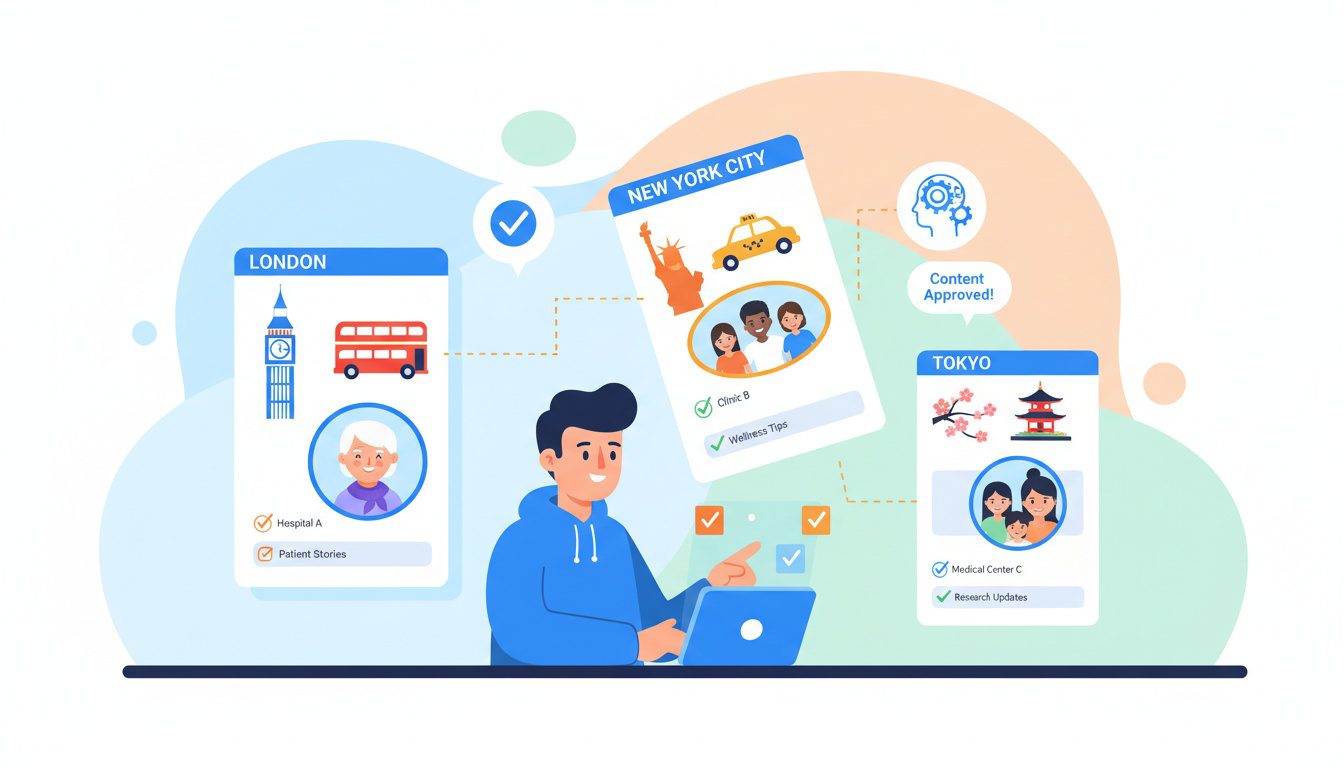
Alright. This is where most multi-location practices completely fall on their face.
They create a "template" location page. Copy it. Paste it. Swap out the city name.
Done, right?
Wrong. So wrong.
Google sees right through this. And here's what happens: Google either ranks only one page... or ignores them all.
Duplicate content doesn't technically result in a penalty. But it causes Google to choose which version to show. And that means your second location might never appear in search results because Google decided the first page was "good enough."
That's not a penalty. But it sure feels like one when your second office is invisible.
Content Elements That Must Be Unique
Here's what needs to be genuinely different on each location page:
- Opening paragraph - Introduce the specific location, area served, and what makes it unique. Not generic. Specific.
- About this location section - History of that office. Why you opened there. Connection to the community. The stuff that makes it real.
- Staff bios - Feature the actual team members at that location with photos. Patients want to know who they'll see.
- Patient testimonials - Reviews specifically mentioning that location or from patients in that area. Local social proof hits harder.
- Driving directions - Written directions from major landmarks and neighborhoods. "Take the 405 to Beach Blvd..." — that kind of thing.
- Parking information - Specific to that location. Is there a lot? Street parking? Validated parking?
- Insurance accepted - If it differs by location, spell it out.
Service emphasis - Which services are most popular at that location? What does that community need most?
Location-Specific Content Ideas
Now... this part matters.
Beyond the basics, here are ways to create substantial unique content that actually differentiates your pages:
- Local community involvement - Sponsor local sports teams? Participate in community events? Document it with photos and details. This stuff is gold for local SEO.
- Neighborhood guides - "What to do near our [City] office while you wait" or "Local businesses we partner with." Shows you're actually part of the community.
- Local health concerns - "Common causes of back pain for [City] desk workers" based on local industries. Tech hub? Office workers. Beach town? Surfers and volleyball players.
- Area-specific conditions - If one location sees more athletes while another sees mostly office workers, adjust the content focus accordingly.
- Local news and events - Blog posts about community events you're involved with. Hyperlocal content Google loves.
- Case studies - Patient success stories from each location (with permission, obviously). Nothing builds trust like real results.
This approach follows the E-E-A-T principles Google uses to evaluate content quality. Location-specific expertise demonstrates you actually serve that community.
Not just that you exist there.
Avoiding Keyword Cannibalization
Here's the kicker.
Keyword cannibalization happens when multiple pages on your site compete for the same search terms. With location pages, this risk is very real.
Here's how to prevent it:
| Both pages targeting "chiropractor" | Target "chiropractor in [specific city]" for each |
| Generic service descriptions | Location-focused service descriptions |
| Same meta titles | Unique titles with city names |
| Identical H1 tags | Location-specific H1 for each page |
| Cross-linked confusion | Clear internal linking hierarchy |
The rule is simple: Each location page should target keywords including that specific city or neighborhood name.
Your Huntington Beach page targets "Huntington Beach chiropractor."
Your Costa Mesa page targets "Costa Mesa chiropractor."
They're not competing. They're each going after their own market.
Building Citations and Local Links for Each Location
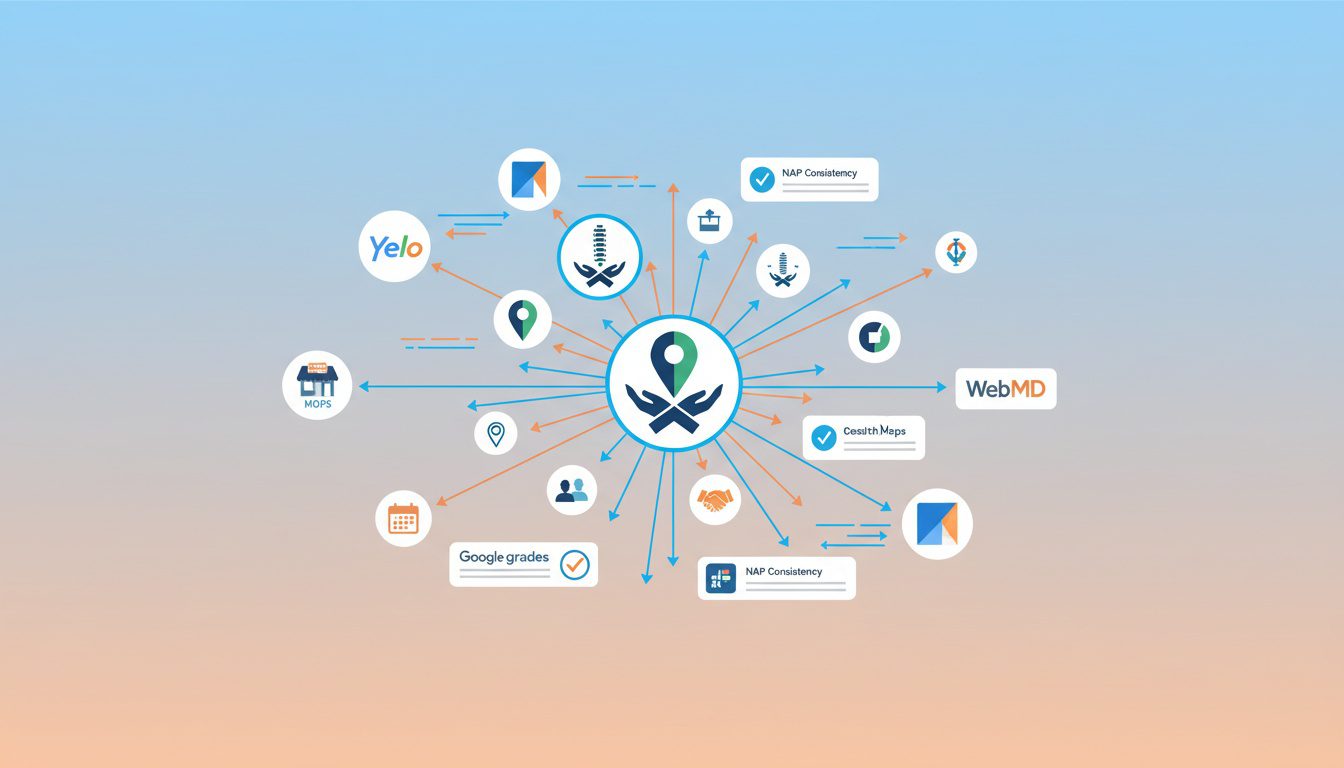
Citations are mentions of your business name, address, and phone number on other websites.
They're a crucial ranking factor for local SEO. And yeah—for multi-location practices, you need separate citations for each location.
Tedious? Absolutely.
Necessary? Also absolutely.
Priority Citation Sources
Start with the most important directories:
- Healthcare-specific - Healthgrades, Zocdoc, Vitals, WebMD, RateMDs. These carry serious weight for medical practices.
- Major directories - Yelp, Yellow Pages, BBB, Apple Maps, Bing Places. The big ones everyone uses.
- Chiropractic associations - State chiropractic association directories, ACA directory. Industry-specific credibility.
- Local directories - Chamber of Commerce, local business associations, city directories. Hyperlocal signals.
- Industry directories - Listed in our guide on best chiropractic directories.
Each location needs its own listing on each platform. And here's the thing that trips people up: The NAP must match your Google Business Profile exactly.
Same formatting. Same phone number. Same address format.
"Suite 101" on one site and "Ste 101" on another? That inconsistency hurts you.
NAP Consistency Rules
Inconsistent NAP information confuses Google and tanks your rankings.
Follow these rules religiously:
- Business name - Use the exact same name everywhere. No abbreviations in some places and full names in others.
- Address - Same format across the board. Pick "Suite" or "Ste" and stick with it.
- Phone - Same number on GBP, website, and all citations for that location. No exceptions.
- Website URL - Link to the location-specific page. Not your homepage.
Run a NAP consistency audit for each location to identify and fix inconsistencies. You'll probably find more than you expect.
Local Link Building by Location
Beyond citations, local backlinks from relevant websites boost each location's authority.
Here's where to focus:
- Local news coverage - Press releases about new location openings, community involvement. Local papers love this stuff.
- Chamber of Commerce membership - Often includes a link. Easy win.
- Local sponsorships - Little league teams, charity events, community organizations. Good karma and good links.
- Guest posts on local blogs - Health and wellness content for local publications. Position yourself as the local expert.
- Partner businesses - Cross-promotion with gyms, massage therapists, physical therapy clinics. Referral relationships that also build links.
The key is building links that specifically reference each location.
A link to your "Huntington Beach Chiropractor" page from a Huntington Beach community website? Way more valuable than a generic link to your homepage.
Implementing a Review Strategy Across Locations
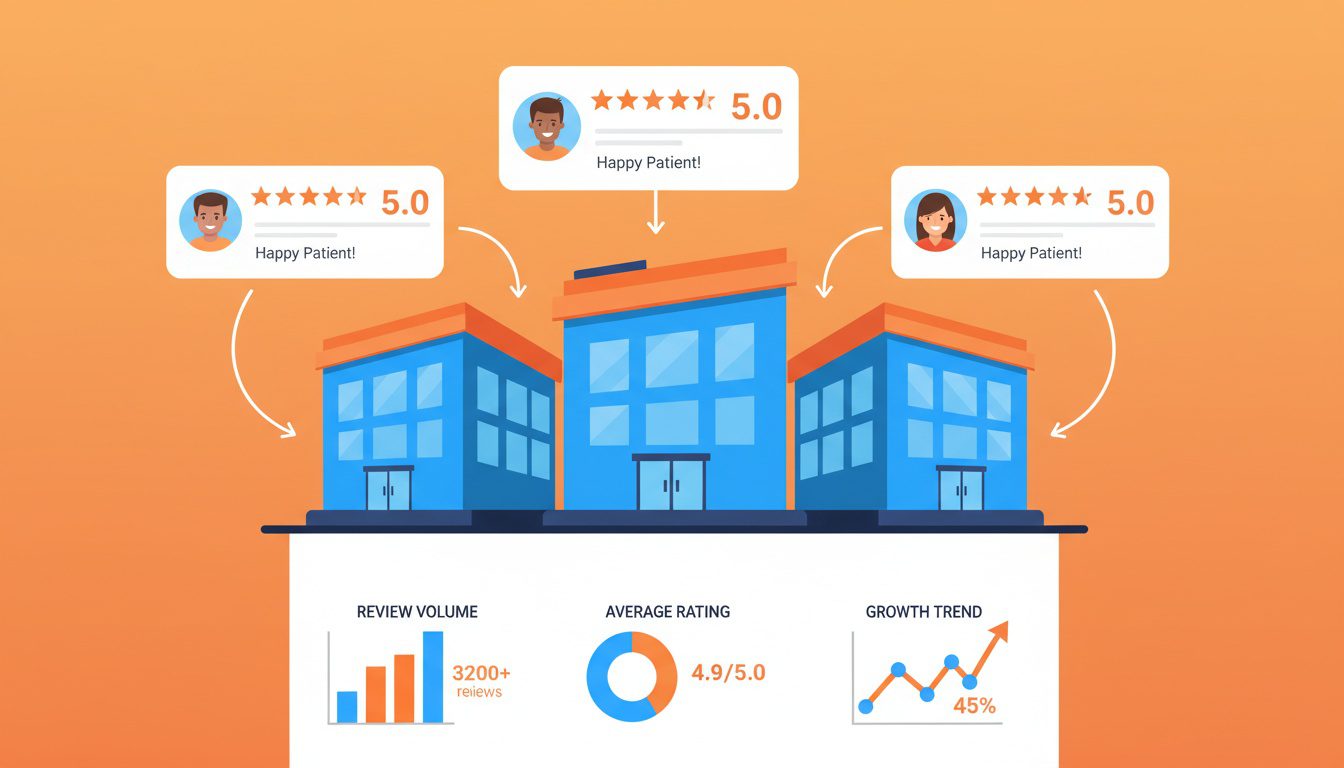
Reviews make up 16% of local pack rankings according to Whitespark.
They're also the first thing potential patients look at when deciding between practices.
Here's the problem for multi-location practices: Reviews need to go to the right location's Google Business Profile. If all your reviews funnel to your main office, your other locations look abandoned.
And abandoned-looking locations don't attract patients.
Location-Specific Review Generation
Train your front desk staff at each location. This is critical.
- Ask at checkout - "Would you mind leaving us a review? It really helps other patients find us." Simple. Direct. Works.
- Send follow-up emails - Automated email after appointments with a direct link to that location's GBP. Not your main office. That specific location.
- Use QR codes - Physical QR codes at each office linking to that specific location's review page. Put them at checkout, in treatment rooms, wherever makes sense.
- Text message requests - SMS follow-up works better than email for a lot of patients. Meet them where they are.
The review generation system should be the same process at each location. Just pointing to different GBP links.
Review Response Strategy
Respond to every review at every location within 24-48 hours.
Here's the framework:
| 5-star positive | Thank them, mention something specific, invite them back |
| 4-star positive | Thank them, acknowledge any concerns, offer to improve |
| 3-star mixed | Thank them, address concerns, offer offline resolution |
| 1-2 star negative | Apologize, take offline immediately, don't argue publicly |
And personalize the responses. Mention the location: "Thank you for visiting our Huntington Beach office!"
Generic copy-paste responses signal low effort. Patients notice. So does Google.
For more detailed guidance, check out our review management system and review response templates.
Review Velocity Goals
Set monthly review targets for each location:
- New locations - Focus on getting to 10+ reviews quickly. That's the major credibility threshold. Below 10 reviews, you look brand new (even if you're not).
- Established locations - Aim for 2-4 new reviews per month minimum. Consistent growth signals activity.
- Competitive markets - Match or exceed competitor review velocity. Check what they're getting and beat it.
Research shows that 75% of consumers "always" or "regularly" read reviews when researching local businesses.
More reviews with higher ratings directly impacts patient acquisition. It's that simple.
Tracking Performance Across Multiple Locations

You can't improve what you don't measure.
And with multiple locations, you need separate tracking for each. Not combined. Not averaged. Individual tracking per location.
Otherwise, a struggling location hides behind a successful one. And you never fix the real problem.
Essential Metrics Per Location
Track these KPIs for every location:
- Local pack rankings - Where do you appear for "[city] chiropractor" searches? This is the money metric.
- Organic traffic to location pages - Is each page actually getting search traffic? Or is it dead?
- GBP views and actions - How many people see your listing and take action? Calls, direction requests, website clicks.
- Phone calls per location - Which locations generate the most calls? Where's the phone ringing?
- Website conversions - Form submissions, online bookings. Tracked by location.
Review count and rating - Tracking review growth over time. Are you gaining momentum or stalling?
Tools for Multi-Location Tracking
| Google Search Console | Organic rankings, clicks, impressions | Free website performance data |
| Google Business Profile Insights | GBP views, actions, photo views | Free GBP performance data |
| BrightLocal | Local rankings, citations, reviews | Comprehensive local SEO tracking |
| Whitespark Local Rank Tracker | Map pack rankings by location | Detailed local ranking data |
| Google Analytics 4 | Website traffic, conversions, user behavior | Website performance |
| Call tracking (CallRail, etc.) | Phone calls by source and location | Call attribution |
Set up separate views or filters in your analytics to isolate each location's performance.
This lets you identify which locations need more attention and which strategies are actually working.
For a deeper dive on analytics setup, see our guide on chiropractic GA4 setup and marketing analytics.
Monthly Reporting Cadence
Create a monthly report for each location tracking:
- Rankings changes (up/down for target keywords)
- Traffic trends (month-over-month, year-over-year)
- GBP performance (views, calls, direction requests)
- Review count and average rating
- Conversion metrics (appointments booked)
Compare locations against each other to identify what's working.
If one location is crushing it while another struggles? Dig into the differences. What's the successful location doing that the other isn't?
That's where the insights are.
Common Multi-Location SEO Mistakes to Avoid
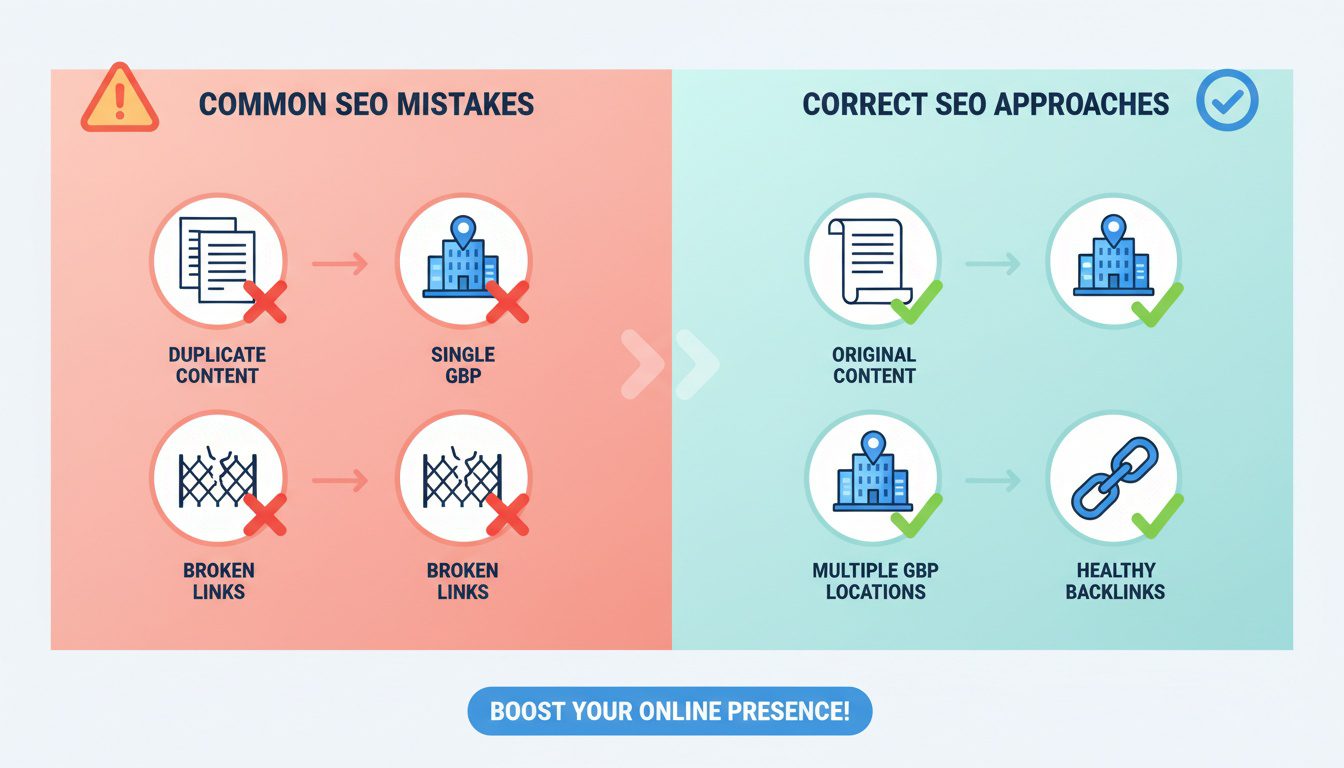
After working with dozens of multi-location practices, these are the mistakes we see over and over again.
Don't be one of them.
Mistake #1: One GBP for Multiple Locations
Some practices try to list multiple addresses in one Google Business Profile.
Google will suspend or restrict these listings. Full stop.
The fix: One GBP per physical address. No exceptions. No workarounds.
Mistake #2: Copy-Paste Location Pages
Duplicating content across location pages is the fastest way to tank your local SEO.
Google will either ignore the duplicate pages or struggle to figure out which one to rank. Either way, you lose.
The fix: Write unique content for every location page. Yes, it takes more time. Yes, it's absolutely worth it.
Mistake #3: Linking All GBPs to Homepage
Your Google Business Profile website link should go to the dedicated location page. Not your homepage.
Sending all traffic to the homepage dilutes the location signal Google is looking for.
The fix: Link each GBP to its corresponding location page (yourdomain.com/locations/city-name/).
Mistake #4: Ignoring Citation Consistency
Inconsistent NAP across directories confuses Google and hurts rankings.
This is especially common when practices change phone numbers or addresses and don't update all their citations. Old info is still floating around out there.
The fix: Audit citations quarterly. Use tools like BrightLocal or Moz Local to find and fix inconsistencies.
Mistake #5: Neglecting Newer Locations
Practices often focus all SEO effort on their flagship location while the second office gets ignored.
This creates a self-fulfilling prophecy where the new location never gains traction.
The fix: Allocate SEO effort proportionally. New locations often need MORE attention initially to build authority. Not less.
Mistake #6: Using Virtual Addresses
Some practices try to create GBP listings for areas they don't physically operate from using virtual offices or PO boxes.
Google actively fights this. They will suspend these listings. And it can damage your entire account.
The fix: Only create listings for locations where you actually see patients in person. No shortcuts here.
Frequently Asked Questions
Do I need separate websites for each chiropractic location?
Nope. One website with dedicated location pages is the way to go for most multi-location chiropractic practices.
Here's why this works better than separate domains:
It consolidates your domain authority instead of splitting it across multiple sites. All that SEO juice stays in one place.
It's way easier to manage. One website to update, one hosting account, one analytics setup.
Each location still gets its own optimized page targeting its specific market. You get the best of both worlds.
The only exception? If your locations operate under completely different brand names with distinct market positioning. But for most practices with 2-3 locations under the same brand, one website is the move.
How do I avoid duplicate content across location pages?
This is where most practices blow it. So let's be specific.
Create genuinely unique content for each location page:
Write location-specific patient testimonials. Reviews mentioning "the Huntington Beach office" hit different than generic testimonials.
Include photos of each office and staff. The actual people patients will see when they walk in. Not stock photos.
Document community involvement and local partnerships. Sponsor a little league team? Part of the local chamber? That's content gold.
Write driving directions from nearby landmarks. "Take the 405 south to Beach Blvd..." This is hyperlocal content Google loves.
Create unique service descriptions relevant to that community. A beach town location might emphasize sports injuries. A business district might focus on desk worker back pain.
The rule is simple: Never copy and paste the same content with only the city name changed. Google sees through it. Every time.
Can I use one Google Business Profile for multiple locations?
No. Hard no.
Google requires a separate Google Business Profile for each physical location. This isn't a suggestion. It's a requirement.
Each profile must have its own unique phone number and address. You can manage all profiles from one Google account using location groups (which makes life easier). But each location needs its own verified listing.
If you try to list multiple addresses in one GBP, Google will suspend or restrict the listing. Don't test this.
One location = one GBP. Simple as that.
How long does it take to rank multiple chiropractic locations?
Real talk: expect 3-6 months for initial improvements in local rankings.
Newer locations typically take longer than established ones. You're building authority from scratch.
Here's what affects the timeline:
Existing domain authority - If your main site is already strong, new location pages benefit from that. If your site is weak, everything takes longer.
Competition level in each market - A suburban area with three competitors? Faster. Downtown area with 20 competitors? Longer.
Review velocity - Locations that quickly build reviews rank faster. Period.
Citation consistency - Clean, consistent citations speed things up. Messy citations slow you down.
My recommendation: Focus on your flagship location first. Get the framework dialed in. Then systematically apply it to other locations. Trying to do everything at once usually means nothing gets done well.
Should each location have different phone numbers?
Yes. Each location needs a unique local phone number.
Here's why this matters:
NAP consistency requires it. Google needs to see a distinct phone number for each distinct location. Shared phone numbers confuse the algorithm.
Local search results depend on it. When someone searches "chiropractor near me," Google is looking at which businesses serve that specific area. Same phone number across locations muddles that signal.
Using call tracking numbers is totally fine. Just make sure they're consistent everywhere that location appears online. Your website, your GBP, your citations—all matching for that specific location.
How do I manage reviews across multiple chiropractic locations?
Each location needs its own review generation strategy. Here's how to set it up:
Train staff at each office to request reviews pointing to that specific location's Google Business Profile. Not the main office. That location.
Give each office location-specific QR codes and review links. Make it stupid easy to leave a review at the right place.
Set up automated follow-up emails with the correct review link for each location. After every appointment.
Respond to all reviews within 24-48 hours with personalized, location-specific responses. "Thank you for visiting our Costa Mesa office!" shows you're paying attention.
For baseline targets: Aim for 10+ reviews per location as quickly as possible. That's the credibility threshold. Then target 2-4 new reviews per month per location ongoing.
Reviews at the wrong location don't help. And locations with few reviews look abandoned. Neither is good.
What's the best URL structure for multiple location pages?
Use a subfolder structure: yourdomain.com/locations/city-name/
This is preferred over subdomains (city.yourdomain.com) because it consolidates domain authority. Everything builds on your main domain instead of splitting off.
It's also way easier to manage. One site structure. One analytics setup. One maintenance routine.
Each location page URL should include the city or neighborhood name. Keep it clean and keyword-rich:
- /locations/huntington-beach/
- /locations/costa-mesa/
- /locations/newport-beach/
And critically: Link your Google Business Profile directly to each location's dedicated page. Not to your homepage. The specific page for that location.
Do I need local citations for each chiropractic location?
Yes. Each location needs its own citation profile.
That means separate listings on directories like Yelp, Healthgrades, and local business directories for each address.
Here's what matters:
Citations must be 100% consistent with your Google Business Profile for that location. Same name format. Same address format. Same phone number. Exactly matching.
Prioritize quality over quantity. Healthcare-specific directories (Healthgrades, Zocdoc) and local community directories carry more weight than random general directories.
Audit regularly. When you change a phone number or address, old citations don't update themselves. You have to go fix them. Quarterly audits catch inconsistencies before they hurt you.
Tedious? Yes. Necessary? Also yes. This is the boring stuff that separates practices that rank from practices that don't.
Conclusion
Look, multi-location SEO isn't rocket science.
But it does require a systematic approach. You can't wing it and expect results.
The core framework is straightforward: dedicated location pages with unique content, separate Google Business Profiles for each address, consistent citations, location-specific reviews, and proper tracking.
That's really it.
Most chiropractors struggle because they try to take shortcuts. They copy-paste location pages. They link all GBPs to the homepage. They ignore their newer locations and wonder why they never take off.
Those shortcuts cost patients every single day.
The practices that dominate multiple local markets? They invest the time to do it right. They treat each location as its own local SEO project while maintaining brand consistency across the whole practice.
Start with one location. Get the framework dialed in. Then systematically apply it to each additional office.
Your second location can perform just as well as your first. It just needs the same attention.
Look, you've got the blueprint now.
But if you're staring at this thinking "I don't have 20 hours to optimize location pages and build citations for each office"... you're not alone. Most successful chiropractors we work with felt the same way before they realized their website and online presence were quietly costing them 15-20 qualified patient leads every single month.
That's why we created our Free Website Conversion Analysis. It's not a sales pitch—it's a genuine walkthrough of the 3 biggest problems killing your bookings, delivered personally via Loom video within 24 hours.
We'll show you exactly:
- Why visitors leave without booking
- What's broken on mobile devices (where most searches happen)
- Missing trust signals costing you patients
- Where you rank vs. local competitors
- Simple fixes that drive more calls this month
You'll also get an instant case study while you wait, showing real examples of how other chiropractors fixed these exact problems.
Get your free analysis here — no credit card, no obligation, just actionable insights you can use whether you work with us or not.
Because every day your locations stay invisible in local search is another day competitors in those markets are booking the patients who should be coming to you.

Gerek Allen
Co-Owner iTech Valet
Entrepreneur, patriot, CrossFit junkie, IPA enthusiast, loves to travel to tropical destinations, and knows way too many movie quotes.


About iTech Valet
iTech Valet specializes in web design and content marketing for online entrepreneurs who want to share their expertise.
Services Include:
- Web Design
- Graphic Design
- Sales Copy
- Funnel Building
- Authority Sites
- Membership Sites
- Course Creation
- Email Systems
- Content Marketing
- Competitive Analysis
- Tech Integrations
- Strategic Planning
NEED MORE CLIENTS?
Free conversion-focused analysis uncovers the 3 biggest problems killing your bookings — we'll walk you through your results personally

621 Enterprises, Inc. | Copyright 2022 | All rights reserved