


How to Use Google Posts to Get More Chiropractic Patients in 2026
 by Gerek Allen ~ Last Updated: December 16th, 2025 ~ 12 Min Read
by Gerek Allen
~ Last Updated: December 16th, 2025 ~
~ 12 Min Read ~
Use Google Posts by creating regular updates directly on your Google Business Profile that showcase offers, events, health tips, and practice news to attract local patients searching for chiropractic care.
Here's what most chiropractors get wrong about their Google Business Profile: they set it up once and never touch it again.
Big mistake.
That profile is often the first thing potential patients see when they search "chiropractor near me." And Google gives you a free tool to make that first impression count—Google Posts.
Think of them like mini-ads that show up right on your listing. No ad spend required. They appear when someone's actively looking for a chiropractor, which means they're already ready to book.
Here's the kicker: according to research from Sterling Sky, offer posts get way more clicks than standard update posts, and posts with titles receive almost twice the engagement. That's not theory—that's data from analyzing over 1,000 Google Posts across multiple industries.
Most chiropractors either don't use Google Posts at all, or they post randomly whenever they remember. Both approaches leave patients (and revenue) on the table.
This guide walks you through exactly how to use Google Posts—what types to create, when to post, how to write them, and how to tell if they're actually working.
Sound fair? Let's get into it.
What Are Google Posts and Why Do They Matter for Chiropractors?
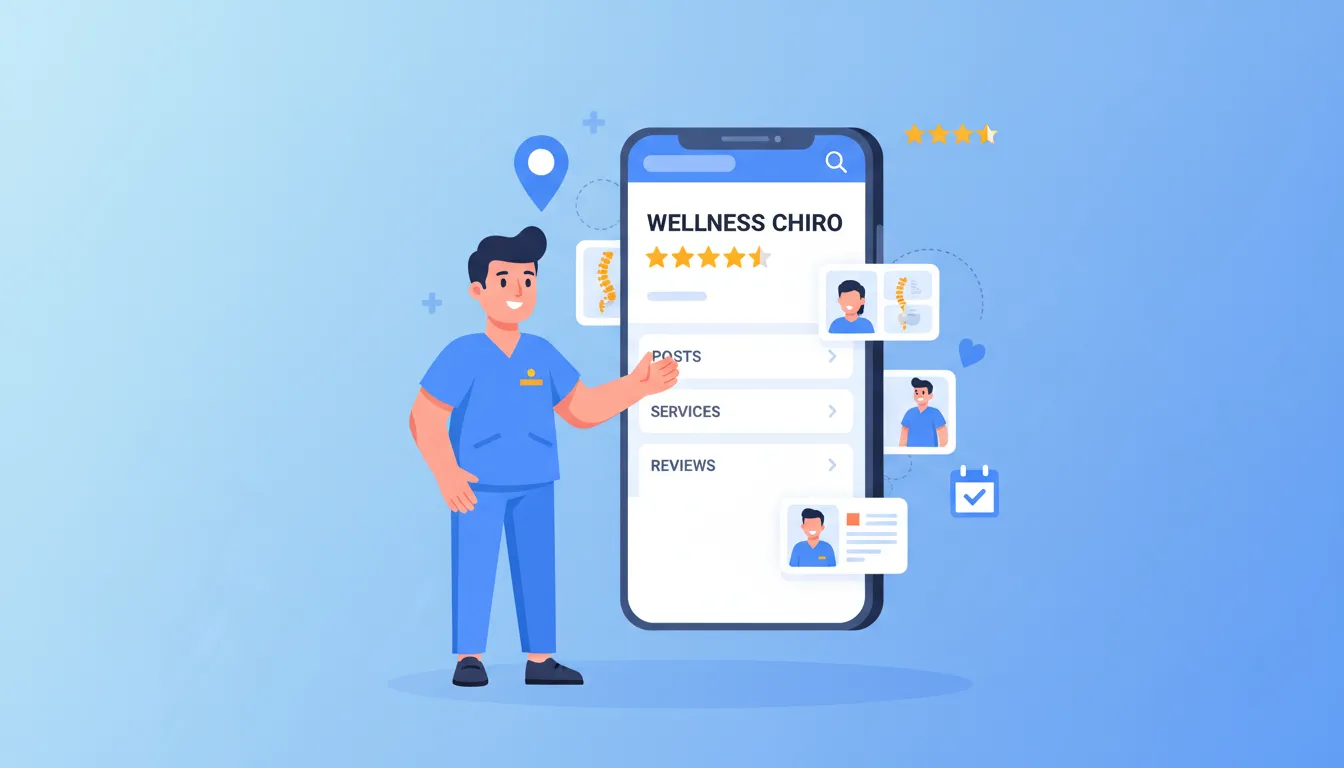
Google Posts are basically mini-updates you create right inside your Google Business Profile. Text, images, videos, CTA buttons—the works.
When someone searches for your practice—or searches "chiropractor near me"—these posts show up right on your listing in Google Search and Maps.
That placement is powerful.
You're reaching people at the exact moment they're looking for chiropractic care. Not scrolling social media. Not checking email. Actively searching.
How Google Posts Display to Potential Patients
Your posts show up in a few different spots depending on how someone finds you.
On desktop, they appear in your Knowledge Panel (that big info box on the right side of search results). On mobile, they show in a scrollable card format that patients can swipe through.
But here's where it gets interesting.
Google also pulls snippets from your posts into your listing. You might see something like "Posts mention: Free consultation" appearing right below your business name in the Map Pack.
This "post justification" feature gives you extra real estate in search results. It's like getting a free headline that tells searchers exactly what you're offering.
Pretty sweet, right?
Why Google Posts Beat Social Media for Local Patients
Let's be real about social media for a second.
Your Facebook post competes against cat videos, political rants, and your aunt's vacation photos. Google Posts don't have that problem.
When your Google Post appears, it's because someone specifically searched for a chiropractor. They're not scrolling mindlessly—they're looking to book.
Research shows that 42% of local searches involve clicks on the Google Map Pack. That's a huge chunk of potential patients who see your posts before they ever visit your website.
Plus, Google Posts are completely free. You're getting prime visibility without spending a dollar on advertising.
(Can't say that about Facebook ads.)
The Connection Between Google Posts and Map Pack Rankings
Alright, quick reality check: Google Posts don't directly boost your ranking position.
But here's what they do.
Businesses listed first in Google's Local Pack get approximately 23.6% of clicks. Posts increase click-through rates and engagement—two signals that contribute to stronger local visibility over time.
Think of it this way: consistent posting signals to Google that your business is active. An inactive profile looks like an inactive business.
And Google prioritizes businesses that post regularly and keep information fresh.
Translation? Keep your profile looking alive, and Google rewards you.
For a deeper dive into optimizing your entire profile, check out our guide on how to optimize your Google Business Profile as a chiropractor.
The Four Types of Google Posts for Chiropractic Practices
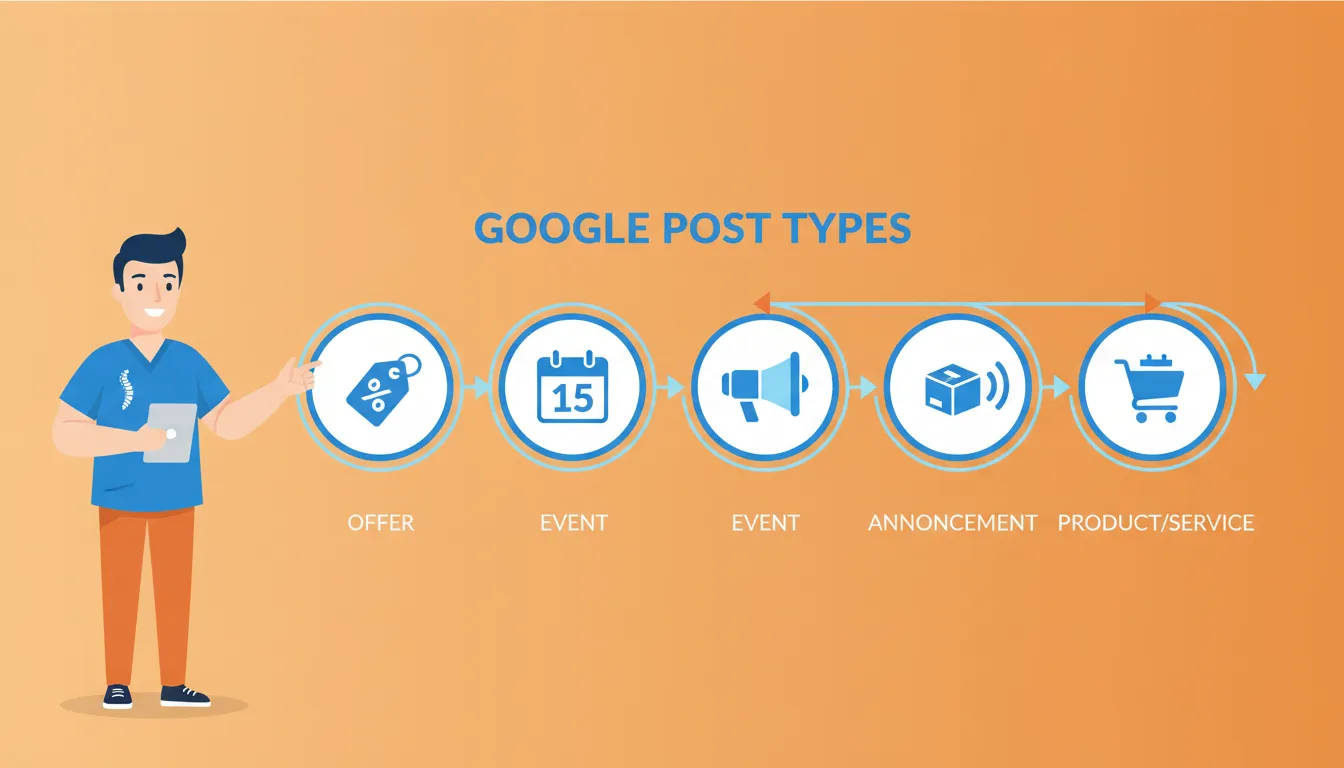
Google gives you four post types to work with. Each serves a different purpose.
And here's what matters: the type you choose affects how many clicks you get.
Not all posts are created equal.
Offer Posts (Your Best Performer)
Offer posts promote discounts, specials, or limited-time deals. They automatically include a "View offer" button and appear prominently near the top of your Business Profile.
According to Sterling Sky's analysis of over 1,000 Google Posts, offer posts consistently outperform other post types in clicks and conversions.
Why? They create urgency.
A patient on the fence about booking sees "New Patient Special: $49 Exam + Adjustment" with an expiration date. Suddenly there's a reason to act now instead of later.
Examples for chiropractors:
- New patient exam specials ($49-$79 introductory offers) - These convert like crazy because they lower the risk of trying you out
- Seasonal promotions (back-to-school posture screenings) - Timely and relevant to what parents are already thinking about
- Family package discounts - Great for turning one patient into three or four
- Free consultation offers - Even "free" counts as an offer post
- Referral bonuses - Reward your best patients for spreading the word
Offer posts require a title, start date, and end date. The title appears as a headline, so make it specific and benefit-focused.
Event Posts
Event posts announce workshops, open houses, community events, or health seminars your practice is hosting.
These require an event title, start date, end date, and time. You can add photos, descriptions, and call-to-action buttons to drive registrations.
Examples for chiropractors:
- Spinal health workshops - Position yourself as the local expert
- Posture screening events - Low barrier, high value for attendees
- Community wellness seminars - Build relationships beyond adjustments
- Open house celebrations - Great for new practices or office moves
- Lunch-and-learn sessions for local businesses - B2B referral goldmine
Event posts work well if you regularly host educational events or partner with local organizations.
(If you don't host events... maybe that's your sign to start.)
Update Posts (What's New)
Update posts are your general-purpose option. News, health tips, staff announcements, behind-the-scenes content—this is where it goes.
Here's the thing though.
Sterling Sky's research found that update posts were the worst-performing type in terms of click-through rate.
That doesn't mean never use them. Just don't rely on them exclusively.
Examples for chiropractors:
- Introduction of new services or techniques - Patients don't know if you don't tell them
- Staff member spotlights - People like knowing who they'll meet
- Practice milestone announcements - 10 years in business? Celebrate it
- Seasonal health tips - Useful, shareable, positions you as helpful
- Educational content about chiropractic care - Answer questions before they ask
Update posts work best when you have genuine news to share. Not just when you feel like you "should" post something.
Product Posts
Product posts let you showcase specific services with images, descriptions, and pricing. They feed into a "Products" section in your Knowledge Panel.
For chiropractors, you can use this to highlight:
- Spinal adjustment services - Your bread and butter
- Sports injury treatment - Attract athletes and weekend warriors
- Prenatal chiropractic care - Niche service, dedicated audience
- Pediatric services - Nervous parents research everything
- Massage therapy (if offered) - Cross-sell opportunities
- Corrective exercise programs - Show the full scope of what you do
Product posts help patients understand exactly what you offer before they even visit your website.
| Offer | Specials, discounts, limited deals | Yes (start/end) | View offer, Book, Call |
| Event | Workshops, seminars, open houses | Yes (date/time) | Sign up, Learn more |
| Update | News, tips, announcements | No | Book, Call, Learn more |
| Product | Services, specific treatments | No | Order, Learn more |

NEED MORE CLIENTS?
Free conversion-focused analysis uncovers the 3 biggest problems killing your bookings — we'll walk you through your results personally

Step-by-Step: Creating Your First Google Post

Alright, let's do this.
Here's the exact process to create your first post. (Spoiler: it's not complicated.)
Step 1: Access Your Google Business Profile
You've got two options.
Option A: Through Google Search
Search for your practice name in Google while logged into your business account. You'll see your Knowledge Panel with an "Add update" or "Edit profile" button.
Click it. Done.
Option B: Through Google Business Profile Manager
Go to business.google.com and select your listing. Navigate to the "Add update" section.
If you haven't claimed your Google Business Profile yet, you'll need to do that first. Google requires verification to prove you actually own or manage the business. Usually involves a postcard, phone call, or video verification.
For practices that need help with overall profile setup, our guide on improving local SEO for chiropractic practices covers the fundamentals.
Step 2: Choose Your Post Type
Click "Add update" and select the post type that matches your content:
- Add offer for promotions and specials
- Add event for workshops or scheduled activities
- Add update for news and general information
Remember what we said earlier: offer posts tend to perform best.
If you can frame your content as an offer (even a free consultation), do it. Your click-through rate will thank you.
Step 3: Write Compelling Post Content
Your post can include up to 1,500 characters, but shorter usually performs better. Aim for 150-300 words that get straight to the point.
Here's the structure that works:
- Hook: What's in it for the patient? Lead with the benefit.
- Details: What exactly are you offering? Be specific.
- Urgency: Why should they act now?
- CTA: What do you want them to do?
Example for a new patient offer:
"Tired of living with back pain? Our New Patient Special includes a comprehensive spinal exam, posture analysis, and your first adjustment—all for just $49 (regularly $175). Limited appointments available this month. Call today to claim your spot."
Now... this part matters.
Key writing tips:
- Use a title (posts with titles get nearly 2x more clicks)
- Don't use ALL CAPS (normal capitalization gets almost twice the clicks—seriously)
- Include relevant keywords naturally
- Keep paragraphs short and scannable
Step 4: Add a High-Quality Image
This step matters more than you probably think.
Sterling Sky's research found that posts with unique (non-stock) images get 5.6x more clicks than posts with stock photos.
5.6 times. Not 5.6 percent. Times.
Image requirements:
- Resolution: 1080 x 1080 pixels (square) works best
- Format: JPG or PNG
- File size: Under 5MB
What to photograph:
- Your actual practice space - Patients want to see where they're going
- Your team in action - Faces build trust
- Real patients (with permission) - Social proof is powerful
- Your equipment - Especially if you have cool technology
- Before/after posture comparisons - Visual results speak loudly
- Educational diagrams or infographics - Show your expertise
Avoid generic stock photos of people holding their backs. Patients have seen them a thousand times.
They smell like marketing. And patients hate being marketed to.
Step 5: Select Your Call-to-Action
Every post should include a CTA button. Google offers several options:
- Book - Links to your scheduling page
- Call now - Triggers a phone call
- Learn more - Links to a webpage
- Sign up - For event registrations
- Get offer - For promotional posts
Choose the CTA that matches what you actually want patients to do.
For most chiropractors, "Book" or "Call now" will drive the most valuable actions. Don't overthink this.
Pro tip: Add UTM parameters to your CTA links so you can track which posts drive website traffic in Google Analytics. More on that later.
Step 6: Preview and Publish
Before publishing, preview your post to see how it looks on both desktop and mobile.
Check for:
- Spelling and grammar errors (nothing kills credibility faster)
- Image cropping issues (especially on mobile)
- Working CTA links (test them yourself)
- Clear, readable text
Once everything looks good, hit publish.
Your post goes live immediately. That's it.
(Told you it wasn't complicated.)
Optimizing Your Google Posts for Maximum Engagement

Publishing posts is just step one.
Here's how to make them actually perform.
Using Emojis Strategically
The data supports it: posts with emojis get twice as many clicks according to Sterling Sky's analysis.
But don't go overboard.
One or two relevant emojis in your title or key benefit statement adds visual interest without looking spammy. You're a healthcare professional, not a teenager texting.
Good examples:
- ✅ New Patient Special
- 🗓️ Limited Appointments Available
- 📞 Call Today
Avoid stuffing multiple emojis throughout your post. That crosses into unprofessional territory real quick.
Timing Your Posts for Maximum Visibility
Most businesses see better engagement posting midweek (Tuesday through Thursday) during mid-morning to early afternoon hours.
Why? That's when people are actively searching and making plans. Weekend posting tends to get lower engagement unless you're promoting a Saturday event.
That said, consistency matters more than perfect timing.
A post every Tuesday at 10am beats random posting whenever you remember.
Track your results over time. Adjust based on what your specific audience responds to.
Writing Posts That Drive Action
Here's what separates posts that get clicks from posts that get ignored:
Urgency and scarcity work. "Same-day appointments available" or "Only 5 spots left this month" motivates action. Sterling Sky's research specifically found that posts containing a sense of urgency performed significantly better.
Specific beats vague. "$49 New Patient Exam" outperforms "Affordable chiropractic care" every time. Numbers and specifics feel real. Vague claims feel like marketing fluff.
Benefits beat features. "Wake up without back pain" resonates more than "We offer spinal adjustments." Focus on what patients actually want.
Strong CTAs convert. "Book your appointment today" beats "Contact us for more information." Tell people exactly what to do next.
Image Best Practices That Get Clicks
Beyond avoiding stock photos, here's what makes images perform:
- Show faces. Images with people (especially your team) build trust faster than anything else.
- Use good lighting. Dark, grainy photos look unprofessional. Period.
- Brand consistently. Use your practice colors when possible.
- Add text overlays sparingly. A brief headline on the image can reinforce your message.
- Avoid cluttered backgrounds. Simple compositions focus attention.
| Source | Real photos of your practice | Generic stock photos |
| Quality | Bright, clear, well-lit | Dark, blurry, low-res |
| Subject | Your team, patients, space | Random medical imagery |
| Branding | Consistent colors and style | Mismatched visuals |
| Text overlay | Simple headline (optional) | Cluttered text blocks |
For related strategies on visual content, check out our article on chiropractic video marketing.
How Often Should Chiropractors Post on Google?
This question comes up constantly.
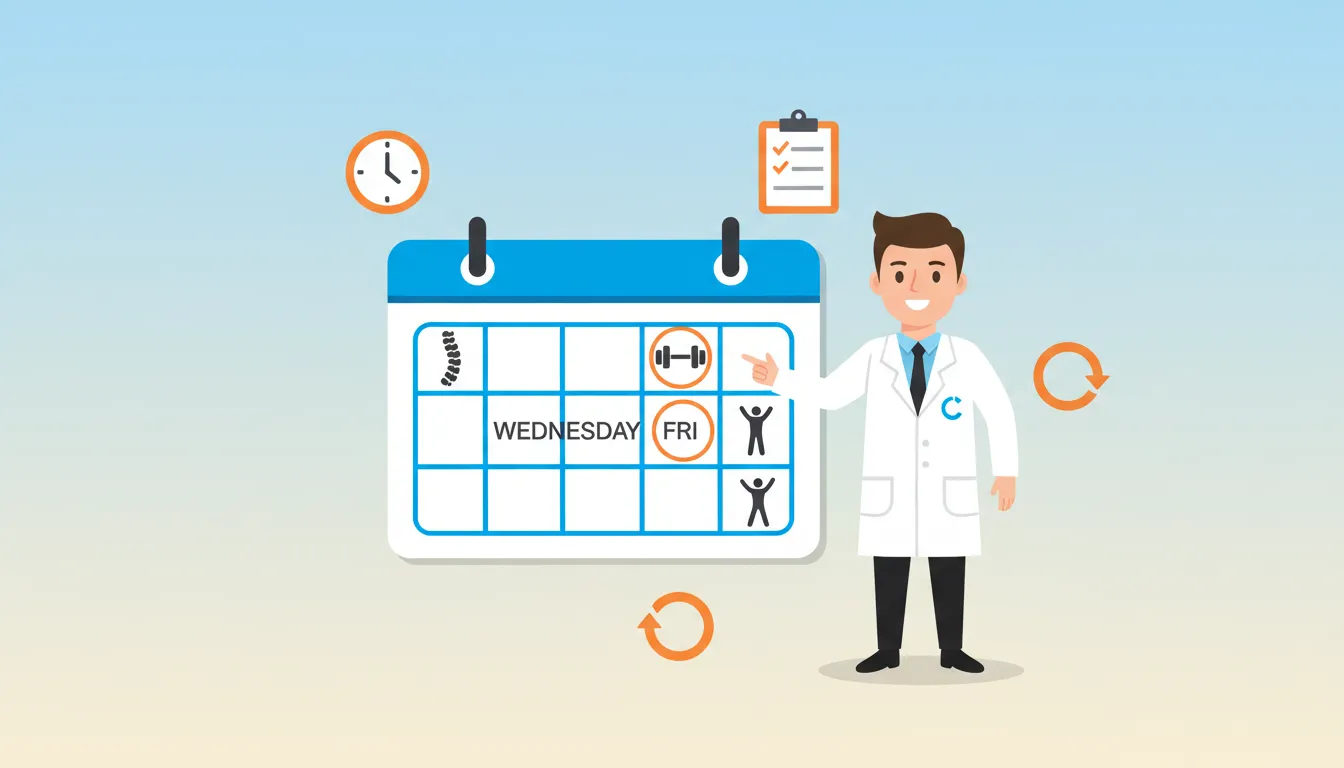
The answer: once a week is the sweet spot for most practices.
Here's why.
The Case for Weekly Posting
Most post types lose prominence after about seven days. Posting weekly keeps fresh content visible and signals to Google that your business is actively managed.
Industry experts at Local Search Forum recommend 1-2 offer posts per month at minimum. Weekly posting keeps you above that threshold while remaining sustainable.
Going more than a few weeks without posting makes your profile look neglected.
And patients notice—an outdated post from three months ago doesn't exactly scream "thriving practice."
ROI When More Frequent Posting Makes SenseFramework
Some situations warrant posting 2-3 times per week:
- You're running multiple concurrent promotions
- You have several events happening
- You're launching new services
- Your practice is in a highly competitive area
But frequency should never come at the expense of quality.
Three thoughtful posts beat five rushed ones every time.
"But I Don't Have Time for This"
I hear you.
You've got patients to see, a team to manage, and a business to run. The last thing you need is another marketing task.
Here's the truth though: we're talking about one post per week. Maybe 15-20 minutes if you batch your work.
The ROI is hard to ignore. Free visibility on Google at the exact moment patients are searching for chiropractic care? That's not fluff. That's money.
And here's how to make it even easier.
Creating a Sustainable Posting Schedule
Batch your posts in advance. Spend an hour at the beginning of each month writing and scheduling content.
This prevents the "I should post something" scramble that leads to low-quality content.
Here's a realistic monthly calendar:
Week 1: Offer post (new patient special or service discount)
Week 2: Educational update (health tip or seasonal advice)
Week 3: Offer post (different service or referral program)
Week 4: Event or community post (workshop, sponsorship, local involvement)
This rotation keeps content fresh while ensuring you're regularly using the highest-performing post type (offers).
For more on building consistent marketing systems, our guide on creating a chiropractic marketing plan walks through the full process.
Measuring Your Google Posts Performance

You can't improve what you don't measure.
Here's how to track whether your posts are actually working—or just filling space.
Understanding Google Business Profile Insights
Google provides basic metrics for your posts directly in your Business Profile dashboard.
Key metrics to track:
- Views: How many times your post appeared
- Clicks: How many people clicked your CTA button
These numbers give you a baseline for comparison.
If one post gets 500 views and 50 clicks while another gets 500 views and 5 clicks, you've learned something about what resonates with your audience.
Why Google's Numbers Don't Tell the Full Story
Here's something important: clicks reported in Google Business Profile don't match clicks in Google Analytics.
Annoying? Yes.
Sterling Sky has documented this discrepancy extensively. The numbers differ because of how each platform tracks interactions.
For accurate measurement, add UTM parameters to every CTA link. This lets you see exactly which posts drive traffic and conversions in Google Analytics.
Example UTM structure:
?utm_source=google&utm_medium=organic&utm_campaign=gbpposts&utm_content=newpatientoffer-dec2026
This tells you the traffic came from Google, it was organic (not paid), it was from a GBP post, and specifically from your December new patient offer.
A little nerdy? Sure. But now you actually know what's working.
Tracking Real Business Results
Ultimately, you care about patients. Not just clicks.
Track these downstream metrics:
- Phone calls from your GBP listing
- Appointment bookings where patient mentioned "Google" as source
- New patient intake forms that indicate Google search
Consider using call tracking numbers specifically for your Google Business Profile. This lets you measure exactly how many calls come from your listing versus other sources.
For deeper analytics implementation, check out our guide on chiropractic marketing analytics.
| Post views | GBP Insights | Overall visibility |
| Post clicks | GBP Insights | Initial engagement |
| Website visits | Google Analytics | Post-click behavior |
| Phone calls | Call tracking | Direct conversions |
| Bookings | Your scheduling system | Bottom-line impact |
Common Google Post Mistakes to Avoid
After working with dozens of chiropractic practices, we see the same mistakes over and over.
Here's how to avoid them.
Mistake #1: Using Stock Photos
We've said it before. Saying it again because it matters.
Stock photos kill engagement. That generic image of someone clutching their lower back? Patients have seen it a thousand times.
The fix: Build a library of real photos from your practice. Spend an hour with a decent smartphone taking pictures of your space, team, and (with permission) patients. You'll have months of authentic content.
Mistake #2: Posting Without Titles
Posts with titles get nearly twice the clicks.
Yet many practices skip this field entirely.
Why? I honestly don't know. Don't be one of them.
The fix: Always include a title, even for update posts. Make it benefit-focused and specific.
Mistake #3: All Caps Titles
"FREE CONSULTATION!!!" looks like spam.
Normal capitalization actually performs better. The data proves it.
The fix: Write titles like normal sentences. "Free Consultation for New Patients" reads better and gets more clicks.
Mistake #4: Relying Only on Update Posts
Update posts are the worst performers. If that's all you're using, you're leaving engagement on the table.
The fix: Prioritize offer posts. Even if you don't have a discount, a "Free Consultation" or "Complimentary Posture Screening" qualifies as an offer.
Mistake #5: Inconsistent Posting
Posting five times one week then nothing for two months signals an inactive business.
Google notices. Patients notice.
The fix: Set a sustainable schedule and stick to it. Weekly posting is better than sporadic bursts of activity followed by radio silence.
Mistake #6: Ignoring Mobile Display
Most people see your posts on mobile devices.
A post that looks great on desktop might get cropped awkwardly on a phone. Images get cut off. Text gets truncated.
The fix: Always preview posts on mobile before publishing. Check that images display properly and text is readable.
Advanced Google Posts Strategies
Once you've mastered the basics, these strategies take your posts to the next level.
Coordinate Posts with Your Other Marketing
Your Google Posts shouldn't exist in isolation. They should reinforce your broader marketing efforts.
Running a Facebook ad campaign for a new patient special? Create a matching Google Post.
Sending an email about a workshop? Post it to Google too.
This multi-channel approach means patients see your message wherever they encounter your practice. Repetition builds recognition.
Seasonal and Timely Posting
Certain times of year present natural opportunities:
- January: New Year health resolutions, posture goals - Everyone's motivated (at least for a few weeks)
- Spring: Sports injury prevention as people get active - Golf season alone keeps some practices busy
- Back to school: Backpack posture checks, student athlete screenings - Parents eat this up
- Holiday season: Gift certificates, end-of-year insurance reminders - Use-it-or-lose-it benefits drive action
Align your posts with what's already top-of-mind for patients.
Leveraging Post Justifications
Remember those snippets that appear in your Map Pack listing? ("Posts mention: Free consultation")
These justifications give you extra visibility in search results.
To trigger them, make sure your post content includes terms that match what people search for.
If someone searches "chiropractor free consultation," having a post with that exact phrase increases the chance of your post justification appearing.
Pretty simple. Shockingly effective.
Cross-Promoting Services
Use posts to introduce patients to services they might not know you offer.
Existing patients come in for adjustments—but do they know you offer massage therapy?
Someone finds you for back pain—but do they know you treat sports injuries?
Posts that highlight your full range of services can expand your relationship with existing patients while attracting new ones.
For more on service promotion, our guide on chiropractic content marketing covers content strategies across all channels.
Frequently Asked Questions
How long do Google Posts stay visible?
Standard update posts used to expire after 7 days, but Google has extended this. Currently, Google shows up to 10 of your most recent posts in the "Updates" section of your profile. Anything older than six months gets archived.
Offer posts remain visible until their end date passes. Event posts stay live until the event concludes.
The practical implication? Even though posts last longer now, weekly posting keeps fresh content prominent and signals an active business.
Do Google Posts help my ranking in local search?
Google Posts don't directly boost your ranking position in the Map Pack.
However, they increase click-through rates and engagement—signals that contribute to local visibility over time.
Think of posts as a complement to your ranking efforts. Not a replacement for foundational local SEO like optimizing your Google Business Profile, building citations, and earning reviews.
What's the ideal length for a Google Post?
While Google allows up to 1,500 characters, shorter posts typically perform better. Aim for 150-300 words that communicate your message clearly and include a strong call-to-action.
For offer posts especially, brevity works. Patients don't need a novel—they need to understand the offer and how to claim it.
Can I schedule Google Posts in advance?
Google's native interface doesn't offer scheduling. Annoying, I know.
But third-party tools like Publer, Social Champ, and dedicated local SEO platforms allow you to schedule posts in advance.
One important limitation: the Google Business Profile API doesn't support video uploads for posts. If you want to include video, you'll need to upload manually.
What image size works best for Google Posts?
The recommended resolution is 1080 x 1080 pixels (square format) for consistent display across devices.
For videos, aim for minimum 720p resolution (1280 x 720), ideally 1080p. Keep video length under 30 seconds and file size under 100MB.
Avoid square or vertical videos for posts—they may get cropped or display poorly on some devices.
Should I use the same content on Google Posts and social media?
Cross-posting is fine and saves time.
But consider adapting content for each platform. Google Post audiences are actively searching for chiropractic services—they're further along in the decision process than someone scrolling Instagram.
Tailor your Google Posts to be more action-oriented with clear CTAs and specific offers. Social media can be more casual and relationship-building.
How do I know if my Google Posts are working?
Track views and clicks in your Google Business Profile Insights as a baseline.
For accurate conversion tracking, add UTM parameters to your CTA links and monitor traffic in Google Analytics.
The ultimate measure is new patients. Ask during intake how they found you, and track patterns over time. If Google searches are trending up, your posts (and overall GBP optimization) are working.
Can I edit or delete a Google Post after publishing?
Yes, you can edit or delete posts at any time.
If you notice a typo, wrong date, or want to update your offer, simply access your Business Profile and make changes. Updates take effect quickly.
No need to stress about perfection before publishing. Fix it if you need to.
Conclusion
Google Posts give chiropractors a free, powerful way to reach patients at the exact moment they're searching for care.
The practices that win with Google Posts aren't doing anything complicated.
They're posting consistently (weekly). Prioritizing offer posts. Using real photos instead of stock images. Including clear calls-to-action.
That's it.
Start with one post this week. Make it an offer post with a compelling new patient special, a real photo from your practice, and a "Book" or "Call" button.
Then do it again next week.
Over time, you'll build a posting rhythm that keeps your profile active, attracts clicks from the Map Pack, and ultimately brings more patients through your door.
Look, I get it—you've got patients to see and a practice to run. Finding time to optimize your Google Business Profile and create weekly posts feels like one more thing on an already packed schedule.
If you're thinking "this all makes sense, but I don't have time to do it right," you're not alone. Most successful chiropractors we work with felt the same way before they realized their website and online presence were quietly costing them 15-20 qualified patient leads every single month.
That's why we created our Free Website Conversion Analysis. It's not a sales pitch—it's a genuine walkthrough of the 3 biggest problems killing your bookings, delivered personally via Loom video within 24 hours.
We'll show you exactly:
- Why visitors leave without booking
- What's broken on mobile devices (where most searches happen)
- Missing trust signals costing you patients
- Where you rank vs. local competitors
- Simple fixes that drive more calls this month
You'll also get an instant case study while you wait, showing real examples of how other chiropractors fixed these exact problems.
Get your free analysis here — no credit card, no obligation, just actionable insights you can use whether you work with us or not.
Because every day your Google Business Profile sits underoptimized is another day local patients are finding your competitors instead of you.

Gerek Allen
Co-Owner iTech Valet
Entrepreneur, patriot, CrossFit junkie, IPA enthusiast, loves to travel to tropical destinations, and knows way too many movie quotes.


About iTech Valet
iTech Valet specializes in web design and content marketing for online entrepreneurs who want to share their expertise.
Services Include:
- Web Design
- Graphic Design
- Sales Copy
- Funnel Building
- Authority Sites
- Membership Sites
- Course Creation
- Email Systems
- Content Marketing
- Competitive Analysis
- Tech Integrations
- Strategic Planning
NEED MORE CLIENTS?
Free conversion-focused analysis uncovers the 3 biggest problems killing your bookings — we'll walk you through your results personally

621 Enterprises, Inc. | Copyright 2022 | All rights reserved