


How to Use Neighborhood SEO to Get More Chiropractic Patients in 2026
 by Gerek Allen ~ Last Updated: December 5th, 2025 ~ 10 Min Read
by Gerek Allen
~ Last Updated: December 5th, 2025 ~
~ 10 Min Read ~
You're ranking #1 right around your office. Great.
But three miles away? You might as well not exist.
Most chiropractors focus their digital marketing efforts on city-level optimization and miss the fact that they're invisible to entire neighborhoods within their service area.
Here's the thing: 46% of all Google searches have local intent, and Google shows completely different results based on the searcher's exact GPS coordinates.
Someone searching from downtown sees different chiropractors than someone searching from the suburbs, even when they type the exact same keyword.
You might rank #1 in your immediate neighborhood but you're invisible three miles away where hundreds of potential patients are searching every week.
72% of consumers who conduct a local search visit a store within five miles. That five-mile radius isn't uniform though.
Your visibility drops dramatically the further you get from your actual location unless you're actively building neighborhood-specific authority signals.
Sound fair?
This guide walks through the exact seven-step neighborhood SEO system that gets chiropractors ranking in multiple neighborhoods simultaneously - capturing patients from across your entire service area instead of just the blocks immediately surrounding your office.
Understanding How Neighborhood Rankings Actually Work

Google doesn't rank your business the same way everywhere.
Your ranking changes block by block, neighborhood by neighborhood.
When someone searches for "chiropractor near me" or "chiropractor in [city]," Google looks at their exact GPS coordinates and shows businesses closest to them with the strongest location authority signals in that specific area.
The Proximity Factor
Google will not likely rank you more than a 20-minute commute (walk or drive) from your actual business location.
This is a hard limit built into Google's algorithm.
In dense urban areas with lots of competition, you might only rank well within a few blocks. In suburban areas, you could rank 5-10 miles away.
The radius depends on competition density and your location authority.
Your physical location creates a ranking "heat zone" where you're strongest. The further you get from that center point, the weaker your rankings become unless you're actively building neighborhood-specific signals.
The Geogrid Reality
Geogrid reporting tools track what ranking a business has on Google Maps in image form, showing how high a business profile is ranking when users in that area search for a business's keyword.
When you run a geogrid scan, you'll typically see a pattern:
- You rank #1-3 near your office
- Then #4-7 a mile away
- Then #8-15 two miles away
- Then disappear completely three miles out
That's normal without neighborhood optimization.
The goal of neighborhood SEO is to flatten that curve and expand your ranking radius by building location authority in specific target neighborhoods beyond your immediate area.
Competition Density Impact
If you're a pizza shop in NYC, you'll likely only set geogrid spacing to be every 0.1 miles since it's unlikely you'll rank at the top for more than a few blocks due to how many other pizza shops there are.
The more competitors in your area, the smaller your natural ranking radius.
In cities with 50+ chiropractors? Each practice fights for visibility in smaller geographic zones.
In smaller towns with 5-10 chiropractors? Each practice can rank across wider areas more easily.
This is why neighborhood SEO matters more in competitive markets. You're not trying to rank everywhere - you're strategically capturing specific high-value neighborhoods where you can build dominant visibility.
Step 1: Audit Your Current Neighborhood Rankings
You can't improve what you don't measure.
Before you change anything, you need to see exactly where you currently rank across different neighborhoods.
Most chiropractors check their rankings by Googling themselves on their phone. That tells you nothing because Google's showing you personalized results based on your location, search history, and device.
Choose a Geogrid Tracking Tool
Local Falcon is the original innovator in geo-grid tracking and continues to lead with powerful, easy-to-understand heatmaps of your Google Business Profile rankings.
It's the tool most SEO professionals start with.
Other solid options:
- Places Scout - Great for competitor comparison and side-by-side grid analysis
- GMB Crush - Advanced competitor analysis and location authority identification
- Local Viking - Comprehensive GBP management with automated posting and review management
- Grid My Business - AI-powered optimization with automated GBP updates
Most tools use a credit-based system and cost $40-200/month depending on features and grid size.
You'll connect to Google's Places API to pull ranking data.
Set Up Your First Geogrid Scan
Start with a 15x15 grid (225 points) covering your service area.
Set points 0.5-1 mile apart depending on how urban your area is:
- Dense cities need tighter spacing (0.1-0.5 miles)
- Suburban areas can use wider spacing (1-5 miles)
Enter your primary keyword like "chiropractor" without the city name. Google automatically applies local context based on each grid point's location.
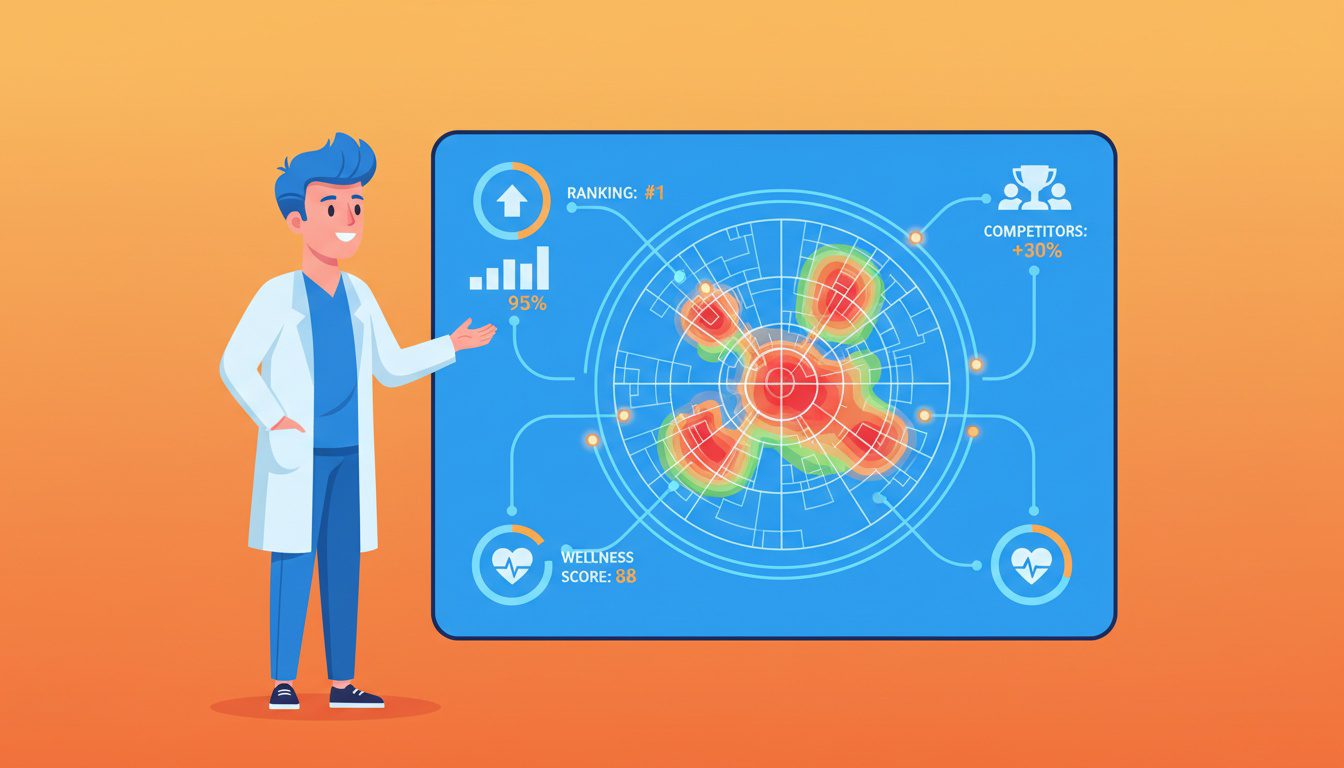
Run the scan and you'll get a visual heatmap showing where you rank.
Darker red means worse ranking in that area, deeper green means better ranking.
Identify Your Visibility Gaps
Look for patterns in your heatmap.
You'll probably see strong rankings (green pins) close to your office, then a gradual fade to yellow and orange as you move away, eventually turning red or disappearing entirely.
Those red zones? That's where potential patients are searching but never see your practice.
A scattered or Swiss-cheese pattern usually indicates local filtering issues where competitors are suppressing your listings in certain searches.
Document which specific neighborhoods show the biggest gaps between your current rankings and where you want to rank. These become your target neighborhoods for optimization.
Benchmark Against Competitors
Most geogrid tools let you compare your rankings against competitors.
You can stack your ranking grid next to any competitor to see exactly where pins swap positions.
If a competitor ranks well in a neighborhood where you're invisible, click on those pins to see what businesses are actually showing up.
Look at:
- Their Google Business Profile categories
- Service areas they've defined
- Review count and recency
- Website content and neighborhood pages
This competitive intelligence tells you what Google considers authoritative in each neighborhood and what you need to match or exceed to compete there.
| Local Falcon | First-time users, clear visualizations | ~$50/month | Share of Local Voice (SoLV) metric |
| Places Scout | Competitor analysis | ~$40/month | Side-by-side grid comparisons |
| GMB Crush | Agencies, advanced users | ~$100/month | Location authority identification |
| Local Viking | GBP management + tracking | ~$80/month | Automated posting and review management |
| Grid My Business | AI-powered optimization | ~$60/month | AI agents for automatic GBP optimization |
NEED MORE CLIENTS?
Free conversion-focused analysis uncovers the 3 biggest problems killing your bookings — we'll walk you through your results personally

Step 2: Optimize Your Google Business Profile for Multiple Service Areas
Your Google Business Profile (GBP) is the single most important factor for ranking in the Google Maps pack.
GBP accounts for as much as 32% of all map pack ranking factors.
Most chiropractors set up their GBP once and never touch it again.
That's leaving massive visibility on the table.
Define Your Service Areas Strategically
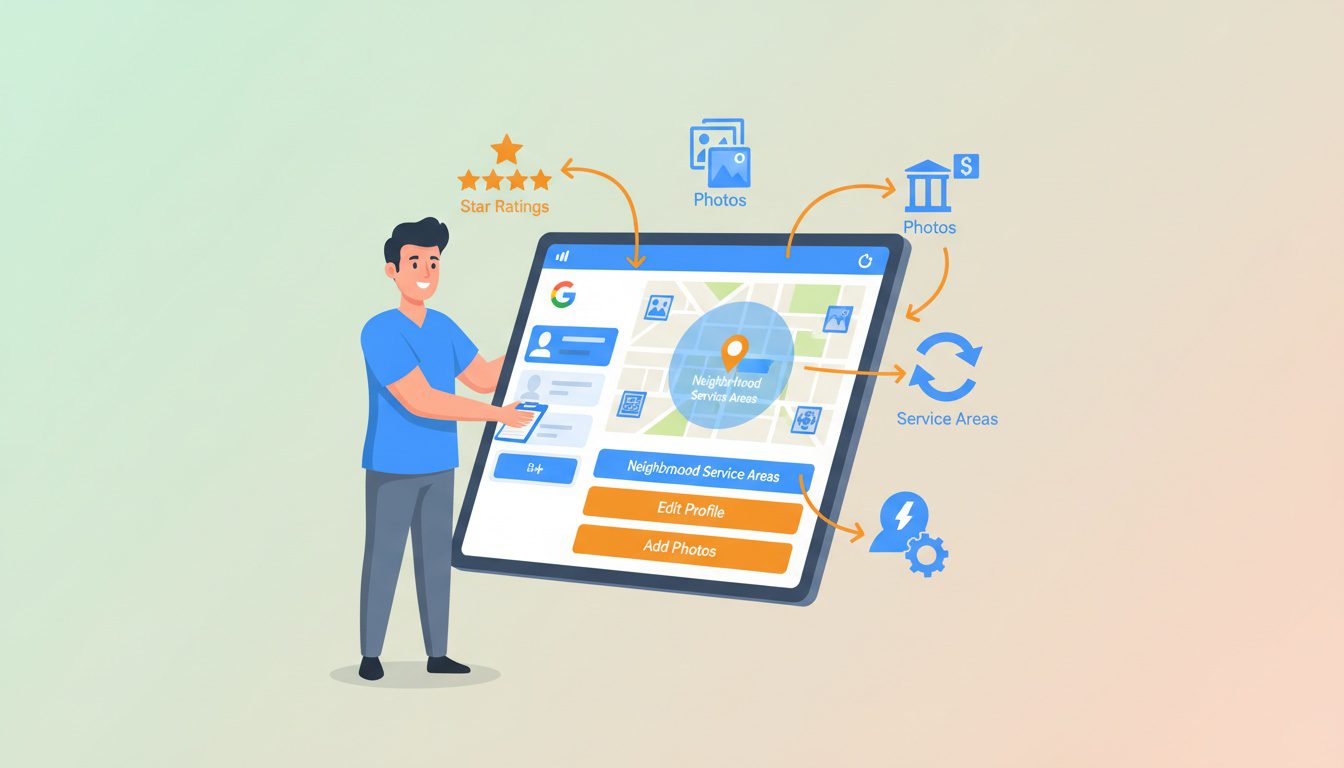
If you've got a physical location where patients visit, set your GBP as a "storefront business" and define service areas.
Don't set your service area too wide or you'll dilute your ranking power.
Here's the thing: the Google Map Pack gets 42% of all clicks. You only get into the map pack if Google considers you relevant for that specific neighborhood.
Set service areas to match neighborhoods 15-20 minutes from your office where you actually want to attract patients.
Include 5-10 specific neighborhoods rather than setting a massive 50-mile radius that signals "I serve everyone everywhere" (which Google interprets as "I'm not specialized for anyone anywhere").
Add All Relevant Categories
Your primary category should be "Chiropractor" but add secondary categories that match what patients search for:
- Sports Medicine Clinic
- Physical Therapist
- Pain Management Physician
- Wellness Center
- Alternative Medicine Practitioner
The #1 ranking factor in the local pack is having the right main category on your Google Business Profile, with keywords in your business name as the next key step.
Don't stuff keywords into your actual business name (against Google's guidelines), but do make sure your categories match patient search intent across different neighborhoods and demographics.
Upload Geo-Tagged Photos from Different Neighborhoods
Take photos at landmarks, businesses, or locations in your target neighborhoods.
When you upload these photos with location data embedded, you're signaling to Google that you're actively present in those areas.
Listings with high-quality photos get significantly more engagement.
More importantly, geo-tagged photos from different neighborhoods help Google understand your service footprint.
Upload 10-20 new photos every month showing your practice, your team, patient interactions (with permission), and views from different neighborhoods you serve.
Create Neighborhood-Specific Google Posts
Google Posts appear directly on your Google Business Profile and in map pack results.
Create posts mentioning specific neighborhoods, local events, or community health topics:
- "Helping Highlands Ranch residents overcome tech neck from remote work"
- "Free posture screenings at the Cherry Creek Farmers Market this Saturday"
- "5 runners from the Washington Park running group came in this week with IT band issues - here's what we found"
Google's rewarding freshness. Post weekly or bi-weekly to maintain active profile status and reinforce your neighborhood connections.
Maintain 100% NAP Consistency
Your Name, Address, and Phone number must be identical everywhere they appear online.
Even minor variations like "Street" vs "St" or "Suite 100" vs "#100" create citation conflicts that hurt rankings.
Citations are any mention of your business's NAP online and act as proof of your business information.
Inconsistent citations confuse Google about which neighborhoods you serve and whether you're a legitimate business.
Run a citation audit using tools like BrightLocal or Moz Local to find and fix inconsistencies across directories, social media, and websites.
Step 3: Create Dedicated Neighborhood Landing Pages
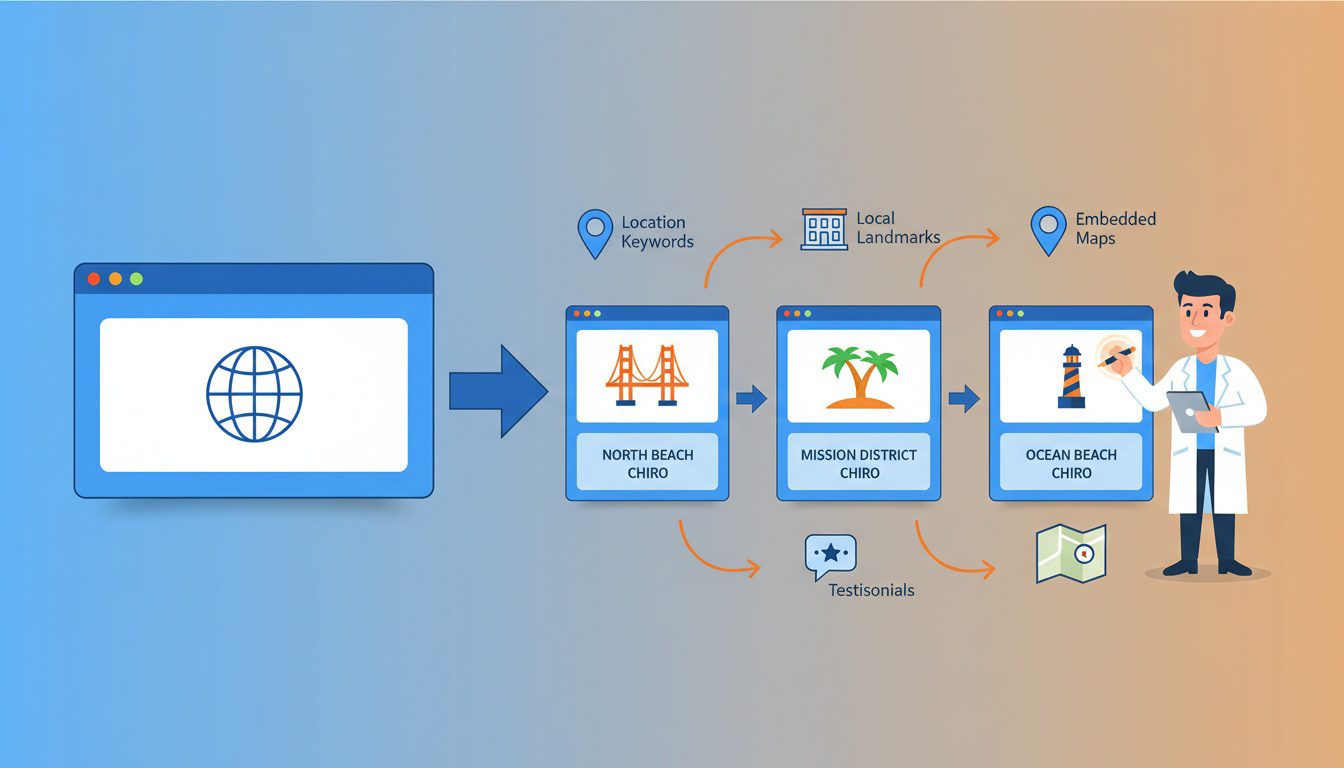
For practices with multiple locations, create individual pages for each city or neighborhood you serve with optimized local keywords, maps, patient testimonials, and area-specific content.
Generic service pages don't cut it for neighborhood SEO.
You need dedicated pages that prove you're a legitimate part of each target neighborhood's healthcare ecosystem.
Choose Your Top 3-5 Target Neighborhoods
Don't try to create pages for every neighborhood in your city.
Start with 3-5 neighborhoods where you either already have patients or where your geogrid shows you're ranking on page 2-3 (close to breaking through).
Look for neighborhoods with:
- High population density
- Favorable demographics (families, active adults, athletes)
- Manageable competition
- 10-20 minutes from your office within your realistic service radius
Each neighborhood page requires significant effort to do right. It's better to create 3 exceptional neighborhood pages than 15 mediocre ones that Google flags as doorway pages.
Write Genuinely Unique Content for Each Page
This is where most chiropractors fail.
They copy the same content and just swap neighborhood names. Google penalizes thin or duplicate content.
Instead of just copying the same content and swapping neighborhood names, write about helping office workers in the Downtown Business District with desk posture issues or runners training along the Cherry Creek Trail.
Each page needs 500-800 words of unique content that demonstrates genuine knowledge of that neighborhood's characteristics, demographics, common pain points, and local context.
Include Neighborhood-Specific Elements
Every neighborhood page should include:
- Local landmarks as reference points ("Located 5 minutes from [Major Intersection]")
- Demographic considerations ("We specialize in active families in [Neighborhood]")
- Common patient pain points specific to that area ("Tech workers in [Business District] often come to us with...")
- Patient testimonials from that neighborhood (with permission)
- Embedded Google Map centered on that neighborhood
- Photos taken in or near that neighborhood
- Links to nearby businesses, parks, or facilities
- Schema markup with the neighborhood name
- Unique title tag and meta description with neighborhood keywords
Structure Your URLs and Headers Properly
URL structure: /chiropractic-care-[neighborhood-name]/
H1: "Chiropractic Care for [Neighborhood Name] Residents"
Use neighborhood keywords naturally in H2 and H3 headers throughout the page. Don't stuff keywords - write for humans first.
Example H2 headers:
- "Why [Neighborhood] Residents Choose Our Practice"
- "Common Conditions We Treat in [Neighborhood]"
- "Patient Success Stories from [Neighborhood]"
- "Getting to Our Office from [Neighborhood]"
Link Your Neighborhood Pages Together
Create internal linking between neighborhood pages and your main service pages.
This helps distribute authority and shows Google how your pages relate to each other.
From your homepage, link to each neighborhood page. From each neighborhood page, link back to your main services pages and to 1-2 related neighborhood pages.
This creates a content cluster that reinforces your local authority across multiple neighborhoods simultaneously.
| Unique 500+ word content | Proves genuine neighborhood presence | Critical |
| Embedded Google Map | Location verification and user convenience | Critical |
| Local testimonials/reviews | Social proof from actual neighborhood residents | High |
| Geo-specific schema markup | Helps search engines understand location context | High |
| Photos from neighborhood | Visual proof of local connection | Medium |
Step 4: Build Local Citations and Backlinks from Each Target Neighborhood
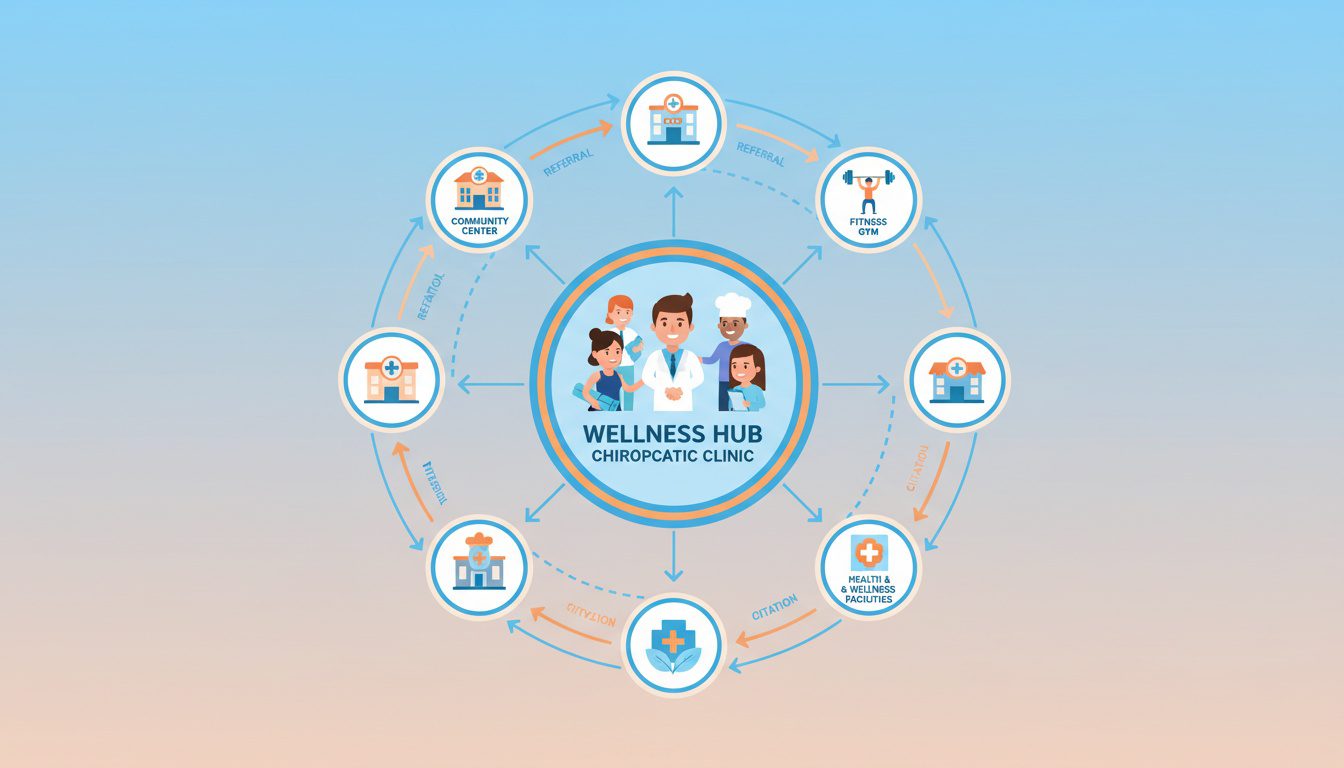
Backlinks from local news sites, health blogs, and community organizations can boost your credibility and search rankings.
But not all backlinks are equal for neighborhood SEO.
The most powerful links come from websites, directories, and businesses physically located in your target neighborhoods.
Get Listed in Neighborhood-Specific Directories
Beyond national directories like Yelp and Healthgrades, focus on neighborhood business associations, community websites, and local chambers of commerce in each target neighborhood.
Examples:
- [Neighborhood Name] Business Association
- [Neighborhood Name] Community Website
- [Neighborhood Name] Nextdoor Groups
- [Neighborhood Name] Local Events Calendar
- [Neighborhood Name] Schools and PTA Websites
A link from the local Chamber of Commerce, a city magazine, or a neighborhood event page signals authority far more than a generic national directory.
Make sure your NAP is absolutely identical on every citation. Even small variations hurt rather than help.
Partner with Neighboring Businesses
Build relationships with businesses near your practice and in target neighborhoods.
Look for complementary businesses that serve the same audience without competing directly:
- Yoga studios and fitness centers
- Massage therapists and physical therapists
- Sports medicine clinics and athletic trainers
- Wellness centers and nutritionists
- CrossFit gyms and martial arts studios
- Running stores and sporting goods shops
- Corporate wellness programs at large employers
Offer to write guest blog posts for their websites, co-sponsor community events, or create referral partnerships where you link to each other's websites.
Sponsor Neighborhood Events and Teams
Sponsoring local teams or community events generates positive word-of-mouth and strengthens your brand while demonstrating commitment to the community.
Event sponsorships typically include your business name and website on the event website, social media promotion, and sometimes physical signage at the event location.
Target events in specific neighborhoods you're trying to rank for:
- Youth sports teams (soccer, baseball, basketball)
- 5K races and fun runs
- Health fairs and wellness festivals
- School fundraisers and PTA events
- Neighborhood association meetings and gatherings
Even $250-500 sponsorships can earn valuable backlinks from event websites while building genuine community presence.
Leverage Healthcare Provider Directories
Get listed in every legitimate healthcare directory that allows location-specific profiles.
Many directories let you create separate profiles for each neighborhood or service area.
Key healthcare directories:
- Healthgrades
- Vitals
- RateMDs
- Zocdoc
- WebMD Physician Directory
- Insurance provider directories
- Hospital system physician directories (if you've got privileges)
These citations carry extra weight because they're healthcare-specific and often pull data from other authoritative healthcare databases.
Create Relationships with Local Media
Reach out to neighborhood blogs, community newspapers, and local news websites with story ideas about health topics relevant to their audience.
Pitch angles:
- "5 Desk Setup Mistakes [Neighborhood] Remote Workers Make"
- "Why [Neighborhood] Runners Keep Getting Injured and How to Fix It"
- "Helping [Neighborhood] Families Avoid Sports Injuries This Season"
Local journalists are always looking for expert sources. One feature article in a neighborhood publication can be worth 100 generic directory listings.
Step 5: Generate Geo-Specific Patient Reviews
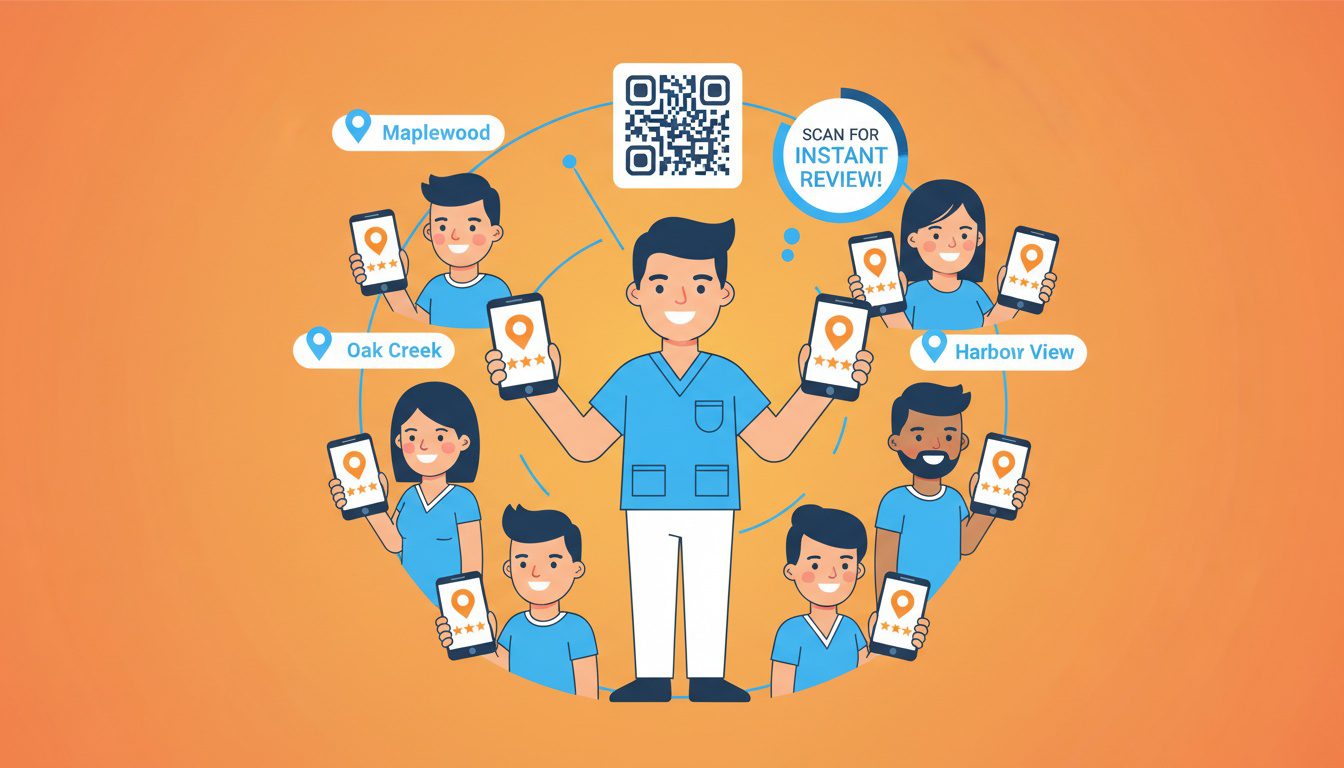
88% of consumers trust online reviews as much as personal recommendations, and chiropractors with a 4.5-star rating or higher attract significantly more patients.
But for neighborhood SEO, it's not just about quantity - it's about location context within reviews.
Ask Patients to Mention Their Neighborhood
When requesting reviews, specifically ask satisfied patients to mention where they live or nearby landmarks they recognize.
Instead of asking "Can you leave us a review?", ask "We'd love to hear about your experience! If you're comfortable sharing, mention where you're coming from - we love serving the [Neighborhood] community."
Reviews that say "I drive from Capitol Hill and it's worth the 15-minute trip" or "Best chiropractor near Wash Park" carry more neighborhood SEO weight than generic "Great service!" reviews.
Create Location-Specific Review Request Systems
If you use review management software, segment patients by ZIP code or neighborhood and customize review request messages to reference their specific area.
Example customized messages:
- "As a fellow [Neighborhood] resident, I'd love your feedback..."
- "We're working to serve more families in [Neighborhood] and your review helps..."
- "Thanks for trusting us with your care! Other [Neighborhood] residents often ask about..."
This personalization increases review response rates while naturally encouraging location mentions.
Use QR Codes with Geotags
Geotagging your content enables you to send a text message to patients while they're still in your office, encouraging them to leave a review with a provided link.
Create QR codes that patients can scan immediately after appointments while they're still in your office (and still in your physical location's geotag zone).
This captures their location data when they leave the review.
Place QR codes in your checkout area, on business cards, and in appointment reminder texts.
Respond to Reviews Using Neighborhood Context
When patients mention their neighborhood in reviews, acknowledge it in your response.
This reinforces the geo-connection for Google's algorithm.
Example review: "I come from Highlands and Dr. Smith is the best!"
Example response: "Thank you so much! We love serving the Highlands community and appreciate you making the drive. Looking forward to your next visit."
20% of consumers expect a timely response to a review they've written.
Respond to every review within 24-48 hours and weave in neighborhood references naturally when patients provide them.
Target 50-100 Total Reviews with Geo-Distribution
Businesses with 200+ reviews have 2x as much revenue as others, but you don't need 200 reviews to rank well locally.
Focus on steady growth to 50-100 high-quality reviews.
More importantly, aim for review distribution across your target neighborhoods.
If all your reviews come from one ZIP code, you'll rank well there but nowhere else.
Track where reviewers are located (when they mention it) and actively request reviews from patients in neighborhoods where you've got fewer review mentions.
| Ask for neighborhood mentions | Builds location-specific authority | 30 seconds per request |
| Respond within 24-48 hours | Shows active engagement | 2-3 minutes per response |
| Use geo-specific QR codes | Captures location data automatically | 10 minutes setup |
| Segment requests by patient location | Distributes reviews across areas | 15 minutes per week |
Step 6: Create Hyperlocal Content Consistently
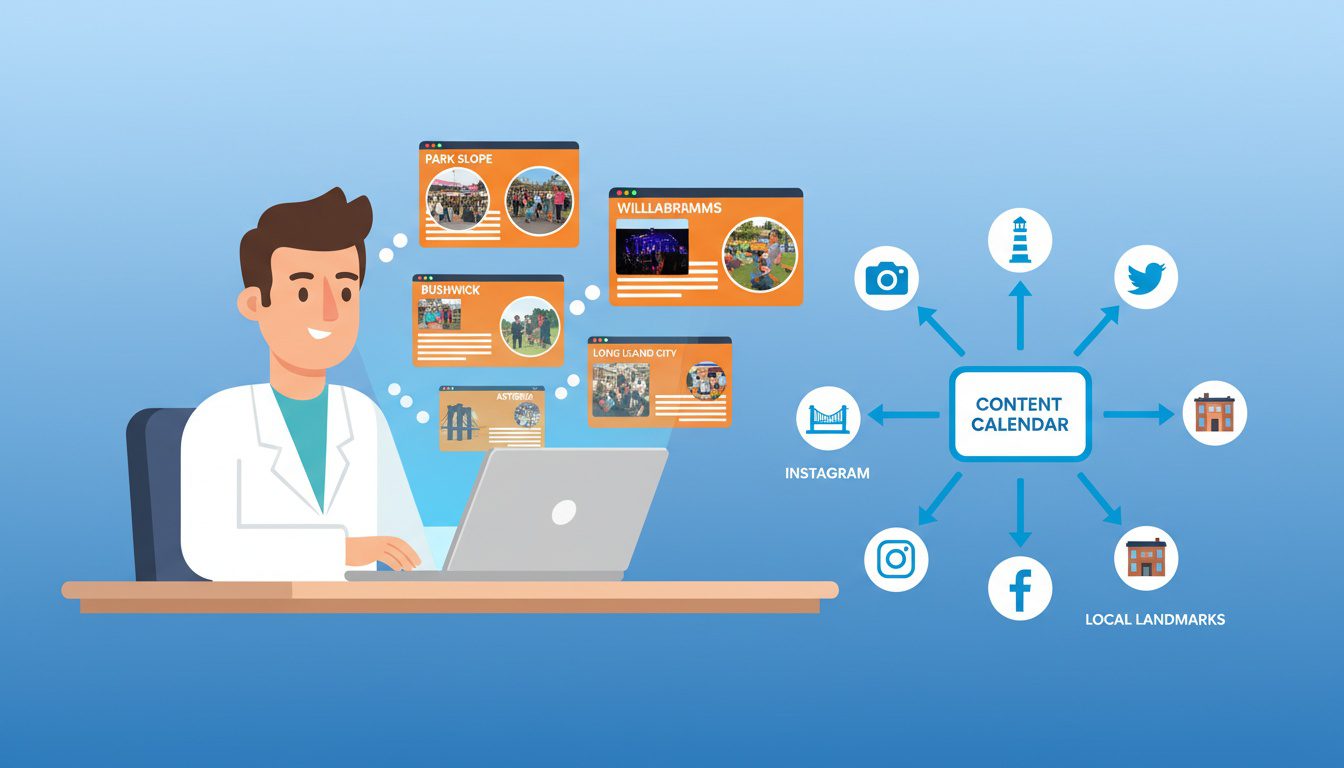
Show Google you're a true local authority by writing blog posts or service pages that mention specific neighborhoods, local landmarks, or community events.
Content isn't just about having a blog - it's about proving you're an active, knowledgeable participant in each neighborhood's community.
Write About Neighborhood-Specific Health Topics
Create blog posts that address health challenges specific to each target neighborhood's demographics and lifestyle.
Content ideas by neighborhood type:
- Office Districts: "5 Desk Setup Mistakes [Downtown] Remote Workers Make", "Why [Business District] Tech Workers Get More Headaches"
- Active Communities: "Training for the [Neighborhood] 5K? Avoid These 3 Injuries", "Why [Lake Name] Runners Keep Calling Us About Knee Pain"
- Family Neighborhoods: "Back-to-School Backpack Tips for [Neighborhood] Parents", "Youth Sports Injury Prevention for [Area] Families"
- Aging Communities: "Maintaining Mobility for [Neighborhood] Seniors", "Fall Prevention Tips for [Area] Residents Over 60"
Each post should reference 2-3 specific landmarks, businesses, or characteristics that only someone familiar with that neighborhood would know.
Cover Local Events and Initiatives
Whether it's referencing local landmarks, events, or issues, hyperlocal targeting ensures that your message feels personalized and relevant, increasing the likelihood of engagement.
Write content timed to local events in your target neighborhoods:
- Farmers markets and community gatherings
- High school sports seasons and tournaments
- Neighborhood festivals and celebrations
- Local business grand openings or changes
- Community development or infrastructure projects
- Seasonal activities specific to each neighborhood
Example: "How to Avoid Injuries at the [Neighborhood] Annual Block Party" or "Getting Ready for [School Name]'s Football Season: Injury Prevention for [Neighborhood] Athletes"
Share Patient Success Stories by Neighborhood
With patient permission, create case study content highlighting patients from different neighborhoods.
These stories serve multiple purposes: social proof, content variety, and geographic SEO signals.
Format example:
- Title: "How We Helped a [Neighborhood] Marathon Runner Overcome IT Band Syndrome"
- Content: Patient's background, their health challenge, treatment approach, results, their return to activities in their neighborhood
- Include: Neighborhood mentions, local landmarks, specific activities they returned to
Ask patients if you can mention their neighborhood and what activities they do locally. Most are happy to share when it's positioned as helping others in their community.
Optimize Each Post for Neighborhood Keywords
Include your primary service and target location in titles, headings, and content. Reference nearby landmarks or districts for hyperlocal appeal.
Include neighborhood names in:
- H1 title (example: "Tech Neck Relief for [Neighborhood] Remote Workers")
- URL slug (/tech-neck-relief-[neighborhood]-remote-workers/)
- First paragraph (establish location context immediately)
- 2-3 H2 or H3 subheadings
- Image alt text
- Meta description
- Throughout body content (naturally, not stuffed)
Link each blog post to its related neighborhood landing page to strengthen that page's authority.
Publish Consistently on a Schedule
Google's rewarding freshness in local search more than ever.
Consistent publishing signals to Google that you're an active, current authority.
Aim for at least 2-4 blog posts per month with neighborhood focus.
Rotate between your target neighborhoods so each one gets attention every 4-6 weeks.
Create a simple content calendar:
- Week 1: [Neighborhood A] topic
- Week 2: [Neighborhood B] topic
- Week 3: General practice topic (still mention multiple neighborhoods)
- Week 4: [Neighborhood C] topic
This schedule ensures consistent neighborhood coverage without overwhelming your content production capacity.
Step 7: Monitor, Measure, and Refine Your Neighborhood Rankings

Neighborhood SEO isn't set-it-and-forget-it.
Rankings fluctuate, competitors adjust their strategies, and Google's algorithm updates constantly.
Top-ranking pages on search engines have an average age of 2.6 years, demonstrating that local SEO is a long-term strategy requiring consistency, quality content, and patience.
Run Geogrid Scans Every 2-4 Weeks
Track your progress using the same geogrid tool and settings you established in Step 1.
Run new scans every 2-4 weeks to identify ranking changes.
You can compare two specific points in time (such as before and after a campaign) or track your ranking history over time to see exactly how your local rankings have changed.
Look for patterns:
- Which neighborhoods are improving?
- Which neighborhoods are getting worse?
- Did a competitor suddenly start outranking you somewhere?
- Are you expanding into new neighborhoods successfully?
- Is your overall "Share of Local Voice" increasing?
Document your findings in a simple spreadsheet tracking your ranking positions in each neighborhood over time.
Analyze Which Tactics Are Working
Connect your ranking improvements to specific actions you took.
Did rankings improve in a neighborhood after you:
- Published 2-3 neighborhood-specific blog posts?
- Earned a backlink from a neighborhood business?
- Generated 5+ reviews mentioning that neighborhood?
- Updated your Google Posts with neighborhood references?
- Created a dedicated landing page for that area?
This correlation (not causation, but strong indication) helps you understand which tactics deliver the most neighborhood SEO impact for your specific market.
Double Down on High-Performing Neighborhoods
When you identify neighborhoods showing strong momentum, accelerate your efforts there.
You're closer to the tipping point where you break into the top 3 map pack positions.
The Google Map Pack gets 42% of all clicks. Going from position #4 to position #3 can double your patient volume from that neighborhood.
Focus your next 3-5 blog posts, your next partnership outreach, and your next batch of review requests on the neighborhoods showing the most progress.
Adjust Strategy for Struggling Neighborhoods
If a neighborhood isn't improving after 2-3 months of consistent effort, investigate why:
- Is competition too intense? (Consider targeting adjacent neighborhoods instead)
- Are you too far away geographically? (Remember the 20-minute rule)
- Is your content not resonating with that demographic?
- Do competitors have significantly stronger signals there?
Swiss-cheese or scattered geogrid patterns usually indicate local filtering issues where two businesses share the same primary category and are located within 200 feet, causing one listing to be suppressed.
Sometimes you discover barriers you can't overcome (proximity, filtering). That's fine - redirect energy to neighborhoods with better potential.
Track Business Metrics Alongside Rankings
Rankings matter, but what really matters is whether neighborhood SEO drives more patients and revenue.
Track:
- New patient calls by neighborhood (ask "how did you hear about us?" and "where do you live?")
- Website form submissions by source neighborhood
- Appointment bookings from each target neighborhood
- Revenue generated from patients in each neighborhood
- Cost per patient acquisition by neighborhood
Some neighborhoods might rank lower but convert better because of demographics.
Prioritize conversion quality over pure ranking position.
| Geogrid ranking scans | Every 2-4 weeks | Position by neighborhood, Share of Local Voice |
| Google Business Profile insights | Weekly | Views, clicks, calls, direction requests by area |
| Website analytics | Weekly | Traffic by neighborhood/ZIP, conversion rate by source |
| Review monitoring | Daily | New reviews, neighborhood mentions, response time |
| Competitor tracking | Monthly | Competitor positions, new competitors, changing tactics |
Common Neighborhood SEO Mistakes to Avoid

Most chiropractors make the same avoidable mistakes when implementing neighborhood SEO.
Here's what to watch out for.
Creating Thin or Duplicate Content
Google penalizes doorway pages - thin pages that exist only to rank for keywords without providing genuine value.
If you copy the same 200-word paragraph and just swap neighborhood names, Google will catch it.
Each neighborhood page needs 500+ words of genuinely unique content that demonstrates real knowledge of that neighborhood's characteristics, demographics, and community.
If you can't write unique content for a neighborhood, don't create a page for it. Five exceptional neighborhood pages beat twenty mediocre ones every time.
Setting Service Areas Too Wide
Don't tell Google you serve a 50-mile radius when you realistically serve 10-15 miles.
Wide service areas dilute your ranking power and signal you're not specialized for any particular area.
Google still prioritizes businesses closest to the searcher, but you can offset this by optimizing for niche searches and publishing content that targets specific neighborhoods.
Be strategic and realistic about your service area. It's better to dominate 5 neighborhoods than to rank poorly in 25.
Ignoring NAP Consistency
It is absolutely critical that your NAP is 100% identical everywhere it appears.
Even small variations like "Street" vs "St." or different phone number formats create citation conflicts.
Run quarterly citation audits to catch and fix inconsistencies. Use tools like Moz Local, BrightLocal, or Yext to automate citation management across hundreds of directories.
Neglecting Google Business Profile Maintenance
Your Google Business Profile isn't set-and-forget.
Post updates weekly, respond to reviews within 24 hours, upload new photos monthly, answer questions in your Q&A section, and update service areas or categories as needed.
Focusing Only on Rankings, Not Conversions
Rankings are a means to an end, not the end goal.
The goal is more patients and more revenue from your target neighborhoods.
Track conversion metrics: calls, form submissions, appointment bookings, show rates, and revenue by neighborhood source.
Some neighborhoods might rank #5 but convert better than neighborhoods where you rank #2.
Optimize for conversion quality, not just ranking position.
Expecting Overnight Results
76% of people who search on smartphones visit a business within a day, but that doesn't mean your neighborhood SEO will show results in a day.
Top-ranking pages have an average age of 2.6 years.
Meaningful neighborhood SEO results typically take 3-6 months of consistent effort.
Quick wins happen in weeks (GBP optimization, new posts), but sustained multi-neighborhood dominance takes months to build and compounds over time.
Advanced Neighborhood SEO Tactics

Once you've mastered the fundamentals, these advanced tactics can amplify your neighborhood dominance.
Optimize for Voice Search by Neighborhood
Over 40% of adults now use voice search daily for local queries.
Voice searches tend to be longer and more conversational than text searches.
Optimize content for questions like:
- "What's the best chiropractor near [Neighborhood Landmark]?"
- "Who can help with back pain in [Neighborhood]?"
- "Is there a chiropractor open now near [Shopping Center]?"
Structure content in Q&A format matching natural speech patterns. Use schema markup to help Google understand your answers and pull them into voice results.
Leverage AI Overview Optimization
Instead of just showing a list of links, Google now delivers direct answers pulled from trusted sources, including your website, reviews, and Google Business Profile.
Google's AI Overviews (formerly SGE) pull content from authoritative sources to answer queries directly.
To get cited in AI Overviews:
- Write clear, direct answers to common questions in the first 200-300 words
- Use structured data (schema markup) extensively
- Build authority through consistent, high-quality content
- Earn patient reviews that validate your claims
- Include statistics and data points that AI can cite
Use Geofencing for Paid Ads in Target Neighborhoods
While this guide focuses on organic SEO, geofenced ads can accelerate results in specific neighborhoods while your organic strategy builds momentum.
LSAs are designed to connect you with potential patients in your immediate area through hyperlocal targeting, ensuring ads are shown to individuals likely to visit your practice.
Set up geo-targeted Google Ads or Local Service Ads focused on your 3-5 target neighborhoods. Use neighborhood names in ad copy and send traffic to your neighborhood-specific landing pages.
Budget $500-1000/month per neighborhood for meaningful results. This paid visibility compounds with your organic efforts.
Create Neighborhood Schema Markup
Beyond basic LocalBusiness schema, implement neighborhood-specific structured data:
- Service Area schema defining exact neighborhoods served
- FAQ schema from your neighborhood-specific content
- Review schema highlighting neighborhood mentions
- Organization schema with geographic coordinates for each service area
This helps search engines understand your precise neighborhood connections and may earn you enhanced search features.
Build Neighborhood-Specific Retargeting Campaigns
Use Google Ads or Facebook Ads to retarget people who visited your website, segmented by which neighborhood page they visited.
Someone who visited your "[Neighborhood A] Chiropractic Care" page gets retargeted with ads specifically mentioning [Neighborhood A], reinforcing that local connection.
This increases conversion rates because messaging feels personally relevant rather than generic.
Frequently Asked Questions
What is neighborhood SEO and how is it different from regular local SEO?
Neighborhood SEO (also called hyperlocal SEO) targets specific neighborhoods, districts, or even blocks within your city rather than just the city itself.
Regular local SEO might optimize for "chiropractor in Denver" while neighborhood SEO targets "chiropractor in Capitol Hill" or "chiropractor near Union Station."
The difference matters because Google shows different results based on the searcher's exact location. Someone searching from downtown sees different chiropractors than someone searching from the suburbs, even if they both type the same keyword.
Neighborhood SEO ensures you show up in the specific areas where your ideal patients live and work.
How far from my practice location can I realistically rank with neighborhood SEO?
Google will not likely rank you more than a 20-minute commute (walk or drive) from your actual location.
In dense urban areas with high competition, you might only rank well within a few blocks.
In suburban or rural areas with less competition, you could rank 5-10 miles away.
The key factor is proximity to the searcher combined with your Google Business Profile strength. You can expand your ranking radius through neighborhood-specific content, service area optimization, and building location authority signals, but you'll always rank strongest closest to your physical location.
What tools do I need to track my neighborhood rankings?
Geogrid rank tracking tools are essential for neighborhood SEO.
These tools show you exactly where you rank across different neighborhoods using a visual map with colored pins.
Popular options include:
- Local Falcon - The original geogrid tool with Share of Local Voice metrics
- Places Scout - Great for competitor comparison
- GMB Crush - Advanced analysis
- Local Viking - Comprehensive GBP management
Most tools use a credit-based system and connect to Google's Places API.
You'll want to set your grid spacing based on competition density - 0.1 miles apart in dense cities, 1-5 miles in suburban areas.
These tools cost $40-200 per month depending on features and grid size.
How do I create neighborhood-specific content without sounding repetitive?
Create unique value for each neighborhood by referencing local landmarks, community events, common demographics, and specific pain points.
Instead of just copying the same content and swapping neighborhood names, write about helping runners training along the Cherry Creek Trail or office workers in the Downtown Business District with desk posture issues.
Include neighborhood-specific patient testimonials, photos of local landmarks near your practice, and references to nearby gyms, sports teams, or businesses.
Each location page should address the unique characteristics of that neighborhood's residents and their specific health challenges.
Should I create separate landing pages for every neighborhood I want to target?
Yes, but only if you can create genuinely unique, valuable content for each page.
Google penalizes thin or duplicate content.
If you serve 3-5 distinct neighborhoods, create dedicated pages for each with unique content, testimonials, and local references. If you want to target 20+ neighborhoods, start with your top 5 revenue-generating areas first.
Each page needs 500+ words of unique content, neighborhood-specific images, local schema markup, and embedded Google Maps.
Avoid doorway pages (thin pages that exist only to rank).
Focus on neighborhoods where you already have patients and can tell authentic stories about serving that community.
What are the most important Google Business Profile settings for neighborhood SEO?
Service area settings are critical.
If you've got a physical location patients visit, set it as a "storefront business" and define your service areas up to 20-25 minutes away.
Don't set your service area too wide or you'll dilute your ranking power.
Upload geo-tagged photos taken at different neighborhoods you serve. Create Google Posts mentioning specific neighborhoods and local events.
Add all relevant service categories (primary and secondary). Keep your NAP (Name, Address, Phone) identical everywhere it appears.
Respond to reviews mentioning the patient's neighborhood when possible. Enable messaging so nearby searchers can contact you instantly.
How long does it take to see results from neighborhood SEO efforts?
You'll start seeing initial movement in 4-8 weeks, but meaningful results typically take 3-6 months.
Google needs time to crawl your new neighborhood pages, validate your location signals, and determine your relevance for each area.
Quick wins include:
- Updating your Google Business Profile service areas (impact in 1-2 weeks)
- Creating geo-tagged posts (impact in 2-4 weeks)
Longer-term efforts like building neighborhood-specific backlinks and earning reviews mentioning locations take 3-6 months to show full impact.
Industry data shows the top-ranking pages on search engines average 2.6 years old, so neighborhood SEO is a long-term investment that compounds over time.
Can I do neighborhood SEO if I run my practice from home or as a mobile service?
Yes, but your approach differs.
For home-based practices, set your Google Business Profile as a "service area business" (SAB) and hide your home address while showing service areas.
You'll rank based on your service area settings rather than a visible address.
For mobile chiropractors, emphasize your service flexibility in content and create pages for each neighborhood you serve regularly.
Build location authority through:
- Patient reviews that mention specific neighborhoods
- Geo-tagged social media posts from different service areas
- Content about serving patients in their homes or offices
Your ranking radius will be smaller than practices with physical locations, so focus deeply on fewer neighborhoods where you can build the strongest presence.
Conclusion
Neighborhood SEO transforms how you compete in local search.
Instead of fighting to rank citywide against every competitor, you build dominant visibility in 3-5 specific neighborhoods where your ideal patients actually live.
46% of all Google searches have local intent, and 72% of consumers who conduct a local search visit a store within five miles.
Those searchers aren't seeing citywide results - they're seeing the chiropractors ranking strongest in their specific neighborhood.
The seven-step system works:
- Audit your current neighborhood rankings with geogrid tools
- Optimize your Google Business Profile for multiple service areas
- Create dedicated neighborhood landing pages with unique content
- Build local citations and backlinks from each target neighborhood
- Generate geo-specific patient reviews
- Publish hyperlocal content consistently
- Monitor your progress while refining tactics
Most chiropractors rank well right around their office and disappear everywhere else.
You'll rank across multiple neighborhoods, capturing patients who never even see your competitors.
Start with just one or two target neighborhoods. Master the system. Then systematically expand your neighborhood dominance across your entire service area over the next 6-12 months.
Look, I get it - reading about neighborhood SEO strategy is one thing, but actually implementing all seven steps while running your practice is completely different.
If you're thinking "this all makes sense, but I don't have time to do it right," you're not alone. Most successful chiropractors we work with felt the same way before they realized their website and online presence were quietly costing them 15-20 qualified patient leads every single month.
That's why we created our Free Website Conversion Analysis. It's not a sales pitch—it's a genuine walkthrough of the 3 biggest problems killing your bookings, delivered personally via Loom video within 24 hours.
We'll show you exactly:
- Why visitors leave without booking
- What's broken on mobile devices (where most searches happen)
- Missing trust signals costing you patients
- Where you rank vs. local competitors
- Simple fixes that drive more calls this month
You'll also get an instant case study while you wait, showing real examples of how other chiropractors fixed these exact problems.
Get your free analysis here — no credit card, no obligation, just actionable insights you can use whether you work with us or not.
Because every day you wait to implement neighborhood SEO is another day patients in your target neighborhoods are finding competitors who rank where you don't.

Gerek Allen
Co-Owner iTech Valet
Entrepreneur, patriot, CrossFit junkie, IPA enthusiast, loves to travel to tropical destinations, and knows way too many movie quotes.


About iTech Valet
iTech Valet specializes in web design and content marketing for online entrepreneurs who want to share their expertise.
Services Include:
- Web Design
- Graphic Design
- Sales Copy
- Funnel Building
- Authority Sites
- Membership Sites
- Course Creation
- Email Systems
- Content Marketing
- Competitive Analysis
- Tech Integrations
- Strategic Planning
NEED MORE CLIENTS?
Free conversion-focused analysis uncovers the 3 biggest problems killing your bookings — we'll walk you through your results personally

621 Enterprises, Inc. | Copyright 2022 | All rights reserved