
Why Bolting On New Content Breaks Your Schema Without You Noticing

Here's the thing: schema drift never announces itself. New AEO content goes live, nobody checks the schema already sitting underneath it, and the site quietly starts telling AI engines two different stories about the same business.
So the new content isn't the problem. The missing question is — does this markup actually agree with what you've already published?
Bolt on new content without looking at the existing schema, and you're basically feeding search engines mixed signals. One page describes the business one way. Another page, added months later, describes it a little differently — and now nothing tells the engine which version to trust.
That gap is the whole thing standalone AEO articles are supposed to close, not widen, which is why knowing where standalone content boundaries actually sit matters before you ship a single new page. Think of your schema as a living communication layer running under the site's skin. Leave it unchecked, and it starts contradicting itself the second new content shows up without a look at what's already there.
The 'Set It and Forget It' Mistake That Creates Schema Drift

Most businesses treat schema like a one-time chore. Somebody builds the markup once, the site goes live, and nobody opens that file ever again.
But the content never stops moving. New pages ship, services get renamed, locations get added — and the schema underneath never hears a word about any of it.
So many businesses treat schema as a set it and forget it task, and that one habit is what slowly pulls their content and their schema out of sync. The gap doesn't crack open all at once. It widens one unchecked update at a time.
How a Small Gap Becomes a Site-Wide Contradiction
Here's how small it starts. A team ships a new AEO article that describes a service just a little differently than the original site copy did.
And nobody flags it, because the new page reads perfectly fine on its own. The problem only shows up in comparison — and nobody's comparing.
So the schema under both pages keeps reporting two versions of the same business. Multiply that across a year of new content, and the contradictions pile up. This is exactly the drift tackled in resolving conflicting structured data across a growing clinic content library, where tiny inconsistencies stack into a fractured entity picture.
What Schema Drift Actually Costs an Entity's Clarity
Schema drift doesn't just look messy in a validator. It quietly wrecks how clearly an AI engine can pin down the entity behind the site.
An engine reading conflicting entity descriptions has to guess which version is current. And that guess is exactly where your authority leaks out.
Look at it from the engine's side for a second. A living communication layer that contradicts itself isn't communicating at all — it's noise wearing the shape of structured data.
How Google and Schema.org Actually Read Your Structured Data
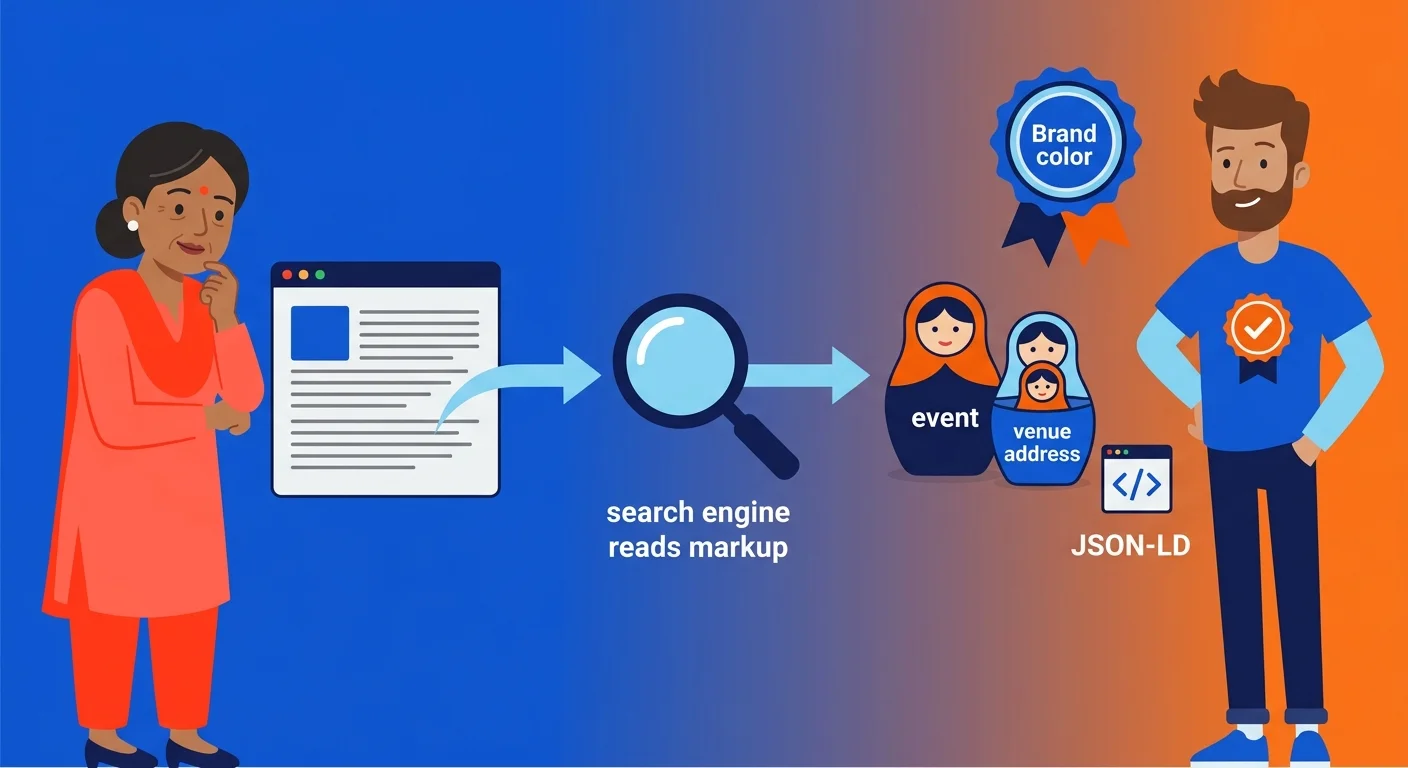
So what actually happens the second that markup goes live? Per Google's documentation, Google uses your structured data to figure out what a page is about — and to pull facts about the entities named in it, like people, businesses, or services.
And that second part matters way more than most site owners ever realize. The engine isn't just reading your content. It's quietly building an entity record from whatever the schema says, separate from the sentences a visitor reads.
Here's the thing: that record only stays accurate if every page feeds it the same facts. One field out of line, and the whole picture starts to blur.
| Schema Format | How Nested Data Is Expressed | Best Fit For |
|---|---|---|
| JSON-LD | Nested entirely within a script block, separate from visible page text, so a Country can sit inside a PostalAddress inside a broader entity without touching the copy a reader sees | Sites integrating standalone AEO content into an existing entity structure, where clean separation between markup and prose prevents accidental overwrites of established schema |
| Microdata | Woven directly into the HTML tags surrounding visible content, meaning nested properties must be marked up inline wherever that content already lives on the page | Legacy page templates where structured data was authored years ago and rewriting the underlying HTML isn't practical |
| RDFa | Attached to existing HTML elements through attribute-level annotations, requiring nesting to follow the page's existing document structure rather than a standalone data block | Sites with heavily templated markup where developers prefer annotating existing tags over introducing a separate data layer |
What Google Extracts From Markup on the Page
Google's crawlers don't read meaning out of prose the way you and I do. They grab typed properties straight from the markup and match them against entity types they already know.
A business name, an address, a service offering, an author credential. The engine pulls each one out as a separate data point, then checks it against everything it already knows about that entity.
Nesting Entities Correctly in JSON-LD
Now, nesting is where most schema integration quietly falls apart. As Google Search Central documents, JSON-LD makes nested items easier to express because the markup isn't tangled up in the visible text — a Country can sit inside a PostalAddress inside a broader entity, without cluttering the copy a reader sees.
That separation is a real strength when you use it right. New AEO content has to nest into the same entity structure the rest of your site already uses — not spin up a parallel one.
Get the nesting wrong, and the engine sees two disconnected businesses instead of one. Get it right, and every new page reinforces the same identity the rest of the site already built — which is exactly the split explored in schema-first content built around one entity versus generic AI authority articles.
Reading the Adoption Landscape Before You Add More Schema
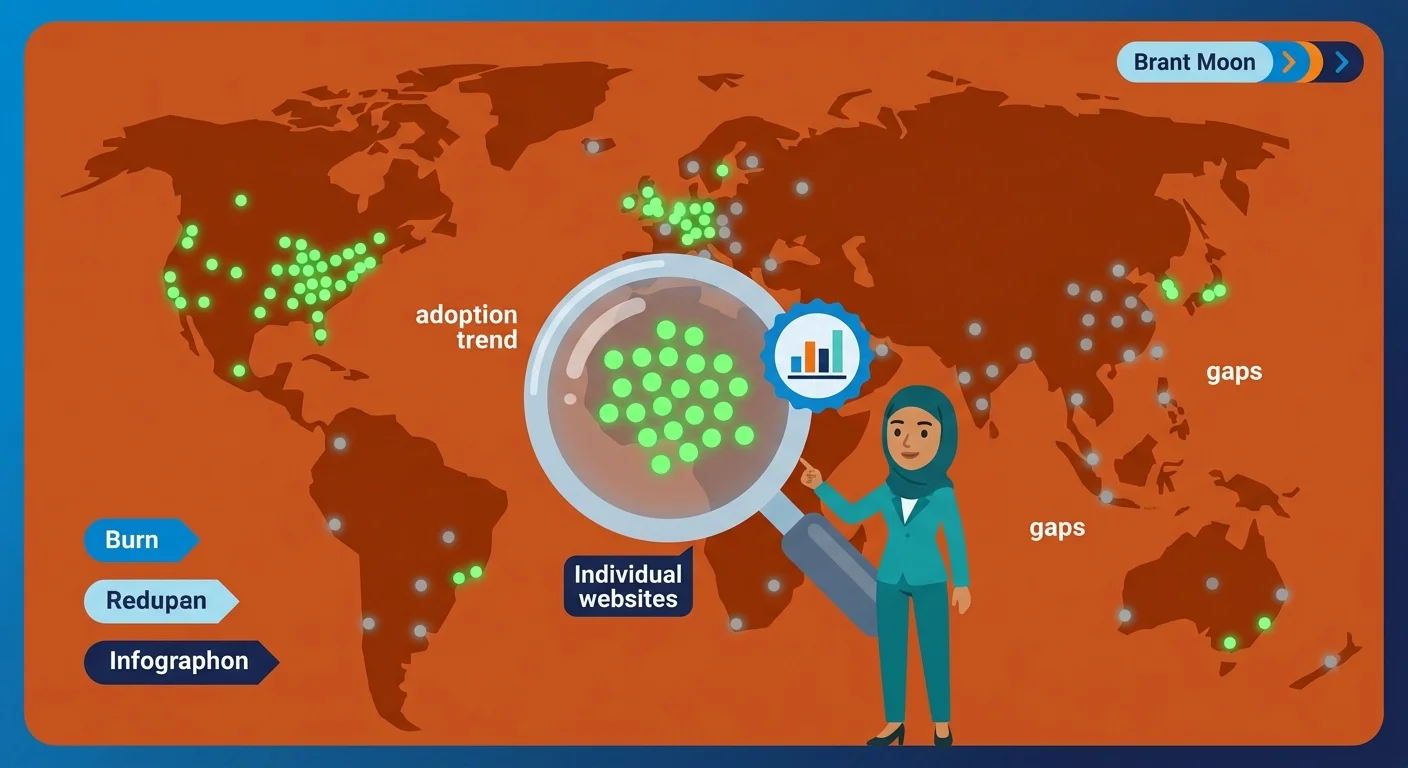
Zoom out from any single page's markup, and a bigger question shows up. How common is rigorous schema work across the wider web, really?
Structured data isn't some niche trick anymore. Schema.org runs a Public Usage Statistics dataset that tracks domain-level adoption across millions of sites, all documented through the Schema.org vocabulary.
That scale changes what integration actually means. A coherent, harmonized schema presence isn't an edge anymore — it's closer to table stakes, which is exactly why getting it wrong costs you.
| Adoption Behavior | What It Signals About the Site | Risk Level |
|---|---|---|
| No schema audit before publishing new content | New pages describe the entity without checking existing markup, so descriptions drift apart unnoticed | High — contradictions compound with every future publish |
| Schema treated as a one-time setup task at launch | The entity record freezes at launch day while the actual business keeps changing around it | High — the gap between content and markup widens silently |
| New content mapped against existing entity types before publishing | Every new page reinforces the same entity the rest of the site already established | Low — engines receive one consistent signal instead of several competing ones |
| Nested properties like address, offers, and authorship checked for consistency | The site presents a single coherent business record rather than fragments loosely pointing at the same name | Low — nesting done correctly prevents an engine from seeing two disconnected entities |
| Structured data validated only when something visibly breaks | Harmonization becomes reactive cleanup instead of ongoing maintenance | Moderate — problems surface only after they've already misled an engine |
Who This Kind of Schema Discipline Is Not For
Here's the thing: this discipline isn't for a business that wants to publish and never look back. If new pages have to go live without anyone checking them against the entity record, this'll feel like friction, not help.
And it's not for a business that won't name what it doesn't do. A coherent entity signal runs on clarity about scope, and that means stating boundaries out loud — the same discipline covered in defining what a practice deliberately excludes from its scope.
So if you're after a quick schema patch with no follow-up audit, this isn't it. Harmonized schema is ongoing maintenance, not a one-time favor.
Building the Integration Checklist for New AEO Content
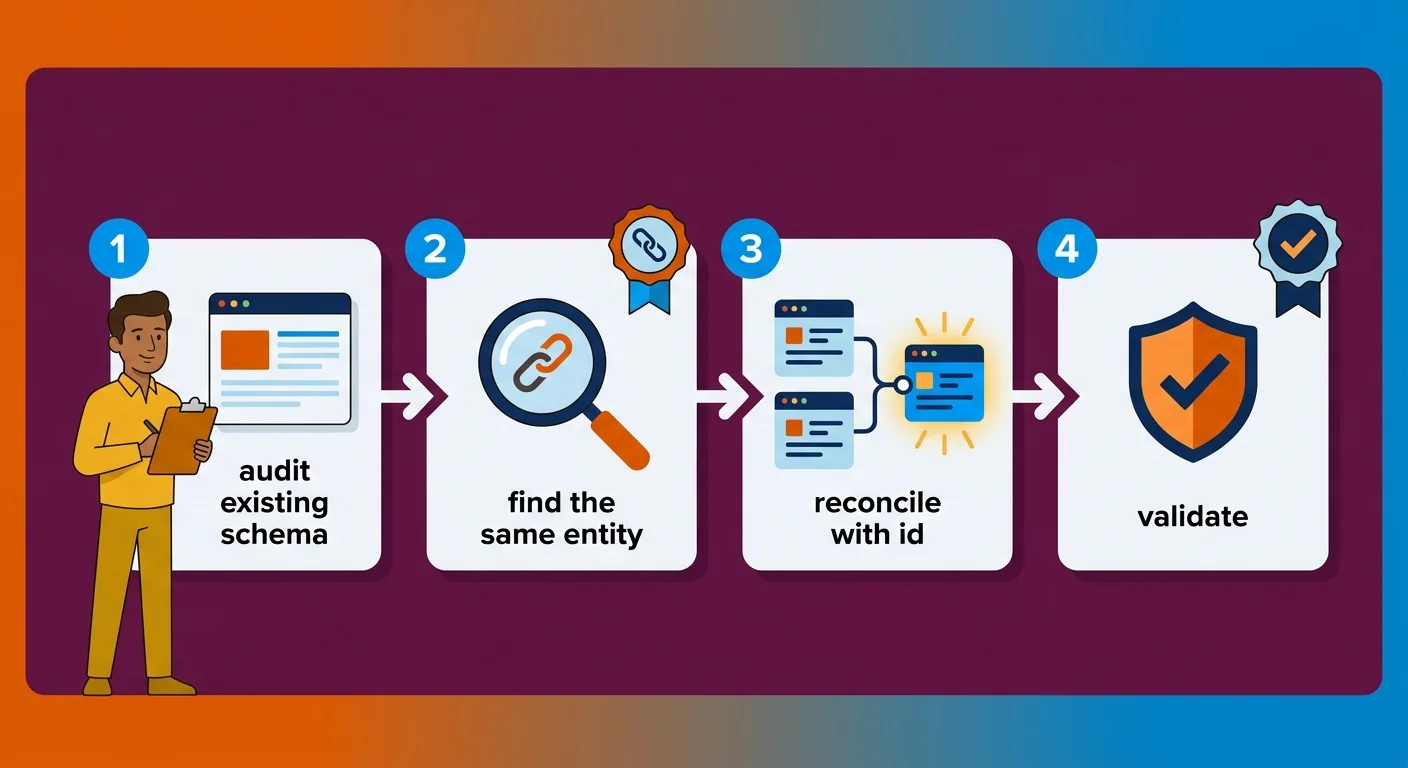
So what does this actually look like on a Tuesday afternoon, one new article away from hitting publish? It looks like a checklist. Not a gut feeling.
Schema integration is really just making sure the structured data on new content lines up with, and strengthens, the schema architecture a site already runs. That definition sounds procedural on purpose. It's a sequence, not a one-time judgment call.
Three moves carry the weight. Audit what's already live, reconcile the entity across pages, and confirm the platform isn't quietly fighting either one.
| Integration Step | What You're Checking | Why It Matters |
|---|---|---|
| Audit Existing Schema | Every schema type already live across the domain, not just the newest page | Reveals what the new content actually has to agree with before it publishes |
| Reconcile Entity Identity | Whether the business name, offerings, and authorship properties match across every page | A single coherent data layer only exists if every page reports the same facts |
| Assign a Shared @id | Whether the new markup references the same entity identifier as the rest of the site | Prevents the engine from reading two similarly named entities as separate ones |
| Check Nesting Structure | Whether new schema nests inside the established entity structure instead of forming a parallel one | Broken nesting fractures one business into disconnected entity records |
| Verify Platform Output | What the CMS or plugin generated by default, compared against what already exists | Automated schema still needs a human reconciliation pass before it ships |
Auditing Your Existing Schema Before You Add Anything New
Before you write a single new markup block, pull every schema type currently live on the domain. Not just the homepage. Every service page, every old article, every location listing.
Run each one through a validator and read the output slowly. Hunt for entity names that don't match, descriptions phrased three different ways, and offer or authorship properties that point nowhere consistent.
Yeah, that audit is tedious. It's also the only way to know what the new content actually has to agree with before it ships.
Using @id to Reconcile the Same Entity Across Pages
Here's the mechanism that makes reconciliation work at scale. The @id property lets multiple schema blocks point at the exact same entity, instead of every page quietly describing a slightly different version of it.
Without a shared @id, an engine has no reliable way to tell that the organization on a service page and the organization in a new article are one and the same. It just sees two entities that happen to share a name.
With a shared @id, every page's markup collapses back into one record. New content stops introducing a rival version of the entity and starts feeding the real one.
But Doesn't My CMS Already Handle This Automatically?
But doesn't a CMS already handle this automatically? Most platforms spit out basic schema by default, and that default rarely knows what the rest of the site already claims.
So a CMS plugin can output a valid organization block without once checking it against the block another plugin generated last year. Automated schema is still schema somebody has to reconcile by hand.
Validating the Merged Schema Before It Goes Live

So the audit's done, the @id references are wired together, and the new markup finally tells the same entity story as the rest of the site. That's still not the finish line.
Nothing ships until the merged schema clears validation. This is the gate that catches what a manual read-through slides right past.
A validator doesn't care how good the audit felt. It reads the raw markup and reports exactly what a machine sees — and that's the only opinion that counts here.
| Validation Error Type | Likely Cause | How to Resolve It |
|---|---|---|
| Missing Required Property | A schema block was generated without a mandatory field, often a provider, author, or offer reference left blank during a quick content push. | Trace the block back to its template and add the missing property before touching anything else, since a validator cannot verify what isn't there. |
| Type Mismatch | A property expecting a structured entity was handed a plain text string instead, usually because new content was bolted on without checking the existing entity format. | Rebuild the field as the correct typed object and confirm it points back to the same entity referenced elsewhere on the domain. |
| Silent Entity Contradiction | Two schema blocks validate cleanly on their own but describe the same entity with different names, addresses, or descriptions. | Reconcile both blocks under a shared @id so every page collapses back into one coherent record instead of two competing ones. |
| Orphaned New Content | A newly published page's schema was never checked against the site's established architecture, leaving it structurally isolated. | Run the new markup through the same audit applied to existing pages, then link it into the entity's established data layer before publishing. |
Common Validation Errors and What They Actually Mean
Most validation errors land in a few predictable buckets, and none of them stay mysterious once you name them. Missing required properties top the list — a service block with no provider, an article with no author reference.
Type mismatches come next. A field wants a structured entity and gets a plain text string instead, so the validator flags it — the engine can't read a name where it expected a full record.
Then there's the quiet one: markup that validates clean but still contradicts another block somewhere else on the domain. A clean pass confirms syntax. It says nothing about whether two valid blocks actually agree.
Signs Two Schema Blocks Are Actively Conflicting on One Page
That last one is the category worth hunting for on purpose, because it never shows up as a red error. Two blocks can each be technically correct and still describe the same entity two different ways.
Look for the tells. An organization name spelled or formatted one way on a service page and another way in a new article — that's one. A phone number or address that doesn't match across listings — that's another.
Here's the pattern that matters most: if a reader would call two descriptions inconsistent, an AI engine reads them as two separate entities. Catching that before you publish is what keeps the living communication layer speaking with one voice instead of two.
Frequently Asked Questions
So once the concept clicks, the same tactical questions keep coming up. Here are the straight answers.
What is 'schema drift' and how does it happen when adding new content?
Schema drift happens when new content ships its own schema without checking the entity record already live. Names, descriptions, and properties slowly drift apart. Eventually the engine reads two conflicting versions of one business.
Can I integrate new schema into an existing website without a complete overhaul?
Yes. Integration means auditing what's live, reconciling the entity references, and validating the merged result. You never rebuild the whole architecture from scratch.
Which schema types are most important when integrating AEO-focused content?
Organization and entity-level schema matter most. New articles have to point at the same business record already set elsewhere. Article and author schema come next, tying content back to the credentials the site already claims.
How do I validate that my new and old schema are working together correctly?
Run the merged markup through a validator first. But don't stop there. Compare entity names, addresses, and offer details across pages by hand, since a validator checks syntax, not agreement.
What are the risks of having conflicting schema on the same page?
Conflicting schema on one page confuses which entity record the engine should trust. And that confusion weakens how confidently an AI engine represents the business at all.
Does my CMS handle schema integration automatically?
No. Most platforms generate basic schema by default, but that default never checks itself against what other pages already claim. Reconciliation still takes a manual pass.
The Bottom Line on Schema as a Living Authority System
So here's the bottom line. Schema was never a box you check once and forget. It's a living communication layer — a nervous system under the site's skin, carrying one signal to every AI engine that touches it, or contradicting itself the second new content gets bolted on without a check.
Treat that layer as finished, and it starts drifting the day you stop watching it. Treat it as infrastructure — audited, reconciled, and validated every time something new goes live — and it keeps telling one coherent story about who the entity really is. That's the whole gap between a site that compounds authority and one that quietly erodes it.
Standalone content was never the risk. Unreconciled schema was. So if it's time to find out whether your markup still tells one story or several, start with an AI visibility check.