
How Chiropractors Can Use AI Appointment Reminders in 2026 to Reduce No-Shows
 by Gerek Allen ~ Last Updated: January 26th, 2026 ~ 10 Min Read
by Gerek Allen
~ Last Updated: January 26th, 2026 ~
~ 10 Min Read ~
Here's the short answer: AI appointment reminders can slash your no-show rate from 18-23% down to sub-5%.
That's not some marketing fluff. That's what happens when you combine automated multi-channel reminders with predictive analytics that flag at-risk patients before they ghost you.
Now... let's talk about what that actually means for your bank account.
The average chiropractic practice loses somewhere between $30,000 and $100,000 annually from missed appointments. If you're charging $100 per visit and losing just two patients a day? That's $600 per week walking out the door. Over a year? $31,000. Gone.
And that's conservative.
The old-school approach—having your front desk make reminder calls—doesn't scale. It burns staff hours, creates burnout, and still misses patients who screen their calls anyway.
AI flips the script. It reaches patients through their preferred channels (mostly text), learns who needs extra nudges, and frees your team to focus on humans actually walking through your door.
If you've been struggling with stopping no-show revenue leaks, you're about to get a tactical playbook. We'll cover the platforms worth your money, the exact reminder sequences that work, and how to stay HIPAA-compliant while texting patients.
Let's get into it.
Why No-Shows Are Quietly Killing Your Revenue
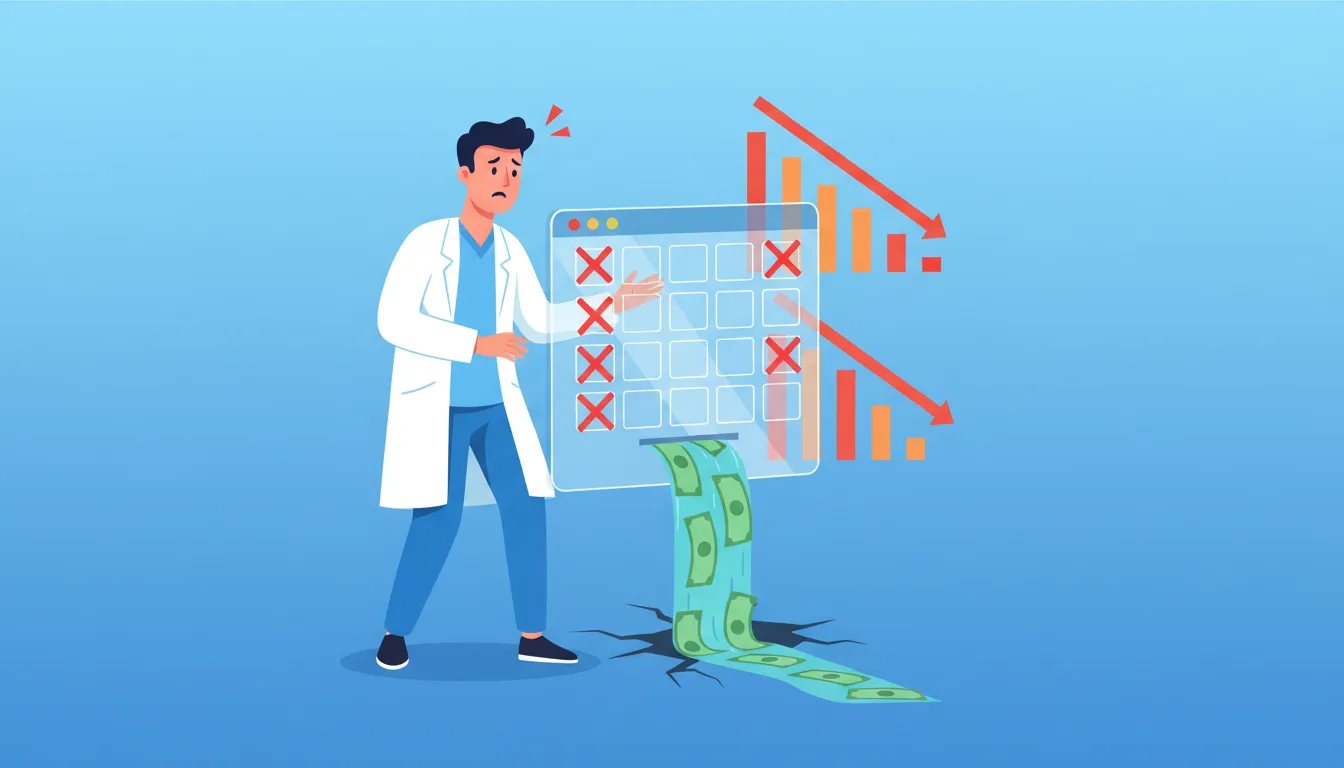

No-shows aren't just annoying.
They're a financial emergency hiding in plain sight.
Here's the thing... research from healthcare analytics firms shows no-show rates range from 5.5% all the way up to 50%. The worldwide average? About 23.5%. Most chiro practices land somewhere between 16-20% when they're not actively managing it.
The Real Cost Nobody Talks About
Alright, quick reality check. Let's do some math that'll make your stomach turn.
Your average appointment brings in $100. You see 30 patients a day. A 20% no-show rate means six empty slots.
That's $600 per day walking out the door.
Multiply by 20 working days? $12,000 monthly revenue leak. Over a year? $144,000.
But wait—it gets worse.
Your overhead doesn't pause when patients don't show. Rent still hits. Staff still gets paid. Your EHR subscription keeps charging. Those empty slots represent pure loss against costs that grind on regardless.
The Domino Effect on Patient Care
Beyond the money, no-shows wreck treatment outcomes.
Chiropractic care depends on consistency. Each adjustment builds on the last. When patients miss visits, their treatment plans derail. Recovery drags out. Pain sticks around longer than it should.
Here's the kicker: patients who miss one appointment are 70% more likely to disengage from care for the following 18 months.
One missed visit can snowball into complete patient attrition. That's not just lost revenue—it's someone not getting the care they need.
Why Patients Actually Miss Appointments
Understanding the "why" helps you fix the problem.
The culprits aren't complicated:
| Forgetfulness | 37% | Automated multi-touch reminders |
| Scheduling conflicts | 25% | Easy two-way reschedule via text |
| Financial concerns | 15% | Payment plan info in confirmations |
| Low engagement | 13% | Personalized recall campaigns |
| Friction in rescheduling | 10% | Self-service booking links |
Good news? Most of these are solvable with the right tech.
How AI Appointment Reminders Actually Work
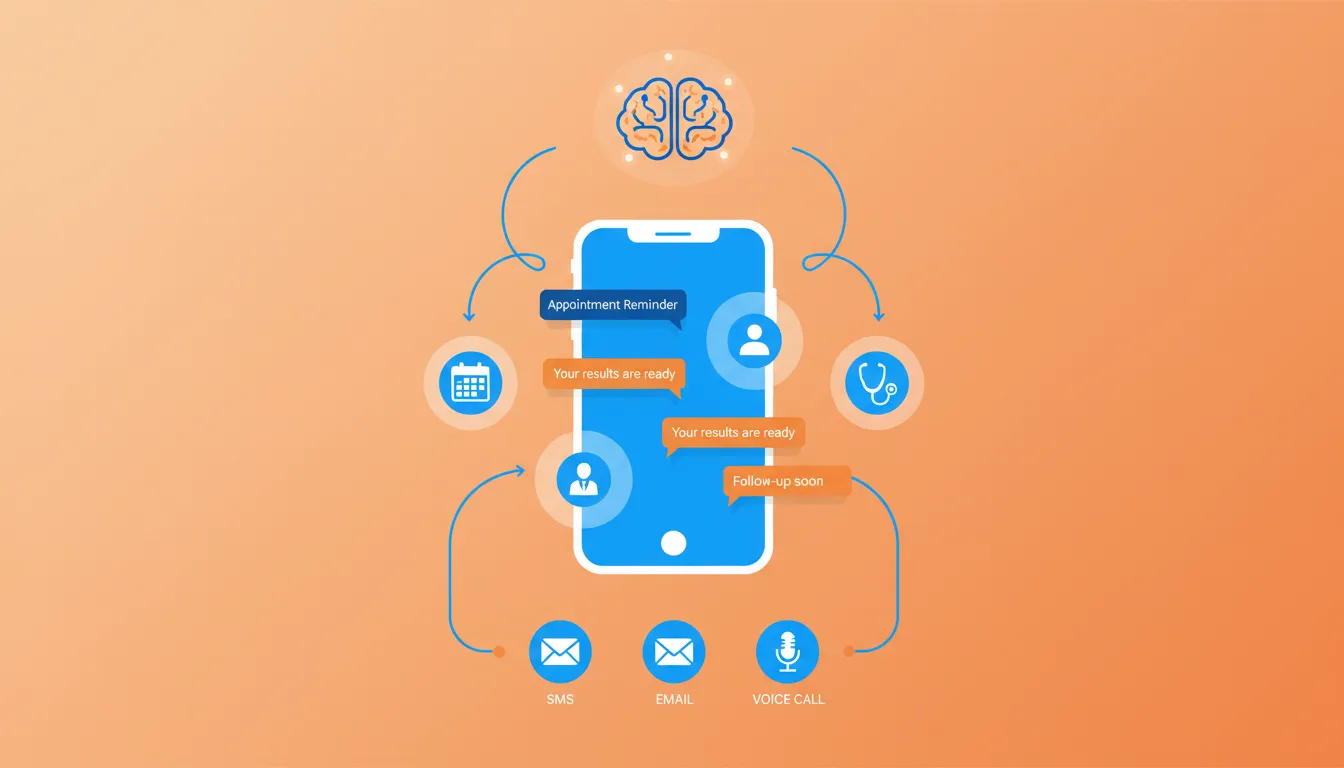
AI-powered systems go way beyond basic "don't forget your appointment" texts.
They're multi-channel engagement engines that learn patient behavior, predict who's likely to bail, and automatically escalate outreach for high-risk appointments.
Think of them as your most reliable front desk employee. One who never calls in sick, works 24/7, and never forgets to follow up.
The Anatomy of an Effective Reminder Sequence
The research is clear: a three-touch reminder sequence hits the sweet spot.
Types of Personalization That Work for Chiro Practices
Not all personalization is equal. Here's how different approaches stack up:
| 48 hours before | Initial reminder | Give lead time to reschedule if needed |
| 24 hours before | Confirmation request | Ask for "C" to confirm, "R" to reschedule |
| 2 hours before | Day-of nudge | Include directions or parking info |
Here's why this sequence works:
- 48 hours before - Initial reminder with enough lead time to reschedule if needed. Your "just checking in" touchpoint.
- 24 hours before - Confirmation request. Ask them to reply "C" to confirm or "R" to reschedule. Creates active engagement.
- 2 hours before - Day-of reminder with directions or parking info. Last chance to prevent a genuine "I forgot" situation.
SMS reminders have a 99% contact rate. Your message actually reaches them. Compare that to phone calls where patients actively screen unknown numbers.
Texting wins because it meets patients where they already live: on their phones.
Multi-Channel Magic: SMS + Email + Voice
Here's where AI systems really shine.
The best platforms don't just text. They orchestrate reminders across multiple channels based on patient preferences and response patterns.
Some patients prefer email. Others need a voice call. Many respond best to texts.
Multi-channel approaches can reduce no-shows by up to 60% compared to single-channel reminders.
The AI learns which patients respond to which channels. Then it adapts automatically.
If someone doesn't respond to the 48-hour text? System follows up with an email. Still nothing? Voice call at 24 hours out. This intelligent escalation catches patients who'd otherwise slip through the cracks.
Two-Way Texting Changes Everything
One-way reminders are so 2015.
Modern AI systems enable two-way texting. Patients can reply directly to reschedule, ask questions, or confirm attendance. No phone calls required. No hold times. No friction.
When patients can confirm with a simple "C" reply or reschedule by texting back? Something magical happens.
Your schedule becomes self-managing.
Staff sees confirmations populate in real-time. Cancellations free up slots that can immediately go to waitlisted patients.
Fifty percent of healthcare practitioners achieve a decrease in missed appointments simply by enabling two-way communication. It's that straightforward.
NEED MORE CLIENTS?
Free conversion-focused analysis uncovers the 3 biggest problems killing your bookings — we'll walk you through your results personally
Predictive AI: The Game-Changer for High-Risk Patients
Now... this part matters.
Here's where 2026 AI systems pull way ahead of basic automation.
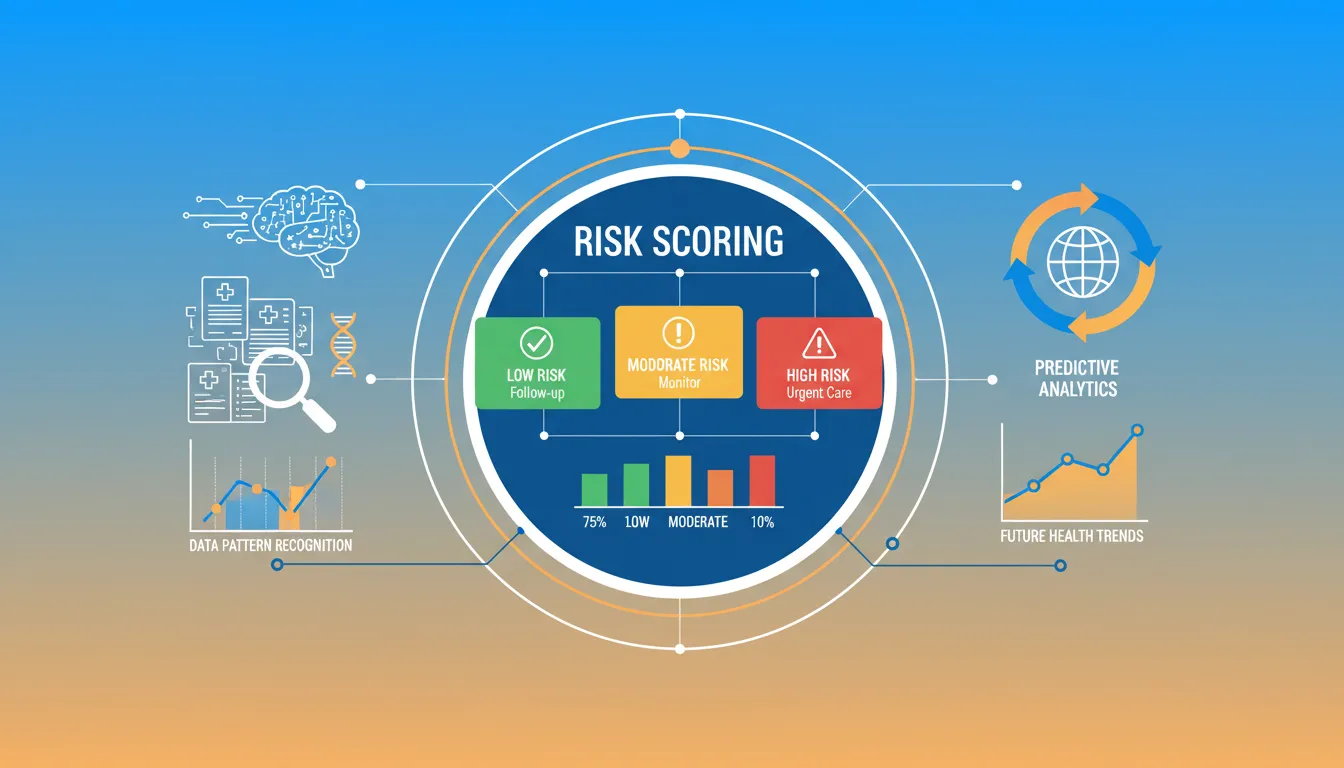
Predictive no-show prevention uses machine learning to flag which patients are most likely to miss—before they actually do. We're talking 85-93% accuracy in identifying high-risk patients.
Pretty wild, right?
How Prediction Actually Works
The AI crunches multiple data points to generate risk scores:
- Appointment history - Past no-show behavior is the strongest predictor of future no-shows
- Lead time - The longer between booking and visit date, the higher the risk. Often the single biggest factor.
- Demographics and insurance status - Certain patient populations show higher no-show tendencies
- Day and time of appointment - Monday 8am slots might have different patterns than Thursday afternoons
- Weather forecasts - Yep, bad weather correlates with missed appointments in some markets
A 2025 study deploying AI-driven scheduling at primary care centers achieved a 50.7% reduction in no-shows.
That's not incremental improvement. That's cutting your problem in half.
Targeting Interventions Where They Matter
Generic reminders treat every patient the same. That's inefficient.
Predictive AI lets you customize outreach intensity based on risk level.
Low-risk patients who always show up? Standard reminder sequence. High-risk patients with spotty attendance? Extra touchpoints. Maybe a personal phone call. Possibly a transportation offer.
Some advanced platforms adjust reminder content and timing based on individual response patterns. If a patient always confirms after evening texts but ignores morning messages? The system learns and adapts.
You're not annoying reliable regulars with excessive contact. But you're still catching patients who need extra attention.
Sound fair?
The Best AI Reminder Platforms for Chiropractors in 2026
Not all reminder systems are created equal.
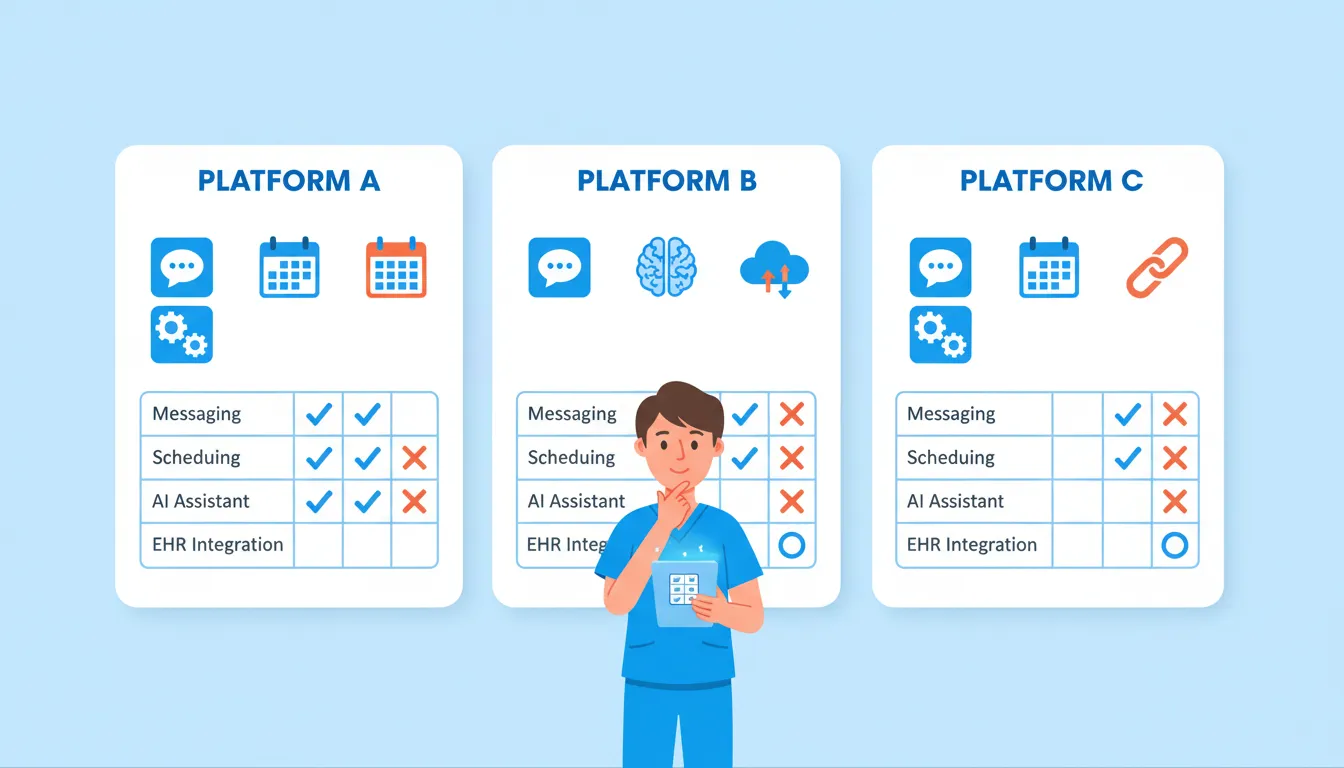
When you're looking at the best chiropractic AI automation tools, you need platforms that integrate with your existing EHR, offer multi-channel communication, and stay HIPAA-compliant.
Here's what's actually worth your money.
ChiroTouch with CT Engage
This is the heavyweight for practices already running ChiroTouch EHR.
CT Engage offers an all-in-one communication dashboard. Automated text and email reminders, two-way texting, recall campaigns, reputation management. It's built specifically for chiropractors, so the workflows actually make sense.
What matters:
- Automated appointment reminders and confirmations - Set it and forget it. Reminders go out on your schedule. Confirmations update automatically.
- Two-way texting from your practice number - Patients see a familiar number. Builds trust. No weird third-party sender IDs.
- Recall campaigns - Automated outreach to inactive patients. That 5% retention boost that can increase profitability by 75%? This is how you capture it.
- Reputation management - Post-visit review requests built into the workflow.
Pricing runs $159.95/month.
Given that the average practice loses $3,200 monthly to no-shows? The math works overwhelmingly in your favor.
Jane App
If you're running a smaller practice or want a more intuitive, mobile-first experience, Jane App deserves serious consideration.
Jane handles scheduling, reminders, charting, and billing in one clean interface. Chiropractors, massage therapists, and physiotherapists all use it. Shines for multi-practitioner practices where you need visibility across everyone's schedule.
What sets Jane apart:
- Email and SMS reminders - Customizable timing and content. Patients can even choose their preferred reminder schedule.
- Automated waitlist management - Someone cancels? Waitlisted patients get automatic notifications to fill the gap.
- AI Scribe (new in 2025) - Turns voice notes into SOAP notes. Not directly related to reminders, but a massive time-saver.
- Self-booking - Patients book, cancel, and reschedule without staff intervention.
Pricing starts at $39/month for solo practitioners up to $99/month for full clinic features including SMS reminders.
Podium AI Employee
For practices wanting conversational AI that goes beyond basic reminders, Podium's AI Employee is worth exploring.
This isn't just a reminder system. It's an AI-powered virtual assistant that answers calls, responds to texts, schedules appointments, and handles patient inquiries autonomously.
Think of it as adding staff capacity without adding headcount.
What makes Podium different:
- Voice AI - Answers phone calls 24/7. Collects appointment details. Books directly to your calendar.
- Conversational scheduling - Patients text back and forth to find times, not just confirm existing ones.
- Lead response in under 2 minutes - Someone inquires about your practice? AI responds immediately while you're busy adjusting patients.
- Review management - Automated review requests plus AI-generated responses to online reviews.
Podium is HIPAA-compliant and works across healthcare settings. Pricing is custom-quoted based on features and volume.
Podium AI Employee
| ChiroTouch CT Engage | Existing ChiroTouch users | $159.95/mo | Deep EHR integration |
| Jane App | Multi-practitioner practices | $39-99/mo | Intuitive scheduling |
| Podium AI Employee | High-volume, growth-focused | Custom | Conversational AI |
The right choice depends on your current tech stack and growth goals.
Already in ChiroTouch? CT Engage is the path of least resistance. Starting fresh or prioritizing simplicity? Jane wins. Want AI that actually talks to patients? Podium's your play.
Ready to See How We Fix Chiropractic Websites?
We've transformed 150+ service-based websites using our proven 4-step system. See exactly how we combine premium design with conversion science.
Setting Up Your AI Reminder System: Step-by-Step
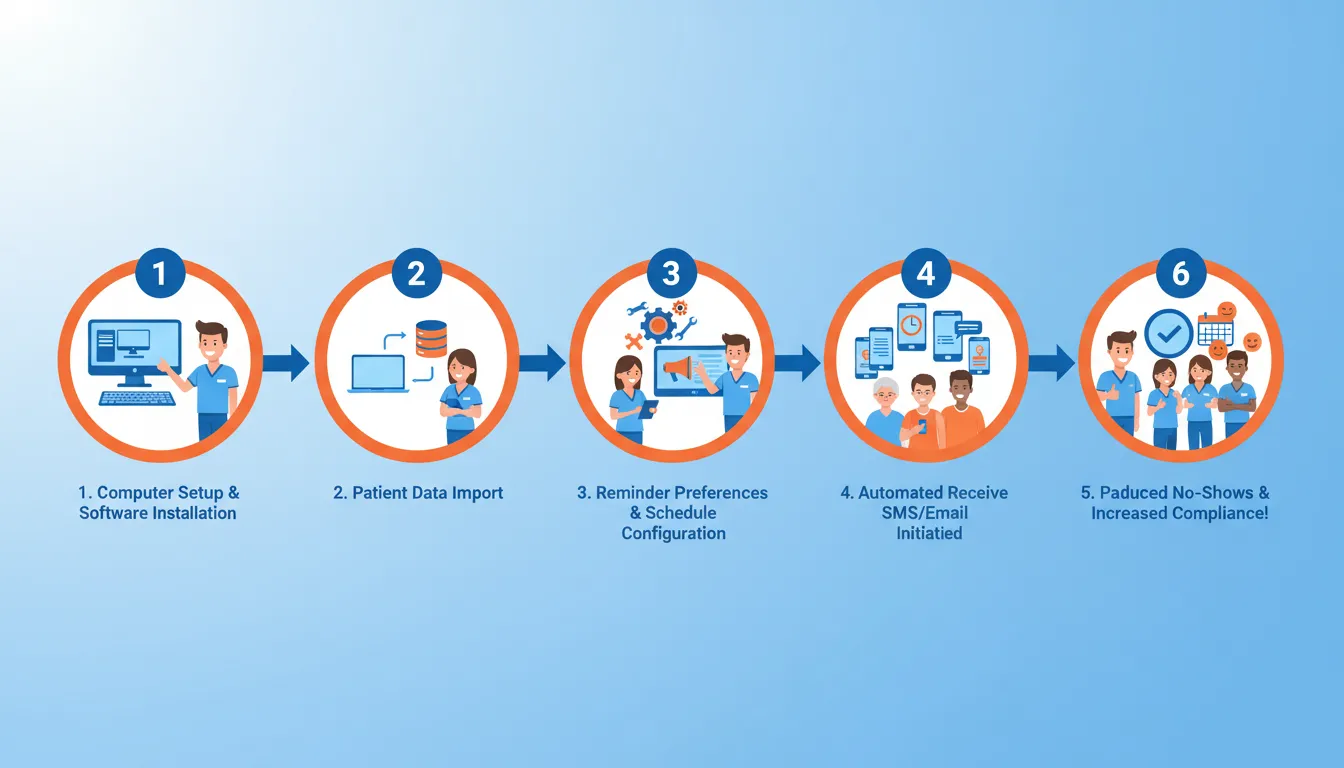
Let's get tactical.
Here's exactly how to implement AI reminders—from initial setup through optimization. This works whether you're using ChiroTouch, Jane, Podium, or something else.
Step 1: Audit Your Current No-Show Baseline
You can't improve what you don't measure.
Pull 90 days of appointment data. Calculate your no-show percentage: total missed appointments divided by total scheduled, times 100. Most EHRs have this report built in.
While you're at it, identify patterns:
- Which days have the highest no-show rates?
- Are certain appointment types more prone to no-shows?
- Do specific patient demographics miss more frequently?
This baseline becomes your benchmark. If you're at 20% now and drop to 10% after AI reminders? That's concrete ROI to celebrate.
Step 2: Choose and Configure Your Platform
Based on the comparison above, pick what fits your practice.
During setup, you'll configure:
- Reminder timing - Set your three-touch sequence (48h, 24h, 2h recommended)
- Communication channels - Enable SMS as primary, email as secondary. Add voice for high-risk patients if available.
- Message templates - Customize the default text to match your practice voice. Keep it friendly but professional.
- Confirmation options - Enable two-way texting with clear response options (C to confirm, R to reschedule)
Most platforms offer onboarding support. Use it. The faster you're configured right, the faster you start saving money.
Step 3: Get Patient Consent Documented
This matters for both HIPAA and TCPA compliance.
You need written consent before texting patients. Update your intake forms to include SMS consent language. Something like:
"I consent to receive appointment reminders via text message at the number provided. Message and data rates may apply. Reply STOP to unsubscribe."
For existing patients? Have them sign updated consent during their next visit. Or send a one-time opt-in request.
Step 4: Craft HIPAA-Compliant Messages
What you include in reminder texts matters legally.
Safe to include:
- Patient's first name
- Appointment date and time
- Practice name
- Practice address or "at our usual location"
- Confirmation/reschedule instructions
Never include:
- Health conditions or diagnoses
- Treatment types being performed
- Payment or insurance information
- Anything that reveals why they're seeing you
A compliant reminder looks like:
"Hi Sarah, this is a reminder of your appointment at ABC Chiropractic on Tuesday, Jan 28 at 2:00pm. Reply C to confirm or R to reschedule."
Short. Simple. Private.
Step 5: Set Up Recall Campaigns
Reminders prevent no-shows. Recall campaigns reactivate lapsed patients.
Configure automated outreach for patients who haven't visited in 30, 60, and 90 days. Keep the messaging friendly, not guilt-trippy:
"Hi Marcus, we noticed it's been a while since your last visit. Ready to get back on track? Reply to schedule your next adjustment."
A 5% increase in patient retention can boost profitability by up to 75%. Recall campaigns are how you capture that upside.
Step 6: Monitor, Measure, Optimize
Launch isn't the finish line. It's the starting point.
Track these metrics weekly for the first month, then monthly:
- No-show rate - The main event. Is it dropping?
- Confirmation rate - What percentage confirm via text?
- Reschedule rate - How many cancel-and-rebook vs. just no-show?
- Opt-out rate - Are patients unsubscribing? (Should be very low if you're not over-messaging)
Most platforms provide dashboards showing these metrics. Use them.
If your 48-hour reminder gets low response rates? Adjust the timing or tweak the message content. Keep testing.
Staying HIPAA-Compliant with Patient Texting
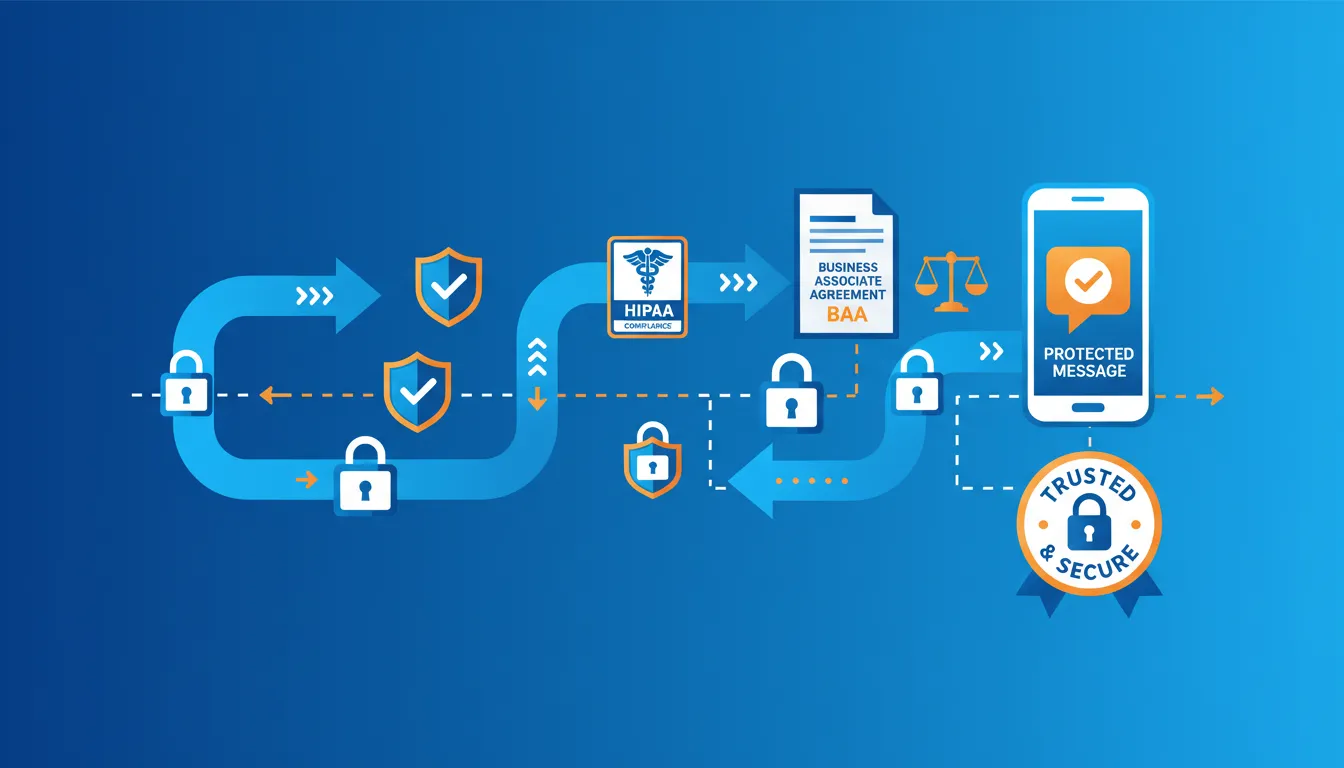
Here's the good news: texting patients isn't inherently a HIPAA violation.
The U.S. Department of Health and Human Services explicitly confirms that appointment reminders are considered part of treatment. You can send them without separate authorization.
But—and this is important—how you text determines whether you stay compliant.
The Golden Rules of HIPAA-Compliant Reminders
Follow these and you'll stay out of trouble:
- Limit message content - Date, time, location only. No health info, treatment types, or payment details.
- Use compliant platforms - Your texting service must have security safeguards. Sign a Business Associate Agreement (BAA) with any vendor handling patient communications.
- Document consent - Written opt-in before you start texting. Clear opt-out instructions in your messages.
- Verify contact info regularly - Prompt patients to confirm their phone number is still current.
The HIPAA Journal puts it simply: "Even when a text message is sent by a HIPAA regulated entity via SMS, it is not a HIPAA violation if the content of the message does not contain information that is protected by HIPAA."
Keep your messages boring (just appointment details) and you're good.
FCC Regulations You Need to Know
Beyond HIPAA, the FCC sets rules on healthcare communications:
- Three contacts per week maximum for appointment-related messages
- Reminder calls capped at 60 seconds
- Text messages capped at 160 characters (though modern SMS platforms handle longer messages as concatenated texts)
- Clear opt-out mechanism required
Your three-touch reminder sequence (48h, 24h, 2h) falls well within these limits. Just don't add marketing messages on top and you're golden.
What About Sensitive Appointments?
Sometimes patients want extra privacy.
Maybe they're seeing you for a work injury they haven't told their employer about. Maybe they're a public figure.
Good reminder systems let patients customize preferences:
- Opt out of SMS and receive email only
- Receive reminders at a different number
- Choose shortened/generic messages
Accommodate reasonable requests. It's required by HIPAA's confidential communications rule. And it's just good patient care.
Measuring ROI: Is AI Worth the Investment?
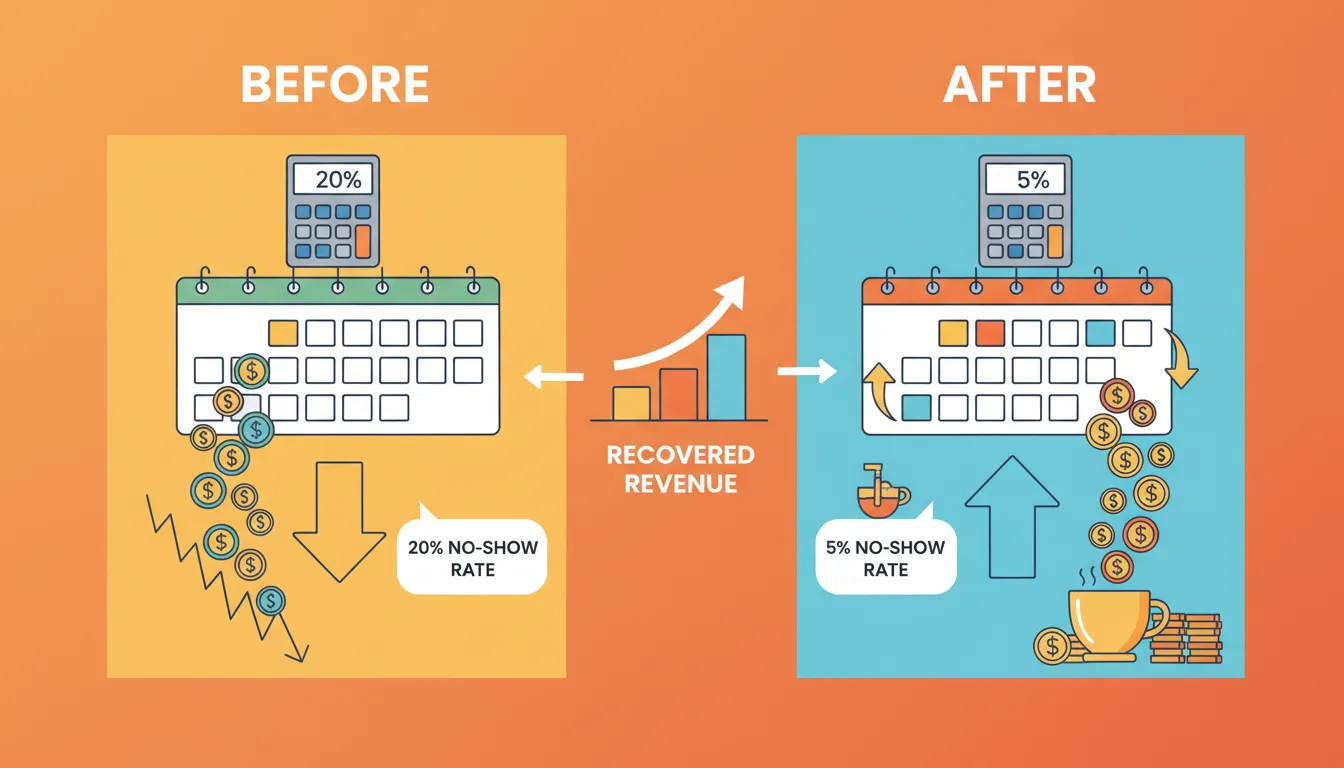
Let's talk money. Because that's ultimately what this is about.
AI reminder systems aren't free. But stack the cost against the revenue they protect? The math becomes obvious.
The Revenue Recovery Calculation
Here's how to calculate your specific ROI:
| Current annual loss | (Avg revenue) × (No-shows/day) × (Work days) | $100 × 2 × 250 = $50,000 |
| Post-AI loss (50% reduction) | Current loss × 0.50 | $50,000 × 0.50 = $25,000 |
| Annual savings | Current loss - Post-AI loss | $25,000 |
| System cost | Platform subscription × 12 | ~$2,000/year |
| Net ROI | Annual savings - System cost | $23,000 |
Even at a conservative 30% reduction? You're looking at $13,000+ in annual savings against a $2,000 investment.
That's a 6.5x return.
Beyond Direct Revenue: Hidden Value
The calculation above is actually conservative. It ignores secondary benefits:
- Staff time savings - No more manual reminder calls. Front desk can focus on patient experience instead of phone tag.
- Reduced burnout - Less frustration from schedule chaos and wasted preparation.
- Improved patient outcomes - Consistent attendance means better treatment results, happier patients, more referrals.
- Higher lifetime value - Patients who stick with care plans spend more over time.
When you're looking at ways to reclaim your evenings with AI, appointment automation is one of the highest-leverage starting points.
What Real Practices Are Seeing
The research backs up the ROI story:
- Practices using automated reminders see 30-50% reductions in no-shows
- Multi-channel approaches achieve up to 60% improvement
- One healthcare system achieved 50.7% reduction with AI-driven scheduling
- Text reminders show 99% successful contact rates
These aren't projections. They're documented outcomes from real implementations.
Common Mistakes That Tank Your Reminder Results
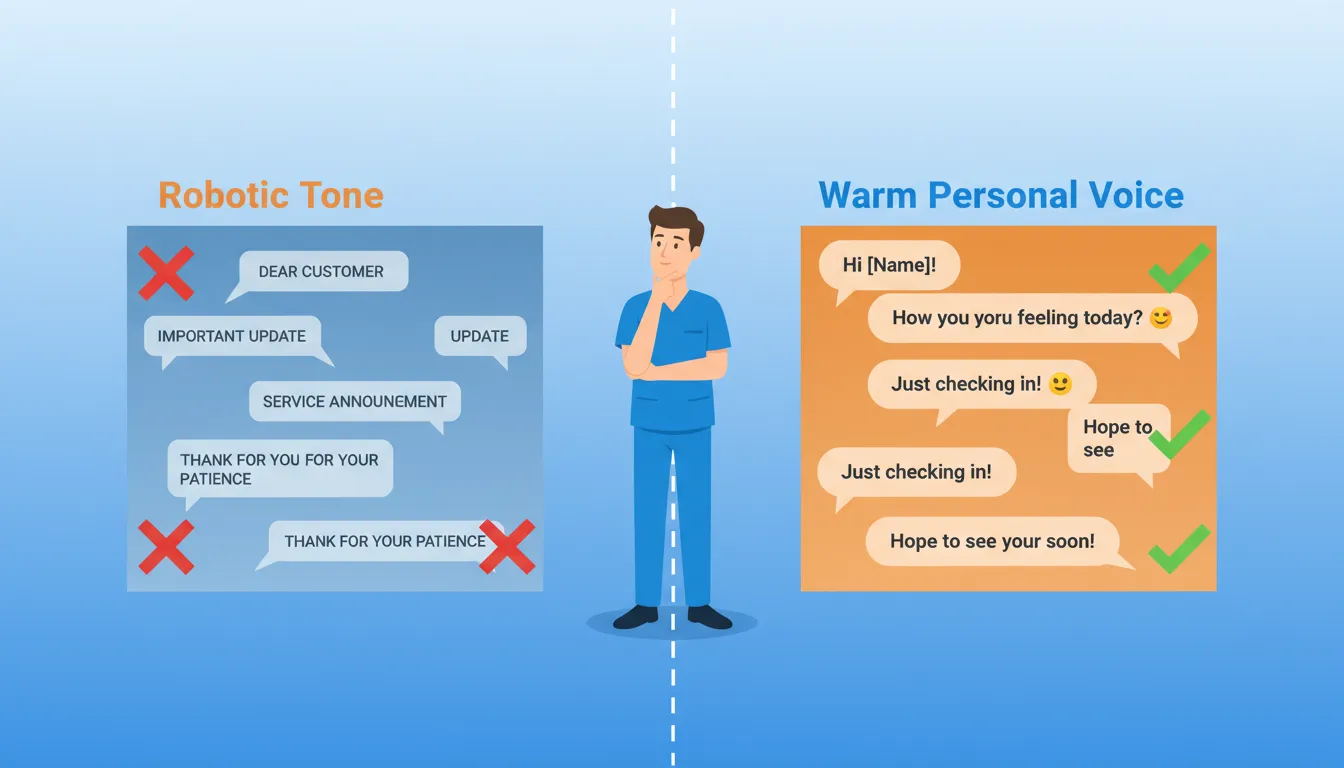
Even good systems fail when implemented poorly.
Here are the pitfalls that sabotage reminder effectiveness—and how to avoid them.
Mistake #1: Generic, Robotic Messages
"Your appointment is scheduled for [DATE] at [TIME]" feels like it came from a faceless corporation.
Patients respond better to messages that sound human. Use their first name. Match your practice's personality. Add a touch of warmth.
Instead of: "Appointment reminder: Dr. Smith, 1/28, 2:00pm"
Try: "Hi Sarah! Just a friendly reminder about your adjustment with Dr. Smith tomorrow at 2pm. See you soon! - ABC Chiropractic"
Same info. Completely different feel.
Mistake #2: Wrong Timing
Sending reminders at 6am or 11pm annoys patients and feels invasive.
Best practice: Send during normal business hours (9am-7pm local time). Mid-morning and early evening tend to get best response rates.
Also: Don't send the 2-hour reminder if someone already confirmed. Your system should be smart enough to skip redundant touchpoints.
Mistake #3: No Clear Call-to-Action
If patients don't know how to respond, they won't.
Every reminder needs obvious next steps:
- "Reply C to confirm"
- "Reply R to reschedule"
- "Questions? Reply to this message"
Make it stupid easy. Friction kills response rates.
Mistake #4: Ignoring Non-Responders
Some patients won't respond to texts. Doesn't mean they're no-shows.
Build escalation logic into your workflow. No response to 48-hour text? Try email. Still nothing? Quick phone call from staff for high-value appointments.
The goal is reaching patients through whatever channel actually works for them.
Mistake #5: Set-and-Forget Mentality
Launching a reminder system isn't a one-time project.
Review your metrics monthly. Test different message variations. Adjust timing based on patterns you observe.
What works in January might need tweaking by June.
The practices seeing the best results treat their reminder systems as ongoing optimization projects, not installation checkboxes.
What's Next: AI Appointment Tech Trends for 2026
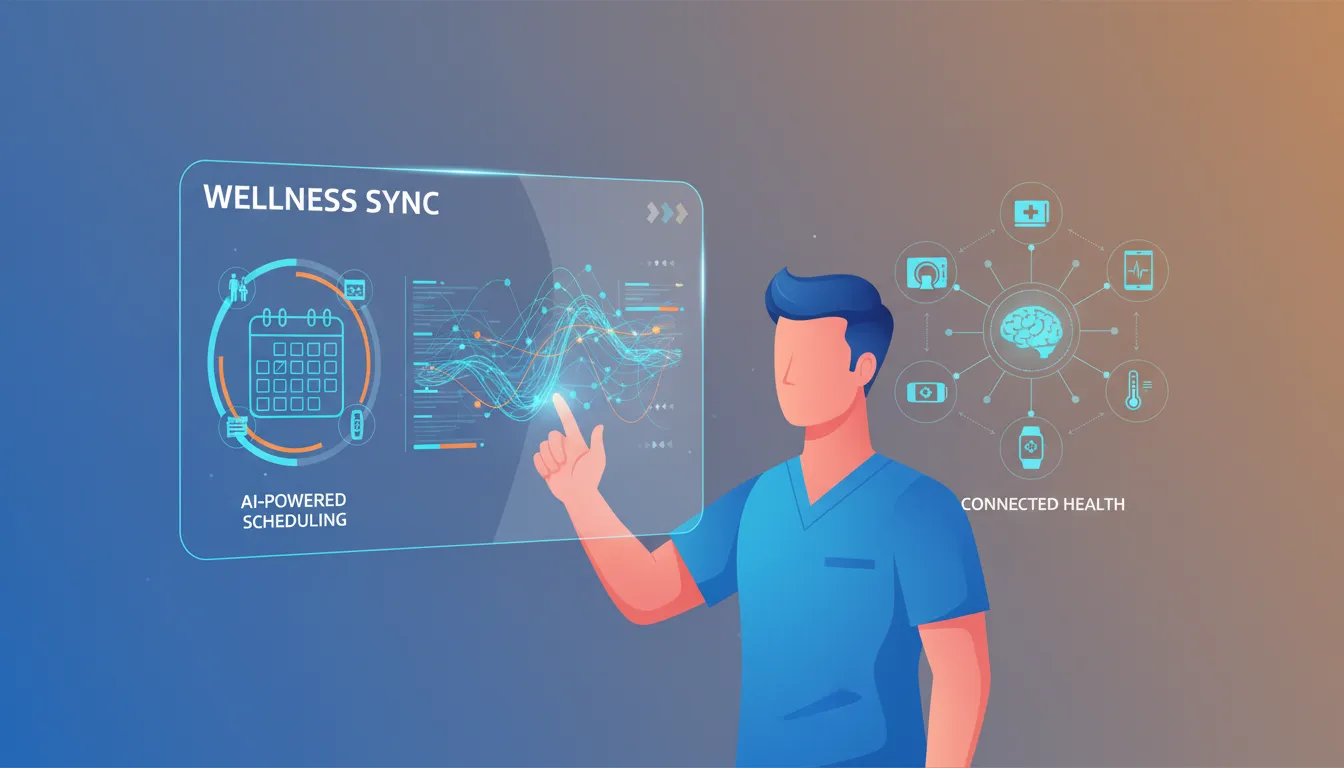
The AI reminder landscape is evolving fast.
Here's what's coming—and how smart practices are positioning themselves.
Predictive Analytics Goes Mainstream
Right now, predictive no-show prevention is mostly available in enterprise healthcare systems.
By late 2026? Expect this capability to filter down to chiropractic-specific platforms. Machine learning models that flag high-risk appointments will become standard features, not premium add-ons.
Practices that understand predictive analytics early will have an edge when these tools become widely available.
Voice AI Handles More Interactions
Podium's AI Employee is just the beginning.
Voice AI that answers calls, books appointments, handles common questions, and hands off complex situations to humans is getting sophisticated enough for healthcare.
Imagine your phone always answered on the first ring, 24/7, by an AI that knows your schedule and services.
This tech is already boosting lead conversion rates. It'll only get smarter.
Deeper EHR Integration
The trend is toward seamless systems where appointment reminders, patient communication, documentation, and billing all live in one ecosystem.
Platforms like ChiroTouch are moving this direction—adding AI capabilities across the entire practice management workflow, not just isolated features.
The best chiropractic AI chatbots will eventually plug directly into your complete patient record.
Personalization at Scale
Future systems won't just send reminders. They'll send the right reminder to each patient based on individual behavior patterns, preferences, and risk factors.
Patient A responds best to casual texts. Patient B needs formal email. Patient C only confirms when called.
AI that adapts to individual communication styles will dramatically improve effectiveness beyond today's one-size-fits-all approaches.
Frequently Asked Questions
How do I set up AI appointment reminders for my chiropractic clinic?
Start by choosing an AI-powered platform that integrates with your EHR.
If you're using ChiroTouch, CT Engage is the natural choice. For other EHRs, Jane App or standalone solutions like Podium work well.
Configure your reminder sequence with messages at 48 hours, 24 hours, and 2 hours before appointments. Set up two-way texting so patients can confirm or reschedule.
Most platforms offer templates you can customize to match your practice voice. Setup typically takes a few hours for basic configuration, plus time to import patient contacts and test your message flows.
Which chiropractic EHR has the best AI integration?
ChiroTouch with CT Engage offers the most comprehensive AI integration built specifically for chiropractors.
It includes automated reminders, two-way texting, recall campaigns, and reputation management—all synced directly with your patient charts and schedule.
Jane App is excellent for multi-practitioner practices with automated SMS and email reminders plus newer AI Scribe features. For conversational AI that goes beyond basic reminders, Podium AI Employee handles voice calls and complex text conversations autonomously.
Are AI appointment reminders HIPAA compliant?
Yes—when properly implemented.
Keep message content limited to date, time, and location only. Never include health conditions, treatments, or payment info. Get written consent before texting. Use platforms with proper security safeguards and sign a Business Associate Agreement with your software vendor.
HHS explicitly confirms appointment reminders are permitted under HIPAA's treatment provisions without requiring separate authorization.
How many reminders should I send?
Three reminders hit the sweet spot.
48 hours before gives patients time to reschedule. 24 hours before is your confirmation request. 2 hours before is the day-of nudge.
FCC regulations cap healthcare reminder contacts at three times per week, so this sequence stays within compliance limits.
If a patient confirms after the 48-hour message? Your system should skip redundant reminders while still sending the 2-hour day-of touchpoint.
Can AI really predict which patients will miss appointments?
Yes. And the accuracy is impressive.
Predictive AI models now achieve 85-93% accuracy in identifying high-risk patients.
These systems analyze appointment history (the strongest predictor), lead time between booking and visit, demographics, day/time patterns, and even weather.
Clinics using predictive analytics have seen up to 50.7% reduction in no-shows by targeting high-risk patients with extra outreach.
How much does AI reminder software cost?
Costs vary by platform:
- ChiroTouch CT Engage: $159.95/month
- Jane App: $39/month (Base) to $99/month (Clinic)
- Podium AI Employee: Custom pricing, typically several hundred/month
Factor in ROI: Even preventing two no-shows weekly at $100/visit saves over $10,000 annually. Most practices see positive ROI within the first month.
Will texting patients too much cause them to opt-out?
Not if you follow best practices.
Studies show 98% of patients prefer text reminders over phone calls or emails.
The key: stick to appointment-related messages only. Keep them brief and friendly. Provide clear opt-out instructions. Never mix marketing messages with reminders.
Three appointment-related texts per scheduled visit is well within what patients consider acceptable.
Does automated scheduling actually reduce cancellations?
Absolutely.
Practices using automated reminders see 30-50% reductions in no-shows. Multi-channel approaches combining SMS, email, and voice achieve up to 60% improvement.
The average practice loses $3,200 monthly to missed appointments. Even a 30% improvement translates to nearly $1,000 saved every month.
Wrapping Up
No-shows are a solvable problem.
The tech exists today to cut your missed appointment rate by 30-50% or more. AI-powered reminder systems handle the heavy lifting automatically. They reach patients through preferred channels, confirm attendance, and flag high-risk appointments before they become empty slots.
The math is simple.
If you're losing $30,000+ annually to no-shows (and most practices are), a $2,000/year investment in AI reminders delivers massive ROI. Even conservative improvements pay for themselves many times over.
Start by auditing your current no-show baseline. Choose a platform that integrates with your workflow. Configure your three-touch sequence. Launch. Monitor. Optimize.
Your schedule—and your revenue—will thank you.
Look, I get it. You've probably heard "automate your reminders" advice before. And it feels like one more thing to set up in an already overflowing to-do list.
If you're thinking "this all makes sense, but I don't have time to do it right," you're not alone. Most successful chiropractors we work with felt the same way before they realized their website and online presence were quietly costing them 15-20 qualified patient leads every single month.
That's why we created our Free Website Conversion Analysis. It's not a sales pitch—it's a genuine walkthrough of the 3 biggest problems killing your bookings, delivered personally via Loom video within 24 hours.
We'll show you exactly:
- Why visitors leave without booking
- What's broken on mobile devices (where most searches happen)
- Missing trust signals costing you patients
- Where you rank vs. local competitors
- Simple fixes that drive more calls this month
You'll also get an instant case study while you wait, showing real examples of how other chiropractors fixed these exact problems.
Get your free analysis here — no credit card, no obligation, just actionable insights you can use whether you work with us or not.
Because every day your online presence underperforms is another day patients are finding your competitors instead of you.

Gerek Allen
Co-Owner iTech Valet
Entrepreneur, patriot, CrossFit junkie, IPA enthusiast, loves to travel to tropical destinations, and knows way too many movie quotes.


About iTech Valet
iTech Valet specializes in web design and content marketing for online entrepreneurs who want to share their expertise.
Services Include:
- Web Design
- Graphic Design
- Sales Copy
- Funnel Building
- Authority Sites
- Membership Sites
- Course Creation
- Email Systems
- Content Marketing
- Competitive Analysis
- Tech Integrations
- Strategic Planning
NEED MORE CLIENTS?
Free conversion-focused analysis uncovers the 3 biggest problems killing your bookings — we'll walk you through your results personally
621 Enterprises, Inc. | Copyright 2022 | All rights reserved