

How to Write Chiropractic Appointment Reminders That Reduce No-Shows (2026 Guide)
 by Gerek Allen ~ Last Updated: January 17, 2026 ~ 11 Min Read
by Gerek Allen
~ Last Updated: January 17th, 2026 ~
~ 11 Min Read ~
The best chiropractic appointment reminders are short, personal, and make it stupid-easy for patients to confirm or reschedule.
Here's what actually works: a 3-part sequence sent at 48 hours, 24 hours, and 2-3 hours before the appointment. Simple confirmation mechanism. Zero friction.
Practices doing this right? They're seeing no-show rates drop by 30-38%. That's not marketing fluff. That's real money you're probably losing every single week.
Let's put some numbers to it. The average practice loses around $3,200 per month to missed appointments. That's roughly $40,000 a year just... gone. Poof. Because someone forgot they had a Tuesday afternoon slot.
Here's the thing... your patients aren't trying to screw you over. They're just overwhelmed. Life happens. Your job is to cut through the noise with reminders they actually notice.
This guide gives you everything you need for stopping no-show revenue leaks: copy-paste templates, the psychology behind what works, and a complete system for getting patients through your door.
No theory. No fluff. Just stuff you can use today.
Why Most Chiropractic Reminders Fail (And What Actually Works)
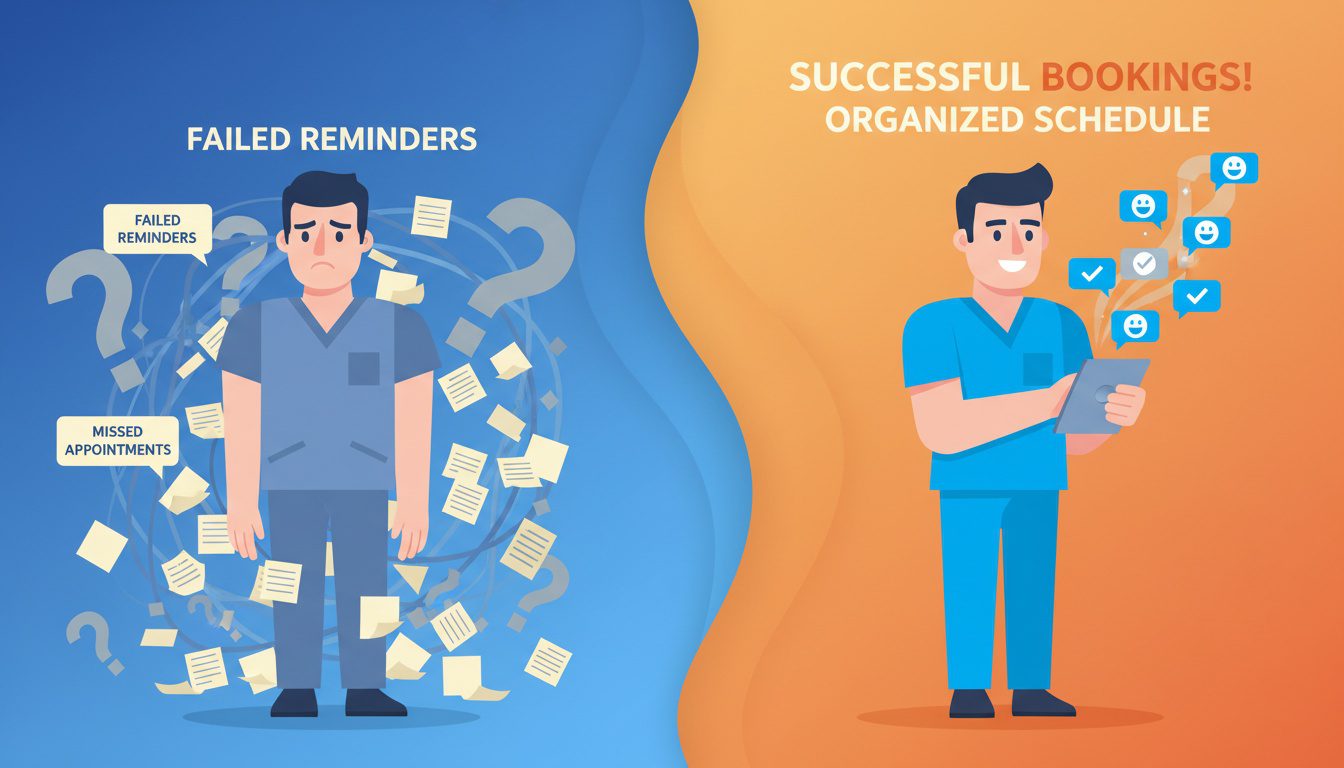
Most practices send reminders that sound like they were written by a robot. In 1997.
You know the type: "This is a reminder that you have an appointment scheduled."
Cool. Thanks for nothing.
Here's what's actually happening when patients no-show. About 37% of people who miss appointments either didn't remember or didn't even know they had one scheduled.
That's not malice. That's just... life being life.
The Psychology Behind Why Patients Ghost You
Your patient scheduled their adjustment three weeks ago.
Since then? Work deadlines. Kid's soccer practice. Car trouble. That weird thing with their in-laws.
Your Tuesday 3 PM slot is buried under a mountain of mental chaos.
The fix isn't blaming them. It's cutting through the noise with reminders that actually register.
Here's why effective reminders work:
| Micro-commitment | Patient texts "C" to confirm | They've invested psychologically and show up more |
| Friction reduction | One-tap reschedule option | Patients tell you instead of ghosting |
| Personalization | Use their name + doctor's name | Generic notification becomes personal communication |
| Recency effect | Final reminder 2-3 hours before | Appointment stays top of mind |
This isn't just theory. It's how you turn a 20% no-show rate into under 8%.
What Generic Reminders Get Wrong
Let's look at what most practices send:
"This is an automated reminder for your appointment at ABC Chiropractic on Tuesday at 3:00 PM. Please call 555-1234 to confirm or cancel."
Problems everywhere. No patient name. No doctor name. "Automated reminder" screams "we don't actually care."
And requiring a phone call to respond? That's friction city. Nobody wants to make a call.
Now compare that to this:
"Hi Sarah! Quick reminder - your adjustment with Dr. Martinez is Tuesday at 3 PM. We're looking forward to continuing your progress! Reply C to confirm or R to reschedule."
Night and day. Same info. Completely different impact.
Here's why:
| Patient name | ❌ Missing | ✅ "Hi Sarah!" |
| Doctor name | ❌ Missing | ✅ "Dr. Martinez" |
| Tone | ❌ Robotic, corporate | ✅ Friendly, personal |
| Response method | ❌ Phone call required | ✅ Simple text reply |
| Emotional connection | ❌ None | ✅ "continuing your progress" |
| Friction level | ❌ High (5+ min task) | ✅ Low (2 seconds) |
If you're still sending generic reminders, you're basically asking patients to no-show.
The Confirmation Trick That Changes Everything
Here's a stat that should get your attention.
Practices using text reminders with simple confirmation options see response rates around 45%. Email? About 6%.
The magic is making confirmation effortless. "Reply C to confirm" takes two seconds. Calling the office? That's a 5-minute task that gets pushed to "later."
And "later" usually means "never."
Two-way texting also gives patients an easy out. If they can't make it, they'll actually tell you. That empty slot becomes fillable instead of wasted.
Sound fair?
The 3-Part Reminder Sequence That Actually Works
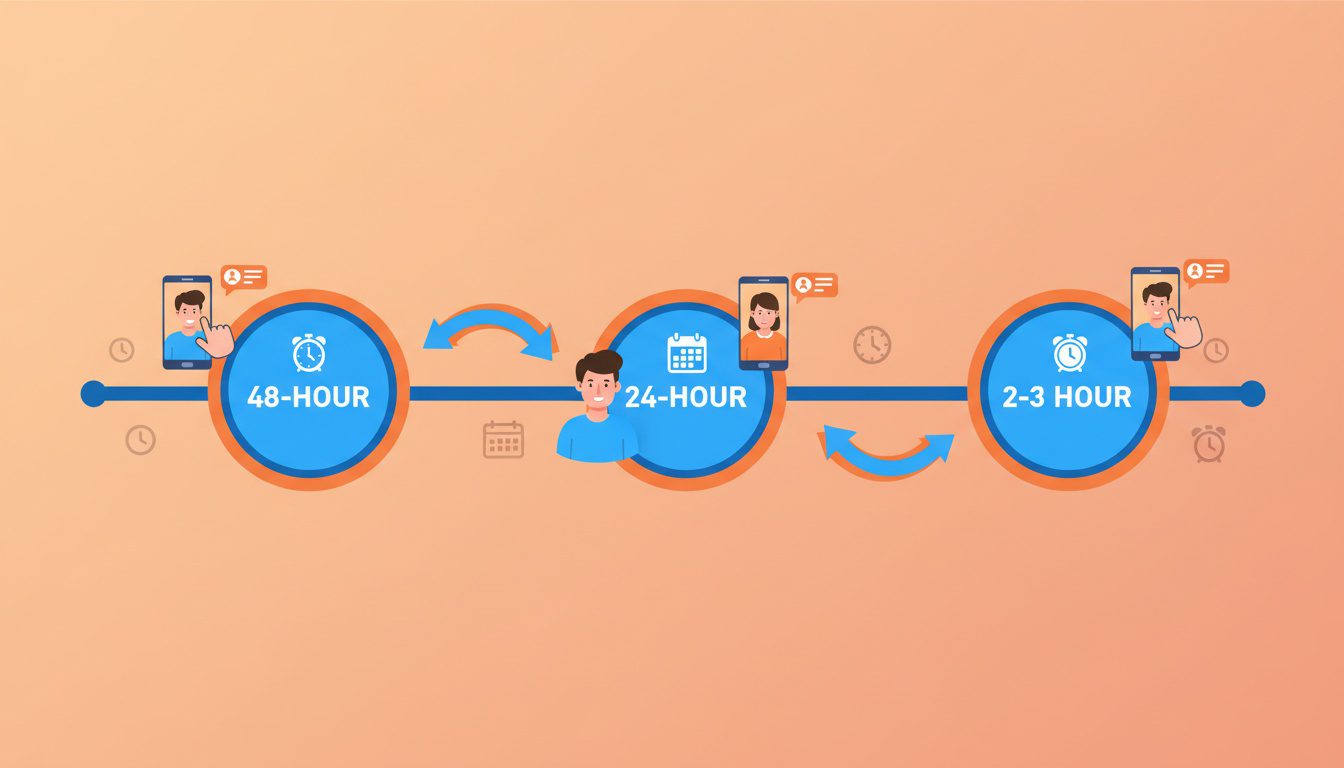
Forget sending one reminder and hoping for the best.
The practices hitting sub-5% no-show rates? They're using a strategic sequence timed to patient psychology.
Think of it like a countdown that builds commitment at each stage.
| #1 Heads-Up | 48-72 hours before | Give time to reschedule, plant appointment in memory | |
| #2 Confirmation | 24 hours before | SMS Text | Get active commitment, create accountability |
| #3 Day-Of Nudge | 2-3 hours before | SMS Text | Final reminder for busy patients, reduce last-minute forgets |
This sequence works because each touchpoint serves a different psychological function. Skip one and you've got gaps.
Reminder #1: The 48-72 Hour Heads-Up
This first touchpoint does two things. It gives patients time to check their calendar and reschedule if needed. And it plants the appointment firmly in their brain.
Timing: 48-72 hours before
Channel: Email works great here because you've got room for details
What to include:
- Appointment date, time, and location
- Doctor's name
- Any prep instructions (bring insurance card, wear loose clothing)
- Easy reschedule link or phone number
- Cancellation policy reminder if you enforce one
Template:
Subject: Your Upcoming Adjustment with Dr. Martinez - Tuesday at 3 PM
Hi Sarah,
Just a friendly heads-up that your next adjustment is coming up:
Tuesday, January 21st at 3:00 PM Dr. Martinez 123 Main Street, Suite 100
A few quick notes: - Please arrive 5 minutes early - Bring your insurance card if anything has changed - Wear comfortable, loose-fitting clothing
Need to reschedule? No problem - just reply to this email or call us at 555-1234. We ask for at least 24 hours notice.
Looking forward to seeing you!
- The Team at [Practice Name]
Notice how this feels like a helpful note from a friend. Not a corporate system notification.
Reminder #2: The 24-Hour Confirmation Request
Alright, this is your most important touchpoint.
It's close enough that the appointment feels real. But far enough that patients can still adjust plans if needed.
Timing: 24 hours before
Channel: SMS text message (98% open rate, usually read within 3 minutes)
What to include:
- Patient first name
- Appointment time
- Doctor's name
- Simple confirmation mechanism
- Easy reschedule option
Template:
Hi Sarah! Your adjustment with Dr. Martinez is tomorrow at 3 PM. Reply C to confirm or R to reschedule. See you soon! - [Practice Name]
That's it. Short. Personal. Action-oriented.
The "Reply C to confirm" creates accountability. When patients actively confirm, they're way more likely to actually show up.
Reminder #3: The Day-Of Nudge
This final reminder catches anyone who confirmed yesterday but got swept up in their day.
It's a gentle nudge. Not a nag.
Timing: 2-3 hours before
Channel: SMS text message
Template:
Hi Sarah! Just a quick reminder - Dr. Martinez is ready for you at 3 PM today. Park in the back lot and come on in!
For morning appointments, send this the evening before. Nobody wants their phone buzzing at 5 AM.
Quick Timing Considerations
Monday morning appointments need extra lead time. That Friday reminder might arrive when patients are mentally checked out.
Consider adding a Sunday evening touchpoint for Monday slots.
For appointments booked more than two weeks out? Add an earlier reminder at the one-week mark. Long gaps make it super easy for appointments to slip through the cracks.

NEED MORE CLIENTS?
Free conversion-focused analysis uncovers the 3 biggest problems killing your bookings — we'll walk you through your results personally
Copy-Paste Templates You Can Use Today
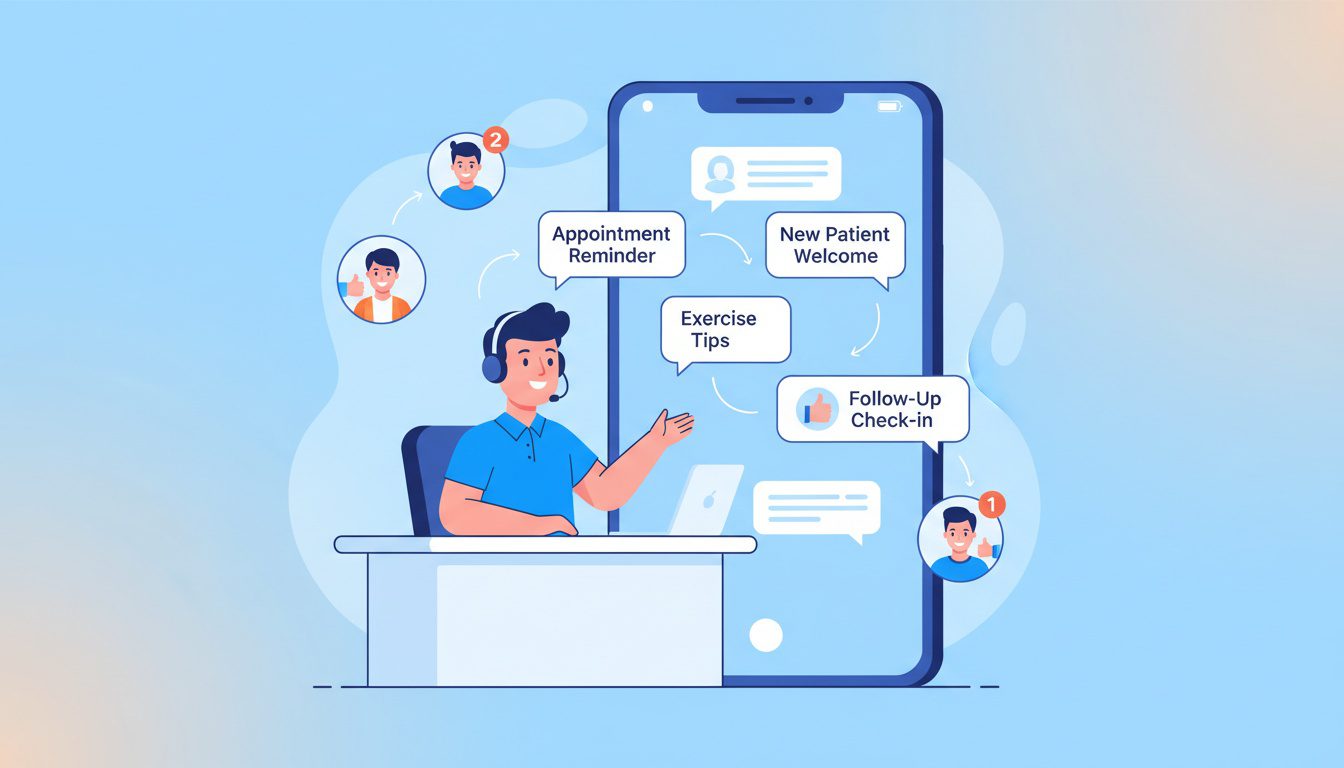
Let's get tactical.
Here are proven templates you can copy, customize, and start using right now.
Each one follows the principles we've covered: personal, short, action-oriented, frictionless.
Standard Confirmation Templates
Basic confirmation:
Hi [First Name]! Your appointment with Dr. [Name] is [Day] at [Time]. Reply C to confirm or R to reschedule. - [Practice Name]
With care continuity angle:
Hey [First Name]! Ready to keep your progress going? Your next adjustment is [Day] at [Time] with Dr. [Name]. Reply YES to confirm! - [Practice Name]
For recurring patients:
Hi [First Name]! Your regular adjustment is coming up - [Day] at [Time]. Same time, same great care. Reply C to confirm! - [Practice Name]
New Patient Templates
New patients need more hand-holding. They're nervous. They don't know what to expect.
First visit reminder:
Hi [First Name]! We're excited to meet you [Day] at [Time]. Please arrive 10 min early to complete paperwork. Bring your ID and insurance card. Questions? Reply here! - [Practice Name]
With directions:
Hi [First Name]! Your first visit with Dr. [Name] is [Day] at [Time]. We're at [Address] - parking in back. Arrive 10 min early and wear comfy clothes. Can't wait to help you feel better! - [Practice Name]
Reschedule and Cancellation Templates
Make rescheduling as easy as possible. You'd rather have a rescheduled appointment than an empty slot.
Reschedule response:
No problem, [First Name]! I've opened up your [Day] slot. When works better for you this week? Reply with a day/time or call us at [Number]. - [Practice Name]
Waitlist fill:
Hi [First Name]! Good news - we had a cancellation and have an opening [Day] at [Time]. Want to come in sooner? Reply YES to grab this slot! - [Practice Name]
No-Show Follow-Up Templates
Here's the thing... handling no-shows with grace is critical for patient retention.
Accusatory messages? They destroy relationships. Fast.
Immediate follow-up (within 1 hour):
Hi [First Name], we missed you at your [Time] appointment today! No worries if life got in the way. Want to reschedule? Reply with a time that works better. - [Practice Name]
Next-day follow-up:
Hey [First Name]! We noticed you couldn't make it yesterday. Dr. [Name] wants to make sure you're still on track. When can we get you back on the schedule? - [Practice Name]
Re-engagement after multiple misses:
Hi [First Name], it's been a while! We hope everything's okay. When you're ready to continue your care, we're here. Just reply and we'll find a time that works. - [Practice Name]
Templates with Cancellation Policy
If you enforce a cancellation fee, communicate it professionally.
Policy reminder:
Hi [First Name]! Your appointment with Dr. [Name] is [Day] at [Time]. Friendly reminder: we require 24-hour notice for changes to avoid a $[Amount] fee. Need to reschedule? Reply R now! - [Practice Name]
The key is framing the policy as information. Not a threat. And immediately offering a reschedule option shows you're trying to help.
HIPAA Compliance: Keeping Your Reminders Legal
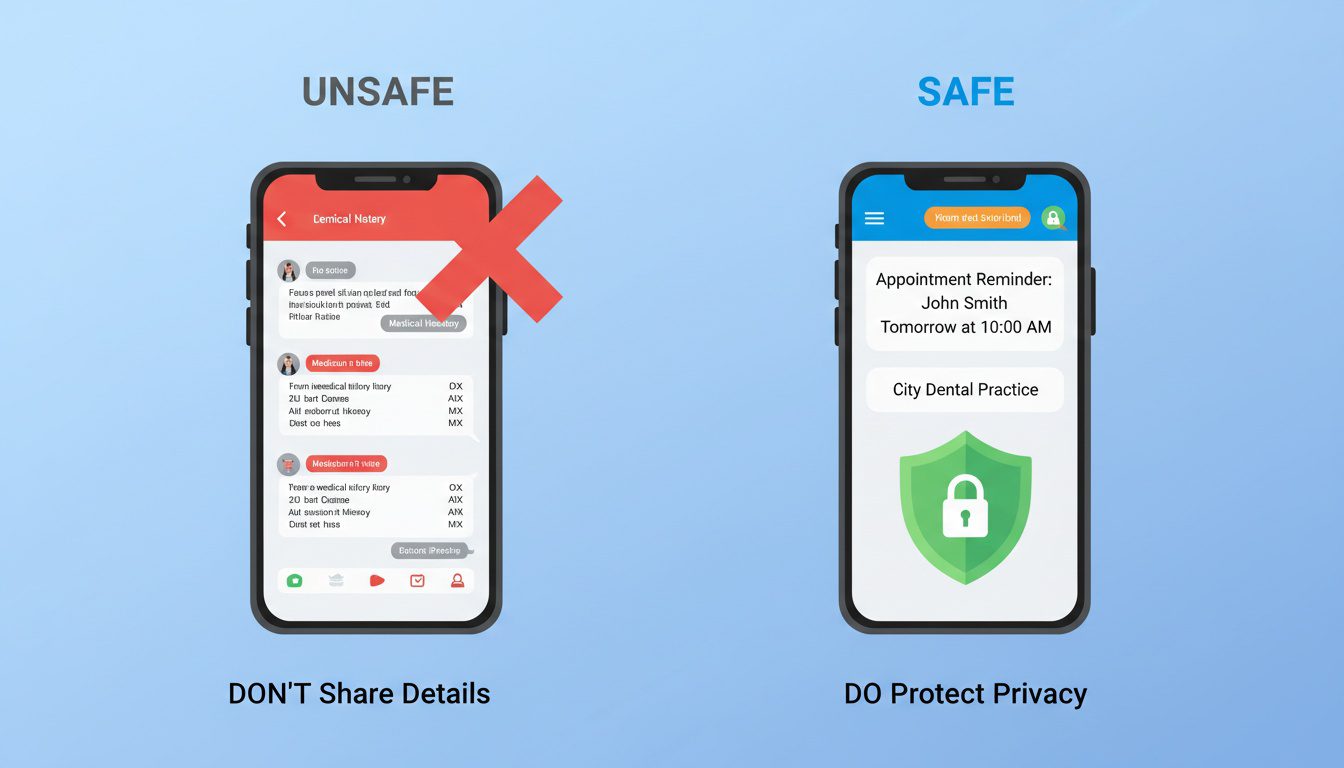
Alright, quick reality check.
This is where a lot of practices get nervous. "Can I even text my patients about appointments?"
Short answer: Yes. Absolutely. But there are rules.
Good news? Appointment reminders that don't include protected health information are generally fine via standard SMS.
The complexity comes when you start including treatment details or health conditions.
What You Can Include in Standard SMS
According to HIPAA guidelines, appointment reminders are permitted as long as you keep them minimal.
Here's the breakdown:
| Patient's first name | Specific treatment types ("spinal decompression") |
| Date and time | Diagnosis information |
| Provider's name | Insurance details or payment amounts |
| Practice name and address | Lab results or test findings |
| Confirmation/reschedule instructions | Anything identifying a health condition |
| General prep (arrive early, bring ID) | Detailed medical history |
Timing Your Posts for Maximum Visibility
Most businesses see better engagement posting midweek (Tuesday through Thursday) during mid-morning to early afternoon hours.
Why? That's when people are actively searching and making plans. Weekend posting tends to get lower engagement unless you're promoting a Saturday event.
That said, consistency matters more than perfect timing.
A post every Tuesday at 10am beats random posting whenever you remember.
Track your results over time. Adjust based on what your specific audience responds to.
Writing Posts That Drive Action
Here's what separates posts that get clicks from posts that get ignored:
Urgency and scarcity work. "Same-day appointments available" or "Only 5 spots left this month" motivates action. Sterling Sky's research specifically found that posts containing a sense of urgency performed significantly better.
Specific beats vague. "$49 New Patient Exam" outperforms "Affordable chiropractic care" every time. Numbers and specifics feel real. Vague claims feel like marketing fluff.
Benefits beat features. "Wake up without back pain" resonates more than "We offer spinal adjustments." Focus on what patients actually want.
Strong CTAs convert. "Book your appointment today" beats "Contact us for more information." Tell people exactly what to do next.
Image Best Practices That Get Clicks
Beyond avoiding stock photos, here's what makes images perform:
- Show faces. Images with people (especially your team) build trust faster than anything else.
- Use good lighting. Dark, grainy photos look unprofessional. Period.
- Brand consistently. Use your practice colors when possible.
- Add text overlays sparingly. A brief headline on the image can reinforce your message.
- Avoid cluttered backgrounds. Simple compositions focus attention.
| Source | Real photos of your practice | Generic stock photos |
| Quality | Bright, clear, well-lit | Dark, blurry, low-res |
| Subject | Your team, patients, space | Random medical imagery |
| Branding | Consistent colors and style | Mismatched visuals |
| Text overlay | Simple headline (optional) | Cluttered text blocks |
Pretty much everything in the templates we've covered? You're good.
Getting Patient Consent Right
Before sending any text reminders, you need documented consent. This isn't just HIPAA. It's also required under TCPA regulations.
Best practice? Get this during patient intake.
Include language like:
"I consent to receive appointment reminders via text message and automated voice calls at the mobile number provided. I understand standard messaging rates may apply."
Have them sign it. Keep it on file. Done.
Patients can opt out anytime. Include "Reply STOP to unsubscribe" in your messages and honor those requests immediately.
Choosing HIPAA-Compliant Platforms
Standard iPhone-to-patient texting from your personal phone? That's technically a compliance risk.
Instead, use platforms designed for healthcare communication. Solutions like ChiroTouch with CT Engage, DemandHub, and Noterro offer:
- HIPAA-compliant messaging infrastructure
- Business Associate Agreements (BAAs)
- Message encryption
- Audit trails for compliance documentation
- Two-way texting from your practice number
The investment is minimal compared to a compliance violation. Plus, these platforms automate everything so you're not manually texting anyway.
Tools That Automate Your Reminder System

Manually texting every patient isn't gonna work. Once you're seeing 80+ patients weekly, that's basically a full-time job.
The solution? Automation integrated with your practice management system. Set it up once. Reminders go out without anyone lifting a finger.
Here's how the top platforms stack up:
| ChiroTouch + CT Engage | ~$159/mo add-on | Practices already on ChiroTouch | Deep EHR integration, all-in-one |
| DemandHub | Contact for pricing | AI-powered personalization | Smart response suggestions, multi-channel |
| Noterro | $28-65/mo | Smaller practices, mobile chiropractors | Affordable, clinic-branded patient app |
| Jane App | $54-79/mo | Multi-specialty wellness centers | Clean interface, broad healthcare support |
ChiroTouch with CT Engage
ChiroTouch is kinda the industry standard for chiropractic EHR. Their CT Engage add-on handles patient communication beautifully.
What you get:
- Automated appointment reminders via text and email
- Two-way texting so patients can reply directly
- Recall campaigns for patients who've fallen off schedule
- Reputation management for review requests
- HIPAA and TCPA compliant messaging
CT Engage works within the ChiroTouch ecosystem. Patient data syncs automatically. No duplicate entry. No manual exports.
Pricing runs around $159.95/month on top of your ChiroTouch subscription. For most practices? That's about the cost of one no-show. Easily worth it.
DemandHub
DemandHub focuses specifically on AI-powered patient communication. Strong chiropractic-specific features.
Their platform offers:
- Multi-channel messaging (SMS, email, webchat)
- AI-powered response suggestions
- Review generation and management
- Waitlist management
- Automated recall sequences
It's particularly good for practices wanting sophisticated automation without building complex workflows themselves.
Noterro
Noterro takes a mobile-first approach. Ideal for smaller practices or chiropractors working across multiple locations.
Standout features:
- Clinic-branded patient app
- Online booking integration
- Automated reminders via SMS and email
- Waitlist with automatic fill notifications
- HIPAA-compliant infrastructure
Pricing starts around $28-65/month depending on features. Super accessible for practices just getting started with automation.
Integration Considerations
When choosing a platform, think about what you're already using.
On ChiroTouch? CT Engage is the natural choice because everything lives in one system.
Using Jane App or another practice management system? Check integration compatibility. Most modern platforms offer APIs or direct integrations with popular scheduling tools.
The goal is zero manual work. Patient books → system captures → reminders fire automatically → patient confirms → you see the update.
End to end. Nobody touching it.
Measuring What's Working (And What Isn't)

You can't improve what you don't measure.
Before tweaking your reminder strategy, establish your baseline numbers.
If you're serious about tracking chiro growth with dashboards, your reminder system should be a key data source.
The Metrics That Actually Matter
Track these weekly:
- No-show rate - Total appointments missed ÷ Total appointments scheduled. Industry average hovers around 20%. Top practices hit under 5%.
- Same-day cancellation rate - Cancellations within 24 hours ÷ Total appointments. These hurt almost as much as no-shows because you can't fill the slot.
- Confirmation rate - Patients who actively confirmed ÷ Total reminders sent. Aim for 60-70% on text confirmations.
Reschedule conversion - Patients who rescheduled ÷ Patients who cancelled or no-showed. Higher is better. You're keeping them in your funnel.
Setting Up Your Tracking
Most practice management systems track these automatically. If yours doesn't, create a simple spreadsheet:
| Week 1 | 85 | 62 | 8 | 5 | 3 |
| Week 2 | 92 | 71 | 6 | 4 | 4 |
Calculate your rates each week. Look for trends, not single data points. One bad week doesn't mean your system is broken.
The Financial Impact Calculator
Here's a simple way to see what no-shows actually cost you:
Monthly no-show cost = Average visit revenue × Monthly no-shows
If your average appointment brings in $75 and you have 15 no-shows monthly? That's $1,125 in direct lost revenue. Over a year: $13,500.
But here's the kicker... it's actually worse.
Those empty slots represent wasted chair time, staff standing around, and opportunity cost. Someone else could've been treated.
The real cost is often 1.5-2x the direct revenue loss.
Benchmarking Your Progress
After implementing a proper reminder sequence, expect improvement within 4-6 weeks.
Here's what "good" looks like:
| No-show rate | >20% | 15-20% | 8-15% | <8% |
| Confirmation rate | <40% | 40-55% | 55-70% | >70% |
| Same-day cancels | >10% | 6-10% | 3-6% | <3% |
Not hitting these numbers after 8 weeks? Something's off. Review your template language, timing, or delivery mechanism.
Advanced Strategies for High-Performing Practices
Once you've nailed the basics, these advanced tactics can squeeze even more performance from your reminder system.
This is where practices go from average to dominant.
Segment Your Patient Communication
Not every patient needs the same reminder approach.
Segment based on behavior:
- Reliable patients (never miss) - Lighter touch. Maybe just the 24-hour reminder.
- Occasional no-shows (1-2 misses historically) - Full 3-part sequence with confirmation emphasis.
- High-risk patients (frequent misses) - Earlier first reminder. Follow-up calls. Maybe day-before phone confirmation.
Most practice management software lets you tag patients or create lists. Use this to customize your approach.
Leverage AI Personalization
Modern platforms can pull patient data to create dynamic, personalized messages at scale.
Instead of: "Your appointment is Tuesday at 3 PM"
AI-powered: "Hi Sarah! Ready for your 4th adjustment? You mentioned your lower back was feeling 60% better last visit - let's keep that momentum going. Tuesday at 3 PM with Dr. Martinez. Reply C to confirm!"
This level of personalization used to require manual effort for each patient. Now it's automated based on visit history, notes, and patient preferences.
Improving chiropractic patient engagement through personalized communication isn't just nice to have anymore. It's becoming the standard patients expect.
The Pre-Appointment Prep Sequence
For new patients or complex visits, add a prep-focused message.
Example for new patient:
Hi Sarah! Quick tips for tomorrow's first visit: 1) Wear comfortable clothes 2) Bring your ID and insurance card 3) Jot down your main concerns. We've set aside extra time to really understand what's going on. See you at 3 PM!
This reduces anxiety. Speeds up check-in. Makes patients feel prepared.
Prepared patients show up more consistently.
Weather and Traffic Alerts
Some advanced systems integrate local data to add context.
Hi Sarah! Heads up - there's snow in the forecast tomorrow. Your 3 PM appointment with Dr. Martinez is still on, but give yourself extra minutes for the drive. Park carefully and we'll get you warmed up! Reply C to confirm.
This shows you care beyond the transaction. Patients notice.
Post-Visit Re-Booking Reminders
The best time to book the next appointment? Immediately after the current one.
But patients sometimes leave without scheduling.
Automated follow-up (same day, 4-6 hours later):
Hi Sarah! Great seeing you today. Dr. Martinez wants to keep your progress on track with another visit in about a week. Want us to hold your usual Tuesday 3 PM slot? Reply YES to book!
This captures appointments that would otherwise require staff outreach later.
Building Your Complete Patient Communication System
Now... this part matters.
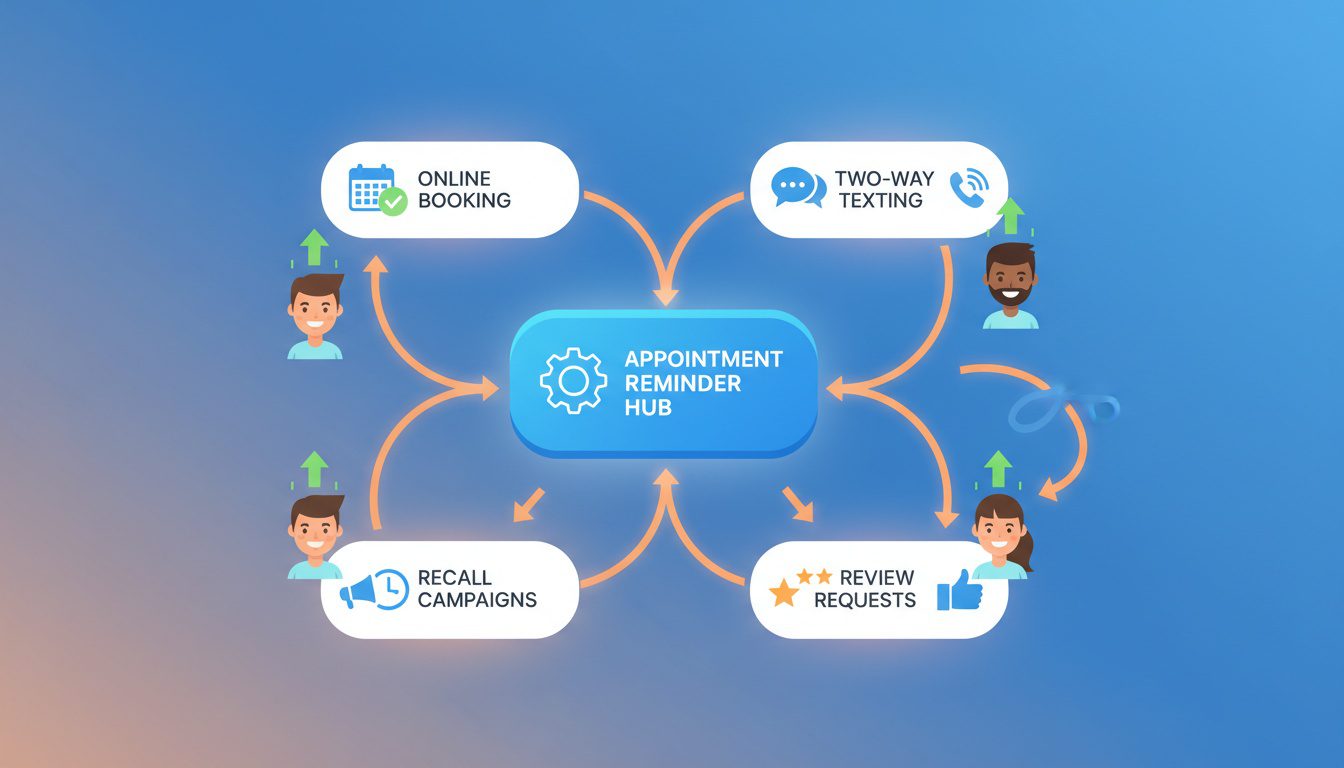
Appointment reminders are just one piece of the patient communication puzzle. The practices scaling to dominate local markets treat communication as a comprehensive system.
The Patient Lifecycle Communication Map
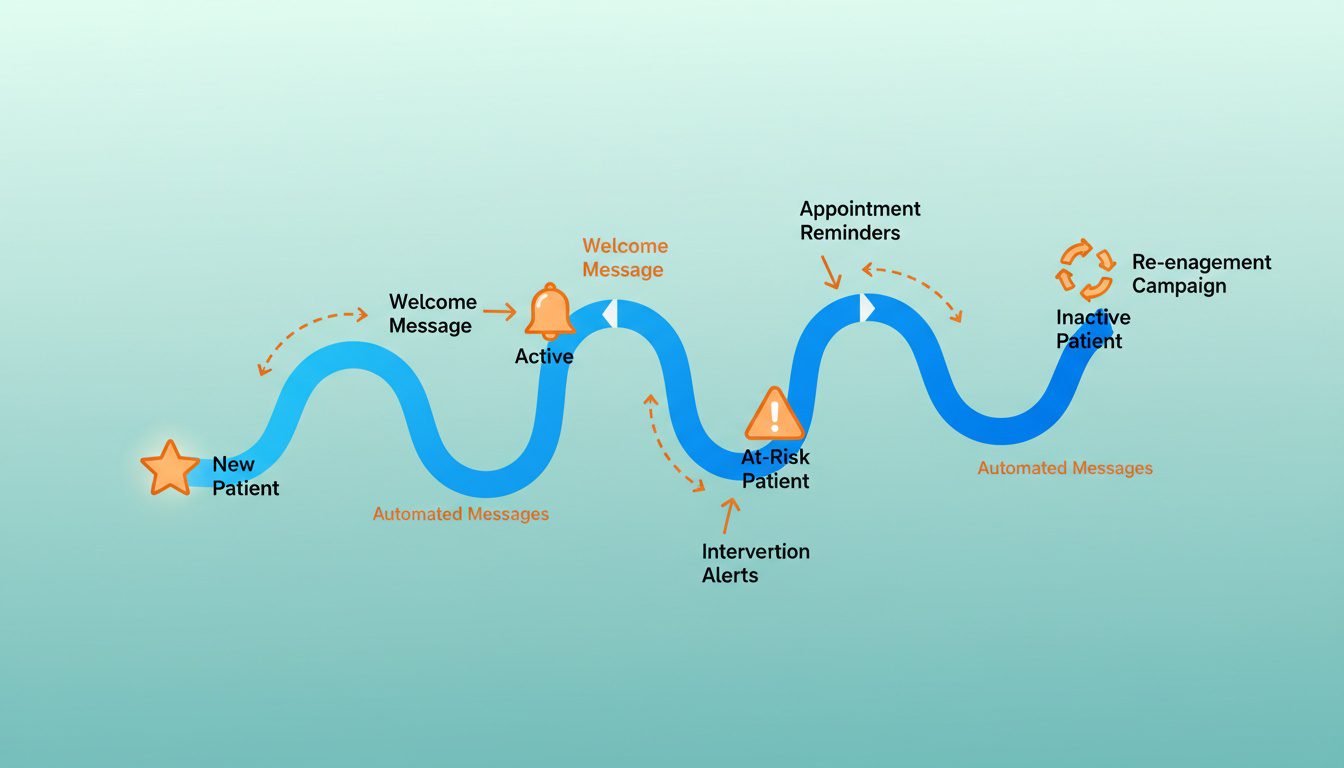
Every patient moves through stages. Your communication should adapt:
- Prospect → Website inquiry response, consultation booking
- New patient → Welcome sequence, first visit prep, follow-up care planning
- Active patient → Appointment reminders, care plan progress updates
- At-risk patient → Recall campaigns, re-engagement sequences
- Inactive patient → Win-back campaigns, special offers
Each stage needs different messaging, timing, and goals. Map it out. Automate it.
Integrating Reminders with Recall Campaigns
Reminders prevent no-shows. Recall campaigns prevent patient drop-off.
When a patient misses an appointment and doesn't reschedule within a week, they should enter a recall sequence:
Day 7: Hi Sarah! We noticed you haven't rescheduled yet. Your care plan progress depends on consistency. When works for your next visit? Reply with a day/time!
Day 14: Hey Sarah, just checking in. Dr. Martinez is concerned about the gap in your care. Let's get you back on track - reply YES and we'll call to schedule.
Day 30: Hi Sarah, we miss you! When you're ready to continue your progress, we're here. Just reply and we'll find a time that works.
Connecting to Automated Chiro Reminder Systems
The best reminder systems don't operate in isolation. They connect to your:
- Scheduling system - Pulls appointment data automatically
- EHR - Accesses patient history for personalization
- Billing - Can include balance reminders when appropriate
- Reviews - Triggers review requests after positive visits
- Marketing - Feeds engagement data into your CRM for better targeting
This connected approach separates practices that grow predictably from those constantly fighting fires.
Choosing Your Best Chiro CRM Software for 2025
Your CRM is the hub that connects everything.
When evaluating options, look for:
- Native appointment reminder functionality
- Two-way SMS capability
- Automated workflow builders
- Patient segmentation and tagging
- Integration with your EHR/practice management system
- Reporting and analytics dashboard
- HIPAA compliance and BAA availability
The right CRM turns scattered communication into a predictable system. The wrong one creates more work than it saves.
Frequently Asked Questions About Chiropractic Appointment Reminders
How many appointment reminders are too many for chiropractic patients?
Three reminders is the sweet spot. One at 48-72 hours. One at 24 hours. One final nudge 2-3 hours before.
Most patients appreciate this level of communication when messages are personalized and actually helpful. Going beyond three? That's when you start annoying people and getting opt-outs.
The key is making each message slightly different. Don't just repeat the same content three times.
First one can be informational (prep instructions). Second one is confirmation-focused. Third one is a friendly nudge.
If a patient confirms after the second reminder, you can skip the third. No need to over-communicate once they've committed.
What is the best SMS template for a chiropractic adjustment reminder?
Short, personalized, and action-oriented:
"Hi [First Name]! Your adjustment with Dr. [Name] is tomorrow at [Time]. Reply C to confirm or R to reschedule. See you soon! - [Practice Name]"
This template includes their name, specific appointment details, and a clear call-to-action.
Avoid templates that sound robotic ("This is an automated reminder..."), require phone calls to respond, or include unnecessary info that dilutes the message.
Should chiropractic reminders include the cost of the appointment?
Generally, no.
Including costs creates friction. Patients might start mentally calculating whether they wanna spend that money. You're introducing doubt where there wasn't any.
If payment is relevant, mention it briefly: "Please bring your copay of $XX."
For balance reminders, send those separately from appointment reminders. You don't want your reminder to feel like a collection notice.
What is the most effective time to send a final reminder text?
2-3 hours before works best.
This gives patients enough time to leave work, arrange childcare, or handle logistics. But it's close enough that the appointment stays fresh.
For morning appointments, adjust this. A 9 AM appointment shouldn't trigger a 6 AM text.
Instead, send the final reminder the evening before. Around 6-7 PM when people are home and checking their phones.
How do I ask patients to confirm their appointment via text?
Keep it simple. Frictionless.
Use clear instructions: "Reply YES to confirm" or "Reply C to confirm, R to reschedule."
Avoid asking patients to click links, log into portals, or complete multiple steps. Every extra action reduces your confirmation rate.
Many practices see 60-70% confirmation rates with simple one-word reply options. Those using link-based confirmation? Often below 30%.
Are email or text reminders more effective for reducing no-shows in 2026?
Text wins. Not even close.
SMS has a 98% open rate with 90% of messages read within 3 minutes. Email? 20-30% open rate.
But here's the move... use both.
Email for detailed appointment info, prep instructions, and links to patient resources. SMS for time-sensitive reminders closer to the appointment.
This layered approach catches patients regardless of their communication preferences. Some live in their inbox. Others rarely check email but respond to every text instantly.
How do I write a professional no-show fee warning in a reminder?
Frame it as policy. Not a threat.
"Friendly reminder: Our practice requires 24-hour notice for cancellations. Same-day cancellations may incur a $XX fee. Need to reschedule? Reply R or call us at [number]."
You're informing them of policy while making it easy to do the right thing.
Never include fee warnings in your day-of reminder. At that point, the policy window has passed anyway. The message will just feel punitive.
Can I use AI to personalize my chiropractic reminders?
Yep. And it's pretty damn good now.
Modern platforms like ChiroTouch with CT Engage, DemandHub, and Noterro can automatically pull patient names, appointment details, and even reference previous visits.
The tech can also optimize send times based on when individual patients engage. Select the best channel based on past response patterns. Even adjust tone based on patient demographics.
This isn't futuristic stuff. It's available now and getting better every year.
Conclusion
Writing effective chiropractic appointment reminders isn't rocket science.
Be personal. Be timely. Make it stupid-easy for patients to confirm or reschedule.
Three strategic touchpoints. Personalized messaging. Frictionless confirmation. Automated execution.
That's the formula.
Your no-show rate is a choice. With the right reminder system, you can drop it from the industry average of 20% to under 8%. That's thousands in monthly revenue you're currently letting evaporate.
Start with the templates in this guide. Implement the 48-24-2 hour sequence. Track your metrics. Optimize from there.
Your patients who forget appointments aren't trying to hurt your practice. They're just overwhelmed.
Meet them where they are with communication that cuts through the noise.
Look, I get it. You've got patients to treat, staff to manage, and about a hundred other things competing for your attention. Figuring out perfect reminder templates shouldn't be another item on your endless to-do list.
If you're thinking "this all makes sense, but I don't have time to do it right," you're not alone. Most successful chiropractors we work with felt the same way before they realized their website and online presence were quietly costing them 15-20 qualified patient leads every single month.
That's why we created our Free Website Conversion Analysis. It's not a sales pitch—it's a genuine walkthrough of the 3 biggest problems killing your bookings, delivered personally via Loom video within 24 hours.
We'll show you exactly:
- Why visitors leave without booking
- What's broken on mobile devices (where most searches happen)
- Missing trust signals costing you patients
- Where you rank vs. local competitors
- Simple fixes that drive more calls this month
You'll also get an instant case study while you wait, showing real examples of how other chiropractors fixed these exact problems.
Get your free analysis here — no credit card, no obligation, just actionable insights you can use whether you work with us or not.
Because every day without optimized patient communication is another day competitors are filling their schedules with patients who should've been yours.

Gerek Allen
Co-Owner iTech Valet
Entrepreneur, patriot, CrossFit junkie, IPA enthusiast, loves to travel to tropical destinations, and knows way too many movie quotes.


About iTech Valet
iTech Valet specializes in web design and content marketing for online entrepreneurs who want to share their expertise.
Services Include:
- Web Design
- Graphic Design
- Sales Copy
- Funnel Building
- Authority Sites
- Membership Sites
- Course Creation
- Email Systems
- Content Marketing
- Competitive Analysis
- Tech Integrations
- Strategic Planning
NEED MORE CLIENTS?
Free conversion-focused analysis uncovers the 3 biggest problems killing your bookings — we'll walk you through your results personally

621 Enterprises, Inc. | Copyright 2022 | All rights reserved