
Google says pages blocked by robots.txt are unlikely to show in Google Search results. Googlebot can only find content that is textually visible. Google also says to be sure your page is accessible to Google and not blocked by a robots.txt file, the noindex tag, or login requirements. In a Backlynk check across 41 platforms, 73% of businesses had at least one category of name, address and phone (NAP) inconsistency, 41% had three or more categories, and only 27% were fully NAP-clean. Businesses with perfect NAP appeared in the local pack 2.3x more often than those with significant mismatches. With industry controlled, comparing like-vs-like business types in the same metro, the lift was 2.1x.
Break One: Crawler Blocks That Keep AI Engines Out
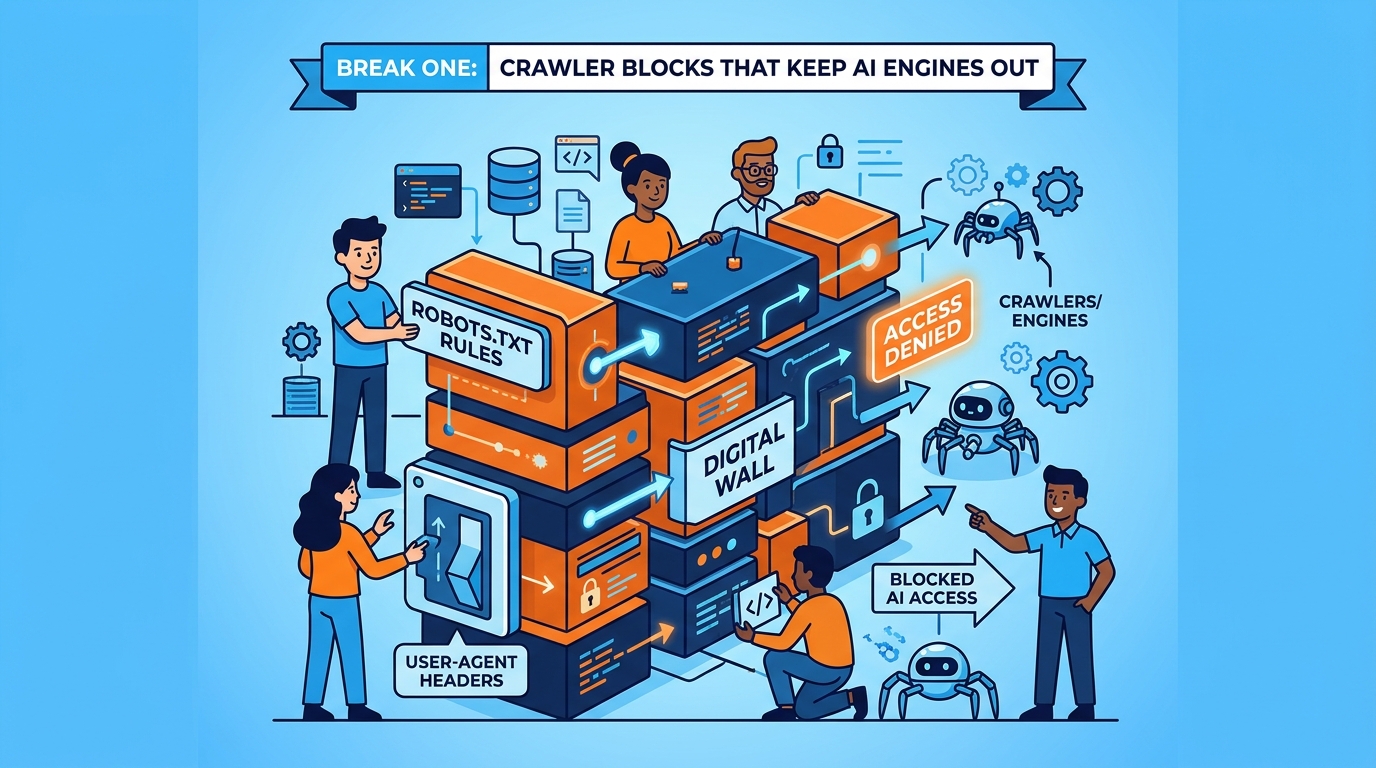
Here’s the short version.
Common Misreadings of a Low Diagnostic Rating, Corrected covers what a low rating does and doesn’t mean.
Several studies have counted how often sites block named AI crawlers. Each row of the table gives one source’s figure for one crawler. Measured that source’s way.
| Crawler | Block rate | Source |
|---|---|---|
| GPTBot | Faces the most named Disallow rules: 8.4% of all 11,100 sites | Zyte |
| OAI-SearchBot | Blocked at a 2:1 ratio, the most balanced in the dataset | Zyte |
| Google-Extended | Fully blocked by 69 domains in the sample that allow Googlebot | Forage.ai |
| GPTBot (arXiv study) | Fully blocked on 10.6% of websites | arXiv |
How robots.txt and firewall rules block AI crawlers without anyone noticing
Start with what Google says.
A robots.txt file tells search engine crawlers which pages or files the crawler can or can’t request from your site.
And pages blocked by robots.txt are unlikely to show in Google Search results.
Now the scale of it.
In Four in 10 sites block AI bots with robots.txt, Zyte found that a further 27.2% of sites block all automated site visits by wildcard. That’s more than a quarter.
That catches AI crawlers by default. Without ever naming them.
The combined effective block rate is 39.9%. Nearly four in ten of the world’s most popular sites are inaccessible to a well-behaved AI crawler that respects robots.txt.
Is that on purpose? Zyte says the file can’t tell you. It could be intentional AI exclusion. It could be inherited configuration, like a Disallow: / that predates the AI crawler debate by a decade.
Here’s where it gets messy.
In AI Crawler Blocking Statistics From 500 Top Websites (2026), Forage.ai found that 6.1% of sites return a 403 on robots.txt to a browser user agent.
It also says robots.txt is a file people edit once during a news cycle and then forget. So it records whichever crawlers mattered on the day it was written.
Frozen in time.
In the sample behind Web Crawler Restrictions, AI Training Datasets & Political Biases, an arXiv study, 64.1% of robots.txt files used only the catch-all rules. Nearly two-thirds.
Robots.txt isn’t the only gate.
The AI Crawler Block Index from HasData counted 115 sites that blocked GPTBot even though their robots.txt did not disallow it.
Their firewall or WAF filters GPTBot by user-agent. But their robots.txt, where sites declare their AI policy, says nothing about it.
HasData also found Cloudflare’s managed AI crawler rules on 118 Cloudflare sites in the archived copies Common Crawl held for them.
On September 16, those rules were on none of those sites.
None.
Here’s HasData’s advice.
Open your own /robots.txt and read it.
If your AI crawler rules came from Cloudflare’s managed feature, they are probably not there any more.
Each AI crawler is a separate agent with its own rule
OpenAI’s Overview of OpenAI Crawlers lists its bots one by one. GPTBot is used to crawl content that may be used in training its generative AI foundation models. OAI-SearchBot is used to surface websites in search results in ChatGPT’s search features. Sites that are opted out of OAI-SearchBot will not be shown in ChatGPT search answers, though they can still appear as navigational links. To help a site appear in search results, OpenAI recommends allowing OAI-SearchBot in the site’s robots.txt file and allowing requests from its published IP ranges. ChatGPT-User works differently. Because its actions are initiated by a user, robots.txt rules may not apply. ChatGPT-User is not used to determine whether content may appear in Search.
Now look at who gets blocked.
Zyte says GPTBot, OpenAI’s primary training crawler, faces the most named Disallow rules: 8.4% of all 11,100 sites.
OAI-SearchBot, the crawler behind ChatGPT’s web search feature, is blocked at a 2:1 ratio. The most balanced in the dataset.
Forage.ai counted 76 sites in its sample that fully block GPTBot. Of those, 41 never name OAI-SearchBot anywhere in their robots.txt.
It also found 69 domains that fully block Google-Extended while allowing Googlebot.
Not one does the reverse.
One more study.
The arXiv study found OpenAI’s GPTBot fully blocked on 10.6% of websites. That’s about one in ten. Anthropic’s ClaudeBot sits at 9.1%. Google’s Google-Extended at 8.9%.
AI-powered search engine crawlers are more frequently permitted. Only 6.0% of websites disallow Perplexity’s crawler.
And the study adds a warning. The Robot Exclusion Protocol relies on good faith and voluntary compliance by the organizations operating crawlers.
Here’s where I stand.
I treat getting picked by AI answer tools as its own discipline. Not classic search work with a new name.
I don’t chase keywords, inbound links or ranking position. That’s aiming at the wrong target.
I read these systems as trying to work out who a company is and whether it’s credible. So I put the effort into making that easy for them.
It starts with a rule for each answer-engine crawler. Written separately from the one for Googlebot.
Break Two: Content Googlebot Cannot See or Index
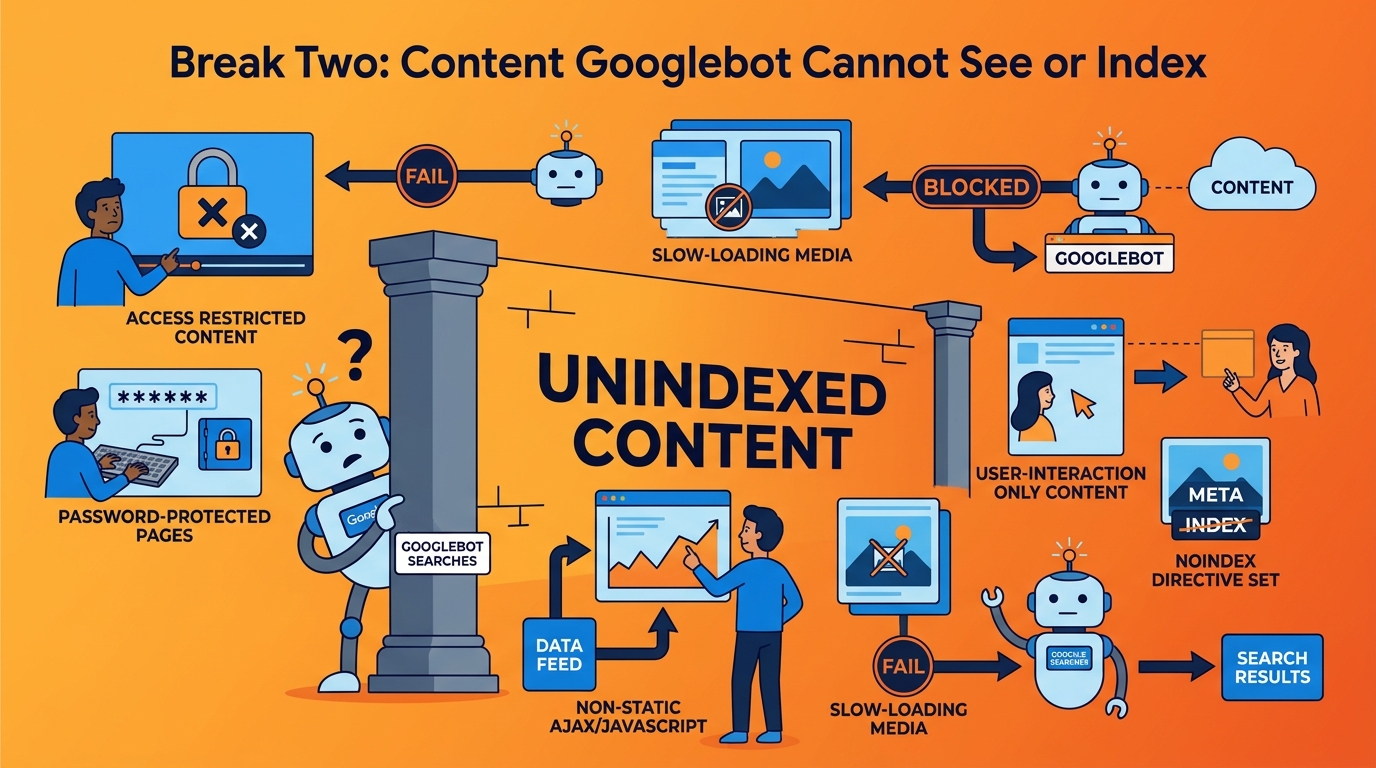
Google lists the ways published content goes unread.
- Textual visibility. Googlebot can only find content that is textually visible. If it’s not text, it’s not found.
- Plugins and canvas. Google indexes HTML, PDF content, images and videos. It doesn’t index content that requires plugins (for example, Java or Silverlight). Same for content rendered in a canvas.
- CSS content. Content added through the CSS content property isn’t part of the DOM. Google Search ignores it at the moment.
- File size. Googlebot crawls the first 2MB of a supported file type. For a PDF, it’s the first 64MB. Once it hits the cutoff limit, it stops the fetch. It sends only the already downloaded part of the file for indexing consideration.
- Status code. Google only indexes pages served with an HTTP 200 (success) status code.
- Mobile version. For most sites, Google Search primarily indexes the mobile version of the content.
Want to read flagged items like these? Interpreting Practice Diagnostic Results: A Complete Guide covers it.
I don’t publish for volume or frequency.
I’d take one page of clear, factual text over a stack of new pages. Text crawlers can actually read. Set out in a sensible order.
I build so AI can grasp a practice’s information easily. I count readable text. Not how much goes up.
Break Three: LocalBusiness Markup and NAP Mismatches
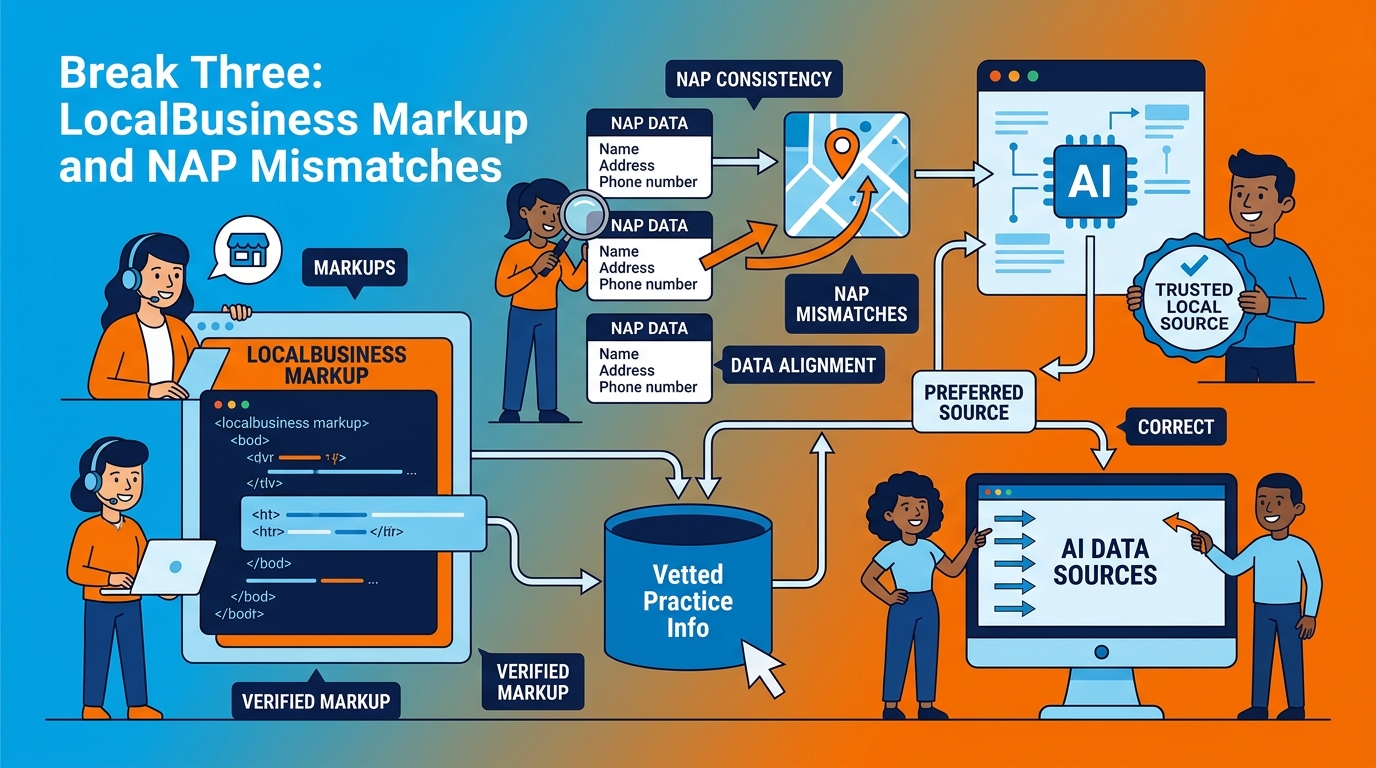
I’d rather a practice be the source an AI names and draws on. Not one more listing in a directory.
I build for being relied on, not merely being present. So I fix the markup and the matching details that let AI confirm the practice.
Google sets its own rule for each key LocalBusiness property.
The table lines up seven: business type, multiple types, telephone, latitude, url, priceRange and aggregateRating.
| Property | Google’s rule |
|---|---|
| Business type | Define each location as a LocalBusiness type; use the most specific sub-type possible |
| Multiple types | Specify them as an array; additionalType isn’t supported |
| telephone | Primary contact number for customers, with country code and area code |
| latitude | Precision of at least 5 decimal places |
| url | Fully-qualified URL of the specific business location; must be a working link |
| priceRange | Shorter than 100 characters; at 100 or longer, Google won’t show a price range |
| aggregateRating | Only recommended for sites that capture reviews about other local businesses |
Need the repair order? A Prioritized Repair Order for Schema, Listings, and Content Gaps sets it out.
The AI Visibility Check is iTech Valet’s diagnostic for these details.
Getting the LocalBusiness markup itself right
Schema.org defines a LocalBusiness as a particular physical business or branch of an organization.
An arXiv paper says structured data errors may be caused by missing guidelines, insufficient expertise, and technical or human errors.
Google’s Local Business (LocalBusiness) Structured Data page says you can tell Google about business hours. Different departments within a business. Reviews (if your site captures reviews about other businesses). And more.
Beyond the property rules in the table above, here’s what it says:
- Use the format that’s easiest for you to implement and maintain. Most of the time that’s JSON-LD. All three formats are equally fine for Google, as long as the markup is valid and properly implemented per the feature’s documentation.
- Make sure Google can reach your page. No block from a robots.txt file, the noindex tag, or login requirements.
- Validate your code using the Rich Results Test. Fix any critical errors.
- Include the required properties. Without them, your content isn’t eligible for display as a rich result.
One more thing.
Google says it does not guarantee that features that consume structured data will show up in search results.
LocalBusiness structured data: the 20-minute fix, from LeadReef on DEV Community, makes a few points.
Google’s review snippet guidelines say that if the entity being reviewed controls the reviews about itself, its pages using LocalBusiness or any other Organization type are “ineligible for star review feature.”
Google’s general structured data guidelines say, “Don’t mark up content that is not visible to readers of the page.”
See two LocalBusiness-type blocks with different phone numbers? Fix that first. Usually it means turning off a plugin’s schema output or editing its settings.
Running a CMS? Generate the hours block from the same data that renders the visible hours in the footer.
That one change prevents most of the drift.
Matching the name, address and phone number everywhere it appears
Here’s what the numbers say.
NAP Consistency Checker 2026: Local Citation Audit reports Backlynk’s 41-platform check.
Nearly three-quarters (73%) of businesses had at least one category of inconsistency. Just over four in ten (41%) had three or more categories. Only a little over a quarter (27%) were fully NAP-clean.
Perfect NAP paid off. Those businesses appeared in the local pack more than twice as often (2.3x) as those with significant mismatches.
Compare like-vs-like business types in the same metro, with industry controlled? The lift was still about double (2.1x).
Now the usual culprits.
Backlynk lists suite/unit number variance (“Suite 200” vs “Ste 200” vs “#200” vs missing) at nearly four in ten (38%). Phone format mismatch (parens, dashes, +1, dots) sits at about three in ten (31%).
Old addresses stick around too. They lingered on nearly one in five (19%) of audited businesses six or more months after moving.
Backlynk says Google does parse LocalBusiness schema.
So your homepage @type: LocalBusiness schema must match your Google Business Profile (GBP) exactly. Mismatches there are a frequent, overlooked source of NAP inconsistency.
And don’t use a tracking number on GBP that differs from your real number. Google explicitly prohibits this. It may suspend the listing.
On cleanup, Backlynk says to consider a paid citation cleanup if you have more than 20 mismatches.
Manual cleanup runs about $500 to $1,500, one time.
There’s a drawback. Yext “rents” the listing. Stop paying and listings revert.
Manual cleanup is permanent. But it’s time-intensive: 8 to 15 hours for about 40 platforms.
Frequently Asked Questions
Does blocking GPTBot keep a practice out of Google’s AI Overviews?
No. Blocking GPTBot won’t keep you out of Google’s AI Overview. HasData says so. Google’s AI answers follow Googlebot access and snippet controls (nosnippet, max-snippet, noindex). Not Google-Extended. Want out? Change those controls.
Can a practice keep its content out of AI training and still appear in ChatGPT search?
Yes. OpenAI says each setting is independent of the others.
You can allow OAI-SearchBot so you appear in search results. And disallow GPTBot to signal that crawled content shouldn’t be used for training OpenAI’s generative AI foundation models.
Forage.ai puts it plainly. GPTBot gathers training data. OAI-SearchBot powers search results and citations. ChatGPT-User fetches a page when someone pastes a link into a chat.
Three separate agents. Block one and the others don’t care.
How quickly do robots.txt changes take effect for ChatGPT search?
About 24 hours. OpenAI says that for search results, it can take about that long from your robots.txt update for its systems to adjust. Don’t panic on day one.
Is llms.txt a reliable fix for AI crawler access?
No. HasData found adoption at just 7.4% across its 10,894-domain sample. Hardly anyone’s using it.
And the big players? OpenAI, Anthropic, Google and Perplexity all read robots.txt. None of them have committed to reading llms.txt. None have promised to prefer its listing over their own crawl of your site.
So I spend the repair time on robots.txt and firewall rules.
I won’t offer a cheap quick-fix file in place of real repair. And I treat a low monthly price built around one as a warning sign. Not a bargain.
I’d rather a practice pay for work that builds something. Not stay tied up in a contract that doesn’t.
How long does it take to add correct LocalBusiness markup?
About twenty minutes. The LeadReef write-up says it’s a single script tag. It doesn’t touch the design. You write it, test it and deploy it, once you have the business details in front of you.
How often should a practice recheck its name, address and phone details after fixing them?
Quarterly, at minimum. Backlynk says so.
In a competitive local market, check monthly. Think legal, medical or home services in major metros.
And always check within 30 days of any address, phone or name change.
Repair Access, Then Readability, Then Identity
Fix these three breaks in order.
First, let the right crawlers in. Next, make sure the text can be read.
Last, make the name, address, phone and markup agree everywhere. Then a system can confirm who the practice is.
I put a practice’s effort and money into information it owns.
Why? I’d rather it build repaired facts that keep paying off and grow over time. Not buy visibility through ads or paid placements that stops the moment the spending stops.
I don’t sell the old search playbook many agencies still offer. It’s aimed at a landscape that’s gone. And it skips these three breaks.
That’s a fault in what the industry sells.
Here’s how the work gets done: iTech Valet Service Plans & Pricing.
Want to see where your own practice stands? Run My AI Visibility Check.